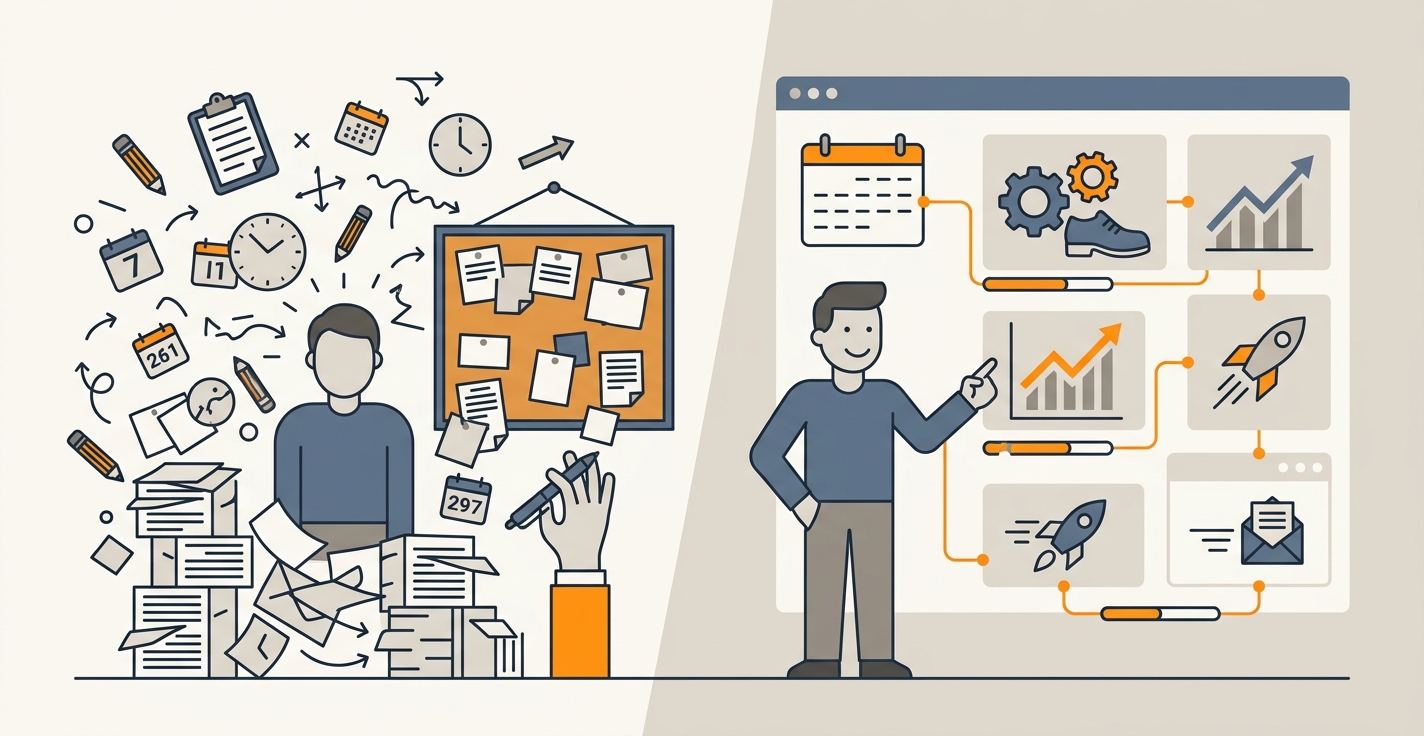
Your content calendar is a spreadsheet. Every Monday, someone manually updates it with new topics. Contributors add notes. Deadlines shift. By week three, nobody trusts the dates anymore.
Key Takeaways
- Manual content calendars create bottlenecks, duplicate work, and scheduling conflicts that kill publishing velocity
- AI content calendars auto-generate topic ideas, assign deadlines, and sync with your CMS in real time
- Teams using AI-powered calendars publish 3-5x more content with fewer conflicts and clearer deadlines
Most teams treat their content calendar as a static document. You fill it in January, reference it occasionally, and abandon it by March when priorities shift. The real cost isn't the spreadsheet itself. It's the time your team spends managing it instead of creating.
The Problem: Your Content Calendar Isn't Scaling
A manual calendar works fine at 5 articles per month. Once you hit 20+ articles, the friction multiplies. Someone has to research which topics to cover, decide on publication dates, coordinate with writers, track status, and update the spreadsheet when things change. That's easily 5-10 hours per week for one person.
Worse, your calendar doesn't talk to your publishing workflow. A writer finishes an article but can't schedule it. An editor approves a piece but has to manually update the calendar. Your CMS has the real dates, but your spreadsheet doesn't. The two are always out of sync.
When content teams manually manage calendars at scale, scheduling conflicts become predictable. Two writers might pick the same date for overlapping topics. An article scheduled for Tuesday actually publishes Thursday because someone missed the update. Your audience expects consistent content, but your calendar can't guarantee it.
AI-Powered Calendars Solve This in Three Ways
1. Auto-Generate Topics Based on Real Data
An AI content calendar doesn't start blank. It analyzes your search volume, keyword difficulty, and existing content to propose topics. Instead of a team debating what to write, you get 20-30 ranked topic suggestions with metrics attached.
The calendar knows your publishing pace and picks topics that fill gaps in your coverage. It avoids clusters (you're not publishing five articles on the same angle). It prioritizes quick wins (lower KD topics that rank faster) alongside long-term plays (pillar pages that build authority).
Jottler's keyword research engine pulls real data on search volume and difficulty, so the calendar recommends topics with the highest impact. No debate. No back-and-forth. The calendar presents options with data. You approve or tweak them.
2. Coordinate Deadlines Automatically
Once topics are locked, an AI calendar builds a deadline schedule backwards from your publication date. It accounts for writing time, review cycles, and design work. Each task gets assigned and synced to your team's tools automatically.
Your writers see their deadlines in Slack, email, or their project management tool. No checking a spreadsheet. When someone changes a deadline, the system propagates the update everywhere. The CMS knows when to publish. Your team knows when to deliver.
At scale, this prevents conflicts. The calendar reserves publishing slots so two similar articles never drop on the same day. It staggers pillar pages and cluster content for maximum topical authority impact.
3. Keep Everything in Sync in Real Time
The biggest win is that your calendar, your CMS, and your team's tools all speak the same language. An article moves from "in review" to "ready to publish" and your calendar updates automatically. You assign a new deadline, and it flows to every platform instantly.
Jottler's auto-publish feature handles the entire workflow, so publishing dates on your calendar always match what's live on your site. This removes the single point of failure. You don't rely on one person to remember to update the spreadsheet. The system is the source of truth.
How to Implement an AI Content Calendar
Start with your keyword data. Export your seed keywords and search volume into your tool. Let the AI propose a topic cluster for the next 90 days. Review it, approve it, and the calendar is built.
Next, set your publishing frequency. If you're publishing 10 articles per month, the calendar distributes those across the month, balancing topic clusters and avoiding conflicts. Connect it to your CMS. Most platforms (WordPress, Webflow, Shopify) sync in minutes.
Finally, brief your team. They'll see assignments in their regular workflow tools. No new software to learn. No "go check the spreadsheet." The calendar pushes information to them, not the other way around.
The transition takes a week. The payoff is immediate: no more scheduling drama, fewer missed deadlines, and a team that publishes on schedule every single week.
Frequently Asked Questions
How do I start using an AI content calendar?
Connect your CMS and set your target publishing frequency. The AI analyzes your keyword data and generates topic suggestions with search volume and difficulty scores. Approve the topics, and the calendar builds itself with deadlines for writing, review, and publishing.
Can I manually adjust dates and topics?
Yes. AI calendars are suggestions, not mandates. Override topics, change deadlines, and reorganize the schedule. The system recalculates dependencies and keeps everything else in sync.
Do I need a tool to manage this, or can I use a spreadsheet?
A spreadsheet can hold a calendar, but it won't sync with your CMS, your team, or your keyword data. You'll manually update every connection. An AI calendar automates those connections, saving hours per week. For 20+ articles monthly, a tool pays for itself immediately.
What if my publishing schedule changes mid-month?
The calendar adapts. If you need to publish faster or slower, the AI redistributes upcoming topics across the new timeline. It notifies your team of new deadlines. Everything stays synced.
How does an AI calendar prevent topic conflicts?
The system models your content cluster (pillar pages, subcategories, keyword relationships). It won't schedule similar topics on the same date. It staggers publication to maximize topical authority and avoid cannibalizing search traffic.
An AI content calendar moves planning from your spreadsheet to your system. Topics are data-driven. Deadlines are automatic. Your team and CMS stay perfectly in sync. The result is consistent publishing at scale, with zero scheduling chaos. If your team publishes more than 10 articles monthly, you're already leaving hours of productivity on the table managing dates manually.
Start with your next quarter. Build your calendar once, set publishing frequency, and let the system handle the rest. You'll wonder why you ever managed deadlines in a spreadsheet.