AI Content Tools for Technical Writing and Documentation
Technical writers face a persistent bottleneck: 72% of businesses report that high-quality documentation directly improves customer satisfaction, yet producing that documentation consumes enormous time. Complex API specifications, user manuals, and compliance docs typically require multiple rounds of human review consuming 5+ hours weekly per document. Enter AI content tools designed specifically for technical writing. These platforms compress review cycles to 1.5 hours, improve accuracy from 76% to 94%, and accelerate API documentation creation by 69%. The question is no longer whether to adopt AI for technical content—it's which tools match your team's workflow. This guide breaks down the AI tools that actually work for technical writers, how they integrate into your process, and which approach delivers the fastest ROI.
Key Takeaways
- 70% of technical writers now use AI daily for first drafts and research, with AI-generated documentation expected to double by 2026 (Converzation, 2025).
- AI reduces manual documentation review time by 70% while improving completeness and accuracy by 18 percentage points (Morphik.ai, 2025).
- Code-native and integrated tools (Docsify.ai, GitHub Copilot, MkDocs) outperform standalone LLMs for keeping docs in sync with engineering output.
- LLM-Powered Drafting Tools: ChatGPT, Claude, and Perplexity excel at research, outlining, and first-draft generation for any documentation type.
- Code-Integrated Solutions: GitHub Copilot, Docsify.ai, and Terraform Docs Pro automatically sync documentation with live code, reducing doc debt by up to 89%.
- Editing and Polish Layer: Grammarly GO, DeepL Write, and Hemingway Editor fix clarity, tone, and translation issues in seconds.
- Multimodal and Compliance Tools: Purpose-built platforms like Manus and specialized doc-generation suites handle diagrams, tables, and regulatory requirements alongside text.
- Automation Backbone: Zapier and n8n orchestrate AI workflows, pulling data from code repos, databases, and content management systems to fuel automated doc generation.
How AI Content Tools Transform Technical Writing Workflows
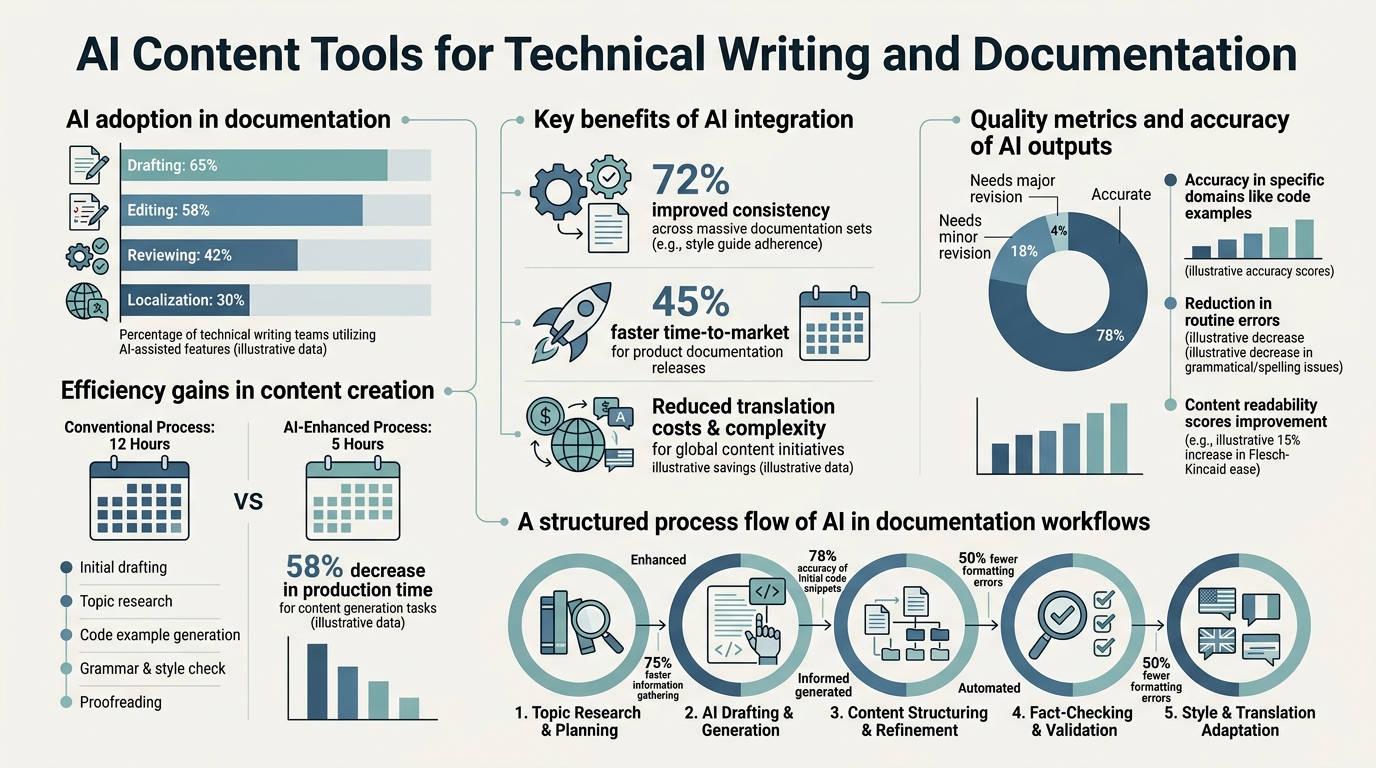
Technical writing is not creative fiction—it's precise information transfer. That distinction matters. AI tools built for tech documentation understand the difference between drafting a blog post and generating an API reference. They parse code, extract parameters, and generate examples directly from source. Teams using specialized AI tools for technical docs report 42% faster engineer onboarding and 3.2 fewer hours per week spent reconciling documentation with actual code. The workflow shift looks like this: humans define scope and review; AI handles drafting, formatting, and first-pass accuracy checks; humans validate technical correctness and compliance.
From Manual to AI-Assisted: The Efficiency Leap
The baseline for technical documentation hasn't changed much in 15 years: a writer gathers requirements, interviews engineers, drafts sections, circulates drafts for review, iterates, and publishes. Each cycle costs time and introduces delays. When documentation lags behind code releases—a common problem in fast-moving engineering teams—user friction skyrockets. AI compresses this cycle by automating the mechanical parts. Instead of a writer manually transcribing an API schema into prose, ChatGPT or a code-aware tool generates a reference table. Instead of waiting for screenshots, tools like Canva's AI features sketch diagrams. The human writer's job shifts upstream: define the voice, establish accuracy standards, and verify that AI-generated content is technically sound. This hybrid model cuts overall documentation time by roughly 70%, freeing writers to focus on structure, clarity, and edge cases that matter most to users.
"Teams using code-linked AI tools report 89% reduction in documentation debt because when engineers merge a code change, the documentation build automatically triggers and AI can flag what sections need human review."
The Integration Imperative: Docs-as-Code and Real-Time Sync
Traditional documentation tools (MadCap Flare, RoboHelp) are powerful but siloed. They don't "know" when code changes. Enter Docs-as-Code: treating documentation as versioned content managed alongside code in Git. Technical writing professionals increasingly pair tools like MkDocs or Sphinx with AI assistants to auto-generate reference tables, code samples, and parameter lists directly from source. Adoption of Docs-as-Code has grown 25% in the last three years, and teams using code-linked AI tools report 89% reduction in documentation debt. The payoff: when engineers merge a code change, the documentation build automatically triggers, embeddings update, and AI can flag what sections need human review. This is why standalone LLMs, despite their power, often underperform in engineering teams—they lack the structural awareness that integrated tools provide.
Core AI Tool Categories for Technical Documentation
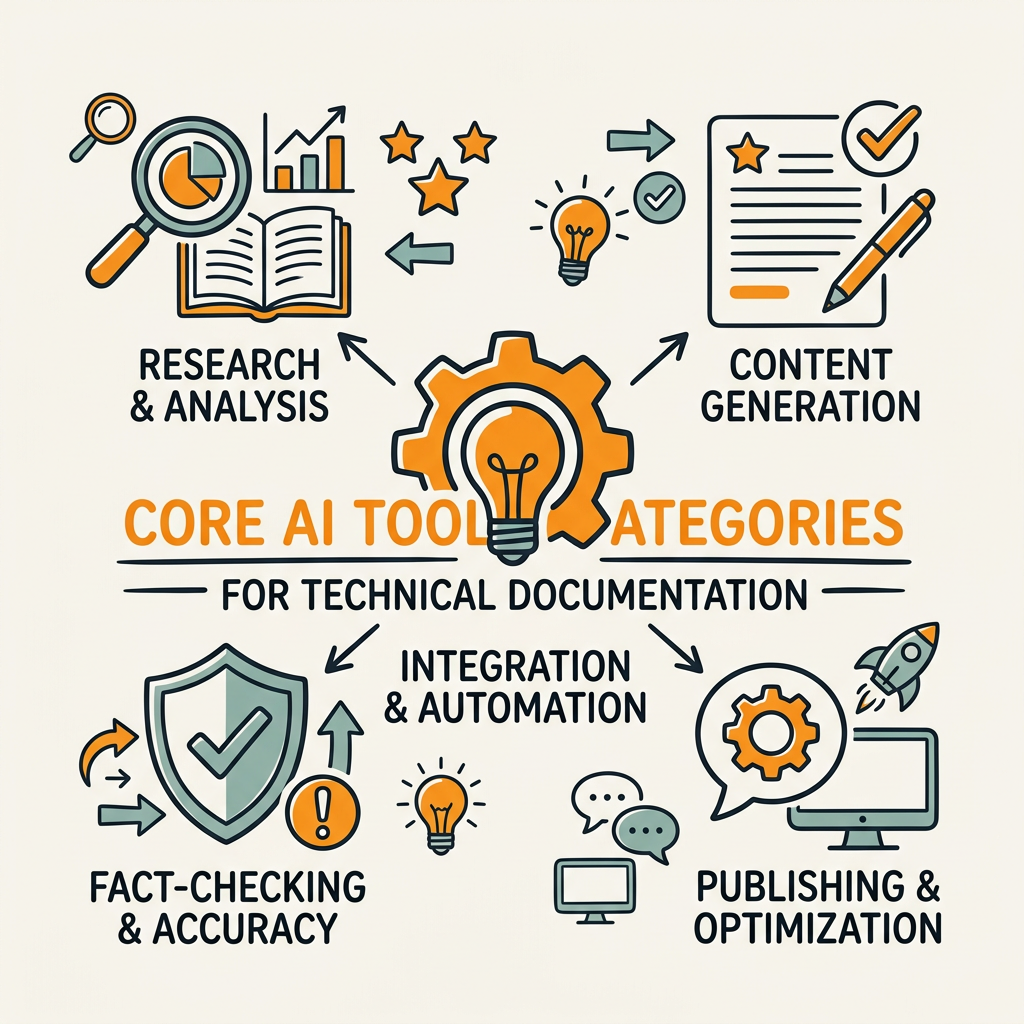
Not all AI tools serve technical writers equally. The market segments into five functional categories, each addressing different pain points in the documentation lifecycle. Understanding this segmentation helps teams avoid buying tools that solve yesterday's problem. Consider that enterprise AI content writer tools increasingly handle both marketing and technical documentation by offering flexible, multi-use architectures.
General-Purpose LLMs: Speed and Flexibility
ChatGPT, Claude, and Perplexity remain the backbone of AI-assisted technical writing. They excel at research, ideation, and first-draft generation for any document type. A writer can paste an engineering spec into ChatGPT and ask it to generate a user-facing summary; Claude can synthesize a 200-page API doc into a concise getting-started guide. 58.8% of technical writers report using these tools daily, with research, drafting, and paraphrasing as top use cases. The limitation: they have no concept of versioning, code state, or compliance requirements. They can generate grammatically perfect nonsense if the input is wrong. For this reason, these tools work best as acceleration layers paired with human verification, not as end-to-end solutions.
Code-Aware and IDE-Integrated Solutions
GitHub Copilot, specialized platforms like Docsify.ai, and Terraform Docs Pro represent the next tier of sophistication. These tools ingest live code, understand syntax and structure, and generate documentation that matches the actual API surface, not an imagined one. When a developer updates a function signature, the tool knows and can flag what docs need refresh. 63% of large engineering teams (>500 engineers) use code-integrated doc tools; those using Terraform Docs Pro see 89% reduction in stale docs. The tradeoff: less flexibility than general LLMs, but far higher accuracy for technical content. For API documentation, SDK reference guides, and infrastructure as code, these tools are becoming table stakes. Teams that master this layer find they can build automated documentation systems that compound over time.
"Code-aware tools generate documentation that matches the actual API surface because they ingest live code and understand syntax—a capability general LLMs simply don't possess."
Writing Quality and Localization Tools
Grammarly GO, DeepL Write, and Hemingway Editor sit one layer above text generation. They polish, clarify, and adapt tone. Grammarly uses generative AI to suggest rewrites that improve readability; DeepL combines translation with contextual awareness to handle technical terminology correctly across languages. These tools shine in regulated industries where documentation language must meet specific standards. A pharmaceutical company documenting a device API can use DeepL Write to ensure technical accuracy across six languages simultaneously, a task that would otherwise require six specialized translators.
Multimodal and Specialized Documentation Platforms
Tools like Manus, Doc-E.ai, and full-featured platforms (e.g., Docsify, Confluence with AI plugins) blend text generation, diagram creation, and structured data handling. They're designed specifically for technical documentation and understand concepts like API schemas, endpoint tables, and compliance matrices. These tools typically sit closer to enterprise documentation platforms and cost more, but they reduce time-to-publish for complex documents by handling formatting and structure automatically. For teams producing hundreds of pages of documentation annually, the cost often pays for itself in reduced manual formatting work.
Workflow Automation: Zapier, n8n, and Custom Pipelines
The final category is orchestration: tools that chain AI services together and integrate them with your existing stack. Technical documentation teams often build custom pipelines using n8n or Zapier to pull source code changes, trigger ChatGPT or Claude to generate summaries, run Grammarly checks, and auto-publish to Confluence. This approach requires more setup but offers maximum control and integration with proprietary databases or CMS systems. Growing companies scaling content production benefit most from this approach because automation scales linearly while manual workflows hit a human ceiling.
Building a Practical AI Stack for Your Technical Documentation
Rather than picking a single "best" tool, high-performing teams layer complementary solutions. The strategy: use general LLMs for research and drafting, code-aware tools for structural accuracy, editing tools for polish, and automation for publishing and linking. This is fundamentally how platforms designed for content generation at scale approach the problem—chaining AI agents to handle research, drafting, fact-checking, and internal linking as a unified system rather than relying on a single tool to do everything. AI-powered systems that apply autonomous workflows consistently outperform manual or single-tool approaches because they handle end-to-end orchestration without human intervention between steps.
Research and Discovery Layer
Start with Perplexity or Claude for researching new product features before you write. These tools pull recent information and synthesize it into coherent outlines faster than human research. If your documentation needs to reference external APIs or third-party services, Perplexity's real-time search capability saves hours of manual lookups. Feed it a product roadmap, and it can scaffold a documentation outline in minutes. Human writers then refine the structure, but the skeleton is done.
Content Generation and Drafting
ChatGPT for generic content, Claude for nuanced reasoning, GitHub Copilot or Docsify.ai if you're documenting code-heavy products. Each has different strength profiles. ChatGPT is the fastest. Claude excels at consistency over long documents. GitHub Copilot understands code semantics. Pick based on your content type, not on brand loyalty. For API docs, code-aware tools outperform general LLMs by a wide margin.
Editing and Quality Assurance
Route output through Grammarly GO for clarity checks and Hemingway Editor for readability scoring. Both give writers specific, actionable feedback: "This sentence is hard to read—consider breaking it into two" is more useful than a generic grammar flag. For international teams, add DeepL Write if you're translating or need tone/terminology consistency across languages. This editorial layer is what separates documentation that ships from documentation that compounds value over time, much like comprehensive content marketing automation requires quality checkpoints at every stage.
Publishing and Automation
Zapier or n8n glues the workflow together. A basic pipeline might look like: engineer merges code → webhook triggers n8n → n8n pulls code schema → calls ChatGPT to generate doc draft → passes to Grammarly → publishes to wiki/Confluence. This end-to-end pipeline can run daily or on-demand, ensuring documentation stays synchronized with active development.
| Tool Category | Primary Use Case | Time Savings vs. Manual | Best For | Integration Friction |
|---|---|---|---|---|
| ChatGPT / Claude | First drafts, research, paraphrasing | 50-60% (drafting phase) | Rapid ideation, content outline | Low (copy/paste) |
| GitHub Copilot / Docsify.ai | API docs, code reference, sync | 65-75% (code-doc alignment) | Engineering teams, SDK documentation | Medium (IDE/Git integration) |
| Grammarly GO | Clarity, tone, grammar refinement | 40-50% (editing phase) | Non-native speakers, tone consistency | Low (browser extension) |
| DeepL Write | Translation, localization, terminology | 60-70% (multi-language docs) | International products, compliance docs | Low (web + API) |
| Zapier / n8n | End-to-end workflow automation | 70%+ (entire pipeline) | High-volume content, scaling teams | High (custom setup) |
| Jottler | Daily autonomous content generation | 85%+ (research, writing, publishing) | Technical documentation at scale | Low (CMS sync) |
Note: Jottler stands apart because it handles the entire pipeline—research, writing, fact-checking, and internal linking—as a unified autonomous system specifically designed for teams who need consistent output without constant oversight. For technical writers at scaling companies, this eliminates the overhead of managing five different tools and orchestrating them manually.
Critical Success Factors: What Makes AI Tools Work for Technical Docs
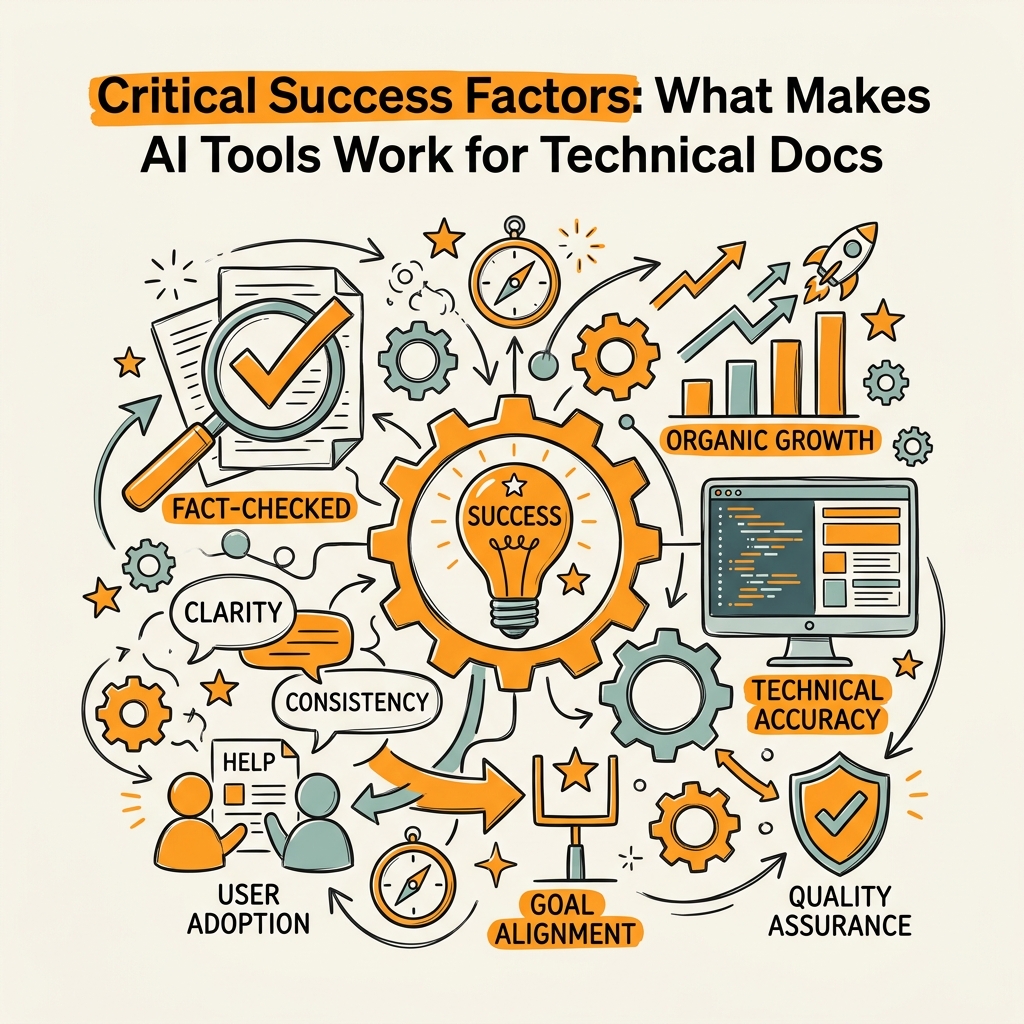
Not every AI tool is ready for production documentation. Several factors separate viable tools from time-wasters. Understanding these criteria helps teams avoid false starts.
Accuracy and Hallucination Control
The single biggest risk in AI-generated technical documentation is confidently false information. A ChatGPT-generated API example that "looks right" but breaks at runtime frustrates users and damages credibility. Real accuracy requirements demand human review, but specialized tools reduce hallucination risk dramatically. Code-aware platforms flag when generated examples don't match actual APIs. Tools with fact-checking layers (like Jottler's verification agents) cross-reference claims against source material. If you're using general LLMs, budget 30-40% of output time for verification. If you're using specialized technical tools, that overhead drops to 10-15%.
Version Control and Change Tracking
Documentation isn't a one-time deliverable; it's a living asset that changes with product releases. Tools that integrate with Git (GitHub Copilot, MkDocs + AI) automatically track doc versions alongside code. Non-integrated tools create a manual sync burden: someone must remember to update the wiki when code ships. Over time, this is where documentation debt accumulates. Choose tools with native version control or partner them with CI/CD systems.
Tone and Brand Voice Consistency
AI tools excel at technical accuracy but can generate generic prose. 80% of teams report that AI-generated docs feel "corporate" or "robotic" unless actively styled. The fix: establish brand voice guidelines upfront (e.g., "Use active voice, address readers as 'you,' avoid jargon except where necessary") and feed them to every tool. Tools like Grammarly GO let you upload a style guide. Jottler's writing agents ingest your existing blog content and documentation to learn your team's voice, ensuring new content feels native rather than grafted on.
Scalability Without Quality Degradation
A tool that produces one great doc per week is nice. A tool that produces five mediocre docs per week is a liability. Quality scales only if you have human oversight built into the process. This is why autonomous content platforms like Jottler include fact-checking and editorial review as core steps, not optional add-ons. As volume grows, your QA process must grow with it, or documentation quality will collapse.
Implementing AI Tools: A Phased Approach
Jumping to fully autonomous documentation production is a mistake. Instead, phase adoption in three stages: validation, integration, and scaling.
Stage 1: Validation (Weeks 1-4)
Pick one high-friction document type—e.g., API reference guides or getting-started docs—and test an AI tool on it. Use ChatGPT, Claude, or a specialized platform to generate a first draft of something you've written manually before. Measure the time saved and the quality difference. Document the exact steps: how long research took, how many revisions were needed, how long QA consumed. This is your baseline.
Stage 2: Integration (Weeks 5-12)
Once you've validated a tool, integrate it into your workflow. This might mean connecting GitHub Copilot to your IDE, setting up a Zapier workflow that routes docs through Grammarly before publishing, or configuring Confluence to use Manus for diagram generation. Integration usually reveals friction points: API rate limits, authentication headaches, or features that don't quite match your workflow. Solve these before scaling.
Stage 3: Scaling (Weeks 13+)
Once integration is smooth, increase volume. If your validation showed ChatGPT saved 10 hours on API docs, experiment with automating 50% of your API documentation pipeline. Set up n8n to trigger when code ships, generating draft docs automatically. Humans still review, but the starting point is AI-generated, not blank. Teams who reach this stage report 3-4x output growth with the same headcount.
Avoiding Common Pitfalls
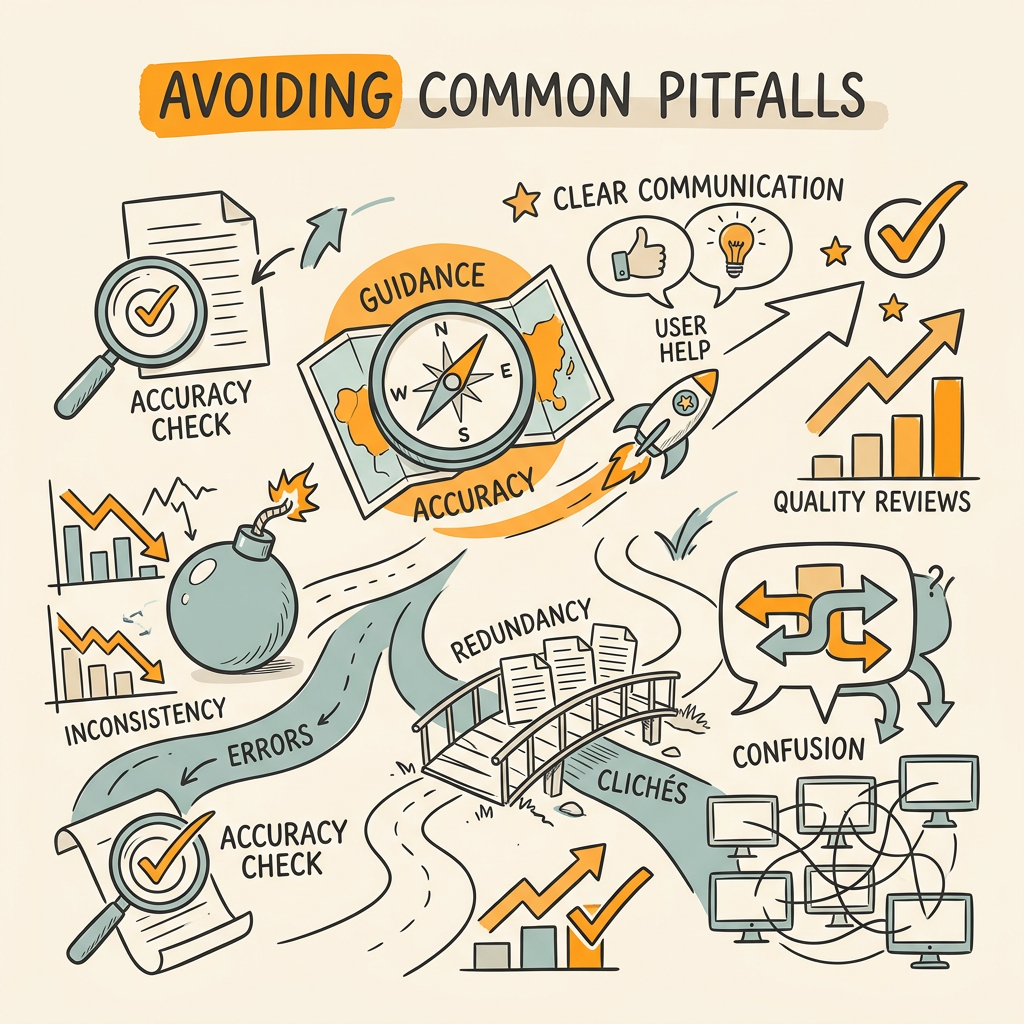
Teams often stumble when scaling AI-assisted documentation. Watch for these mistakes.
Mistaking First Draft for Finished Product
AI tools are generators, not validators. A ChatGPT draft that looks convincing may contain subtle inaccuracies or outdated information. Never publish without human technical review. Allocate 10-15% of your time budget to QA, even with AI tools. This isn't overhead; it's the only thing standing between correct docs and documentation that breaks your users' workflows.
Ignoring Tool Interoperability
Picking tools that don't talk to each other multiplies friction. If your LLM lives in one UI, your editor in another, and your publishing platform in a third, every doc becomes a copy-paste exercise. Use integration-first tools or invest in n8n/Zapier to wire them together. The upfront cost saves 5+ hours weekly on process overhead.
Assuming One Tool Solves Everything
The "best" technical documentation approach layers tools. No single platform is simultaneously great at drafting, editing, code-awareness, and publishing. Build a stack: LLM for drafting, code-aware platform for accuracy, editor for polish, automation for publishing. This is how high-performing teams operate. Jottler exemplifies this stack-based approach internally, using multiple AI agents for research, writing, fact-checking, and linking—a model that performs better than any single-tool approach.
Measuring Impact: Metrics That Matter
To justify investment in AI tools, measure what changes. Pick three metrics from this list and track them monthly.
- Time-to-Publish: How many hours from feature complete to documentation published? AI tools should cut this by 40-70%.
- Documentation Freshness: What percentage of docs are within 4 weeks of the shipped code? AI should push this toward 90%+.
- Support Ticket Volume: Do questions about features decrease after docs are published? Organizations report 30% ticket reduction when docs are accurate and current.
- User Satisfaction: Score docs in your help system or survey users. AI tools that improve clarity should lift satisfaction 15-25%.
- Content Output per Writer: Divide total pages published by total writer-hours. AI should improve this ratio by 50% or more.
Track these before implementing tools, then track again monthly. If none of these metrics improve after three months, the tool isn't working for your workflow—swap it out.
Conclusion
AI content tools have fundamentally changed how technical documentation gets produced. The teams winning this transition aren't betting on a single tool—they're building stacks that handle research, drafting, editing, and publishing as interconnected steps. For founders and marketing teams at scaling companies, the opportunity is immense: documentation that stays synchronized with product, enables faster onboarding, and reduces support costs. Start small with one document type, measure impact rigorously, and layer tools as your confidence grows. Teams that complete this journey report faster documentation cycles and fewer support tickets. Your technical documentation doesn't have to lag your product. With the right AI stack, it can lead.
Start your SEO agent to automate not just documentation but your entire content marketing engine. Jottler handles the research, writing, fact-checking, and publishing of 3,000+ word articles daily, applying the same multi-agent approach that makes AI documentation work at scale.
FAQs
Which AI tool is best for technical writing?
There is no single best tool—it depends on your workflow. For pure drafting and research, ChatGPT and Claude are unmatched in speed and flexibility. For engineering teams writing API and SDK documentation, code-aware tools like GitHub Copilot and Docsify.ai outperform general LLMs because they sync with live code. For scaling teams who need autonomous, end-to-end content production with fact-checking and internal linking, Jottler's autonomous approach delivers 85%+ time savings because it handles research, writing, verification, and publishing as a unified system. Choose based on whether your bottleneck is speed (use ChatGPT), accuracy (use code-aware tools), or volume (use autonomous platforms).
Can AI tools generate accurate technical documentation without human review?
No. AI tools are powerful accelerators, but they require human technical review before publication. Even specialized tools that integrate with code can miss nuance, misinterpret edge cases, or generate examples that look correct but fail in production. The safest approach: use AI for drafting and first-pass clarity improvements, then route output to a technical expert for accuracy validation. This hybrid model cuts documentation time by 70% while maintaining the reliability users need.
How long does it take to implement AI documentation tools in a team?
Implementation takes 4-12 weeks depending on complexity. Simple tools like ChatGPT or Grammarly can be operational within days—just start using them. Integration with existing platforms (Confluence, GitHub, CI/CD) adds 2-4 weeks. Full workflow automation with n8n or specialized platforms adds another 4-8 weeks. The key: don't wait for perfect integration. Start with one tool, measure impact, then add integrations incrementally. Most teams see meaningful time savings within the first month.