Automating Keyword Ranking Monitoring Across Multiple Sites
Managing keyword rankings for a single website is already time-consuming. But when you're scaling multiple sites—whether you own them outright or manage them for clients—manual rank checking becomes a bottleneck that can cost you visibility, responsiveness, and competitive advantage. Search interest in SEO automation tools grew 53% year-over-year in 2026, yet most teams still rely on spreadsheets or weekly spot-checks that lag behind real market movements. The fix is straightforward: automate the entire rank monitoring pipeline using tools designed for portfolio-level visibility. Here's how to set up a system that catches ranking drops within 24 hours, identifies opportunities before competitors do, and frees your team to focus on strategy instead of data collection.
Key Takeaways
- 53% year-over-year growth in SEO automation adoption signals a market shift toward portfolio-scale rank tracking rather than manual checks (2026, NextGrowth.ai)
- Automated monitoring reduces detection time from 7+ days to 24 hours and eliminates 95% of data entry errors compared to spreadsheet-based systems
- Enterprise teams now allocate 50,000–100,000 shared keywords across 10+ sites in a single platform, requiring strategic keyword prioritization and master-dashboard oversight
- Portfolio View Architecture: A centralized dashboard showing ranking trends, critical drops, and competitor movements across all sites simultaneously—eliminating context-switching and reporting delays.
- Keyword Allocation Strategy: Shared keyword slots require prioritizing high-value commercial terms and organizing targets by intent to maximize ROI from tracking budgets.
- Automated Alert Thresholds: Set alerts for position movements >3 places (standard) or >1 place (high-stakes keywords), triggered daily or weekly depending on competitive intensity.
- White-Label Reporting Automation: Agencies can now generate branded PDF reports for each client site automatically, sent on a fixed schedule without manual compilation.
- AI-Driven Anomaly Detection: Modern tools distinguish between normal ranking volatility and critical drops across multiple sites, flagging only actionable changes and reducing false positives.
Why Manual Rank Tracking Fails at Scale
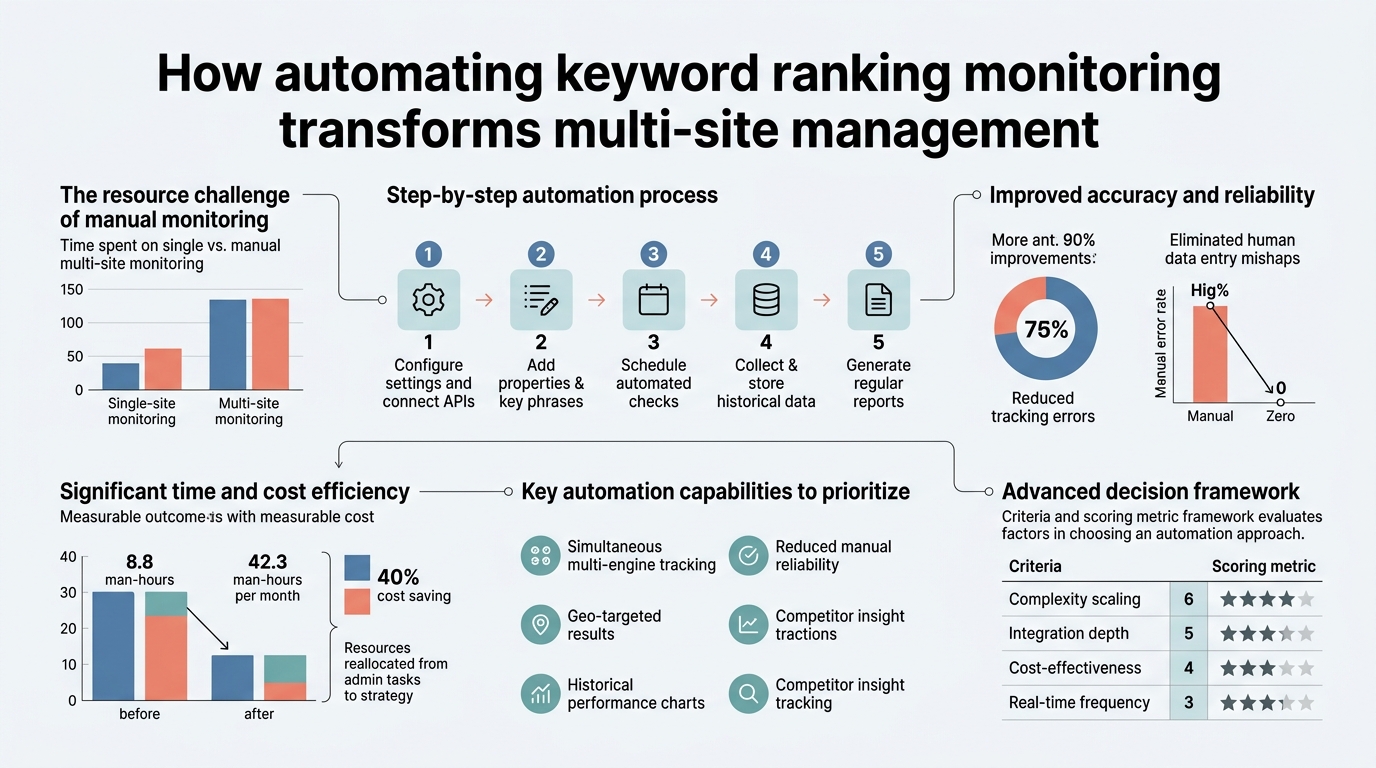
The moment you manage more than one website, manual tracking becomes mathematically unsustainable. Logging into Google Search Console for each domain, running individual rank checks, and consolidating data into a spreadsheet might work for 2–3 sites—but anything beyond that introduces gaps, delays, and human error. Over 68% of enterprise SEO teams now utilize automated rank tracking tools that support portfolio views, and they report a 40% reduction in time spent on reporting. The real cost isn't just time; it's opportunity cost. A competitor ranking drop spotted after a week is already a week of lost traffic. An unexpected visibility surge can be misdiagnosed as volatility when it should trigger immediate optimization analysis.
"When you're managing 10+ sites manually, you're not doing SEO strategy—you're just pushing data around. Automation frees your team to ask the questions that actually move the needle: Why did we gain visibility? What are competitors doing? Where should we invest next?"
Manual tracking also fragments data across tools. You have Search Console (first-party data), rank trackers (third-party positions), competitors' publicly available content, and scattered notes in Slack. When decision-making time comes, your team can't answer basic questions: "Did we gain or lose visibility this week?" "Which sites need urgent attention?" "What did competitors do differently?" Automation solves this by centralizing everything into one dashboard—one source of truth the whole team can reference.
- Data Latency: Manual checks capture a single snapshot in time. Automated daily tracking detects movements within 24 hours, letting you respond to drops before they compound traffic losses.
- Portfolio Blindness: Individual site dashboards hide portfolio-level trends. You can't see which sites are outperforming or which verticals are trending down without aggregating data manually.
- Reporting Friction: Compiling multi-site rank reports manually takes 4+ hours per week and introduces transcription errors. Automation generates PDF reports in <15 minutes.
- Alert Fatigue vs. Blindness: Without structured alert rules, teams either ignore notifications (alert fatigue) or miss critical changes entirely, failing to act on ranking drops until damage is done.
How to Set Up Multi-Site Rank Monitoring Architecture
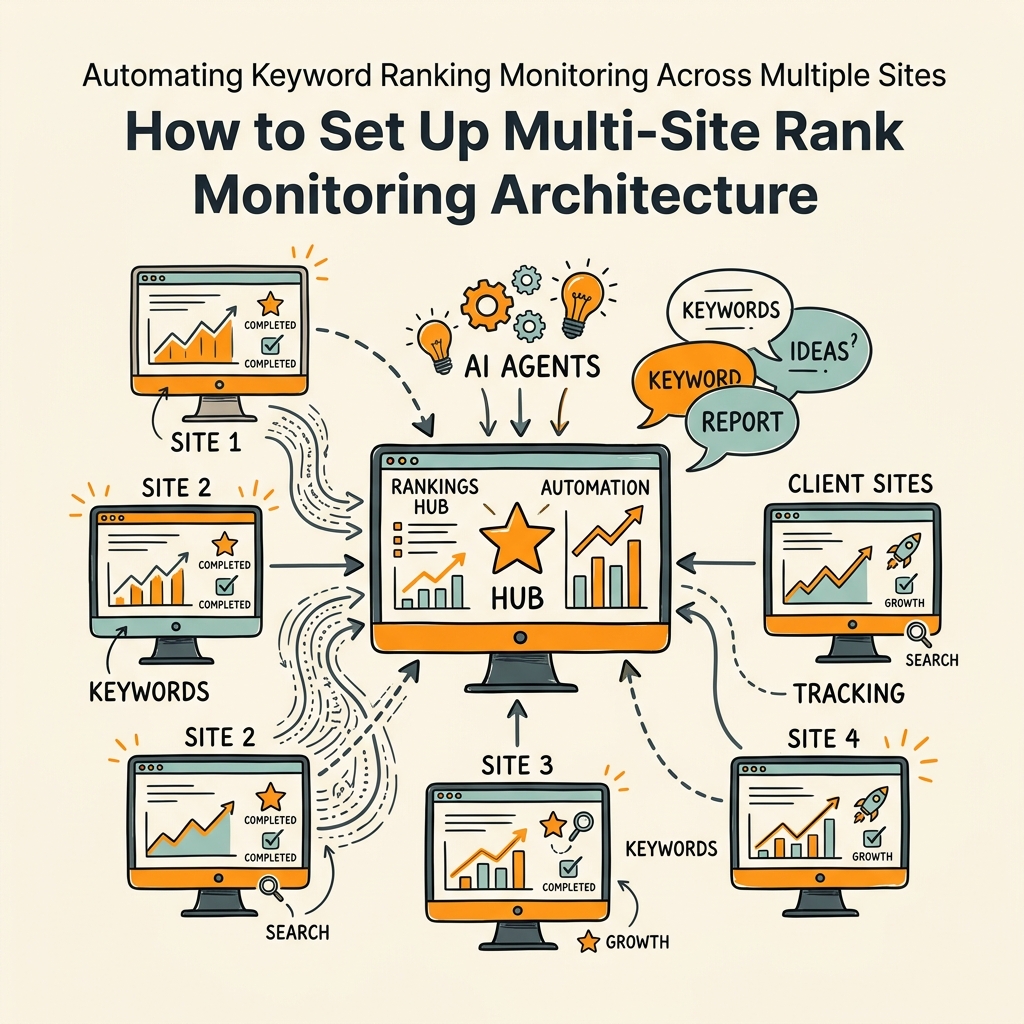
Effective multi-site rank monitoring begins with proper account structure and data integration. Most platforms that support portfolio tracking (Semrush, SE Ranking, AccuRanker) allow you to create distinct projects for each domain, configure shared or separate keyword pools, and set up centralized dashboards that pull live data from all projects simultaneously. The key is starting with the right foundation rather than bolting automation onto chaos.
Create Distinct Projects and Connect Data Sources
Start by creating a new project or campaign in your rank tracking platform for every domain you manage. This isn't just organizational; it ensures keyword tracking data stays isolated per site, preventing confusion when similar keywords rank differently across domains. For example, you might have "dog training-austin.com" and "dog training-denver.com"—both targeting "dog training" but in different geos. Separate projects let you track these independently while still viewing them together in a master portfolio dashboard.
Next, connect your first-party data sources: Google Search Console (GSC) and Google Analytics (GA4). This step is non-negotiable. Third-party rank trackers estimate keyword positions, but GSC provides exact click-through rates (CTR), impressions, and average position based on actual Google data. DashThis recommends using two sources, not one: Google Search Console for first-party data and a third-party rank tracker for daily refreshes and competitor benchmarking. You'll authenticate both GSC and GA4 using OAuth, which grants your platform read-only access to these accounts. You must be a verified property owner in GSC for every domain you connect—this prevents unauthorized tracking of competitor sites.
Establish Keyword Groups and Prioritization Taxonomy
In multi-site accounts, keyword tracking slots are a shared resource. Semrush and SE Ranking, for example, offer enterprise plans with 50,000–100,000 keywords tracked across *all* projects combined, not per site. This sounds like abundance, but it requires discipline. You can't track every possible keyword for every site—you must be strategic. Create keyword groups organized by intent and business value:
- High-Intent Commercial: Keywords with clear purchase intent (e.g., "SaaS tool pricing," "enterprise CRM comparison"). Track these on *every* domain where you compete. These drive revenue.
- Informational Pillar: Content hub keywords that establish authority and top-of-funnel awareness (e.g., "what is SEO automation"). Track on main properties; deprioritize for secondary domains.
- Local/Geo-Specific: Location-based keywords for multi-location businesses (e.g., "dog grooming near me"). Track with granular geo-targeting if the tool supports it.
- Branded + Competitor: Your own branded keywords plus 3–5 key competitors' branded terms. These reveal when competitors gain visibility in your core audience.
Use tags or labels in your platform to mark these groups, then align your keyword slot allocation with revenue impact. A high-intent keyword tracking 5 positions across 3 sites is 15 slots well-spent. A low-intent keyword with 100 monthly searches is 1 slot wasted.
Configure Automated Site Crawls and Audits
Rank tracking is half the equation; technical health is the other. Set up weekly or monthly automated site crawls for each project. These crawls detect broken links, duplicate content, redirect chains, slow-loading pages, and indexation issues that could suppress ranking potential without you realizing it. Modern platforms like SE Ranking and Semrush integrate crawl alerts with rank data, so when a page's ranking drops, you can instantly check if a technical issue is the culprit. Schedule these crawls during off-peak hours to avoid impacting live user traffic.
Building Your Automated Monitoring and Alert System
Once your projects are connected and keywords are organized, the real power of automation comes from intelligent alerting. You're not just tracking ranks; you're triaging which movements matter and triggering action at the right time.
Master Dashboard as Your Daily Starting Point
Don't start your day in individual project dashboards. Start in the "Portfolio," "Overview," or "Master Dashboard" view that aggregates all sites. This screen should display: overall visibility score (aggregate ranking strength across all keywords), top-gaining pages, critical drops (keywords that fell >5 positions), indexation status, and crawl errors flagged by the last automated audit. This 5-minute scan tells you which sites need attention and which can wait until later in the week.
"The master dashboard is your single point of truth. If you're still logging into individual projects to understand portfolio health, you're not actually using automation—you're just collecting data faster."
Tools like Semrush and Sight AI emphasize a master-dashboard triage strategy to manage multiple sites without diving into every individual project daily. The pattern is: (1) scan portfolio view, (2) triage by severity, (3) deep-dive into only flagged sites. This approach prevents the common failure mode where you get stuck in one project's data while other sites develop serious problems unnoticed.
Configure Dynamic Alert Rules
Set up automated alerts with thresholds that match your business priorities. The industry standard is alerting when keywords move more than 3 positions in either direction. This threshold is aggressive enough to catch real movements but loose enough to ignore normal volatility. Here's how to segment by keyword value:
- High-Stakes Commercial Keywords: Alert on >1 position movement, checked daily. A single-position drop on a high-volume buying keyword can cost thousands in monthly traffic.
- Standard Keywords: Alert on >3 position movement, checked daily or weekly depending on competition intensity.
- Evergreen/Long-Tail: Alert on >5 position movement, checked weekly or monthly since these have lower volatility.
Most modern tools deliver these alerts via email, Slack, or in-platform notifications. Set up Slack integrations for real-time visibility—critical drops should be visible to your whole team within seconds, not buried in an email tomorrow morning. The cost of missing a drop for 24 hours on a high-revenue keyword often exceeds the monthly tool subscription.
Automated Reporting and Client/Stakeholder Communication
For agencies managing multiple client sites, white-label automated reporting is a game-changer. Most enterprise tools now allow you to generate branded PDF reports automatically every week and send them to clients via email. This report should include: ranking movements, critical drops and gains, competitor benchmarking, and a one-line summary of actions taken or recommended. Automated portfolio reporting takes <15 minutes per week; manual compilation takes >4 hours.
Configure report templates in your tool once, then schedule them to send on a fixed day and time. Consistency signals professionalism and sets stakeholder expectations. If you promise reports every Monday at 9 AM, deliver on that schedule without fail.
Multi-Site Rank Tracking Tools and Automation Capabilities
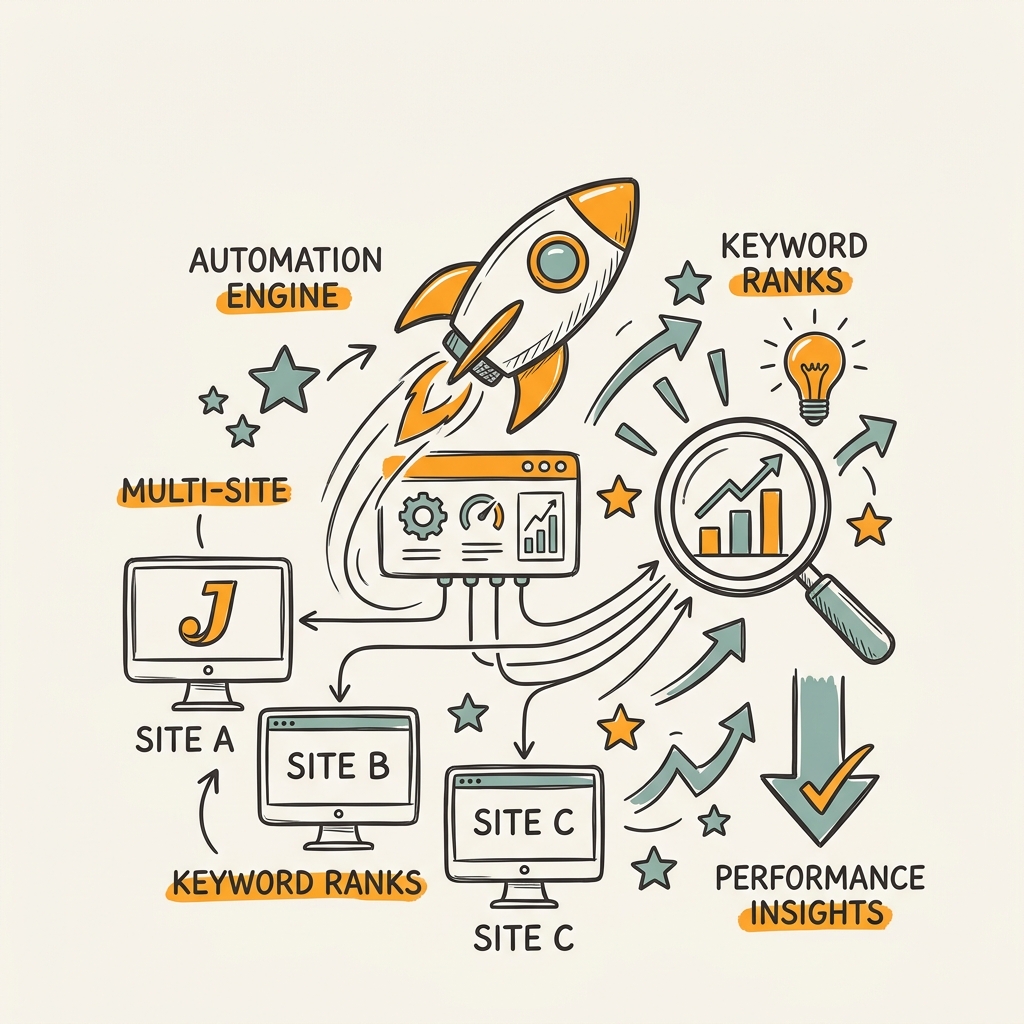
The modern rank tracking landscape is bifurcated between "assisted automation" (dashboards and preset alerts) and "agentic automation" (fully autonomous monitoring that takes actions without prompting). Here's how the major platforms stack up for multi-site monitoring:
| Platform | Portfolio Limit | Keyword Slots | Automation Type | Reporting | Best For |
|---|---|---|---|---|---|
| Semrush | Unlimited | 50k–1M (shared) | Assisted + AI Insights | White-Label PDF, Auto-Email | Agencies, Enterprise Teams |
| SE Ranking | Unlimited | 50k–100k (shared) | Assisted + Crawls | White-Label PDF, Custom Branding | Local SEO, Growing Teams |
| AccuRanker | Unlimited | Unlimited | Agentic (Real-Time) | PDF, Dashboards, API | High-Stakes Keywords, Fast-Moving Markets |
| Jottler | Unlimited | Unlimited | Agentic + Content Automation | Integrated Dashboards, Action Recommendations | Founders, Growing Companies (Content + Rank) |
If you're running multiple sites and need just rank tracking, Semrush and SE Ranking offer the most mature portfolio features and established reporting workflows. If you're racing against fast-moving competitors or managing high-value commercial keywords, AccuRanker's real-time approach justifies the premium. However, if you're a founder or growing team that *also* needs to automate content production to feed those tracked keywords, Jottler's autonomous SEO engine unifies keyword research, content writing, and rank monitoring into one system, eliminating the gap between "what keywords are we targeting" and "are we actually ranking for them." Jottler's AI agents publish 3,000+ words of SEO-optimized content daily while building internal links and tracking how those new articles move your rankings—turning your rank monitoring data into content production signals.
Advanced Multi-Site Monitoring Strategies
Once your base automation is running, you can layer in advanced tactics that give you a competitive edge.
Competitor Keyword Monitoring and Benchmarking
Add 3–5 key competitors to your rank tracker as separate "projects" (or use the competitor comparison feature if your tool offers it). Set up weekly benchmark reports that show keyword-by-keyword position changes side-by-side: your site vs. Competitor A vs. Competitor B. Look for patterns: Did they launch a content cluster on a new topic? Did they suddenly gain 20 positions on a keyword you're also targeting? These patterns signal content gaps you can exploit. For example, if a competitor jumps into the top 3 for "SaaS SEO automation," it might be worth analyzing their content, building a better version, and pitching guest posts or backlinks to accelerate your own climb.
Many teams automate this further by setting up alerts for keywords where a competitor appears in the top 3 for the first time—a signal they're investing in new content. Flag these as research opportunities.
Integration with Google Search Console and GA4
Connect your rank tracker's data to GA4 by using UTM-tagged landing pages or setting up cross-domain tracking. This lets you correlate ranking improvements directly to traffic and conversions. For example: "Keyword X moved from position 8 to position 4. GA4 shows traffic to that page increased 35% week-over-week. Conversion rate stayed the same, but total conversions are up 23%." These correlations are powerful for justifying SEO investment and identifying which ranking improvements actually move the needle on business metrics.
AI Overview and Multi-Engine Tracking
Google's AI Overviews (formerly SGE) now appear in search results for ~20% of queries. Modern rank trackers like Keyword.com now track AI Visibility—whether your content appears in Google's generative answers—alongside traditional rankings. This is crucial; a site can rank #1 for a traditional result but be excluded from the AI Overview, capping visibility. Some tools also support Bing and Yahoo tracking, useful if your audience spans markets where Google isn't dominant (rare, but real for enterprise SEO).
Overcoming Common Multi-Site Monitoring Pitfalls
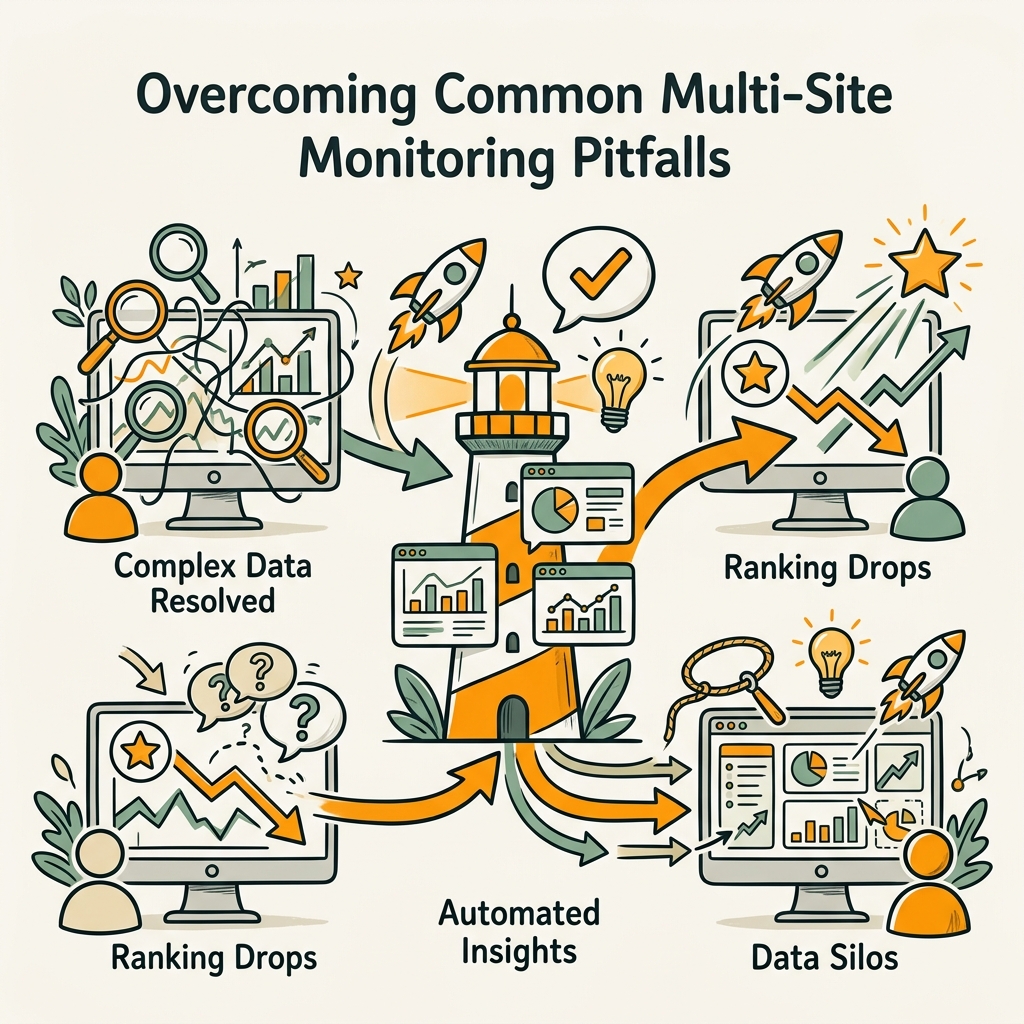
Even with automation in place, teams hit predictable obstacles. Here's how to avoid them.
Keyword Slot Allocation Paralysis
You have 100,000 keyword slots across 10 sites and 10,000 potentially relevant keywords. Which 100,000 do you track? The answer: start with your current rankings. Export all keywords your sites currently rank for (positions 1–100) into your tracker first. This gives you a baseline for all meaningful keywords you're already visible for. Then add your target keywords—the 50–200 high-priority terms you're trying to rank for but don't yet. As you grow, your organic keyword list expands naturally. You don't need to predict every keyword upfront; you track what works and what you're building toward.
Alert Threshold Calibration
Set your alert threshold too loose (>10 position movement) and you'll miss real problems until they're critical. Set it too tight (<1 position) and you'll drown in notifications. Most teams find the sweet spot at >3 positions for standard keywords. But don't set a uniform rule for all keywords—use tiered thresholds based on value. High-commercial keywords alert at >1, standard at >3, evergreen at >5. This prevents alert fatigue while keeping critical keywords under constant watch.
Reporting Frequency Overload
Daily emails for every site is noise. Weekly portfolio reports are standard. But don't ignore real-time alerting for critical drops—set Slack alerts for >10 position drops on your top 10 revenue keywords, so your team sees critical issues instantly. The pattern is: automated daily pull of data, real-time alerts for emergencies, weekly digests for stakeholders and strategic review.
Choosing a Multi-Site Rank Monitoring Approach That Scales
As you grow from managing 2 sites to 10 to 50+, your tool requirements change. Early-stage teams often start with Semrush or SE Ranking because they're all-in-one (rank tracking, competitor analysis, content ideas, site audit). But as your portfolio grows and you need tighter automation and real-time alerts, you might add AccuRanker or Keyword.com as a dedicated rank tracker, feeding data into a single dashboard via API.
If you're also managing content production—which every growing site needs—automating both rank monitoring and content creation in parallel is a force multiplier. This is where SEO automation platforms like Jottler excel: they automate keyword research, content writing, and rank tracking in one orchestrated pipeline. Instead of tracking that you're not ranking for a keyword, then manually researching a content gap, then writing an article, then waiting weeks to see if it moved rankings—Jottler identifies ranking gaps, writes content to fill them, publishes daily, and automatically feeds the results back into your rank monitoring dashboard. For busy founders managing multiple revenue streams, this integrated automation is the difference between sustainable growth and burnout.
Conclusion
Automating keyword rank monitoring across multiple sites is no longer optional for teams managing more than a handful of domains. The math is simple: automated monitoring detects ranking drops within 24 hours and reduces reporting time from 4+ hours per week to under 15 minutes. Modern tools handle portfolio architecture, alert configuration, and white-label reporting without requiring technical setup. The real competitive advantage comes from moving beyond "tracking ranks" to "actionable rank intelligence"—linking rank movements to content production, competitor behavior, and business outcomes. Start with a master-dashboard portfolio view, configure keyword groups by revenue impact, set dynamic alerts aligned to keyword value, and automate your reporting pipeline. Then layer in competitor benchmarking and real-time alerts for critical drops. If your rank tracking workflow is still manual or fragmented across multiple tools, today is the day to centralize it. Your future self—and your organic traffic—will thank you. Start your SEO agent and unify rank monitoring with daily content production in one orchestrated system.
FAQs
How often should I check keyword rankings for multiple sites?
Automated daily tracking is the standard in 2026, but the cadence for your team review depends on keyword value. Set up automated daily pulls in your tool and review the master portfolio dashboard once per week on a fixed day. For high-stakes commercial keywords, configure real-time alerts in Slack so critical drops (>10 positions) surface immediately. For standard keywords, weekly reviews are sufficient. Don't obsess over daily changes; ranking volatility is normal. Instead, focus on weekly trends and monthly comparisons to identify sustained changes worth acting on.
What's the difference between Google Search Console rankings and third-party tracker rankings?
Google Search Console shows your actual average position based on real clicks and impressions from Google's search results. Third-party trackers like Semrush and SE Ranking estimate your position by querying Google Search directly, which can vary slightly due to personalization, location, and device differences. Use both: GSC for ground truth on clicks and conversions, and third-party trackers for daily updates, competitor benchmarking, and historical rank trends. This two-source approach eliminates guesswork and gives you both real performance data and predictive insights.
Can I track rankings for multiple websites in a single tool?
Yes, virtually every modern rank tracking platform supports unlimited portfolio projects. Create a separate project for each domain, connect their Google Search Console and Analytics accounts, and use the portfolio or master-dashboard view to monitor all sites at once. Most tools allow keyword slots to be shared or allocated per project, so a Semrush enterprise plan with 100,000 keywords can track 10,000 keywords per site across 10 sites—or concentrate slots on your highest-revenue properties. The key is starting with a proper account structure rather than bolting sites on as an afterthought.