Automating Your SEO Audit and Competitor Analysis
Manual SEO audits drain time you don't have. A typical audit for a single client site consumes 8–24 hours depending on site size, while meaningful competitor analysis at scale becomes unsustainable when done by hand. Agencies that automate these workflows recover 60–75% of analyst time and deliver faster audits, which translates to 25–40% higher client retention rates. The solution isn't another dashboard or checklist — it's building an automated engine that handles crawling, comparison, and prioritization so your team focuses only on strategic decisions.
Key Takeaways
- Automated SEO audit pipelines complete what takes humans 8–24 hours in under 2 hours, recovering 60–75% analyst time (2026, Ustechautomations)
- Agencies gain 25–40% higher client retention when delivering faster, more frequent SEO audits
- Effective SEO automation saves professionals 15–25 hours per week across audits, keyword research, and monitoring
- Automated Crawling & Technical Audits: Systems scan your entire site in hours instead of weeks, detecting broken links, duplicate tags, schema issues, and Core Web Vitals in one pass.
- Real-Time Competitor Benchmarking: Track not just rankings but content gaps, backlink opportunities, SERP features, and intent alignment across dozens of keywords continuously.
- Prioritized Recommendations: Automation surfaces the highest-impact fixes first, eliminating noise and reducing analyst time interpreting raw data.
- Continuous Monitoring with Alerts: Instead of quarterly spot-checks, automated monitoring catches issues as they emerge and notifies your team instantly.
- Integrated Workflow Architecture: Modern SEO automation connects Google Search Console, crawlers, rank trackers, and reporting in one unified pipeline.
What Does SEO Audit Automation Actually Do?
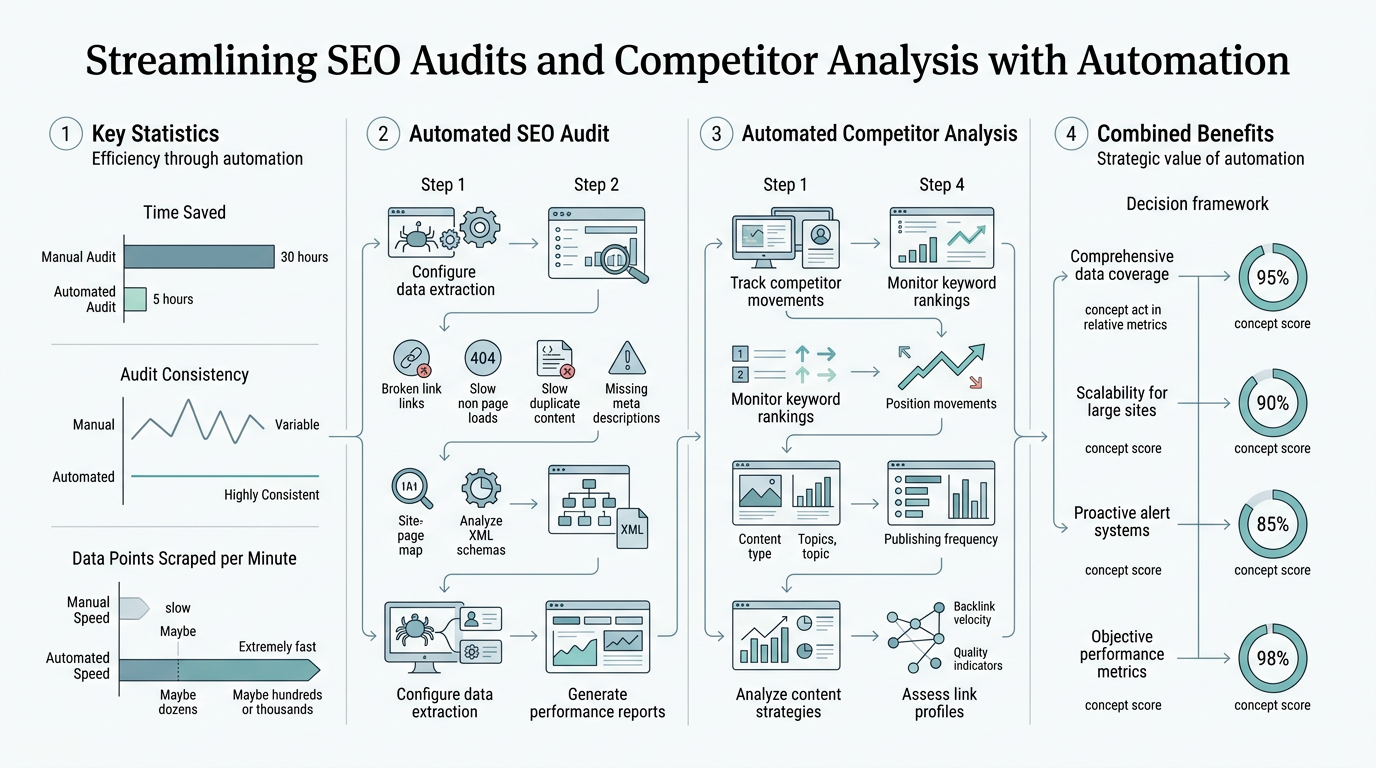
SEO audit automation replaces manual crawling and spreadsheet analysis with continuous, scalable workflows that detect issues and benchmark performance without human intervention. Automated SEO audit pipelines can crawl sites, analyze rankings, review backlinks, and compile prioritized recommendations in under 2 hours for most sites — compared to the 8–24 hours manual audits take. The goal is to shift SEO from reactive (running audits quarterly) to proactive (monitoring continuously and alerting when action is needed). When you implement comprehensive SEO automation, the audit becomes just one layer of a larger system that connects findings to content creation.
"The teams winning in 2026 run audits continuously, automate detection and prioritization, and feed findings directly into content creation — transforming SEO from a cost center into a compounding growth engine."
How Automated Crawling Scales to Large Sites
Crawlers are the foundation of automated audits. A tool like Screaming Frog or an enterprise-grade crawler automates the technical inspection that would otherwise require days of manual review. An automated crawler can examine a 10,000-page website in hours, whereas manual inspection takes weeks. It detects duplicate content, missing meta tags, broken internal links, duplicate redirects, missing structured data, and page speed issues simultaneously across the entire domain.
The crawler feeds findings into a prioritization layer that ranks issues by impact. Not all problems are equal — a broken link on your homepage matters more than a missing alt-text tag on a peripheral page. Automation surfaces critical issues first, so your team addresses the highest-leverage fixes immediately rather than getting lost in a list of 10,000 warnings.
Integrating Google Search Console Data for Ranking Signals
Google Search Console remains the authoritative baseline for crawl errors, index coverage, and performance signals. Automated audit systems pull GSC data (impressions, clicks, average position, click-through rates) and pair it with crawl findings. This reveals the real-world impact of issues: a page with high impressions but low CTR suggests a title/meta description problem, while a page with zero impressions might indicate crawl or index issues.
Combining technical crawl data with GSC performance data creates a cause-and-effect picture that manual audits often miss. You don't just know there's a problem — you know what it's costing you in traffic.
Automated Reporting with Prioritized Recommendations
Manual audits produce long lists of issues and generic fixes. Automated workflows generate prioritized recommendations, ranked by potential impact (traffic gain, conversion lift, revenue impact). Teams that use prioritized recommendations instead of raw issue lists report faster remediation and higher completion rates because analysts spend less time interpreting findings and more time implementing fixes.
Automation systems also enable scheduled reporting — audits run weekly or daily, not quarterly, so stakeholders see progress in real time and issues are caught early. Tools designed for autonomous SEO agents extend this further by automating not just the audit itself but the entire response cycle: research, content optimization, and publishing.
Building an Automated Competitor Analysis Workflow
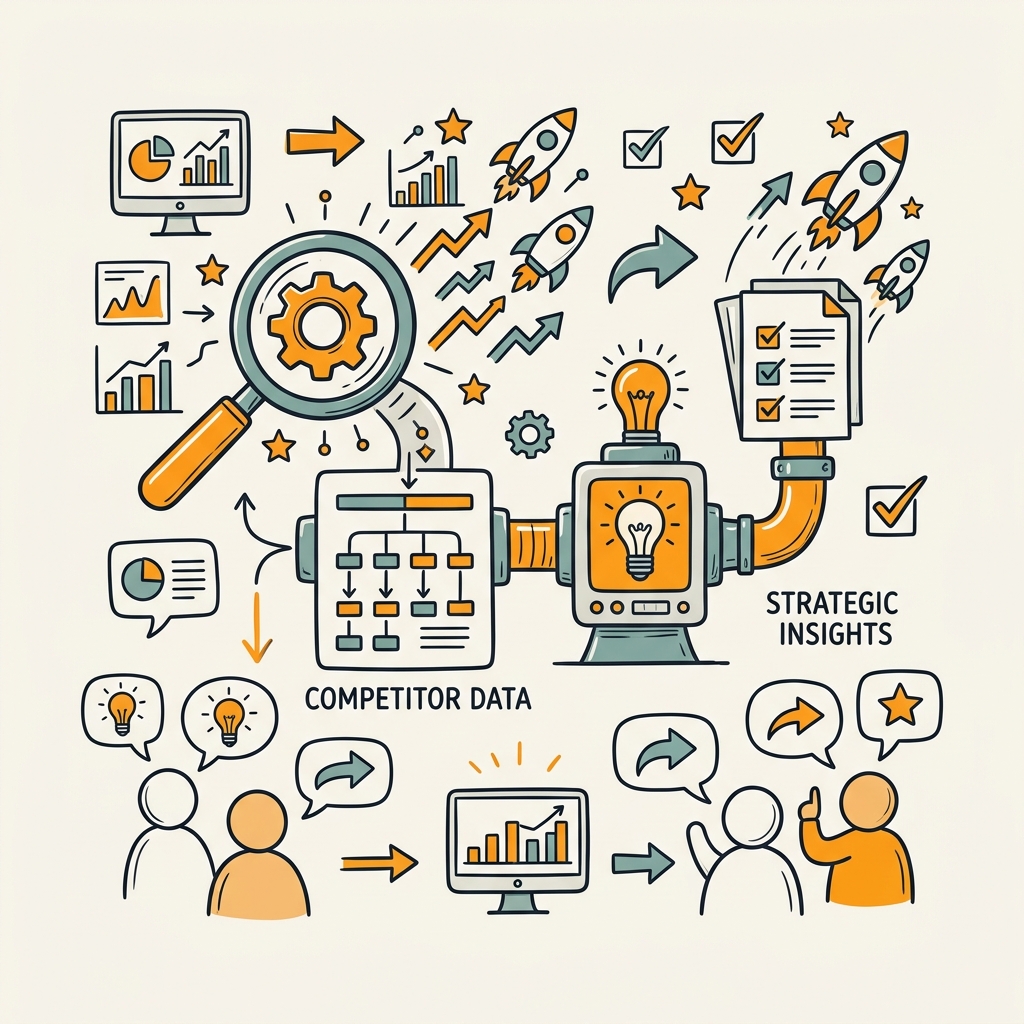
Competitor analysis at scale is the problem manual workflows cannot solve. Tracking top 10 competitors across 20 keywords manually is a part-time job. Automation stacks handle this by continuously scraping competitor pages, comparing your content against theirs, and surfacing gaps you can exploit. The workflow starts with identifying keywords where you're getting impressions but not ranking in the top 5 — your biggest opportunities — then analyzing why competitors rank ahead of you and what you need to change.
"Rather than auditing every keyword manually, automation narrows focus to the 20–50 keywords where you have the highest probability of ranking improvement, making the analysis truly actionable instead of overwhelming."
Identifying High-Impact Ranking Opportunities
The first step is finding keywords where you have realistic ranking potential. These are keywords where your site is already getting impressions (Google shows your page in search results) but you're not in the top 5. You're almost there — you just need to improve. Automated rank tracking tools pull this data from your Google Search Console, surfacing the keywords worth focusing on. Instead of auditing every keyword, you focus on your biggest gaps.
This filtering step is crucial for scaling competitor analysis. Without it, you'd be analyzing hundreds of keywords and the work becomes overwhelming. Automation narrows the focus to the 20–50 keywords where you have the highest probability of ranking improvement, making the analysis actionable.
Scraping Competitor Content at Scale
Once you've identified target keywords, the workflow scrapes the top-ranking competitor pages. This is what most teams skip or do manually (opening pages and skimming). Automated content scraping extracts the full text from each competitor's page, structured for analysis. Tools like Firecrawl handle this automatically, pulling the complete content so an AI agent can compare it against your own page.
The insight here is that you're not just looking at what ranks — you're understanding why it ranks. Does the competitor cover more angles? Have more social proof? Use different keyword variations? This structured data becomes input for your content optimization.
AI-Powered Comparison and Gap Analysis
Once competitor pages are scraped, an AI agent answers the critical question: Why are competitors outranking us, and what specifically do we need to change? Rather than a human manually reading and comparing pages (which is subjective), automation creates a structured analysis of content gaps, missing sections, keyword distribution, and structural differences.
The output isn't generic recommendations like "add more words" — it's specific gaps: missing a case study section that top competitors include, lack of comparison tables, insufficient coverage of a specific use case, or weaker internal linking. This structured insight becomes the blueprint for content improvement. Implementing an AI content strategy that feeds competitor gaps directly into content creation is how leading teams scale their output without burning out.
Choosing the Right Tools and Architecture for Automation
SEO automation is most effective as a stack, not a single platform. No single tool does everything well. The pattern that works is combining specialized tools for different layers of the audit and analysis pipeline. Google Search Console provides the ground truth for rankings and crawl issues. A technical crawler handles deep site analysis. A rank tracker monitors keyword positions. An AI-powered platform orchestrates the entire workflow and surfaces actionable recommendations.
The Essential Tech Stack for Audit Automation
A functional automation stack requires:
- Google Search Console (free): Source of truth for crawl errors, index coverage, and performance signals. Essential and non-negotiable.
- Technical Crawler (Screaming Frog, Sitebulb, or enterprise options): Deep site crawl for broken links, duplicate content, schema, Core Web Vitals, and technical issues.
- Rank Tracker: Continuous monitoring of keyword positions and visibility trends to feed competitor analysis.
- PageSpeed/Lighthouse: Automated Core Web Vitals monitoring and performance insights.
- AI Orchestration Layer: Connects the above tools and automates the comparison, prioritization, and recommendation generation. This is where platforms like Jottler excel — they stitch the entire workflow together and handle not just the audit but content generation and publishing to close the loop.
Building this stack piecemeal is possible but requires API integration work and ongoing maintenance. Platforms designed for this (like Jottler) automate the glue that connects everything, so your team doesn't maintain separate data pipelines.
Evaluating Platforms for Scalability and Integration
When selecting an automation platform, prioritize:
- Real-time data ingestion: Can it pull live GSC data, rank movements, and crawl results automatically?
- API flexibility: Does it connect to your existing stack (CMS, analytics, reporting tools)?
- Scheduled automation: Can audits and competitor analysis run on a schedule without manual triggers?
- Prioritization logic: Does it rank issues and opportunities by impact, not just list everything?
- Workflow completeness: Does it just audit and report, or does it move into content optimization and publishing? Jottler takes this further — it automates the entire response: research, writing, fact-checking, and publishing, so audit findings become published content that compounds your visibility.
The mistake most teams make is treating the audit as an end product (a report) rather than a starting point for action. Automation becomes powerful when it closes the loop: audit reveals opportunities → content addresses gaps → new content publishes and builds internal links → visibility compounds.
When to Use Specialized Tools vs. All-in-One Platforms
Specialized tools (Screaming Frog for crawling, Ahrefs for backlink analysis, Semrush for competitive audits) are depth-focused and often superior for their specific job. All-in-one platforms sacrifice some depth in each area but gain workflow integration. The decision depends on your maturity level and team size.
For solo founders and small marketing teams, an all-in-one platform like Jottler that handles the entire SEO workflow — from audit detection to content response — is more practical. You get automation without the integration headache. For larger agencies managing dozens of client sites, a specialized stack might offer better customization and reporting depth.
| Approach | Setup Time | Cost | Customization | Maintenance | Best For |
|---|---|---|---|---|---|
| Specialized Tool Stack | 4–8 weeks | $500–$3,000/month | High | High (API integration) | Large agencies, mature workflows |
| All-in-One Platform | 1–2 weeks | $300–$1,500/month | Medium | Low (single vendor) | Solo founders, small teams |
| Manual Workflow | Immediate | $0 (labor-intensive) | None | Very High (human time) | Not recommended for scale |
Automating the Full Response Cycle: From Audit to Published Content
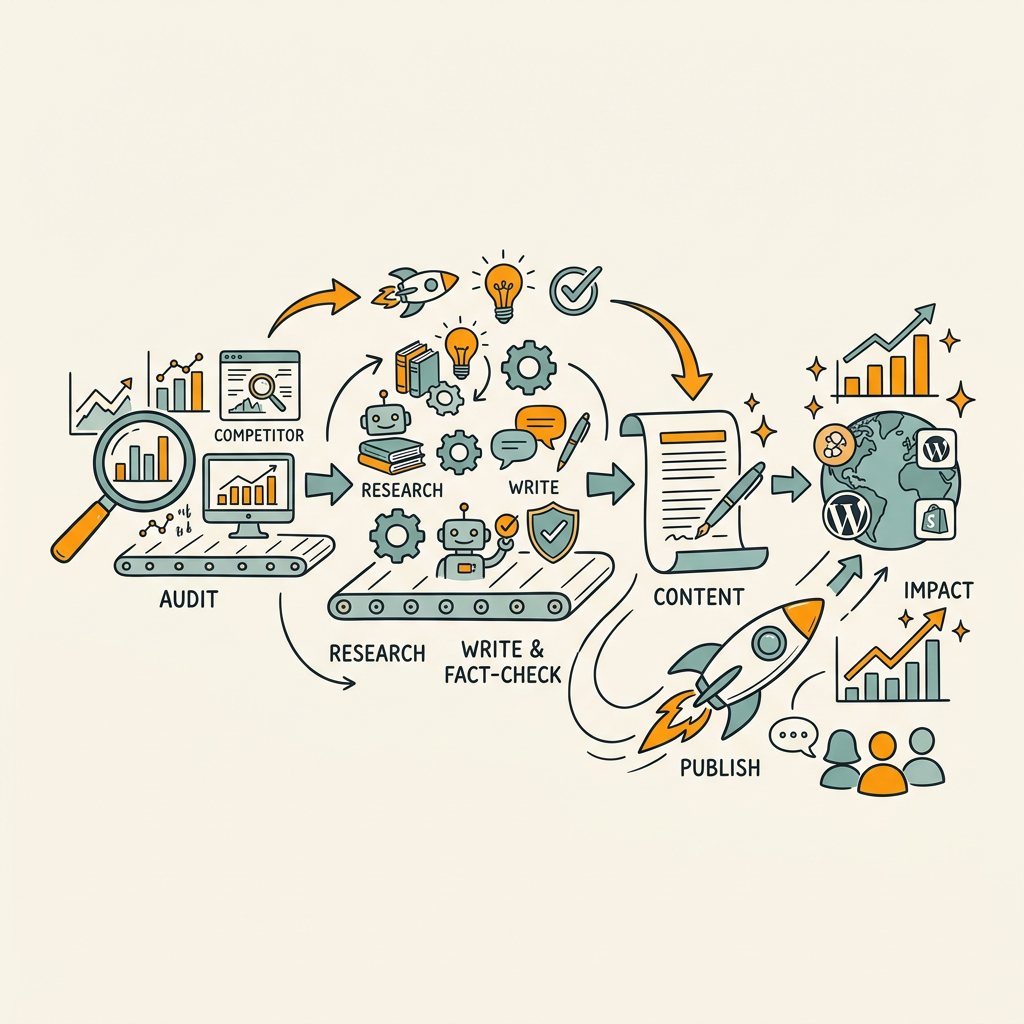
The biggest opportunity most teams miss is automating not just the audit but the entire response. A traditional workflow is: audit reveals gap → human research → human writing → human optimization → publish. This takes weeks. AI-enabled auditing is increasingly central, with tools moving beyond detection into actionable recommendations and even automated fixes like schema and structure updates. The frontier is fully autonomous workflows: audit identifies opportunity → AI researches and writes content to close the gap → fact-checking validates claims → content publishes and auto-links to related pages.
Connecting Audit Findings to Content Creation
When an audit reveals a competitor is outranking you because they cover a specific angle you're missing, that finding should immediately trigger content research and creation. Platforms that automate this connection eliminate the handoff delay. Instead of an analyst manually noting "we need a post on X," the system automatically queues research into that topic, pulls relevant sources, and initiates content generation.
This is where continuous, high-frequency publishing becomes possible. Most teams publish once a week (if that). With automated audit-to-content workflows, you can publish multiple times daily, each piece addressing a specific gap identified by your audit system. The compounding effect is substantial: teams publishing regularly through automated workflows report 15–25 hour weekly time savings and accelerated organic traffic growth.
AI-Assisted Fact-Checking and Quality Control
Automated content generation raises a quality concern: accuracy. Modern platforms address this by building fact-checking into the generation pipeline. Before content publishes, automated systems verify claims against your sources, check for unsupported assertions, and flag areas that need review. Jottler, for instance, pulls from 14+ sources per article, fact-checks every statistic, and marks claims requiring human review before publishing.
The goal isn't zero human review — it's shifting human time from writing and basic fact-checking to strategic review and brand-voice calibration. This maintains quality while preserving the time savings that automation enables.
Smart Internal Linking from Audit Data
Competitor analysis reveals not just gaps but also linking opportunities. When you publish new content, automation identifies related existing articles and creates internal links between them. This builds topical authority and improves crawl efficiency. Tools that tie audit findings to internal linking decisions create a virtuous cycle: new content addresses a gap → automation links it to related articles → topical clusters strengthen → authority grows.
Jottler automates this entire layer: when publishing new content, it analyzes existing articles, identifies semantic relationships, and creates strategic internal links automatically. This is the difference between publishing content and building a knowledge graph.
Common Pitfalls When Automating SEO Audits and Competitor Analysis
Automation is powerful but fragile if not implemented with discipline. The most common failures are: treating audit outputs as final truth without human interpretation, automating too much too fast before understanding the workflow, and forgetting that automation is decision support, not decision replacement.
Over-Relying on Automated Recommendations Without Strategic Review
An automated audit might flag 500 technical issues. The temptation is to fix all of them. The reality is that not all issues matter equally. A crawler-detected issue on a page with zero organic traffic is different from the same issue on your homepage. Automation should prioritize for impact, but a human must still apply strategic judgment. The best practice is: automate the detection and prioritization, but keep human review for strategic decisions about what actually matters to your business.
Scaling Automation Too Quickly Without Validation
Many teams automate competitor analysis for 100 keywords at once before validating that the workflow actually works. A better approach is to pilot with 5–10 keywords, iterate, and then scale. This catches integration issues, tests the quality of automated recommendations, and ensures the workflow fits your team's actual process before you've built a dependency on it.
Start with keyword research and rank tracking — high-ROI tasks that are easy to automate. Add competitor analysis and content response workflows after the core pipeline is stable and proven.
Forgetting Continuous Monitoring in Favor of Point-in-Time Audits
A quarterly audit is a snapshot. Automation's real power emerges with continuous monitoring — audits that run weekly or daily, alerts that notify you when issues emerge, and tracking that shows trend direction (not just current state). Teams that shift from quarterly audits to continuous monitoring catch issues earlier and compound improvements faster.
Building Your Automation Timeline and Rollout Plan
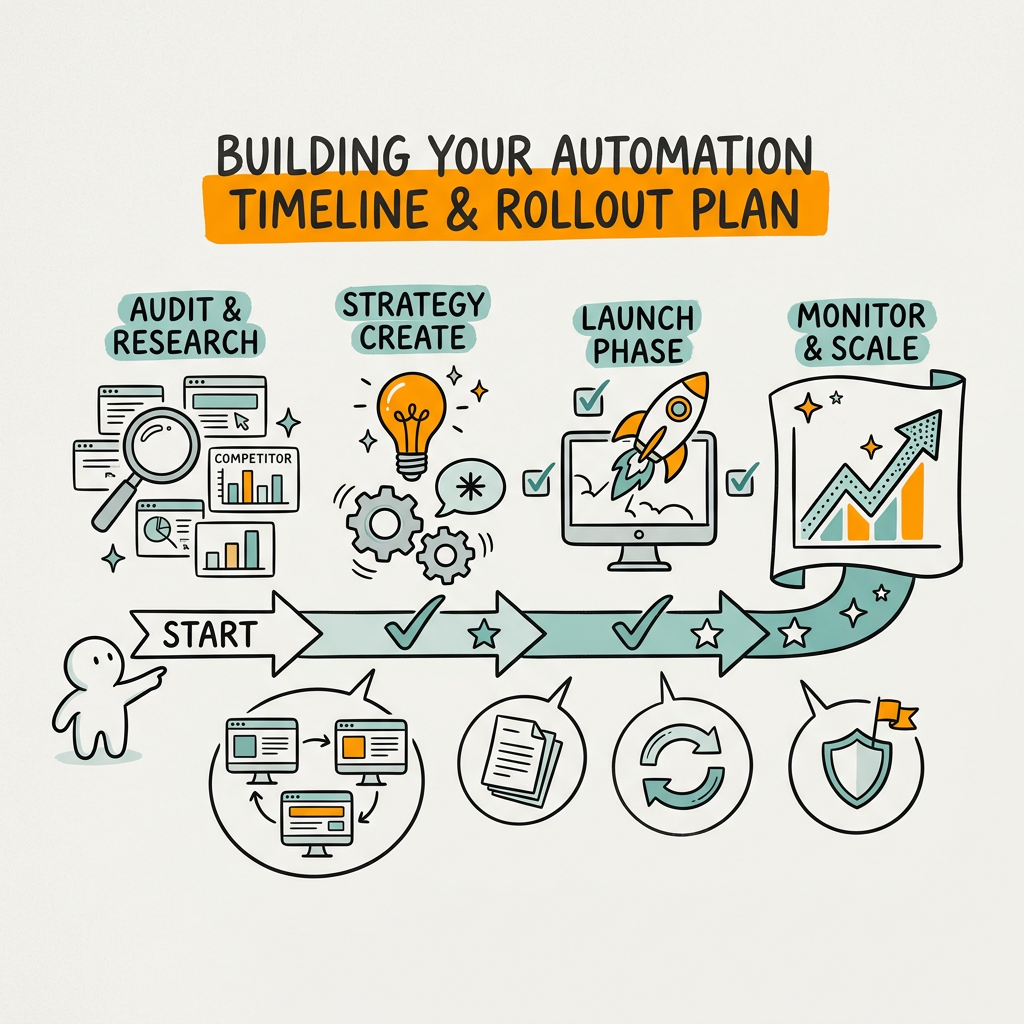
Effective automation isn't a big-bang launch. It's a phased rollout where each phase delivers value and informs the next. Start with the highest-ROI, easiest-to-automate workflows, then add layers of sophistication as your team becomes more comfortable with automation.
Phase 1: Baseline Audit and Technical Setup (Weeks 1–2)
Run a manual audit of your site and your top 5 competitors. Document what the process looks like today: what tools you use, how long each step takes, and which findings actually drive decisions. This baseline shows you where automation will save the most time. Connect Google Search Console, set up rank tracking, and select a technical crawler. Test the integration to ensure data flows smoothly between tools.
Phase 2: Automate Core Audit Tasks (Weeks 3–6)
Enable scheduled crawling (weekly or bi-weekly) and automated rank tracking. Set up alerts for critical technical issues (crawl errors, index coverage drops, new broken links). Configure dashboard reporting so findings are visible without manual compilation. The goal: move from "run audit manually when we remember" to "audit runs automatically and alerts notify us of problems."
Phase 3: Add Competitor Analysis and Gap Detection (Weeks 7–10)
Once basic auditing is stable, layer in automated competitor benchmarking for your top 10–15 target keywords. Configure the system to surface keywords where you're close to ranking (already getting impressions) but not in the top 5. Analyze competitor content for those keywords and generate gap reports. At this stage, you're using automation to identify what to create, but content creation is still manual.
Phase 4: Automate Content Response (Weeks 11+)
This is where platforms like Jottler shine. Connect audit and competitor findings to automated content creation: when a gap is detected, research is triggered automatically, content is written by AI agents, fact-checking runs, and articles publish to your CMS with internal linking already configured. This is the compounding phase — audit findings become published content without manual research and writing overhead.
Measuring the Impact of SEO Audit Automation
Automation should be measured by two metrics: time saved and business outcome improved. Time savings alone justify some automation, but the real ROI comes from faster decisions, more frequent optimization, and compounded organic growth.
Track analyst hours saved on auditing and competitor research. Compare pre-automation (manual audits took 24 hours monthly) against post-automation (automated audit runs in 2 hours, freed analyst time focuses on strategy). Most teams recover 15–25 hours per week when they automate their full SEO workflow.
For business impact, monitor: organic traffic growth, keyword ranking trends, pages-per-session improvements (better internal linking), and conversion lift from automated content addressing competitor gaps. Agencies report 25–40% higher client retention when they deliver faster, more frequent audits backed by automated competitor analysis — clients see faster progress because the workflow moves at machine speed, not human pace.
Conclusion
SEO audits and competitor analysis are no longer quarterly exercises. The teams winning in 2026 run them continuously, automate the detection and prioritization, and feed findings directly into content creation. Automated workflows recover 60–75% of analyst time while delivering audits in hours instead of days. Teams that implement continuous monitoring report 25–40% higher client retention, and those that close the loop from audit to published content see accelerated organic growth compounding over time.
The architecture that works combines Google Search Console for ground truth, a technical crawler for deep inspection, rank tracking for competitive benchmarking, and an AI-powered orchestration platform that ties everything together and automates the response. Rather than choosing between specialized tools and all-in-one platforms, the best teams use a modular stack, starting with core audit automation and adding competitor analysis and content response layers as their workflow matures.
Start small: automate basic technical audits and rank tracking first, validate the workflow, then layer in competitor analysis and content response. The compounding benefit emerges when audit findings become published content automatically, transforming SEO from a cost center into an engine that compounds organic growth week over week. Start your SEO agent with Jottler and let your audit findings automatically drive content creation, fact-checking, and publishing — without the manual overhead.
FAQs
How long does an automated SEO audit actually take?
Most automated SEO audits complete in under 2 hours, compared to 8–24 hours for manual audits. The speed depends on site size and crawl depth, but modern crawlers scan 10,000-page websites in hours where manual inspection would take weeks. Tools can crawl your entire domain, check for broken links, duplicate content, missing meta tags, Core Web Vitals, schema validation, and index coverage — all simultaneously. The real-time advantage is that what took days of analyst time now runs overnight, freeing your team for strategic decisions instead of manual inspection.
Can automation actually detect content gaps against competitors?
Yes, but it requires the right workflow architecture. Automated systems identify keywords where you're getting impressions but not ranking in the top 5, then scrape competitor pages ranking for those keywords and extract their content. AI agents compare your content against competitor content and surface specific gaps — missing sections, keyword variations you haven't covered, structural differences, or argument types they use that you don't. This structured output becomes your content roadmap. The limitation is that automation identifies gaps, but a human should review and validate that the gaps are strategically worth addressing before you invest resources in content.
What's the fastest way to start automating SEO audits without building a custom stack?
Use an all-in-one platform designed for end-to-end SEO automation instead of stitching multiple tools together. Platforms like Jottler automate the full workflow — audit detection, competitor analysis, content research, writing, fact-checking, publishing, and internal linking — without requiring API integration or custom scripting. For busy founders and marketing teams, this eliminates the integration overhead and gives you continuous SEO automation immediately. The alternative is assembling Google Search Console, a crawler, a rank tracker, and an AI platform separately, which takes weeks of setup and ongoing maintenance. Start with a platform built for automation if your goal is speed and simplicity.