Designing Lead Scoring Workflows in Automation
Most sales teams waste hours chasing unqualified leads. Companies using automated lead scoring convert leads 2–3x more effectively than those relying on manual qualification. The cost? Lost revenue, longer sales cycles, and burned-out reps. Here's how to design lead scoring workflows that separate the high-potential prospects from the noise and automatically route them to the right hands at the right time.
Key Takeaways
- Companies with mature lead scoring convert 2–3x more effectively than those without (Marketo Research, 2025)
- Predictive AI-powered scoring achieves 15% average conversion vs. 5% for traditional rule-based systems (Frontiers in AI, 2025)
- Hybrid models combining rules and AI reach 80–85% accuracy while maintaining explainability and high rep adoption (2026)
- Define Lead-Ready Criteria: Establish behavioral and firmographic signals that separate qualified prospects from early-stage leads.
- Choose Your Scoring Model: Rule-based systems offer simplicity; hybrid approaches balance accuracy with transparency; AI-native tools maximize prediction but need clean data.
- Build the Automation Workflow: Trigger actions based on score thresholdsinstant notifications, nurturing sequences, CRM assignments, and sales alerts.
- Map Data Sources and Enrichment: Combine demographic, behavioral, engagement, and firmographic data to feed your scoring engine.
- Test, Validate, and Refine: A/B test scoring models against your historical conversion data to ensure accuracy before scaling.
- Monitor and Adjust in Real-Time: Track lead-to-opportunity and opportunity-to-customer conversion rates to continuously improve your workflow.
What Makes an Effective Lead Scoring System?
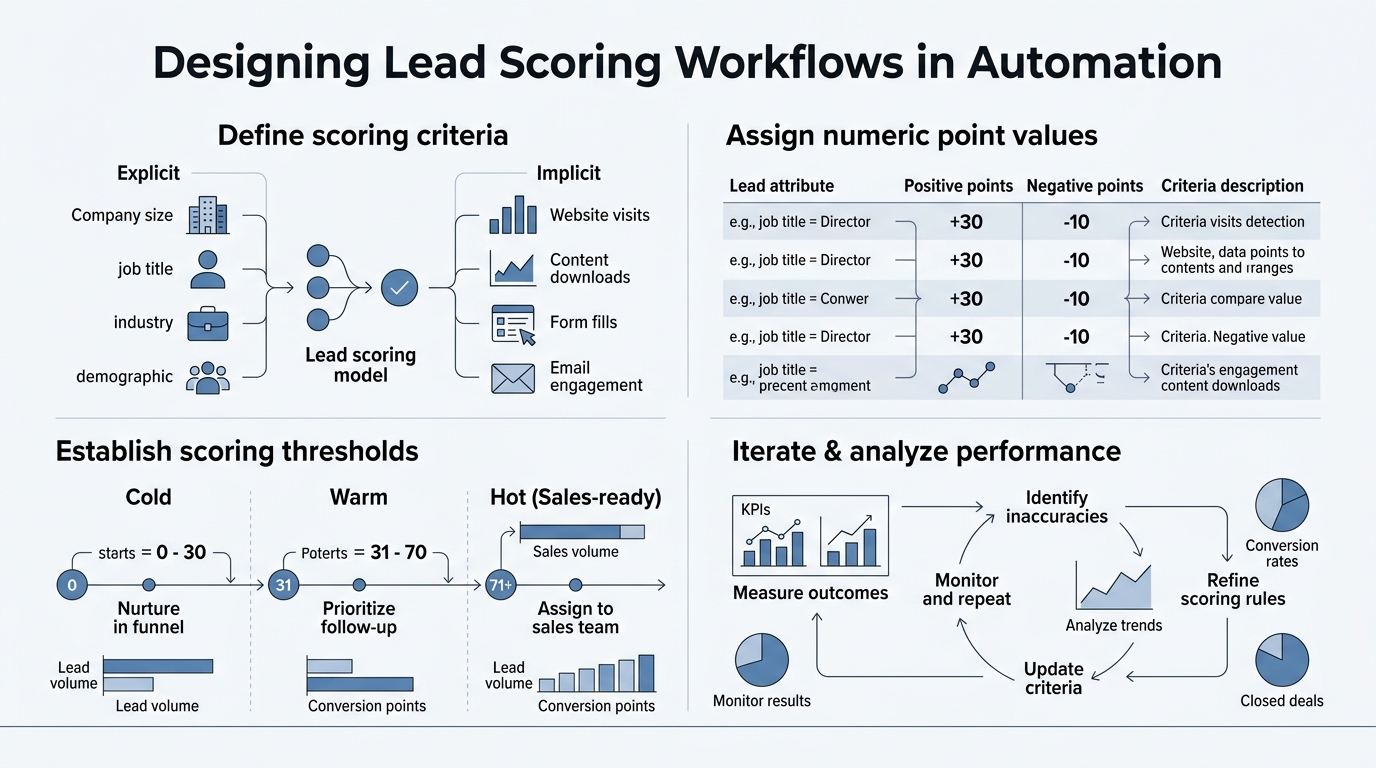
A robust lead scoring workflow is the bridge between marketing and sales. Automating lead management drives a 10% revenue increase within 6–9 months, but only if the system reflects how your actual buyers behave. The system must capture both who the prospect is and how they're engaging with your brand.
The Three Pillars of Lead Qualification
Any lead scoring model rests on three pillars. First, demographic and firmographic fitcompany size, industry, location, budget rangeanswers "Is this the right type of prospect?" Second, engagement signalswebsite visits, content downloads, email opens, webinar attendancereveal buying intent. Third, behavioral indicatorstime spent on pricing pages, demo sign-up, repeated visitssignal sales readiness. Companies that prioritize behavioral data see a 36% increase in deal closure rates within one year.
Traditional scoring over-weights demographics and misses 60% of sales-ready leads. Modern automation flips this: behavioral signals get priority, demographics provide context. The goal is real-time identification of prospects actively moving through the buyer's journey.
Rule-Based vs. Predictive vs. Hybrid Approaches
You have three paths. Rule-based scoring (if visits pricing page, add 10 points; if downloads ebook, add 5 points) is fast to set up and easy to explain to sales, but it plateaus around 15–25% real-world accuracy. Pure AI/predictive models theoretically achieve 40–60% accuracy but require at least 1,000 historical leads and 100 converted deals with clean closed-won/closed-lost labels to train reliably. Most teams hit this threshold only after 2+ years.
Hybrid modelsrules for transparency, AI for pattern detectiondeliver the sweet spot: 80–85% accuracy with high rep adoption and fast implementation. In production, hybrid systems consistently outperform pure models because they balance explainability (reps understand why a lead scored 75) with algorithmic precision.
| Feature | Rule-Based | Predictive (AI) | Hybrid (Rule + AI) |
|---|---|---|---|
| Real-World Accuracy | 15–25% | 40–60% | 80–85% |
| Avg. Conversion Rate | 5% | 15% | 18–20% |
| Implementation Time | 1–2 weeks | 8–12 months | 4–6 weeks |
| Data Requirements | Minimal | 1,000+ historical leads | 200–500 deals |
| Sales Rep Adoption | Moderate (50–60%) | Low (30–40%) | High (80–85%) |
| Explainability | High | Low (black box) | High |
| ROI Benchmark | 78% | 138% | 201% (with GenAI) |
How to Map Your Lead Scoring Data Sources
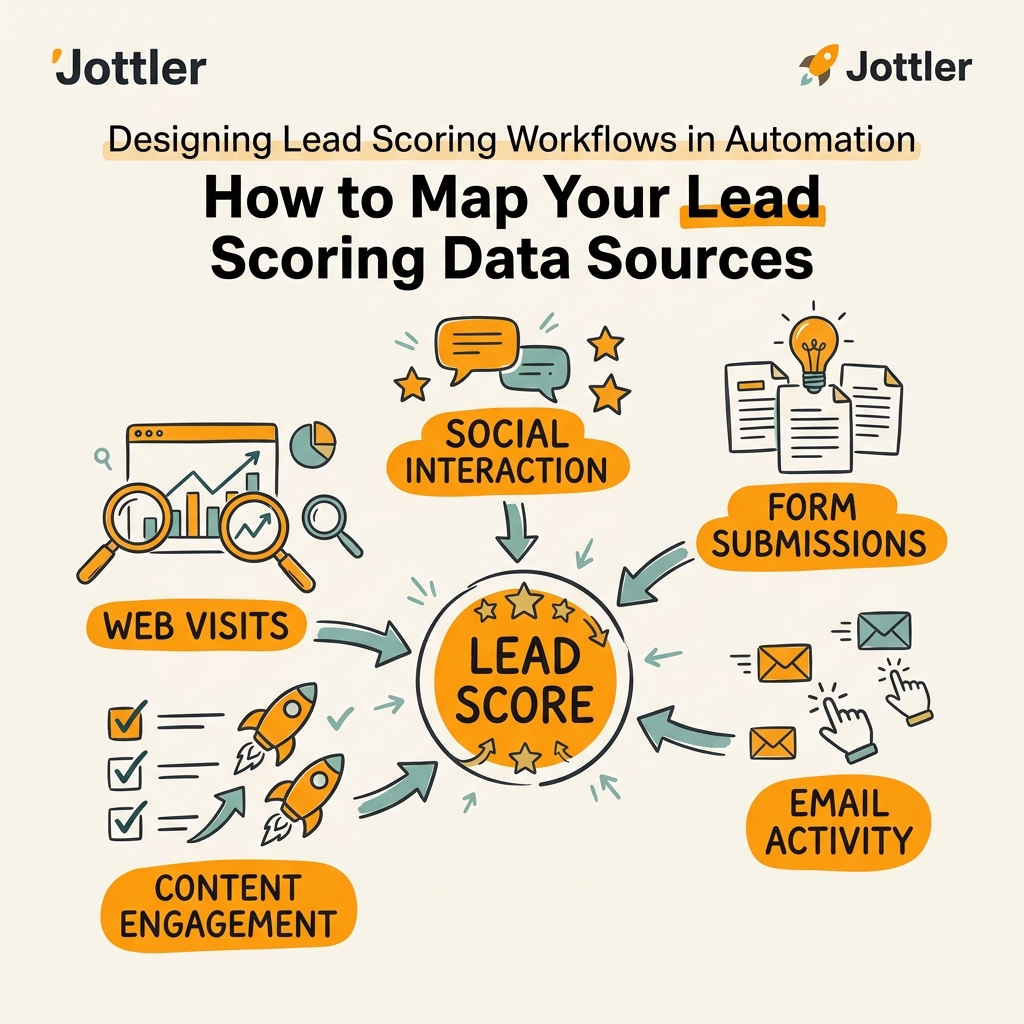
You can't score what you don't measure. The first step is auditing your data ecosystem: where does lead information live, how clean is it, and what's missing? 75% of high-growth B2B companies use AI-powered lead scoring to boost accuracy, but they all start by consolidating fragmented data sources.
Integrating CRM, Marketing Automation, and Enrichment Platforms
Your data lives in multiple places. CRM contacts hold historical interactions, close dates, deal size, and customer status. Marketing automation platforms (HubSpot, Marketo, Klaviyo) track email engagement, landing page conversions, and campaign touches. Web analytics reveal session behavior, page flows, and visit recency. Third-party data enrichment platforms fill gaps: company headcount, funding stage, technographics, intent signals from browsing behavior.
The integration layer is critical. APIs connect these systems so your scoring engine ingests fresh data continuously. A lead scores higher if they downloaded an ebook (marketing automation), visited the pricing page three times (web analytics), work at a company with $10M+ revenue (enrichment), and opened your last two emails (CRM). Without integration, you're scoring blind. When implementing workflows, content marketing automation platforms can automate nurturing sequences triggered by lead scores.
Defining Data Quality Standards
Garbage in, garbage out. Before scoring anything, establish minimum data standards. Leads must have a valid email and company name; ideally, they have a job title and LinkedIn profile for enrichment. Set a data freshness window: if enrichment data is older than 90 days, re-enrich. Remove duplicates and validate email addresses. Flag incomplete records and quarantine them until your sales team fills gaps.
Real-world production models lose 10–20 points of accuracy because CRM data is messyincomplete profiles, typos in company names, stale engagement records. A 15-minute data cleansing workflow before model training prevents this cliff. Many teams skip this and wonder why their AI model underperforms in production.
Building Your Lead Scoring Model: Rules, Weights, and Thresholds
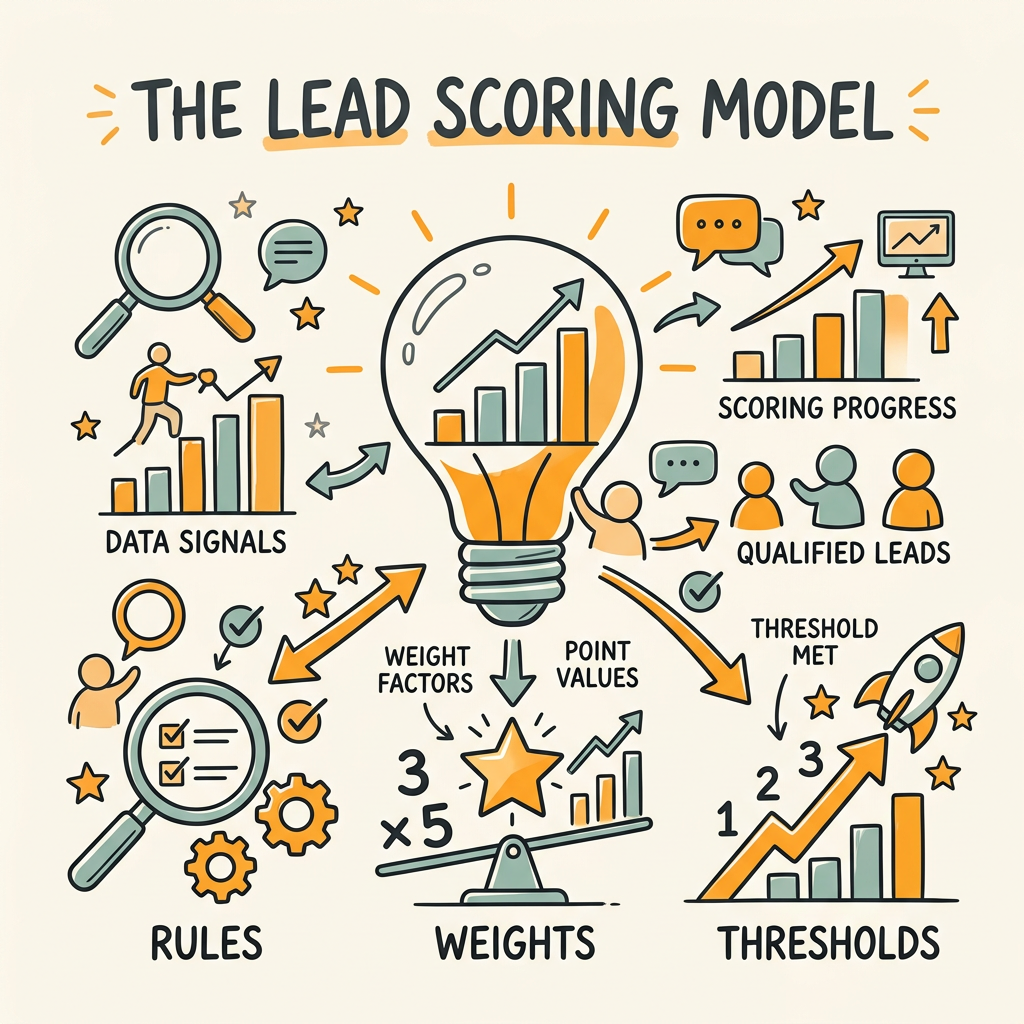
Now the mechanics. Your model assigns points based on explicit (rule-based) or inferred (AI-based) criteria, then totals those points into a final score. Hybrid models achieve 80–85% accuracy with 80–85% sales rep adoption, making them the pragmatic choice for teams scaling beyond manual QA. Let's build one.
Step 1: Define Scoring Dimensions and Point Allocation
Start with four dimensions:
- Fit Score (0–30 points): Company size, industry match, budget range, geographic fit.
- Engagement Score (0–40 points): Email opens/clicks, webpage visits, content downloads, webinar attendance.
- Intent Score (0–20 points): Visits to pricing, demo request, product page returns, competitor mentions.
- Recency Score (0–10 points): Last interaction within 7 days, last conversion within 30 days.
Total possible: 100 points. The weighting reflects your business: if pricing sensitivity is high, increase Intent Score. If you target enterprise, weight Fit more heavily. After three months of real data, you'll refine these weights based on what actually correlated to closed deals.
Step 2: Set Score Thresholds and Workflow Triggers
Not all scored leads get treated equally. Define tiers:
- 80+ (Sales-Ready): Instant alert to sales, assignment to rep, trigger automated demo request sequence.
- 60–79 (Developing Interest): Add to nurturing workflow, send product-focused content, re-score weekly.
- 40–59 (Early Stage): Broad nurturing automation, no sales outreach, monthly re-scoring.
- <40 (Not Ready): Remove from active campaigns unless re-engagement signal appears.
Thresholds depend on your sales team's capacity and conversion data. If your team can work 20 hot leads per rep per week, calculate how many leads currently hit 80+ and adjust down if needed. The goal is accuracy, not volume.
Step 3: Decay and Re-Scoring Logic
Lead scores aren't static. A prospect who visited your site three weeks ago is less likely to convert than one who visited yesterday. Implement decay: subtract 1–2 points per week of inactivity. Re-score every 7 days or when a new signal arrives (email open, form fill, page view). Automation platforms like HubSpot and Marketo do this automatically; spreadsheet-based systems need manual refresh.
Decay prevents sales teams from chasing cold leads and keeps your pipeline realistic. A lead that drops from 85 to 62 due to inactivity gets moved back to nurturing, freeing sales rep time for hotter prospects. To accelerate this, SEO automation tools can generate nurturing content at scale to keep developing leads engaged.
Automating Actions Based on Lead Score
Scoring is useless without action. The workflow is: lead enters system → data integrates → score calculated → threshold matched → automation triggered. This end-to-end sequence must happen in real-time or within minutes. Response time mattersa 30-minute SLA on top-tier leads increases conversion rates significantly; slow response kills intent.
Real-Time Notifications and Sales Alerts
When a lead crosses 80, send an instant Slack message to the assigned rep with a one-line summary: "Sarah Chen (TechCorp, 500 employees) viewed your demo video. Score: 85. Assign to [Rep Name]." The rep sees it within 60 seconds and can reach out while interest is hot. SMS alerts work for critical thresholdsa sales-ready lead hitting 90 warrants a text, not just an email.
Most teams use automation platforms like HubSpot or Marketo for this, but Zapier, n8n, or Make can wire alerts into Slack, Teams, or custom webhooks. The key: no human review. The automation must be instantaneous.
Triggered Nurture Sequences by Score Tier
Every lead receives a sequence matched to their score. Sales-ready leads (80+) get a direct outreach workflow: first email from sales within 4 hours, follow-up call in 24 hours, demo scheduled in 72 hours. Developing leads (60–79) get educational drip campaigns over 14 days: one email every 2–3 days, focused on problem-solution alignment, social proof, and case studies. Early-stage leads (<60) enter a nurturing pool, receiving weekly content on industry trends, best practices, and broad awareness topicsno sales pitch.
This tiering saves sales time. Instead of manually sorting 200 weekly leads, the workflow routes each to the right sequence automatically. A prospect who engages heavily with the nurturing content gets re-scored and can jump tiers without human intervention. For teams looking to build content at scale, AI content strategy frameworks provide a systematic approach to generating relevant nurturing materials.
CRM Assignment and Territory Routing
When a lead hits sales-ready, automatically assign it to the next available rep in the right territory or account segment. Use round-robin assignment (next lead goes to whoever got the fewest this week) or load-balancing rules (assign to the rep with the lowest open pipeline). Many teams use data-driven lead routing to maximize rep productivity.
Jottler's platform demonstrates how this integrates with content: when a lead scores high, the system can trigger generation of personalized nurturing content based on their company, role, and engagement history, automatically pushing that content into the nurturing workflow. This closes the gap between scoring and action in minutes rather than hours.
Testing and Validating Your Workflow
Theory doesn't match practice. Your first model will be wrong. Validate it against historical data before deploying to sales. Backtest your scoring model on 200–500 closed-won and closed-lost deals from the past 12 months. Score each retrospectively and measure: did high-scoring leads actually close? Did low-scoring leads mostly stall? This tells you whether your weights are aligned with your actual business.
A/B Testing Threshold Changes
Run a small test: assign 50% of sales-ready leads (75–85 score) to rep group A using your current threshold of 80, and send the other 50% to rep group B at a higher threshold (88). Track conversion rates. If group A converts 15% and group B converts 18%, your threshold is too lowmany 75–80 leads aren't actually qualified. Adjust and re-test.
Tracking Lead-to-Opportunity and Opportunity-to-Customer Conversion
Measure two metrics obsessively. First, lead-to-opportunity: of the leads sales contacted, what percentage became an actual opportunity (demo booked, proposal sent)? This reflects scoring accuracy. A healthy benchmark is 25–35% for top-tier leads. Second, opportunity-to-customer: what percentage of opportunities closed? This reflects sales execution. The compound metricleads × opportunity rate × win rategives you total revenue per 1,000 leads, which should increase month-over-month as your model improves.
Review these metrics monthly with sales leadership. If lead-to-opportunity is dropping, your scoring is drifting. If opportunity-to-customer is dropping, sales execution is the issue, not leads. This discipline prevents teams from blaming "bad leads" when the real problem is execution.
Optimizing for AI-Driven Personalization
The next frontier is layering generative AI onto your scoring workflow. Once a lead hits your sales-ready threshold, immediately generate a personalized first-touch email or call script tailored to their company, role, and engagement history. Combining predictive lead scoring with GenAI personalization achieved an average ROI of 201%, up from 138% for scoring alone.
Generating Context-Aware Outreach at Scale
A sales-ready lead from a mid-market SaaS company gets a different first message than a lead from enterprise manufacturing. AI can generate this in seconds: pull the lead's LinkedIn profile, recent website interactions, company news, and industry trends into a prompt, generate a personalized paragraph, send it within minutes. This level of customization at scale is impossible manually and dramatically improves response rates.
Dynamic Content Sequence Adjustment
As a lead progresses through your nurturing workflow, adjust the next email or content piece based on what they've engaged with. If they opened three emails about "ROI measurement" but skipped two about "team collaboration," send the next sequence focused on ROI, not collaboration. AI models can infer buying signals from engagement patterns and suggest the highest-probability next content in real-time, increasing open and click rates by 20–30%.
Conclusion
Designing lead scoring workflows in automation is the difference between reactive sales and predictive revenue. When you combine clear qualification criteria, integrated data sources, hybrid scoring models, and real-time automation triggers, you compress your sales cycle, increase conversion rates, and free your reps to focus on closing rather than prospecting. Companies automating lead management see a 10% revenue boost within 6–9 months, and those layering AI personalization push ROI to 201%.
The winning strategy in 2026 is not perfect scoringit's fast, accurate, automated action. Set up your scoring thresholds, wire your automation triggers, and measure ruthlessly. Start with rule-based logic, add AI when you hit 1,000+ historical leads, and continuously refine based on what actually closes. Your sales team will thank you when high-quality leads land in their inbox automatically, ready to convert.
Start your SEO agent today to begin automating content research and lead nurturing workflows at scale.
FAQs
What is the difference between rule-based and predictive lead scoring?
Rule-based scoring uses explicit, human-defined logic (if lead downloads ebook, add 5 points). It's transparent and fast to implement but plateaus at 15–25% accuracy because humans can't predict all signals. Predictive scoring uses machine learning on historical data to detect patterns and assign weights automatically, reaching 40–60% accuracy but requiring 1,000+ historical leads and 100+ converted deals to train effectively. Hybrid models combine bothusing rules for transparency and AI to optimize weightsdelivering 80–85% accuracy with high rep adoption. For most teams, hybrid is the pragmatic choice.
How often should I retrain my lead scoring model?
Retrain your model every 90 days if you're using AI/ML, or quarterly if you're using rules-based scoring. Market conditions change, buyer behavior evolves, and your product positioning may shift. Every quarter, pull the last 1,000 leads, mark them as closed-won or closed-lost, and measure how your current scoring model performs against that data. If accuracy drops more than 5 percentage points, retrain immediately. Set weekly decay on all scores to account for recency, and adjust your thresholds monthly based on actual conversion data from your sales team.
What's the minimum data I need to start lead scoring?
You can start with rule-based scoring immediatelyno historical data required. Define 5–10 behavioral rules (visited pricing page, opened three emails, attended webinar) and assign points. This gets you 15–25% accuracy and working automation in days. To add AI, you need at least 1,000 historical leads with clean closed-won/closed-lost outcomes and 100+ converted deals. If you have less than 200 historical deals, stick to rule-based for now. A well-maintained rules engine with 15-minute response SLAs consistently outperforms poor AI models trained on insufficient data.