How to Optimize Blog Posts for Featured Snippets
Featured snippets appear in roughly 12% of Google searches, yet they command outsized traffic value. Posts optimized for snippets see 11.4% higher click-through rates compared to standard organic listings, making them one of the highest-ROI SEO tactics available. Despite Google's recent 35% reduction in featured snippet frequency due to AI Overviews, winning a snippet for your target keyword still means positioning your content at "Position Zero"—above all paid ads and traditional organic results.
The challenge? Most teams treat snippets as an afterthought, burying their best answers deep in articles instead of structuring them where Google can easily extract them. This guide shows you exactly how to structure, format, and optimize blog posts to capture featured snippets consistently.
Key Takeaways
- Featured snippets deliver 11.4% higher traffic than standard organic results (HubSpot × SparkToro, 2026), even when you're not ranking #1.
- Snippets with embedded follow-up questions or CTAs see 2.3× higher click-through rates than pure factual answers.
- Structure matters most: direct answers, lists, tables, and schema markup are the primary formats Google extracts for snippets.
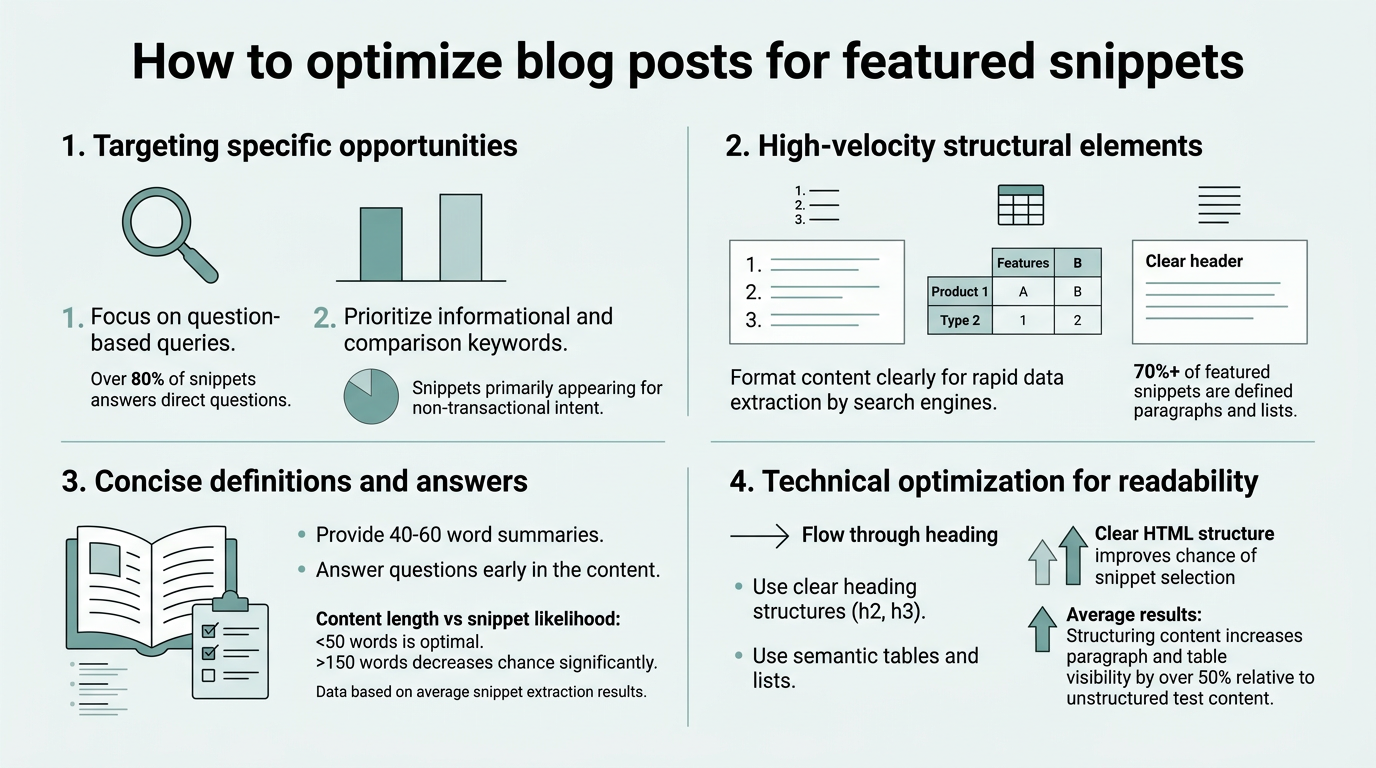
- Target Question-Based Queries: Featured snippets favor explicit questions and how-to queries that demand direct, extractable answers.
- Lead with the Answer: Front-load your best answer in the first 40–60 words of your target section, before explanation or context.
- Use Structured Formats: Bullet lists, numbered steps, and comparison tables are snippet formats Google favors—raw paragraphs rank less often.
- Optimize for Mobile-First Indexing: 59% of web traffic originates from mobile devices; snippets must be scannable on phones.
- Add Schema Markup: Structured data (JSON-LD, FAQ schema, table markup) signals to Google which content blocks should become snippets.
- Monitor and Iterate: Track snippet wins in Google Search Console and refine format and length based on what currently ranks.
Why Featured Snippets Are a Traffic Multiplier
A featured snippet sits at the absolute top of Google's search results, above all paid ads and organic links. This "Position Zero" placement delivers 11.4% higher click-through rates than position #1 rankings, according to 2026 data from HubSpot and SparkToro tracking 62,000 queries. Even if your site currently ranks #5 or #10 for a target keyword, winning the snippet can redirect more traffic to your pages than the #1 spot would—because the snippet answers the question directly in the SERP, and users click through to your site for deeper context.
"Featured snippets and knowledge panels together capture 42% of all clicks on search results pages. If you're not optimizing for snippets, you're leaving significant traffic on the table." — Seosherpa Featured Snippet Statistics
Additionally, snippets appear in voice search results on smart speakers and mobile assistants. Seosherpa reports that featured snippets and knowledge panels together capture 42% of all clicks on search results pages, meaning snippet optimization is no longer optional for competitive keywords.
The real advantage? You don't need to outrank everyone. A well-optimized article can rank #3 or #4 in traditional organic results while simultaneously holding the snippet for that keyword. This dual placement dramatically amplifies your visibility and builds authority for that topic. Use SEO content planning frameworks to identify which keywords in your vertical have snippet opportunities worth targeting.
How to Identify Keywords That Win Featured Snippets

Not every keyword can earn a featured snippet. Google only creates snippets for queries that have a clear, direct answer—typically informational or how-to questions. The first step is to identify which of your target keywords are snippet-worthy. This requires both keyword research and SERP analysis to confirm a snippet already exists (or that Google is likely to create one).
Search for Question-Based Queries
Featured snippets almost always appear for search queries phrased as questions or problem statements. Google extracts snippets for queries like "What is X?", "How do I do X?", "Why is X important?", and "Best practices for X?" Much more often than for bare keywords like "SEO" or "content marketing." When researching keywords for snippet opportunities, prioritize long-tail question keywords and people-also-ask variations that have high intent.
Check your current Google Search Console data. Filter for queries that already rank your pages in positions 2–10. If those queries have snippets currently held by competitors, those are prime targets for optimization. You have traffic potential already—you just need to beat the current snippet holder's answer.
Check Google's "People Also Ask" Section
Google's People Also Ask (PAA) section appears in 64.9% of all searches and serves as a live snippet prediction tool. Every question in the PAA dropdown is a strong signal that Google wants to serve snippets for that query. Type your target keyword into Google, scroll to the PAA box, and note every question that appears. These questions are snippet opportunities waiting to be claimed.
"The People Also Ask section is one of the most underutilized research tools in SEO. Every question Google displays is a direct signal that someone wants a snippet answer for that query. These are your lowest-hanging-fruit snippet targets." — SEO Strategy Best Practices
Similarly, analyze the featured snippet that currently appears for your keyword. Its format (paragraph, list, table) tells you exactly what structure Google prefers for that query. If the current snippet is a bulleted list, your optimized answer should also be a bulleted list—matching the format increases your chances of displacement.
Structure Your Content for Easy Extraction
Featured snippets are extracted automatically by Google's algorithm. The bot scans your page for content blocks that directly answer the search query in the shortest, clearest way possible. If your best answer is buried in paragraph 5, Google won't extract it. Instead, it will pull the answer from whichever site has its best answer closest to the surface of the page.
Lead Every Target Section with a Direct Answer
This is the single most important rule for snippet optimization: the first sentence of your target section must directly answer the query in plain language. Not context, not setup, not storytelling. The answer.
Example: For the query "What is technical SEO?", start with: "Technical SEO is the practice of optimizing your website's backend structure, performance, and code to help search engines crawl and index your pages more effectively." Then, in the sentences and paragraphs that follow, expand with examples and nuance. Google's algorithm will extract that first sentence (or nearby 40–60 word block) as the snippet.
Keep your direct answer between 40 and 60 words. This is the sweet spot—long enough to be useful, short enough to fit in Google's snippet display without truncation. Test your answer: can someone answer the user's original question from just your snippet text alone? If yes, you've nailed it.
Use Lists and Tables to Structure Information
Google favors four snippet formats: paragraphs, bulleted lists, numbered lists, and tables. Paragraphs alone rank for snippets, but lists and tables are extracted far more frequently because they're easier for Google's algorithm to parse and present cleanly in the SERP.
For how-to queries ("How to optimize for SEO?"), use a numbered list. For comparison queries ("Best practices for X"), use a bulleted list or table. For definition queries ("What is X?"), a paragraph followed by a bulleted breakdown often works best. Match your format to the query intent—if your competitor's snippet is a 3-column table comparing options, replicate that structure in your version (with better information, of course).
Key formatting rules:
- Bulleted lists: Use for non-sequential items, tips, features, or options. 3–7 items per list. Bold the heading term, then one sentence of explanation.
- Numbered lists: Use for steps, rankings, or sequential processes. 3–7 items. Each step should be actionable and complete in 1–2 sentences.
- Tables: Use for comparisons, criteria, metrics, or feature breakdowns. Keep to 2–4 columns and 4–6 rows for mobile readability. Add a header row () for semantic clarity.
- Paragraphs: Reserve for definition queries and explanatory snippets. 40–60 words is ideal. Opening sentence must be the direct answer.
Optimize Table Design for Snippet Extraction
Tables are some of the most frequently extracted snippet formats because they present information in a scannable, structured way. When creating a table to target snippets, follow these rules:
Design Element Best Practice Why It Matters Column Headers Descriptive, 2–4 words each Google extracts headers first; clear headers signal data structure. Row Count 4–6 rows for mobile; up to 8 for desktop Tables that don't require horizontal scrolling on mobile snippet better. Column Count 2–4 columns maximum More columns require zoom on mobile; Google favors lean, scannable tables. Data Alignment Left-align text; right-align numbers Consistent alignment helps Google's parsing algorithm classify data types. Semantic HTML Use , tags Proper HTML signals to Google that content is a structured data table. When you create a table targeting snippets, Google's algorithm preferentially extracts tables with clean semantic markup. Always wrap headers in and use
tags for header cells. This signals that your content is structured data, increasing the likelihood of extraction. Optimize Content for Clarity and Scannability

Google's algorithm doesn't just extract any matching text—it prioritizes content that is clear, concise, and easy to scan. Formatting and language choices directly impact whether your content becomes a featured snippet.
Write for Scanning, Not Reading
Most users who see a featured snippet in the SERP are in a hurry. They want the answer in 5 seconds or less. Write your snippet-target section using active voice, short sentences, and specific numbers. Avoid jargon, hedging language, and unnecessary qualifiers.
Bad: "The process of optimizing content for search engines can involve, to varying degrees, a number of different factors that may or may not impact rankings."
Good: "Technical SEO involves optimizing three core areas: site speed, mobile usability, and crawlability. Google prioritizes pages that load in under 3 seconds."
Notice the difference. The good version uses specific numbers, active voice, and short sentences. It's scannable. Google's algorithm prefers this style, and so do users.
Front-Load Keywords and Concepts
For snippets, keyword placement matters, but not in the way traditional SEO would suggest. Rather than keyword density, focus on semantic clarity: use your target keyword and related concepts early in the target section, then build on them. Google recognizes synonyms and semantic variations, so phrases like "blog post optimization," "content optimization," and "article structuring" all signal to the algorithm that you're addressing the same concept.
Use the target keyword in your H2 or H3 heading, then again in the opening sentence of your answer. After that, refer to the concept using natural variations and pronouns ("it," "this process," etc.). This balance tells Google exactly what question you're answering without sounding repetitive to human readers.
Add Schema Markup and Structured Data
While not a direct ranking factor, schema markup (structured data) is a powerful signal to Google's snippet extraction algorithm. Schema tells Google, in machine-readable format, exactly what content is present on your page and what it means. This makes extraction faster and more accurate.
The most important schema types for snippet optimization are:
- FAQ Schema: Use if your article is formatted as questions and answers. Markup each question with @type: "Question" and the corresponding answer with @type: "Answer". This directly supports featured snippet extraction for FAQ-style queries.
- HowTo Schema: Use for step-by-step guides and how-to content. Mark up each step with @type: "HowToStep". Google explicitly looks for HowTo schema when extracting snippets for "how to X" queries.
- Table Schema: Use Table markup to describe rows, columns, and headers. This helps Google parse your table structure and extract it as a snippet without ambiguity.
- Definition Schema: Use for definition queries. Mark your answer with @type: "DefinedTerm" and @type: "DefinitionResource". This signals that your content is an authoritative definition.
You don't need every schema type. Choose the one(s) that match your content format. A how-to article uses HowTo schema. An FAQ uses FAQ schema. A definition-based post uses Definition schema. Amraandelma notes that pages with schema markup see a measurable increase in snippet frequency, because the structured data reduces ambiguity for Google's extraction algorithm.
You can add schema markup using JSON-LD (JavaScript Object Notation for Linked Data), which is the format Google recommends. Most modern CMS platforms and SEO tools offer schema generation plugins that make this simple. If you're publishing manually, tools like AI-powered SEO tools can help you audit and apply schema at scale.
Outrank Existing Snippets with Better Content
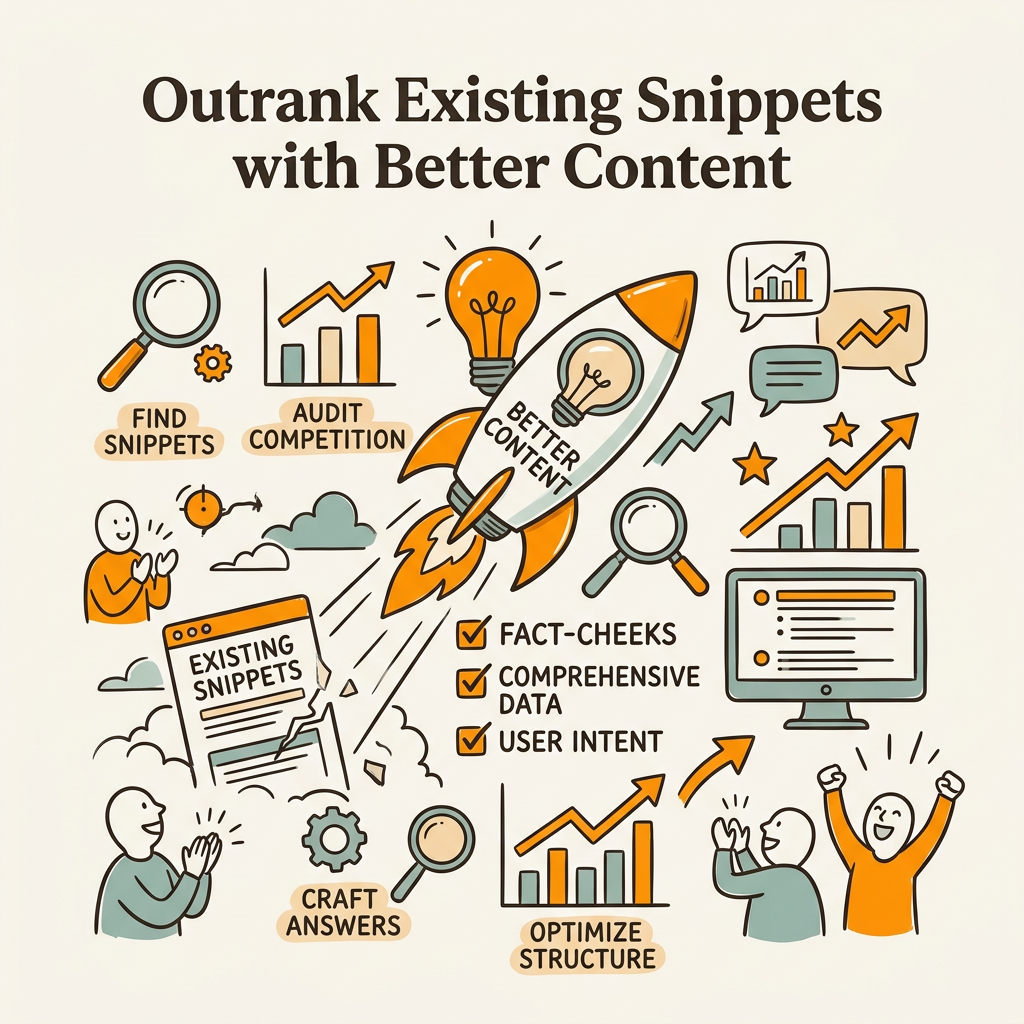
Most high-volume keywords already have a featured snippet held by a competitor. You can't create a new snippet for those keywords—but you can displace the current holder by offering a better answer. This is your biggest opportunity.
Analyze the Current Snippet Holder
Search your target keyword on Google and take a screenshot of the current featured snippet. Note:
- The exact format (paragraph, list, table, video)
- The length (word count of the snippet text)
- The source (which domain currently holds it)
- The position of the snippet source in organic results (often #2 or #3, surprisingly)
Then, visit that page and find the section Google extracted. Look at how it's structured, what keywords it uses, and why Google chose that specific block over alternatives on the same page. This tells you exactly what Google values for that query.
Create a Superior Version
Now create your own section targeting the same query. Use the same format the current snippet uses (if it's a table, use a table), but improve in at least two ways:
- Depth: Add more specific examples, data, or nuance. If the current snippet is a generic definition, provide a definition plus concrete examples or applications.
- Recency: If you're optimizing in 2026, cite 2025–2026 data. Outdated statistics are a quick way to get displaced.
- Clarity: Make your answer shorter and more direct. A snippet that answers the question in 45 words instead of 70 is more likely to be extracted and clicked.
Combine this with automated content workflows. Tools like content marketing automation platforms enable you to scale snippet optimization across dozens of articles simultaneously rather than optimizing one post at a time.
Monitor Snippet Performance and Iterate
After you publish optimized content, monitoring is critical. Featured snippets can shift weekly as Google re-indexes pages and refines its extraction algorithm. You need a system to track wins, losses, and opportunities.
Use Google Search Console to Track Snippets
Google Search Console's Performance report shows you which of your pages hold featured snippets and which queries drive snippet traffic. Filter your report by "Appearance: Rich result" to see snippet data specifically.
Key metrics to monitor:
- Snippet Impressions: How many times your snippet appears in search results (the ultimate traffic driver).
- Snippet CTR: The click-through rate on your snippet relative to organic results. A healthy snippet CTR is 15–25%. If your CTR is lower, your answer may not be compelling enough, or your content below the snippet isn't relevant.
- Snippet Losses: If you held a snippet but lost it, check whether the competitor's version is better formatted, more recent, or more authoritative. Use this as a signal to re-optimize.
- Query Movement: Watch for queries where your page ranks #2 or #3 but someone else holds the snippet. These are your highest-ROI optimization targets.
A/B Test Snippet Formats and Lengths
If you're not ranking for a snippet on a target keyword after 2–3 weeks, test a different format. If your answer is currently a paragraph, try rewriting it as a bulleted list. If it's a 5-item list, try reducing to 3 items or adding a table. Small structural changes can shift which content block Google extracts.
Similarly, if your snippet is being extracted but your CTR is low, test a follow-up question or light call-to-action embedded in the snippet section. According to HubSpot's 2026 research, snippets with embedded follow-up questions see 2.3× higher CTR than pure factual snippets. A simple question like "Ready to learn the full process?" can dramatically improve performance.
Conclusion
Featured snippets remain one of the highest-ROI SEO tactics, despite declining frequency. A featured snippet delivers higher traffic than position #1 and appears in one of every eight searches, capturing a significant portion of all SERP clicks alongside knowledge panels. The barrier to entry is low: structure your content around direct answers, format information as lists or tables, add schema markup, and monitor your progress.
Start by identifying 5–10 question keywords where competitors currently hold snippets. Analyze their answers, create superior versions, and publish. Within 4–6 weeks, you'll begin seeing snippet wins. As you scale this process across dozens of keywords, snippets become a consistent traffic driver that compounds over time.
For teams scaling content production, this manual process becomes unsustainable. Start your SEO agent with Jottler to automate snippet research, optimization, and publishing at scale—publishing 3,000+ word articles daily, each optimized for featured snippets, schema markup, and internal linking. Plans start at $29/month.
FAQs
What's the fastest way to rank a featured snippet?
Target keywords where snippets already exist and you're ranking #2–#5 in organic results. These keywords already have user demand and search volume—you just need to beat the current snippet holder's answer. Analyze their content, write a superior version in the same format, add schema markup, and publish. You'll typically see snippet displacement within 2–4 weeks. The reason: Google already knows the query is snippet-worthy, so you're not waiting for the algorithm to discover snippet potential.
Do featured snippets actually drive more traffic than ranking #1?
Yes, featured snippets deliver 11.4% higher traffic than traditional #1 rankings according to HubSpot and SparkToro research from 2026. However, there's a catch: snippets and traditional rankings aren't mutually exclusive. The ideal outcome is holding both the snippet and ranking #1 or #2 in organic results for the same keyword. This dual placement maximizes visibility. In cases where you must choose, target the snippet on your highest-intent keywords because snippet CTR is consistently higher, even from lower search volume queries.
Which content format wins the most featured snippets?
Bulleted and numbered lists win roughly 40% of featured snippets, with tables and definition paragraphs splitting the remainder. The best format depends on user intent. How-to queries favor numbered lists. Comparison queries favor tables or bulleted lists. Definition queries favor paragraph answers. Match your format to the search intent—if the current snippet is a table, replicating that structure in a more comprehensive version increases your displacement odds significantly.