Meta Description Optimization for Higher CTR
Most teams squander a critical ranking lever: the meta description. While Google rewrites 60–70% of meta descriptions in search results, the ones that stick drive disproportionate click-through rates. Recent studies show optimized meta descriptions deliver +31% CTR improvement versus non-optimized versions. Yet many brands still default to generic snippets, leaving organic traffic on the table. Here's how to write descriptions that survive Google's rewrite algorithm and turn impressions into clicks.
Key Takeaways
- Optimized meta descriptions boost CTR by +31% on average, with potential gains reaching +65% (Backlinko 2024, WebUtilityLabs 2025)
- Descriptions optimized for user intent and front-loaded benefit outperform keyword-stuffed versions by +25% in engagement (WebUtilityLabs 2025)
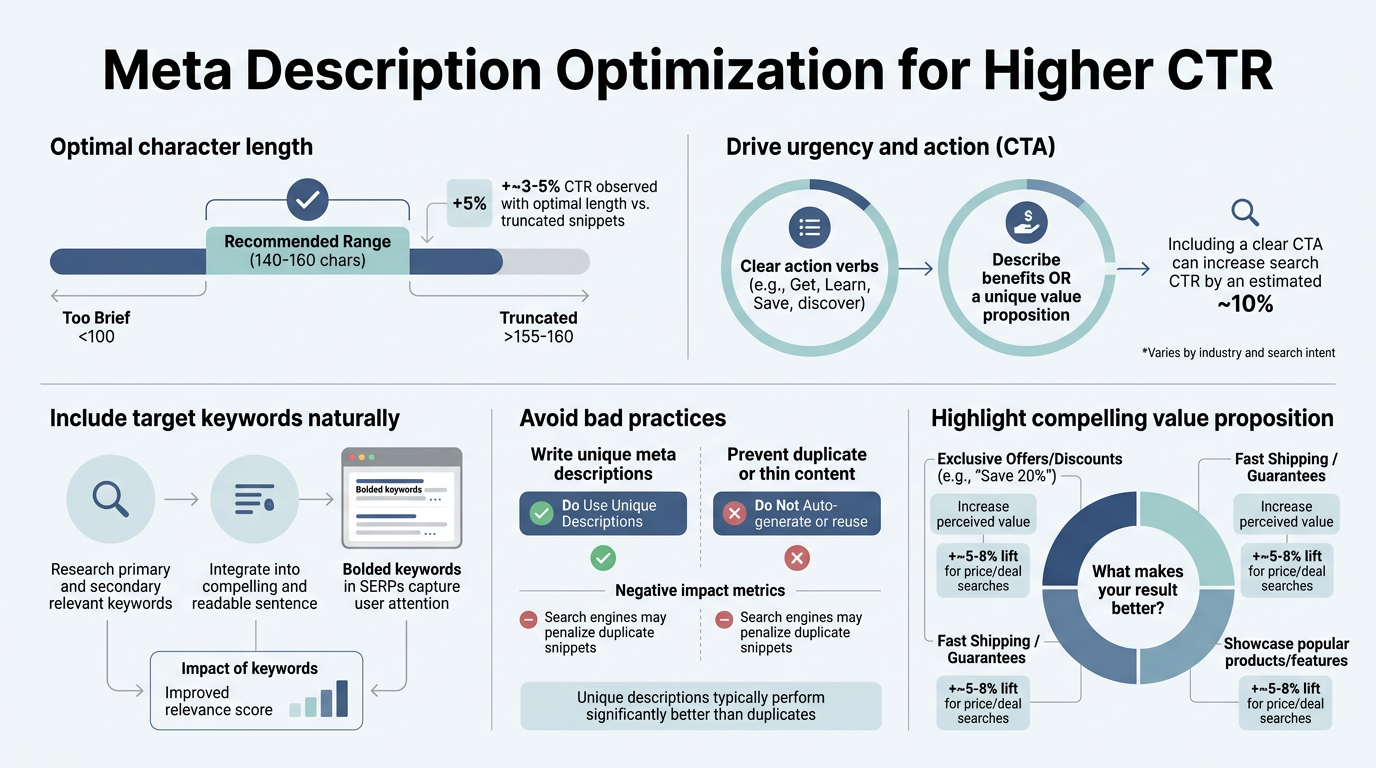
- Mobile-first optimization requires descriptions under 130 characters to avoid truncation and maximize visible impact
- Write for User Intent, Not Keywords: Align descriptions with the dominant search intent—comparison, how-to, or product discovery—rather than cramming keywords.
- Front-Load Your Benefit: Place your strongest value proposition in the first 120 characters, since that's what mobile users see before truncation.
- Use Action Language: Words like "Discover," "Learn," and "Get started" increase clicks by +20–23% compared to passive phrasing.
- Optimize for Two Devices: Desktop descriptions (150–160 characters) and mobile descriptions (<130 characters) need different strategies.
- Account for AI Rewriting: Since Google rewrites most descriptions, lead with a direct answer to the search query in your page's first 100–150 words.
Why Meta Descriptions Still Matter for Click-Through Rate
Meta descriptions don't directly affect rankings, but they're one of the few elements you fully control that influences whether a searcher clicks your result. While Google's AI increasingly generates its own snippets, meta descriptions matter most when they're strategically aligned with search intent and mobile constraints. A Backlinko study found that optimized descriptions consistently delivered +31% CTR improvements in competitive SERPs, and that gain compounds across your entire content footprint.
"Meta descriptions appear as the gray text under your title in search results and answer the searcher's implicit question: 'Is this result what I'm looking for?' If your description is vague, the searcher scrolls past. If it's specific and benefit-driven, they click."
The mechanics are simple: meta descriptions appear as the gray text under your title in search results. They answer the searcher's implicit question: "Is this result what I'm looking for?" If your description is vague ("We offer services"), the searcher scrolls past. If it's specific ("Learn 8 data-driven ways to reduce SaaS churn"), they click.
- CTR is an indirect ranking signal. Higher CTR signals to Google that your result is more relevant than competitors'. While it's not a direct ranking factor, it feeds downstream metrics like dwell time and return visits.
- Google rewrites 60–70% of descriptions. This means your description must convince the user first. If Google does overwrite it, the page structure and opening paragraph must be clear enough for Google to extract a strong snippet.
- Mobile truncation is ruthless. On mobile, descriptions show only ~120 characters before being cut off. Every character counts.
- Unique descriptions outperform duplicates. Pages with custom descriptions see +25% higher engagement than pages with duplicate or auto-generated descriptions.
How to Structure Descriptions for Maximum Mobile and Desktop Readability

The anatomy of a high-CTR meta description is the same across devices: lead with benefit, embed the primary keyword naturally, include a subtle call-to-action. However, character limits differ sharply. Desktop users see roughly 150–160 characters before truncation; mobile users see fewer than 130. This forces you to front-load ruthlessly.
Front-Load Your Strongest Benefit in the First 120 Characters
Mobile determines the UX for over 60% of search traffic. If your value proposition doesn't fit in the first 120 characters, mobile users never see it. Test this: open Google on your phone and search your target keyword. If your description is cut off, you're losing clicks.
The formula is: [Benefit] + [Proof or Specificity] + [Subtle CTA].
Bad: "This article covers meta descriptions and how they work in SEO."
Good: "Learn 7 proven meta description formulas that boost CTR by 31% in 60 days. Examples included."
In the second example, mobile users see "Learn 7 proven meta description formulas that boost CTR by 31% in 60 days" before truncation—and that's a complete, persuasive message. The first example cuts off at "This article covers meta descriptions and h," which tells the searcher nothing.
Position Your Primary Keyword Early and Naturally
Google's AI uses keywords to match user queries with descriptions. If your primary keyword appears in the first 40 characters, you signal relevance immediately. But keyword placement is less important than intent alignment—never sacrifice clarity for keyword placement.
Include your primary keyword if it flows naturally, but prioritize the benefit. W3era research found that descriptions matching the dominant search intent outperformed keyword-forward descriptions by +20% in CTR, even when the keyword was placed later in the description.
Add a Micro-CTA Without Being Pushy
Micro-CTAs in descriptions ("Read more," "Download now," "Discover how," "Get started") increase clicks. The key word: micro. You're not asking for a sale; you're inviting further exploration. WebUtilityLabs found that action-oriented language boosted CTR by +20–23% over passive phrasing.
Examples:
- "Discover 5 red flags in your pricing strategy. Read our guide."
- "Get the free SEO audit template used by Fortune 500 teams."
- "Learn how Notion tracks 10+ teams' OKRs in real time."
- "See why 73% of SaaS teams switched to this method."
Notice these all answer a question and invite engagement without sounding salesy.
Aligning Descriptions with Dominant Search Intent
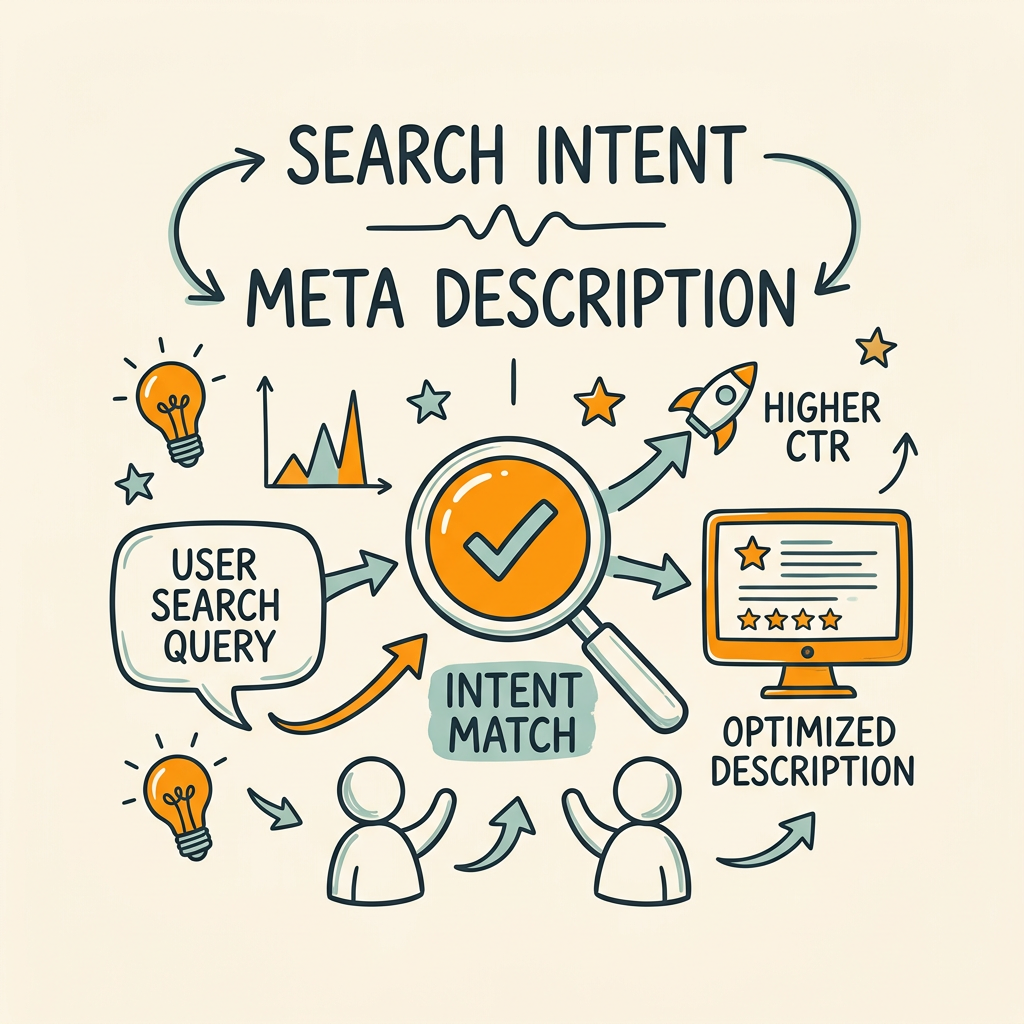
Google's AI increasingly matches descriptions to the type of query being asked. A "how-to" query expects a procedural answer. A comparison query expects balanced analysis. A product discovery query expects benefits and proof. If your description misaligns with intent, Google may rewrite it, and your CTR suffers.
"When aligning with search intent, bridge mixed-intent queries. For 'meta description tools,' write a description that signals both commercial intent ('best generators') and informational intent ('learn psychology') to capture the full search audience."
Identify and Match the Dominant Intent for Your Target Keyword
Before writing a description, audit your SERP. Look at the top 5 results' titles and descriptions. What pattern do you see? Are most results procedural ("How to..."), informational ("What is..."), commercial ("Best..."), or product-focused ("Compare X vs Y")? Your description should align with that dominant intent or acknowledge a secondary intent within the query.
Example: The keyword "meta description tools" has mixed intent. The top results are 50% "best tools" (commercial intent) and 50% "how to write meta descriptions" (informational intent). A high-CTR description might bridge both: "Discover the 6 best meta description generators and learn the psychology behind high-CTR copy. Free tools included." This signals both commercial and informational value.
Use Proof and Specificity to Build Trust at a Glance
When a searcher sees your result, they have 2–3 seconds to decide whether to click. Specificity and proof compress that decision time. Instead of "A guide to meta descriptions," write "7 tested formulas for meta descriptions that boost CTR by 31% in 60 days." The number (7), the metric (31%), and the timeframe (60 days) all signal authority and effort.
- Numbers and percentages: "5 steps," "31% higher CTR," "in under 10 minutes"
- Third-party proof: "Used by Fortune 500 teams," "Ranked by Semrush," "Trust score 4.8/5"
- Unique angle: "The only guide that covers Google's rewrite algorithm," "Step-by-step with real-world examples"
- Emotional hooks: "Stop losing clicks to generic descriptions," "The #1 mistake most teams make"
But be honest. False claims tank CTR immediately when users land and realize the promise was oversold.
Optimizing for Google's AI-Driven Snippet Rewriting
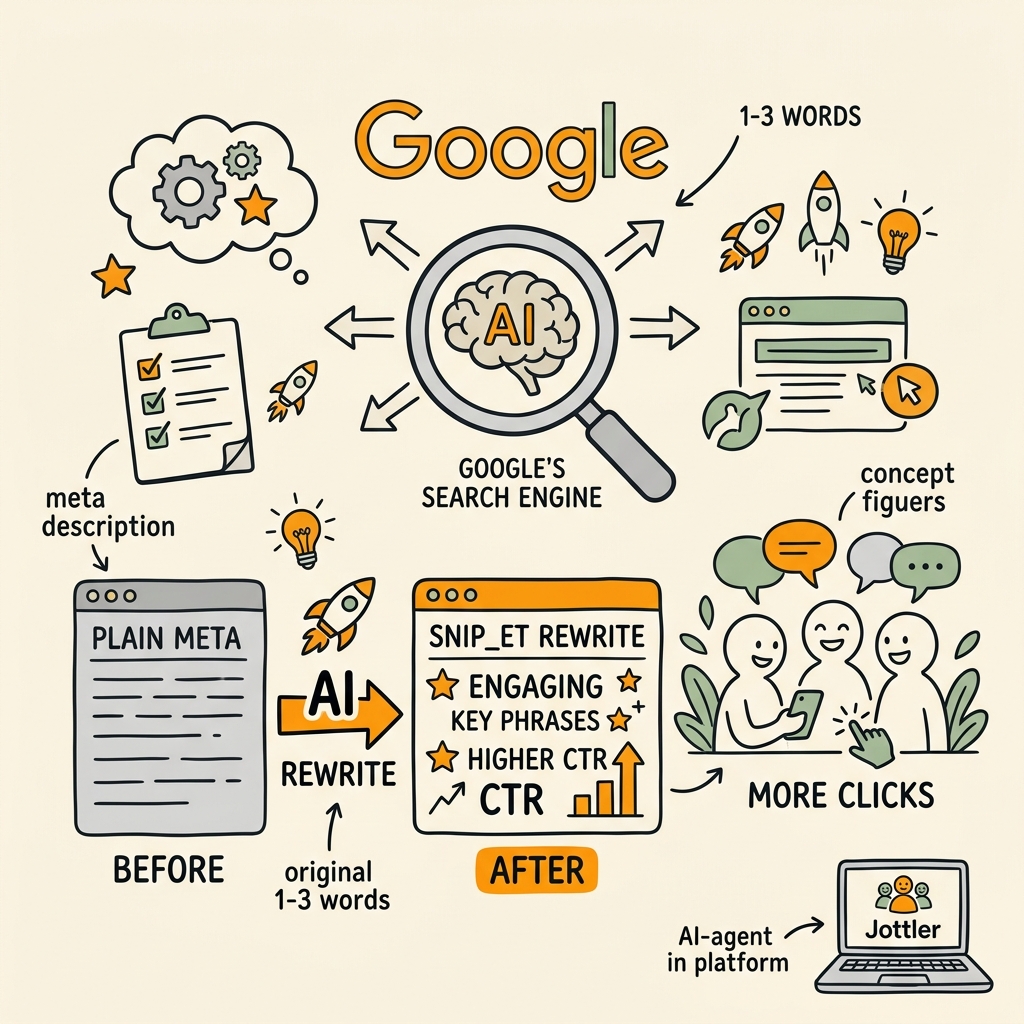
Google now rewrites 60–70% of meta descriptions for mobile users, pulling snippets directly from page content if it deems the meta description inadequate. This shift means your description's first job is no longer to be the snippet; it's to survive rewriting. Your second job is to ensure your page content is structured so that if Google does rewrite, the auto-generated snippet is strong.
Structure Your Opening Paragraph to Serve as a Fallback Snippet
Google's AI extracts snippets from the first 100–150 words of your page. If those words are vague or buried in fluff, the rewritten snippet will be weak. To protect against poor rewriting, lead with a direct, complete answer to your target keyword's implied question.
Weak: "Meta descriptions are an important part of SEO. Many teams don't optimize them properly. In this guide, we'll explore best practices."
Strong: "Meta descriptions are the gray text under your title in search results. Optimizing them boosts click-through rates by 31% on average. Here's the formula: front-load your benefit in 120 characters, include your keyword naturally, and add a subtle call-to-action. We'll show you 7 real examples and how to test them."
The second example gives Google everything it needs to generate a strong snippet if it chooses to rewrite. The first leaves Google guessing.
Use Schema Markup to Reinforce Your Description and Improve Rich Snippet Chances
Schema markup (FAQ, HowTo, Article, Product) tells Google the structure of your content. When schema matches the visible page content and your meta description, Google is more confident in showing your snippet exactly as written. Rich snippets—snippets with ratings, prices, or steps—can increase CTR by up to +45%.
Example: If you're writing a "how-to" article and your meta description is "Learn 7 steps to optimize meta descriptions," include HowTo schema that lists all 7 steps. Google is then more likely to show a rich snippet that displays the steps inline, rather than rewriting your description.
At minimum, use Article schema with the following fields:
- headline (your title tag)
- description (your meta description)
- image
- datePublished and dateModified
- author
Testing, Monitoring, and Iteration Cycles
Meta descriptions aren't set-and-forget. The SERP landscape shifts, user behavior changes, and Google rewrites descriptions over time. Systematic testing and monitoring ensure your descriptions stay competitive. When optimizing your SEO content plan, include meta description testing as a core pillar of your quarterly review process.
"Over a year of systematic meta description optimization using quarterly A/B tests, teams typically achieve 50–100% cumulative CTR gains across their domain by testing one element at a time and promoting winners."
Set Up Quarterly Description Audits and A/B Tests
Every quarter, audit your top 20 pages by traffic. Look at their current CTR in Google Search Console. If CTR is below your category benchmark (usually 2–5% depending on position), test a new description. Change one element: either the benefit, the length, the keyword placement, or the CTA. Run the test for 30 days and measure impact.
Use this testing framework:
- Baseline: Current description, current CTR
- Test variant: One-element change (benefit reframing, length adjustment, CTA tone)
- Duration: 30 days minimum (account for search volume variance)
- Metric: CTR in Google Search Console, absolute click count
- Success threshold: +10% relative CTR improvement or +5% absolute increase
If the test variant wins, promote it. If it loses, revert and test a different element. Over a year, this cycle can compound to +50–100% cumulative CTR gains across your domain.
Monitor Rewrite Patterns to Spot Algorithm Shifts
Occasionally check your live SERP. Is Google showing your meta description, or is it rewriting? If rewriting suddenly increases for a section of pages, investigate. You may need to restructure your page openings or add schema markup.
Use Search Console's Performance report: filter by page, sort by CTR, and check the top performers. Often you'll find that descriptions with 80% of the answer in the snippet and 20% as a hook have the highest CTR. This suggests Google is confident enough in those descriptions that it's showing them as-is, rather than rewriting.
Automate Description Generation and Publishing with Tools Like Jottler
For teams with 50+ pages, manual description optimization becomes a bottleneck. This is where autonomous SEO agents automate the entire cycle. Tools like Jottler research your target keywords, analyze top SERP competitors, and generate unique, optimized meta descriptions for every page—then automatically publish them to your CMS. The system continuously monitors CTR performance and flags descriptions that underperform, so your team can focus on strategy rather than execution.
This approach compresses the test-and-iterate cycle from quarterly to continuous, letting you catch underperforming descriptions faster and compound wins across your entire site.
Common Meta Description Mistakes That Kill CTR
Even smart teams slip into patterns that tank CTR. Here are the five mistakes we see most often—and how to avoid them.
Mistake 1: Keyword Stuffing and Unnatural Phrasing
Descriptions like "Meta descriptions, meta tags, SEO meta descriptions, best meta description practices, how to optimize meta descriptions" are useless. They read like spam. Users skip them. Google may rewrite them. Write for humans first. If the primary keyword fits naturally, include it; if not, let semantic variations carry the relevance signal.
Mistake 2: Truncation from Over-Length Descriptions
A description that's 180+ characters may show fully on desktop but will be cut off on mobile at ~120 characters. If your benefit comes after character 150, mobile users never see it. Keep descriptions under 160 characters for desktop, under 130 for mobile.
Mistake 3: Duplicate Descriptions Across Multiple Pages
Auto-generated descriptions like "This post was published on [date]" repeated across 50 blog posts hurt CTR. Google signals to users that the results are generic. Each page needs a unique description tied to its specific content.
Mistake 4: Misaligning Description with Page Content
If your description promises "7 steps to optimize meta descriptions," but your page only covers 4 steps, users bounce. This tanks dwell time and signals to Google that your result isn't relevant. Always deliver what you promise in the description.
Mistake 5: Ignoring Mobile Truncation and Testing
Many teams write descriptions on desktop and never check how they render on mobile. Mobile is where the majority of your users are. Always test mobile rendering before publishing.
| Mistake | Impact on CTR | Fix |
|---|---|---|
| Keyword stuffing | –15% (users skip) | Write for intent, include keyword naturally |
| Too long (>160 chars) | –20% (mobile truncation) | Front-load benefit in <130 characters |
| Duplicate descriptions | –25% (low relevance signal) | Write unique descriptions per page |
| Promise misalignment | –35% (high bounce rate) | Ensure description matches page content |
| No mobile testing | –18% (discovery lag) | Test on iOS and Android before launch |
Conclusion
Meta descriptions are a high-impact, low-lift lever for organic growth. While Google rewrites many descriptions, the ones you optimize strategically drive measurable CTR lifts—+31% on average, with some teams seeing gains exceeding +65%. The formula is straightforward: front-load your benefit, match user intent, keep mobile truncation in mind, and test continuously. Over a year of systematic optimization, these small wins compound across your content footprint, driving 17–24% cumulative CTR improvements and feeding stronger dwell time signals back to Google's ranking algorithm. Start with your top 20 pages by traffic, optimize their descriptions using the framework above, and expand from there. Your organic traffic will follow.
Ready to scale your meta description optimization across your entire site? Start your SEO agent at Jottler—automate keyword research, description generation, testing, and publishing in one workflow. Plans start at $29/month.
FAQs
How long should a meta description be?
Aim for 150–160 characters on desktop and under 130 characters on mobile. Google typically displays around 150–160 characters on desktop before truncation, but mobile devices cut off much sooner—often between 110–130 characters depending on the device. Since over 60% of search traffic comes from mobile, front-load your most important value proposition within the first 120 characters to ensure it's visible on all devices. Test your descriptions on an actual mobile phone to see exactly where truncation occurs.
Does Google still use meta descriptions for ranking?
Meta descriptions don't directly affect rankings, but they influence CTR, which is an indirect ranking signal. Google's John Mueller has confirmed that meta descriptions aren't a ranking factor in the algorithm itself. However, higher CTR signals relevance and user satisfaction, which can feed downstream ranking benefits through engagement metrics. Additionally, Google rewrites 60–70% of meta descriptions on mobile, pulling content directly from your page instead. The real win from meta descriptions isn't rankings—it's clicks. Optimize for CTR, and rankings follow.
What's the best way to optimize meta descriptions at scale?
Use an automated SEO platform to research, generate, test, and publish optimized descriptions across your entire site. For small sites (under 50 pages), manual optimization is feasible. For larger sites, automation tools can generate unique descriptions based on your target keywords and page content, then track CTR performance to flag underperformers. This approach lets you move from quarterly updates to continuous optimization, compounding gains month over month. Most teams using this method see 17–24% CTR improvements within 60 days.