
Optimizing Blog Metadata for Search and Clicks
Blog metadata is invisible to readers but visible to search engines and SERP users. A well-optimized title tag and meta description can be the difference between a page buried in position 5 and a page on the first result. Optimized meta titles and descriptions can boost click-through rates by 5–65% depending on existing optimization levels, according to research on meta tags and CTR. Yet 60–70% of meta descriptions are rewritten by Google, meaning countless blog posts lose control over their SERP snippets the moment they publish. This gap between intent and execution costs blogging teams thousands of lost clicks annually.
Key Takeaways
- Optimized metadata drives 5–65% higher CTR, with most gains from title relevance and keyword placement (2025 SEO Benchmarks, Seomator).
- Schema markup and rich snippets can lift CTR by up to 45% by increasing SERP visibility and trust signals.
- Front-loading keywords in titles improves CTR by 15–23% versus keywords positioned later in the same title.
- Title Tag Strategy: Keep titles under 60 characters, place primary keywords early, and lead with benefit or curiosity to maximize clicks.
- Meta Description Crafting: Write 150–160 character descriptions that mirror page intent and include a micro-CTA to increase engagement.
- Schema Markup Implementation: Add FAQPage, Article, or BlogPosting schema to enable rich snippets and improve SERP prominence.
- Keyword Positioning and Intent Alignment: Front-load high-intent keywords and ensure metadata closely matches actual page content to reduce Google rewrites.
- Testing and Iteration: A/B test title and description variants over 2–4 weeks using Search Console, then scale winners across similar pages.
- Automation and Scale: Use tools to systematically optimize metadata across your entire blog archive at speed, not just new posts.
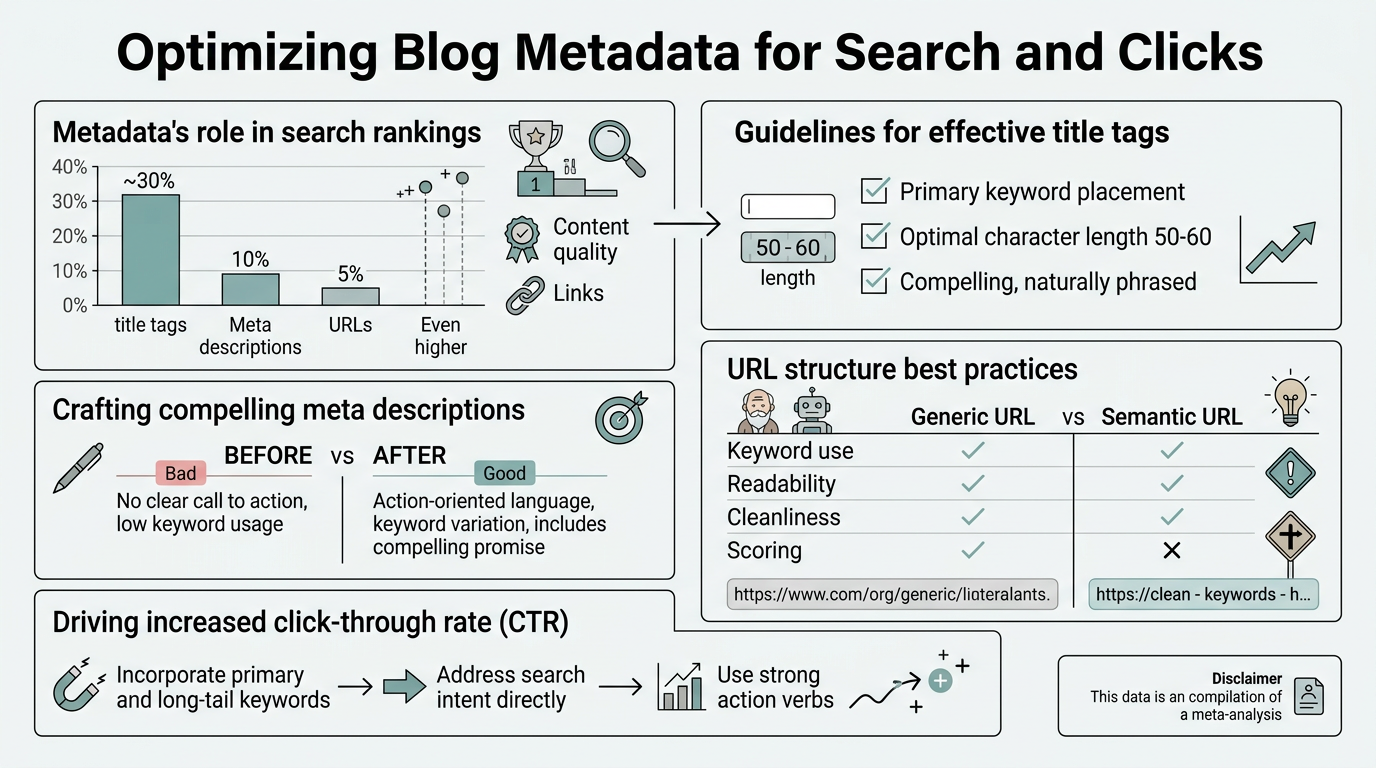
How Do Meta Tags Impact Blog Rankings and Click-Through Rates?
Meta tags don't directly influence ranking position. Google's core algorithm ranks pages on content quality, authority, and relevance, not on title or description length. However, metadata directly influences click-through rate (CTR), which is an indirect ranking signal. Pages with higher CTRs generate more engagement, and that engagement signals relevance to Google. A page in position 3 that attracts more clicks than the position 1 result eventually trends toward higher rankings over weeks and months.
The relationship is: strong metadata → higher CTR → engagement signals → algorithmic lift. Metadata is the bridge between ranking and clicks. When you optimize your SEO automation processes to improve metadata consistency, this compounding effect accelerates across your entire blog archive.
"Meta tags don't directly influence ranking position, but they directly influence click-through rate, which is an indirect ranking signal that compounds over weeks and months."
Why Meta Descriptions Matter More Than Title Tags for Clicks
Title tags set the expectation; meta descriptions seal the deal. When a user scans a search result, the title catches attention, but the description answers the question: "Will this page answer my problem?" A poorly written description, even with perfect keywords, will lose clicks to a competitor's description that clearly states the benefit or answer.
The problem: Google rewrites 60–70% of meta descriptions in search results when it deems the original description misaligned with page intent or low quality. This means many blogs invest time writing descriptions only to have them replaced by Google's algorithmically extracted snippets. The only way to retain control is to write descriptions so tightly matched to page intent and content that Google views them as more useful than any auto-generated alternative.
Title Tag Structure and Keyword Placement
A well-structured title tag does three things: leads with the primary keyword, states a benefit or curiosity hook, and stays under 60 characters. Keyword position within the title matters: front-loading keywords improves CTR by 15–23% compared to titles where the same keyword appears later. This is because users scan left-to-right and trust the leftmost part of the title to answer their search query.
Example structure: [Primary Keyword] [Benefit/Hook] | [Brand]. This format places the keyword first, immediately followed by a hook, then optional branding. If your primary keyword is "blog metadata optimization," a strong title might be: "Blog Metadata Optimization: 7 Tactics for 40% More Clicks."
What Are the Best Practices for Writing High-Converting Meta Descriptions?
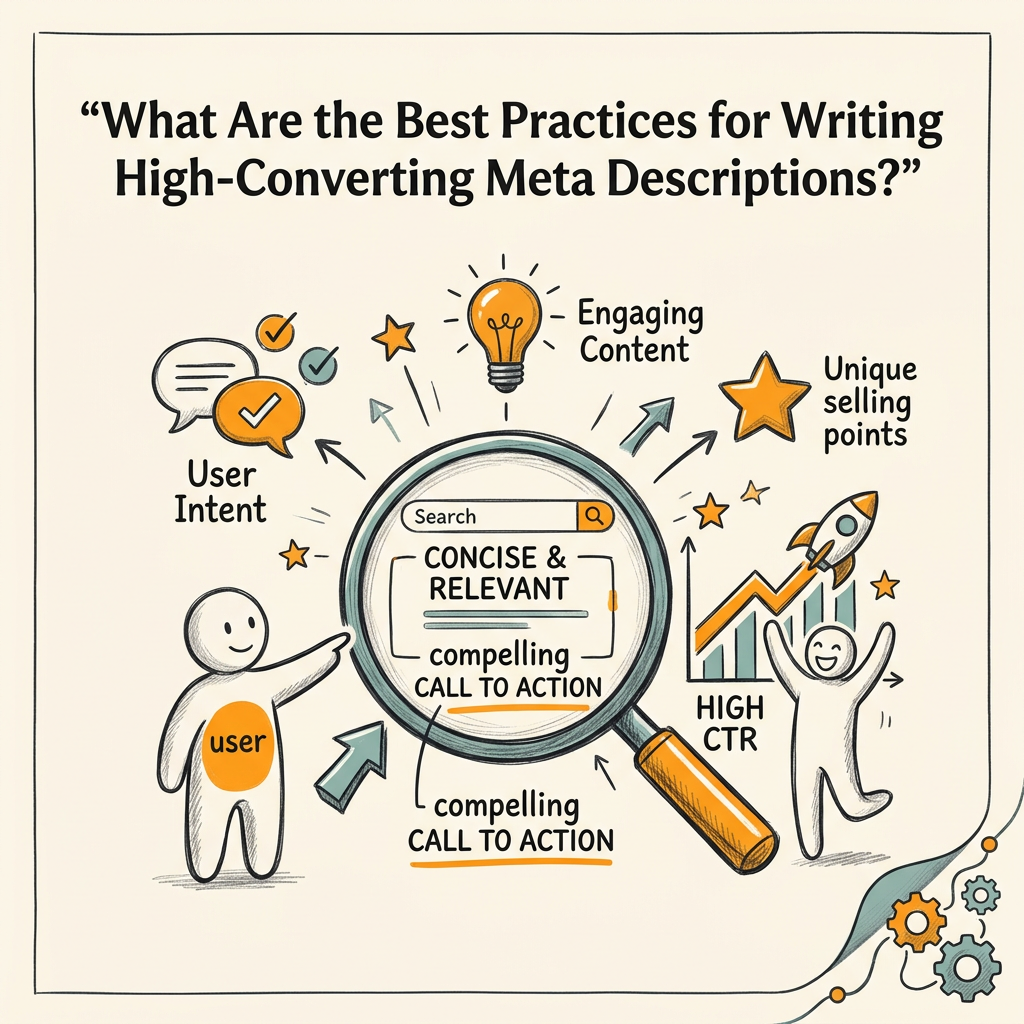
Meta descriptions serve one purpose: to convince a search user that your page deserves a click over competitors. This means writing descriptions that are specific, benefit-led, and action-oriented. Average blog post CTR is around 2%, but optimized descriptions can push this to 4–6% or higher depending on ranking position and search intent. According to 2025 SEO benchmarking research, the best-performing descriptions are 150–160 characters and include clear calls to action.
"Average blog post CTR is around 2%, but optimized descriptions can push this to 4–6% or higher. The difference comes down to specificity, benefit language, and clear micro-CTAs that convince users your page deserves the click."
Description Length and Character Limits
Google displays approximately 150–160 characters on desktop and 120–140 characters on mobile before truncation. Write descriptions for the desktop limit (150–160 chars) since desktop typically has higher CTR and you want your full message visible on all devices when possible. Avoid padding the description with extra keywords or filler text—use every character to convey value.
Example of a strong 155-character description for a blog post on metadata optimization: "Learn 7 proven tactics to optimize blog metadata, boost CTR by 40%, and reduce Google's description rewrites. Includes templates and real examples."
Action-Oriented Language and Intent Matching
Descriptions that begin with action verbs or benefit statements generate 17% higher CTRs than descriptions starting with generic nouns or adjectives. Use micro-CTAs like "Learn," "Discover," "Get," "Find," or "See" to create urgency. More importantly, the description must match the user's search intent.
If the search query is "how to optimize blog metadata," your description should clearly state that your page teaches methodology, includes steps, or offers tools. Avoid describing what metadata is—users searching for "how to optimize" already know metadata exists; they want to know if your page solves their specific problem.
- Do: "7 Metadata Optimization Tactics That Increased Our Blog CTR by 40%—Includes Step-by-Step Checklist"
- Avoid: "Metadata is important for SEO. Learn about metadata optimization and best practices."
How Can Schema Markup Amplify Your Blog's SERP Visibility?
Schema markup is structured data that tells Google what type of content your page contains. While schema doesn't directly influence rankings, schema can increase CTR by up to 45% by enabling rich snippets—enhanced search results that include ratings, author bylines, publish dates, or FAQ Q&A blocks directly in the SERP. This is especially valuable for blogs pursuing content marketing automation at scale.
A rich snippet takes up more vertical space in the search results, appearing visually distinct from plain-text results. This visual prominence drives more attention and more clicks. For blogs, the most impactful schema types are BlogPosting, FAQPage, and Article.
"Rich snippets take up more vertical space in search results and appear visually distinct from plain-text results. This visual prominence drives more attention—pages with schema markup can see CTR lifts of up to 45% compared to unstructured results."
BlogPosting and Article Schema for Blog Posts
BlogPosting schema tells Google the key metadata about your post: headline, description, publish date, author, and featured image. When properly implemented, Google can display these elements in the SERP snippet, including the publication date and author byline. This builds trust and pages with visible author bylines generate higher CTR than anonymous posts, especially in expert-driven niches.
A sample BlogPosting schema includes:
- @type: "BlogPosting"
- headline: Your blog post title (same as H1)
- description: Your meta description
- datePublished: ISO 8601 date format (e.g., 2026-06-22)
- author: Author name and optionally URL
- image: URL of featured image
FAQPage Schema to Capture People Also Ask Snippets
FAQPage schema enables your blog's FAQ section to appear as rich snippets in Google's "People Also Ask" section. When Google displays your FAQ in this expandable format, it occupies prime real estate in the SERP and drives clicks back to your blog. This schema is especially powerful for evergreen blog posts that answer common questions and support your SEO content plan.
To implement: wrap each FAQ question-answer pair in schema that identifies the question (@type: "Question") and the answer (@type: "Answer"). Google will pull these directly into its SERP widget if the page ranks in the top 10 for related queries.
Why Does Keyword Position in Titles and Descriptions Drive CTR?
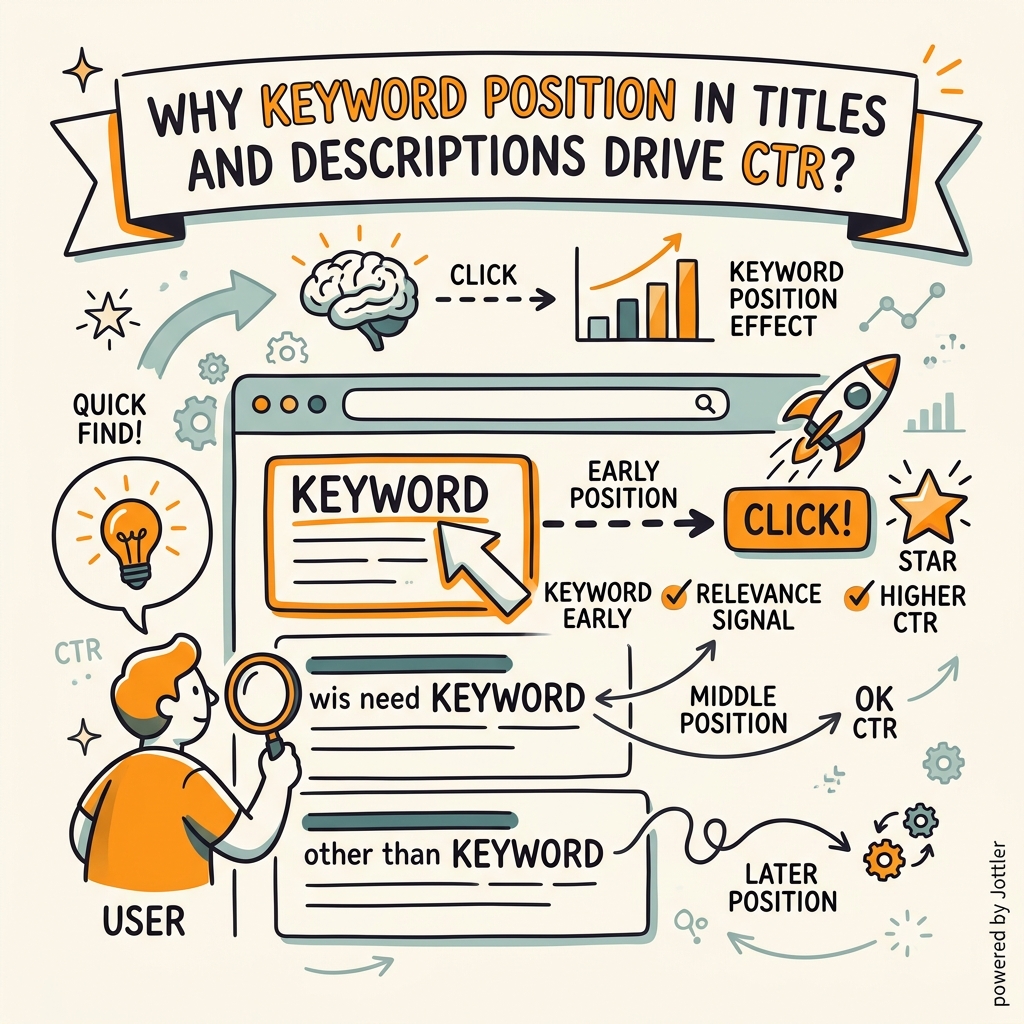
Users scanning a search results page don't read every word of every title and description. They scan the leftmost part of each result—title first, then the first 15–20 characters of the description. If your primary keyword doesn't appear in the first 10–12 characters of your title, the user may assume your page is less relevant than competitors' pages where the keyword is more prominent.
Primary Keyword Front-Loading Strategy
Front-loading means placing your primary keyword in the first 3–5 words of your title tag. This has two effects: it catches the user's eye immediately, signaling relevance, and it stays fully visible even on narrow mobile viewports. Titles with front-loaded keywords see 15–23% higher CTR than identical titles with keywords moved to the end.
Example: Avoid "How to Optimize Your Blog for Maximum Search Traffic and Clicks." Instead, write "Blog Metadata Optimization: 7 Tactics to Boost CTR 40%." The primary keyword ("blog metadata optimization") appears in the first three words, signaling instant relevance.
Secondary Keyword Placement in Descriptions
If your meta description has room (after the primary benefit statement), include a secondary keyword or long-tail variant in parentheses or as part of the CTA. This helps Google understand your page's topical breadth without diluting the primary message.
Example: "7 Metadata Optimization Tactics That Increased Our CTR by 40% (Including title tags, meta descriptions, and schema). See our step-by-step checklist."
How Does Google Rewrite Meta Descriptions and How Can You Prevent It?
Google doesn't rewrite your description because it's trying to annoy you. It rewrites because it believes an auto-generated snippet from your actual page content is more relevant to the user's query than your provided description. This happens in three scenarios:
- Misaligned intent: Your description doesn't match your page content or the user's search query.
- Generic language: Your description is too vague and doesn't clearly state what the page covers.
- Keyword mismatch: Your description lacks keywords the user actually searched for, so Google pulls a different section of text that includes those keywords.
Writing Descriptions That Survive Google's Rewrite Algorithm
To retain control of your snippet, write descriptions that are specific, keyword-rich, and closely mirror your page's opening paragraph. The description should essentially be a high-level summary of what the reader will learn, with the primary keyword mentioned naturally.
Google is more likely to keep your description if: the opening 40–50 words of your page body match the structure and keywords of your description. This makes the description feel like an accurate extraction rather than a separate marketing pitch.
| Scenario | Meta Description | Google's Rewrite Likelihood | Why |
|---|---|---|---|
| Specific, query-matched | "Learn how to optimize blog metadata for 40% higher CTR. Includes title tag templates, description best practices, and schema setup—complete guide." | Low | Description is specific, keyword-rich, and likely mirrors page opening. |
| Generic marketing pitch | "Boost your SEO with our expert blog optimization tips. Increase traffic, get more leads, and dominate search rankings today!" | High | No specific methodology or keyword match. Google will replace with page extract. |
| Keyword stuffed | "Blog metadata optimization, meta tags, title tags, descriptions, keywords, SEO, ranking, CTR, optimization guide, how to optimize blog posts." | Very High | Obvious keyword stuffing. Google will replace with natural page excerpt. |
| Misaligned intent | "Discover the best blog writing software tools and platforms for 2026." (Page is about metadata, not software tools) | Very High | Description doesn't match page content. Google will use page excerpt instead. |
What Tools and Processes Help Optimize Blog Metadata at Scale?
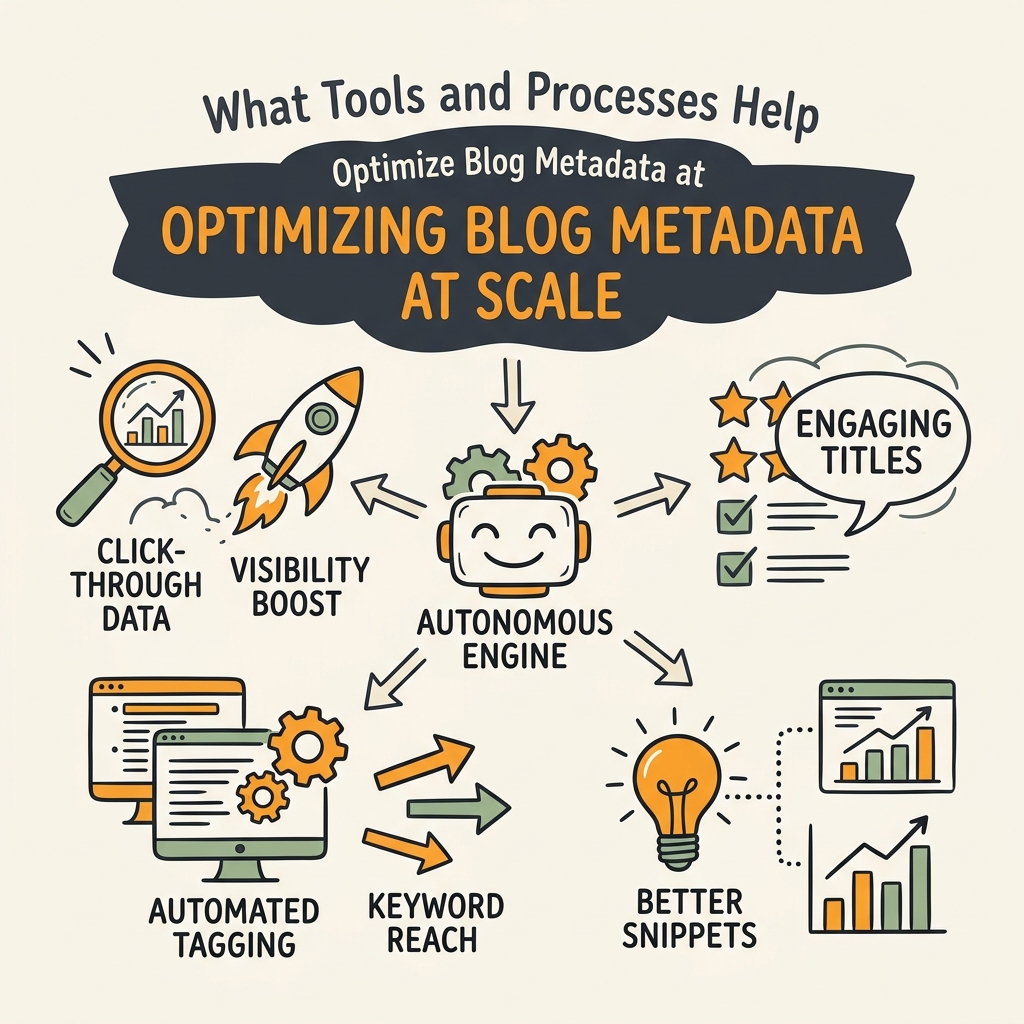
Optimizing metadata one post at a time doesn't scale. A blog publishing 50+ posts per month needs a systematic process to ensure every post gets optimized title and description from day one of publishing.
Building Metadata Optimization Into Your Publishing Workflow
The best approach is to optimize metadata before publishing, not after. When writing a new blog post, the title tag and meta description should be drafted alongside the H1 and opening paragraph. This ensures alignment between all three elements.
Many teams use a blog template or editorial checklist that includes metadata fields:
- Primary keyword for this post
- Title tag (draft, 50–60 characters)
- Meta description (draft, 150–160 characters)
- Schema type (BlogPosting, FAQPage, etc.)
- Featured image alt text
This ensures metadata optimization happens before the article goes live. However, manually managing this across dozens of posts per month creates friction and slows content velocity. Tools like Jottler solve this by automatically generating optimized metadata aligned with your target keyword, then publishing the full post with proper schema markup to your CMS. This transforms metadata from a bottleneck into an automated strength.
Auditing and Iterating on Existing Blog Metadata
Your existing blog archive likely contains hundreds of posts with suboptimal metadata. Rather than rewriting every description manually, prioritize high-traffic pages and update them first. Use Google Search Console to identify which pages have:
- High impressions (appear in SERP frequently)
- Low CTR (below 2% for blogs)
- Mid-range ranking positions (5–15)
These pages have the most upside—small metadata improvements could lift CTR by 10–30% and drive meaningful traffic gains. A/B test new metadata variants using Search Console (create new descriptions, deploy them for 2–4 weeks, compare CTR), then scale the winners.
How Can Metadata Optimization Compound Your Blog's Organic Traffic?
Metadata optimization compounds in two ways: directly through CTR lift, and indirectly through reduced bounce rate and increased engagement signals.
Direct CTR Impact and Traffic Multiplier
If you have 100 blog posts averaging 500 monthly impressions each and 2% CTR (the blog average), that's 1,000 clicks per month. Improving metadata to achieve 3% CTR across the same impression volume delivers 1,500 clicks—a 50% traffic increase from metadata alone, with zero changes to content or ranking positions.
Scale this: if your blog receives 50,000 monthly impressions, improving CTR from 2% to 3.5% adds 750 clicks monthly (9,000 clicks annually). This doesn't require ranking higher—it only requires more users to click when your post appears in results.
Engagement Signals and Algorithmic Lift
Higher CTR signals relevance. When Google observes that users consistently click your result over competitors for a given query, it interprets this as a positive ranking signal. Over weeks, this can lead to small but consistent ranking improvements for your best-performing content. Combining metadata optimization with systematic SEO automation processes ensures your metadata stays fresh and competitive as search behavior evolves.
Conclusion
Blog metadata is one of the highest-leverage, lowest-effort SEO improvements available. Optimizing titles and descriptions drives 5–65% higher click-through rates, directly multiplying traffic from your existing ranking positions. With 60–70% of descriptions rewritten by Google, the challenge isn't just writing good metadata—it's writing descriptions that align so closely with page intent and search query that Google chooses to display your version over auto-generated alternatives.
The formula is simple: front-load primary keywords in titles (under 60 characters), write 150–160 character descriptions with clear benefits and micro-CTAs, align metadata tightly with page opening content, and add schema markup to unlock rich snippets. For teams publishing dozens of posts monthly, automation ensures metadata optimization becomes a standard part of the publishing process rather than a manual afterthought.
Start by auditing your top 20 blog posts in Google Search Console. Identify those with high impressions but low CTR, update their metadata based on the framework above, and measure CTR lift over 4 weeks. Scale this process across your archive, and you'll compound organic traffic without requiring new ranking positions. Start your SEO agent to automate metadata optimization for every new blog post.
FAQs
What is the ideal length for a meta description?
The ideal meta description length is 150–160 characters on desktop and 120–140 characters on mobile. Google displays your full description within these character limits before truncation. Write for the 150–160 character desktop limit so your message displays completely across all devices. Every character should convey value or a benefit—avoid filler words or keyword stuffing that reduces readability.
How often should I update my blog post metadata?
Update metadata for your existing blog posts when: (1) the post ranks in position 5–15 but has low CTR (<2%), (2) your primary keyword has shifted, or (3) you've updated the post content significantly. For new posts, optimize metadata before publishing to ensure alignment with your content and target keyword from day one. A/B test changes over 2–4 weeks using Google Search Console before rolling updates across similar pages to measure CTR impact.
Does meta description length affect SEO ranking?
Meta description length does not directly affect ranking position. Google's core algorithm ranks pages on content quality, backlinks, and relevance—not metadata length. However, meta descriptions indirectly influence ranking through click-through rate: higher CTR signals relevance and can lead to ranking improvements over time. A well-written description that drives clicks creates a positive engagement signal, whereas a truncated or irrelevant description reduces clicks and weakens that signal.