Streamlining Content Audits With Automation Tools
Most marketing teams spend weeks manually reviewing hundreds or thousands of pages, checking metadata, comparing performance metrics, and deciding what to keep, update, or delete. The result? Content audits take an average of 2-3 weeks to complete, and teams often miss critical optimization opportunities while doing the work manually. The cost is real: stale, thin, or duplicate content tanks search rankings, competitors capture market share, and AI systems increasingly pull answers directly from search results, bypassing your site entirely.
Automation tools flip this equation. Instead of hours spent in spreadsheets, smart auditing platforms scan your entire site in minutes, flag performance issues, detect duplicate or thin content, and surface high-impact optimization targets. This is not about eliminating human judgment—it's about reclaiming time so your team can focus on strategy instead of inventory work.
Key Takeaways
- 76% of businesses already use marketing automation, and content audit workflows are increasingly part of that stack (Entrepreneurshq, 2026)
- Teams save more than 6 hours per week by automating repetitive content tasks like auditing, checking, and tagging (Entrepreneurshq, 2026)
- AI-powered audit tools cut manual review time by 80%, letting teams prioritize by business value instead of guessing what matters
- Automated crawling and URL discovery: Scan your entire site in minutes, capturing every page, metadata gap, and technical SEO issue without manual spreadsheet work.
- Real-time performance tracking: Automatically sync traffic, engagement, keyword rankings, and Core Web Vitals so you see what's working and what's failing instantly.
- Duplicate and thin content detection: AI flags redundant pages, thin articles, and unoptimized metadata faster than any human reviewer ever could.
- Smart prioritization scoring: Rank pages by business impact, traffic potential, and SEO gaps so your team focuses on the 20% of changes that drive 80% of results.
- Continuous monitoring instead of periodic audits: Set automation to run weekly or monthly, so you catch problems before they cost you rankings or revenue.
Why Manual Content Audits Cost More Than You Realize
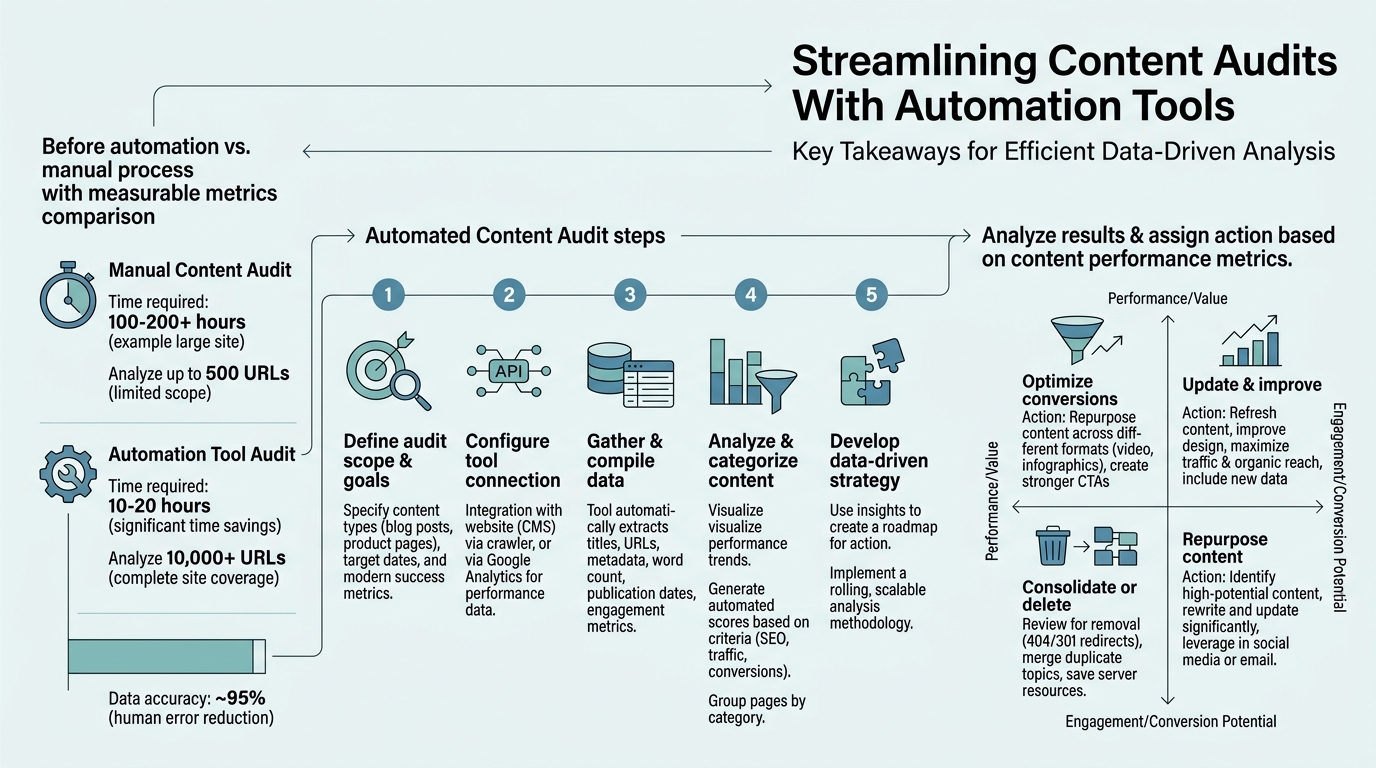
A typical manual content audit involves exporting URLs, building a spreadsheet, matching performance data from Google Analytics and Search Console, scoring each page, and then debating what stays or goes. The average team loses 40-60 hours per audit cycle to this process alone, and the output is often incomplete because people miss pages, misinterpret metrics, or work with stale data.
That time also means your audit findings sit in a spreadsheet instead of driving action. By the time your team finishes the analysis, new content has published, old rankings have shifted, and your audit data is already out of date. You're essentially solving last month's problem. According to automation adoption research, teams that automate content operations recover roughly 48 hours per cycle—time that manual teams spend pulling data instead of improving content.
"The difference between teams that automate and teams that don't widens every month. Automated audits happen weekly. Manual audits happen annually. That's a 52x difference in feedback frequency."
The Hidden Cost of Delayed Decisions
Every week without clear audit insights is a week you're not consolidating similar pages, refreshing stale content, or fixing metadata. Search engines reward freshness and consolidated topical authority. If you're not auditing, you're not optimizing. Competitors who automate their audits catch these gaps in hours, not weeks, and they fix them before you even see the problem.
Where Manual Reviews Fail
Human auditors make systematic mistakes. They miss low-traffic pages because they focus on high-traffic ones. They conflate "updated recently" with "optimized for search." They forget to check for thin content, duplicate titles, or broken internal links. Automation tools don't get tired, don't forget, and don't show bias toward vanity metrics like pageviews. They flag every broken link, every thin page, every missing title tag—then rank them by impact so your team can act on what matters first.
How Automated Content Audit Tools Work
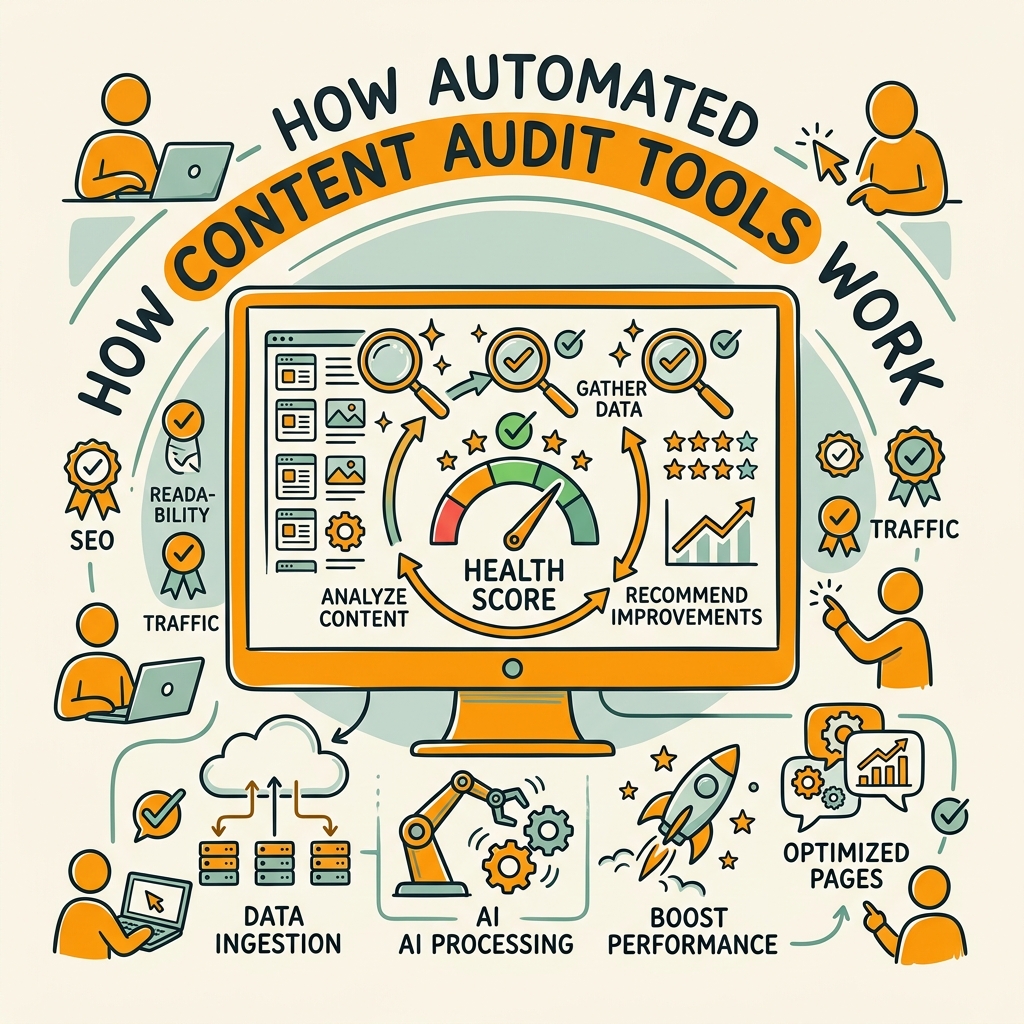
Modern automation platforms use three core mechanisms: crawling, data aggregation, and AI-powered prioritization. Together, they replace weeks of manual work with actionable insights in hours.
Crawling and Discovery
The audit process starts with a complete crawl of your site. Tools like Screaming Frog and Semrush automatically discover every page, including ones Google hasn't indexed, duplicates, redirects, and orphaned content. A good crawler captures metadata, internal links, images, structured data, mobile performance, and rendering issues in a single pass. For large sites with 50,000+ pages, this would take a team weeks; a modern crawler completes it in minutes.
Real-Time Data Sync
Once the crawl finishes, automation tools pull live performance data from Google Search Console, Google Analytics, and your internal CMS. Each page gets scored with organic traffic, engagement time, bounce rate, keyword rankings, and Core Web Vitals—all in one unified dashboard. This sync is continuous, so your audit data never goes stale. As soon as a page rank drops or traffic declines, you see it.
"Once configured, the tool generates a ranked list of actions: consolidate cannibalizing pages, refresh declining content, expand thin pages with ranking potential, and redirect or delete low-impact pieces. The best teams act on their top 20% of findings first and deliver 25-40% of total audit value in just two weeks."
AI-Powered Prioritization and Recommendations
Instead of raw data, the best automation tools use machine learning to surface what matters. They flag pages with traffic potential but poor SEO optimization, pages that are duplicates or cannibalize each other, and pages that are broken or thin. Then they rank them by estimated business impact—high-traffic declining pages first, then hidden gems with SEO potential, then low-impact pages you might consolidate or delete.
Building Your Automated Content Audit Workflow
A successful automated audit isn't just about picking a tool. You need the right stack and the right process. Here's how high-performing teams structure it.
Step 1: Choose Your Core Audit Tool
Your primary tool sets the foundation. The best choice depends on your site size and what you prioritize. Most teams use one of three approaches:
- All-in-one platforms (Semrush, Ahrefs): Crawl your site, sync GA/GSC data, flag SEO issues, and generate reports in one place. No data exports. Better for teams that want a single source of truth.
- Technical crawlers (Screaming Frog): Deep technical auditing with broken links, duplicate content, metadata gaps, and rendering issues. Cheaper but requires more manual interpretation of results.
- WordPress-first tools (Analytify, MonsterInsights): Simpler, lighter-weight layer focused on content performance and user engagement, designed for smaller publishers.
For busy founders and scaling teams, an autonomous approach to content auditing that combines crawling, data sync, and AI prioritization with your publishing workflow eliminates handoff friction entirely.
Step 2: Set Up Your Data Pipeline
The audit tool should automatically sync with:
- Google Search Console — impressions, clicks, average position, top queries for each page
- Google Analytics 4 — organic traffic, engagement time, bounce rate, conversions per page
- Your CMS or content database — publication date, last update, author, content type, internal links
- Backlink data — if you use Ahrefs or SEMrush, sync referring domains and link authority per page
This integration takes 10 minutes to set up, but it turns your audit from a snapshot into a continuous feedback system. Every week, your data refreshes. You never run outdated numbers again.
Step 3: Define Your Audit Criteria
Before the automation runs, decide what "success" and "failure" look like for your content:
- What's your minimum acceptable word count for different content types?
- What traffic threshold means a page is worth keeping vs. consolidating?
- Which pages are strategic (product pages, cornerstone content) and which are low-priority?
- What's your standard for metadata quality—title length, meta description, H1 tags?
Tools like autonomous SEO agents can even learn your criteria from past decisions and recommend actions that align with your strategy automatically.
Step 4: Run the Audit and Act on Findings
Once configured, the tool generates a ranked list of actions:
- Consolidate: Merge pages that cover similar topics (traffic waste, cannibalization)
- Refresh: Update evergreen content that's ranking but showing engagement drop-off
- Expand: Deepen thin pages with ranking potential but low word count or poor depth
- Redirect or delete: Handle low-traffic, off-strategy, or obsolete pages
The best teams act on their top 20% of findings first. That usually means consolidating 5-10 redundant pages, refreshing 3-5 declining posts, and expanding 2-3 thin but high-potential articles. This delivers 25-40% of the total audit value in just two weeks.
Comparing Automation Tool Options and Approaches
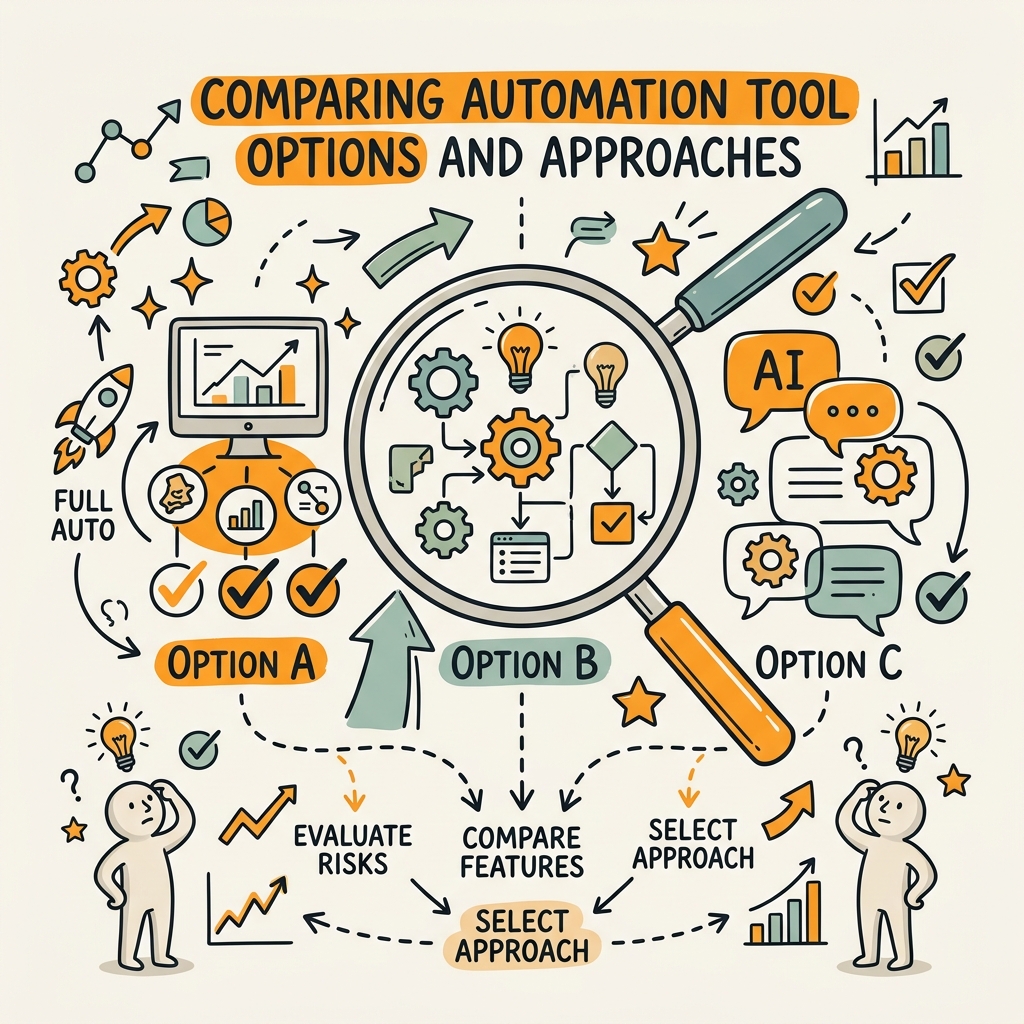
Not all content audit tools work the same way. Some are crawlers, some are analytics layers, and others are full automation platforms. According to 2026 content audit tool comparisons, the most popular options split into distinct categories. Here's how they stack up:
| Tool Category | Best For | Time to Audit | Setup Friction | Pricing Range |
|---|---|---|---|---|
| All-in-One Platforms (Semrush, Ahrefs) | Mid-market teams wanting unified reporting | 30 minutes to 2 hours | Moderate (API setup, GSC sync) | $139–$499/month |
| Technical Crawlers (Screaming Frog) | Technical SEO teams, deep diagnostics | 1–4 hours (large sites) | Low (desktop app, simple config) | Free–$199 one-time |
| WordPress Analytics (Analytify, MonsterInsights) | Solo creators, small publishers | 1–2 hours | Low (plugin install + GA link) | $99–$499/year |
| Autonomous Platforms (Jottler) | Busy founders needing continuous, integrated audits | Automated weekly; real-time findings | Very low (connect CMS + keywords) | $29+/month |
Each approach has tradeoffs. Crawlers are cheap but require interpretation. Analytics tools are simple but shallow. All-in-one platforms are comprehensive but expensive. But automation platforms like AI-powered content platforms that combine auditing with publishing eliminate the step where findings sit in reports and never get actioned. When your audit tool can automatically flag issues and route them directly to your publishing workflow, you move from analysis to action in minutes, not weeks.
Common Audit Findings and How to Act on Them
Once automation surfaces your audit data, the next step is knowing what each finding means and how to prioritize fixes. Here are the patterns that matter most:
Declining Pages: Traffic Drop Without Ranking Loss
A page ranks for its keywords but traffic has dropped 30–50%. This usually means CTR is falling because your title, meta description, or SERP snippet is no longer compelling, or user intent shifted. Solution: rewrite the title and meta description to increase click-through rate, or add a FAQ section to match new intent signals. This fix typically takes 30 minutes and recovers 15–25% of lost traffic within 2–4 weeks.
Hidden Gems: Low Traffic but High Ranking Potential
These pages rank for their target keywords but barely show up in organic traffic reports because they're thin (under 500 words) or lack internal linking. Solution: expand the content to 2,000+ words, add internal links from higher-authority pages, and push the page through search engines again. Expansion usually lifts traffic 40–100% within 6 weeks.
Cannibalization: Multiple Pages Competing for Same Intent
You have 3 posts about "email marketing automation" competing for the same keywords. Solution: consolidate into one authoritative piece, redirect the others, and link them internally. This consolidation concentrates backlink juice and topical authority, often lifting the main page by 50–150% traffic within 8 weeks.
Thin or Duplicate Content
Pages with under 300 words or near-duplicate metadata. Solution: delete, redirect to a more complete page, or expand significantly. Thin content actively harms your site's perceived authority; consolidation is almost always the right move.
Automation Best Practices From High-Performing Teams
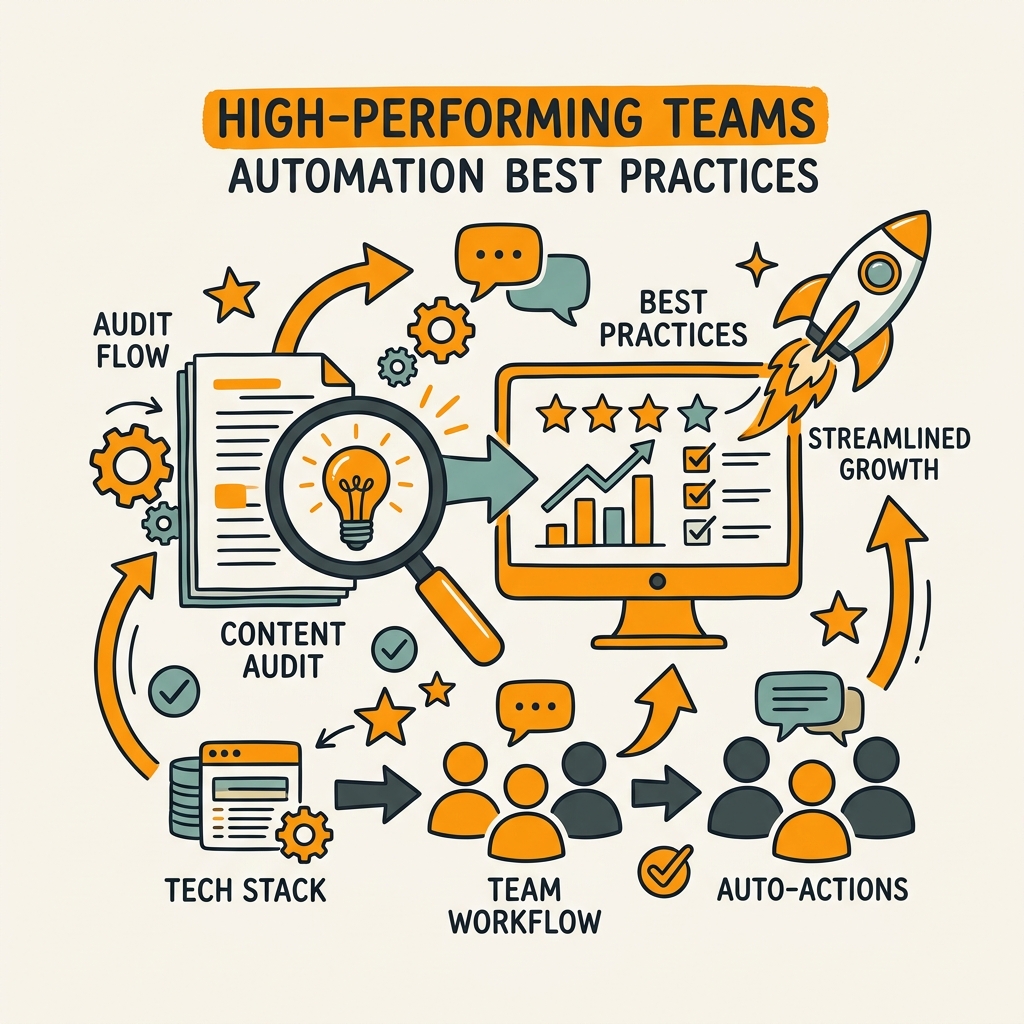
The difference between teams that benefit from automation and teams that don't is process discipline. Here's what works:
Schedule Regular Audits, Not One-Off Campaigns
Run automated audits weekly or monthly, not once per year. One-off audits create a burst of activity followed by months of stagnation. Continuous audits catch problems early—a ranking drop spotted week two is easier to fix than one spotted month six.
Set Thresholds Before You Audit
Define what metrics trigger action. "Pages with less than 300 words get expanded or deleted," "pages losing 20%+ traffic get refreshed," "pages with zero backlinks get consolidated." Without thresholds, every audit generates different interpretations and inconsistent action.
Create a Content Triage Process
Audit findings should move to a triage queue, not a spreadsheet graveyard. Assign findings to owners, set deadlines, and track completion. Programmatic approaches to content optimization ensure that every audit insight automatically routes to the right workflow, owner, and timeline.
Measure Time Saved and Impact Gained
Track the following metrics to justify your automation investment:
- Hours saved per audit: Manual audits averaged 50 hours; automated runs take 2. That's 48 hours per cycle you can reinvest in content creation, strategy, or other high-value work.
- Revenue impact per fix: When you consolidate 3 cannibalizing pages and traffic increases 60%, measure that as revenue recovered. Most teams see ROI within 2–3 audit cycles.
- Frequency of action: Manual audits happen annually; automated audits happen monthly. More frequent action compounds results. Teams that audit monthly see 3–4× more improvement than annual-audit teams.
Overcoming Adoption Barriers
Most teams encounter two obstacles when implementing automation:
Data Quality and Trust Issues
If your Google Analytics data is messy (ghost traffic, improper filters, event tracking misconfiguration), your automated audit will inherit those problems. Before you automate, audit your analytics setup. Verify that traffic data matches your reality, that bot traffic is filtered, and that conversions are properly tracked. This takes a day but saves months of acting on bad data.
Change Management and Workflow Friction
Teams that run audits but don't act on them usually have a workflow problem, not a tool problem. The audit findings sit in a report, and nobody owns the consolidation, refresh, or deletion task. Solution: assign audit findings to specific people with firm deadlines, and track completion in your project management system. Tie audit completion to performance reviews or bonuses, and you'll see action velocity triple.
Conclusion
Content audits are no longer a once-a-year exercise that teams dread. Automation has transformed them into a continuous, data-driven feedback loop that surfaces high-impact opportunities faster than any human reviewer ever could. Teams that automate their audits recover 40+ hours per cycle, consolidate competing pages, refresh declining content, and compound organic traffic growth at a pace that manual audits simply can't match.
The gap between teams that automate and teams that don't widens every month. Automated audits happen weekly. Manual audits happen annually. That's a 52x difference in feedback frequency—and frequency compounds results exponentially.
If your team is still auditing manually, the cost of that delay is growing. Every week without automation is a week where cannibalizing pages are competing, thin content is draining your site's authority, and ranking drops go unnoticed. Start with one platform, define your audit criteria, and schedule your first automated run this week. Most teams complete their first audit in 2–3 hours and begin acting on findings within days. Start your SEO agent today and let automation reclaim the hours your team wastes on content review.
FAQs
How long does it take to audit a website with automation tools?
Automated content audits typically complete in 30 minutes to 4 hours depending on site size. Small sites (under 1,000 pages) finish in under an hour. Large sites (10,000+ pages) may take 2–4 hours. Once the initial audit is complete, ongoing automated rescans take 15–30 minutes per cycle. In contrast, manual audits average 40–60 hours across 2–3 weeks of spreadsheet work. Automation saves 40–50 hours per audit cycle, letting teams act on findings instead of collecting data.
What metrics should I track during a content audit?
Focus on metrics that tie to business outcomes: organic traffic, engagement time, bounce rate, conversions, keyword rankings, and Core Web Vitals. Additionally, track content health signals like metadata completeness, word count, internal link count, and readability scores. Don't just count pageviews—measure what each page contributes to revenue. Pages with high traffic but low engagement may need refreshing. Pages with low traffic but high ranking potential may be worth expanding. Prioritizing by business impact, not just traffic volume, typically unlocks 25–40% more improvement than vanity-metric-driven audits.
Can I automate content audits if I use a small CMS or custom platform?
Most modern automation tools work with any CMS via direct API connections, XML sitemaps, or log file uploads. WordPress, HubSpot, custom Node apps, and even static site generators can integrate with crawlers like Screaming Frog or platforms like Semrush. If your CMS doesn't have a direct integration, you can still export your content inventory manually and feed it into a crawler tool. The crawling and analytics pieces are CMS-agnostic. The only friction point is if your CMS blocks automated crawling (rare) or if you need real-time workflow integration with your publishing system—in which case, platforms built for integration-first automation handle this natively without extra configuration.