Understanding Traffic Drop Alerts and Recovery
Your organic traffic just dropped 40% overnight. You're staring at Google Analytics with growing panic. But here's the reality: organic click-through rates fell 65% in mid-2025 due to AI Overviews, and around 60% of all searches now end without a click to any website. The stakes are real. For teams relying on organic traffic for lead generation, even a 30% dip can mean weeks of lost pipeline. The good news? Traffic drops follow predictable patterns, and recovery is possible if you know what to look for and when to act.
Key Takeaways
- AI-generated answer layers compressed CTR by 65% in mid-2025, with partial recovery to 2.40% by early 2026, meaning ranking stability no longer guarantees traffic (2026, Digital Strategy Force)
- Traffic drops stem from three root causes: AI displacement, algorithmic updates, or technical issues—each requires a different recovery strategy
- Diagnosing with Search Console (impressions vs. clicks vs. rankings) takes 30 minutes and prevents wasted optimization effort on the wrong problem
- Immediate alert response: Analyze Google Search Console data across four dimensions to pinpoint whether the issue is ranking loss, CTR compression, or a technical crawl problem.
- Root cause identification: Distinguish between AI displacement, core algorithm updates, and indexing errors using analytics segmentation and competitor benchmarking.
- Targeted recovery tactics: Content updates, citation-optimized refreshes, and internal linking strategies differ by traffic loss type—applying the wrong fix wastes weeks.
- Monitoring infrastructure: Set up Search Console email alerts, GA4 anomaly detection, and weekly ranking checks to catch problems within 24 hours instead of weeks.
- Prevention through automation: Continuous content updates and fresh publishing compound SEO durability, reducing recovery time when algorithmic shifts occur.
What Triggers Traffic Drop Alerts and Why They Matter
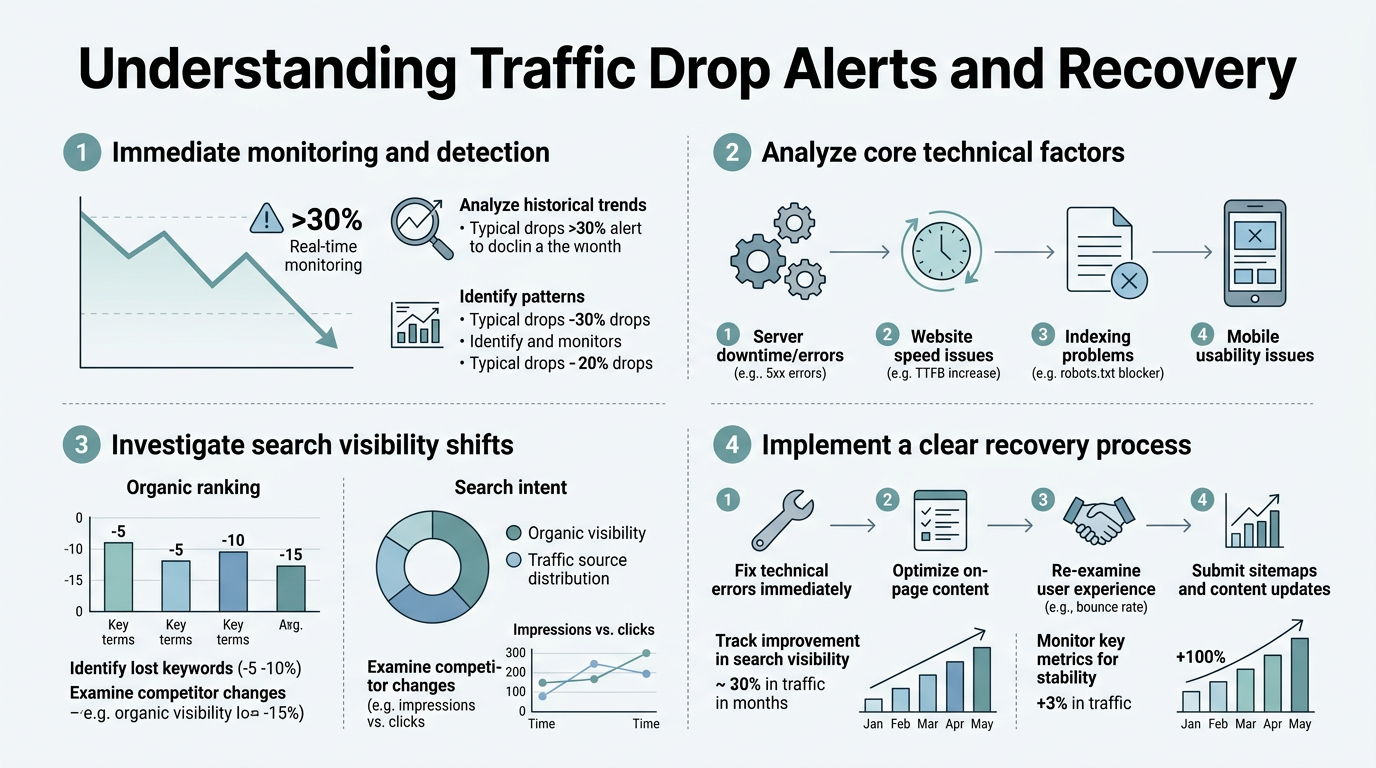
A traffic drop alert fires when your analytics detect a sudden dip—usually 20-30% below your trailing 30-day average—but the alert itself is worthless without context. The real risk isn't the drop; it's the time you lose deciding what caused it. Publishers using AI answer systems reported organic referral traffic fell 38% year-over-year as of January 2026, yet many still attributed losses to ranking decline when CTR compression was the actual culprit.
"Traffic alerts matter because they force diagnosis. Without an alert forcing you to open Analytics, the drop might go undetected for 4-6 weeks, during which your content ranks fine but generates zero clicks."
Traffic alerts matter because they force diagnosis. Without an alert forcing you to open Analytics, the drop might go undetected for 4-6 weeks, during which your content ranks fine but generates zero clicks. In a B2B environment, that's 30-40 lost qualified leads. For SaaS companies, it's the difference between making Q2 targets or explaining a miss to the board.
The cost of ignoring a traffic drop is exponential. Each week of inaction:
- Week 1: No visibility into cause. Team assumes it will self-correct.
- Week 2–3: Competitor content outranks yours or AI systems cite them instead. Your brand loses SERP real estate.
- Week 4+: Recovery requires complete content overhauls, not minor tweaks. You've lost a month of compounding traffic growth.
This is why companies like yours need alert infrastructure in place before a drop happens. A consistent SEO content plan that publishes regularly prevents most drops entirely by keeping your content fresh and your rankings stable across algorithmic shifts.
The Three Root Causes of Organic Traffic Drops
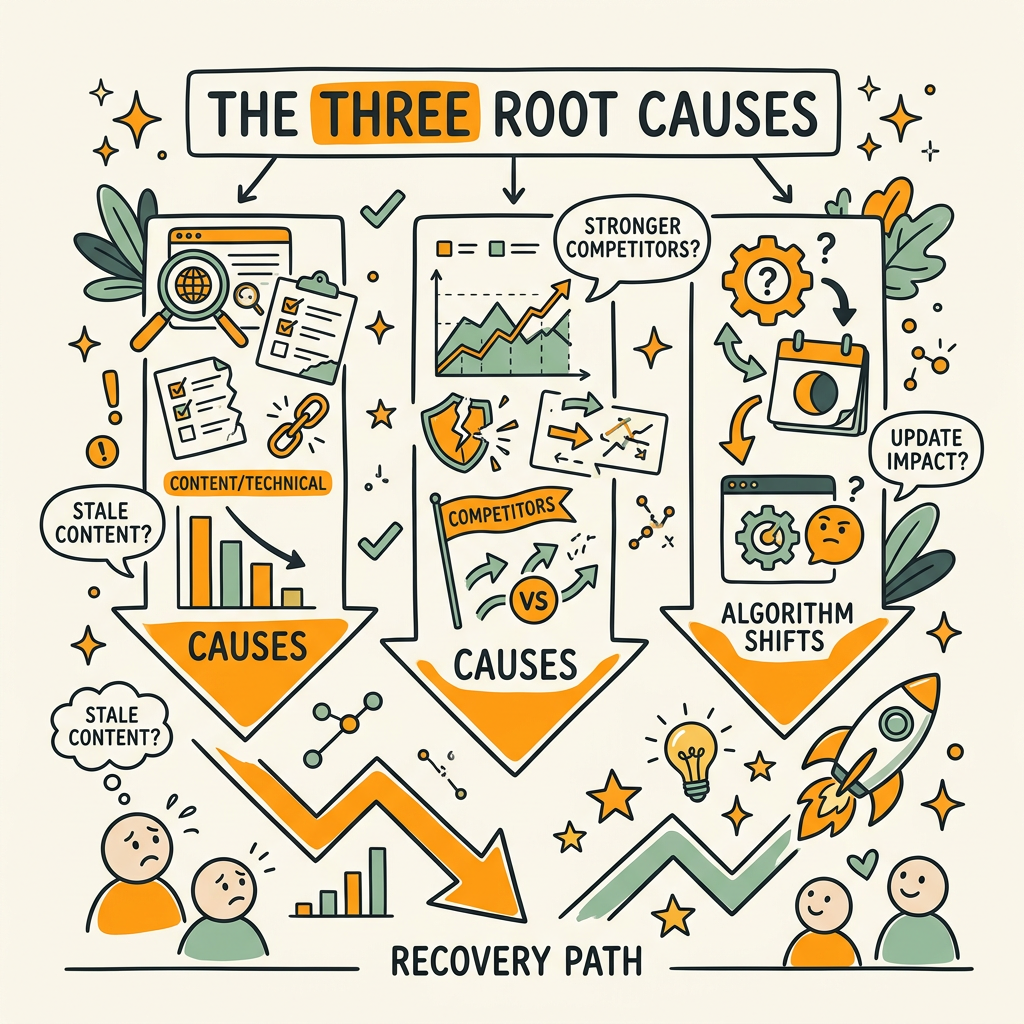
Not all traffic drops are created equal. The fastest recovery depends on correctly diagnosing whether your issue is ranking loss, click-through rate compression, or a technical indexing problem. Confusing these three causes costs you weeks of wasted optimization effort.
AI-Driven Click-Through Rate Compression
This is the dominant cause in 2026. Google AI Overviews reduced organic CTR from a baseline of 1.76% to 0.61% by mid-2025, an 65% decline. By early 2026, CTR recovered partially to 2.40%, but still sits below pre-AIO levels for many query types. The critical insight: your page rankings may be identical, but fewer users click through because the AI summary answers their question on the SERP itself.
Characteristics of CTR compression:
- Impressions stable or rising: Your content still appears in search results.
- Click count drops 30-60%: Fewer users click through to your site.
- Rankings unchanged: You still own position #2 or #3 for your target keywords.
- Pattern by query intent: Informational queries are hit hardest; commercial and branded queries hold steady.
Recovery for CTR compression isn't about ranking higher—you already rank well. It's about becoming so authoritative and unique that the AI system cites you as a source instead of answering the question from your competitor's content. This requires original data, clear structure, and answer blocks that AI systems can extract.
Core Algorithm Updates and Ranking Loss
When Google rolls out a core algorithm update, certain content types lose ranking authority overnight. These updates target broad quality signals: topical expertise, original research, freshness, and E-E-A-T (experience, expertise, authoritativeness, trustworthiness). The February 2026 core update caused traffic losses ranging from 20% to 60% depending on content type, with informational pages hit hardest.
"Core algorithm updates now target freshness and originality more heavily than ever. Recovery requires genuine improvements to content quality, not just keyword optimization tweaks."
Characteristics of algorithmic ranking loss:
- Both impressions and clicks drop: Your pages rank lower in position, so fewer users see them.
- Drop happens within 24-48 hours: It coincides with a Google update announcement or date.
- Affects multiple pages: It's not one broken page; it's a content category (e.g., all buyer guides or all tutorials).
- Specific to content quality: Thin content, outdated information, or low originality loses more than authoritative, data-backed pieces.
Recovery requires a content refresh, not just a keyword optimization tweak. You need to add original research, update outdated claims with 2025–2026 data, improve internal linking architecture, and ensure the content genuinely serves the reader better than 10 competitors.
Technical Issues and Crawl Problems
Sometimes the drop isn't about content quality or AI displacement—it's a technical break. A migration might have introduced redirect chains. A robots.txt update might have accidentally blocked Googlebot. A server error might prevent Google from crawling your new content. These issues compress your indexation rate, which degrades visibility over days or weeks.
Characteristics of technical traffic loss:
- Crawl errors spike in Search Console: Errors, redirects, or blocked resources increase sharply.
- Indexed pages decline: Your total indexed page count drops in Google Search Console.
- New content doesn't appear in SERP: You publish fresh articles, but they don't rank for weeks.
- Drop affects all content types equally: High-quality and thin content both lose traffic together.
Technical recovery is the fastest of the three. Fix the crawl issue, resubmit your sitemap, and wait 3-5 days for re-crawl. Traffic usually returns within a week once the technical block is cleared.
How to Diagnose a Traffic Drop in Four Steps
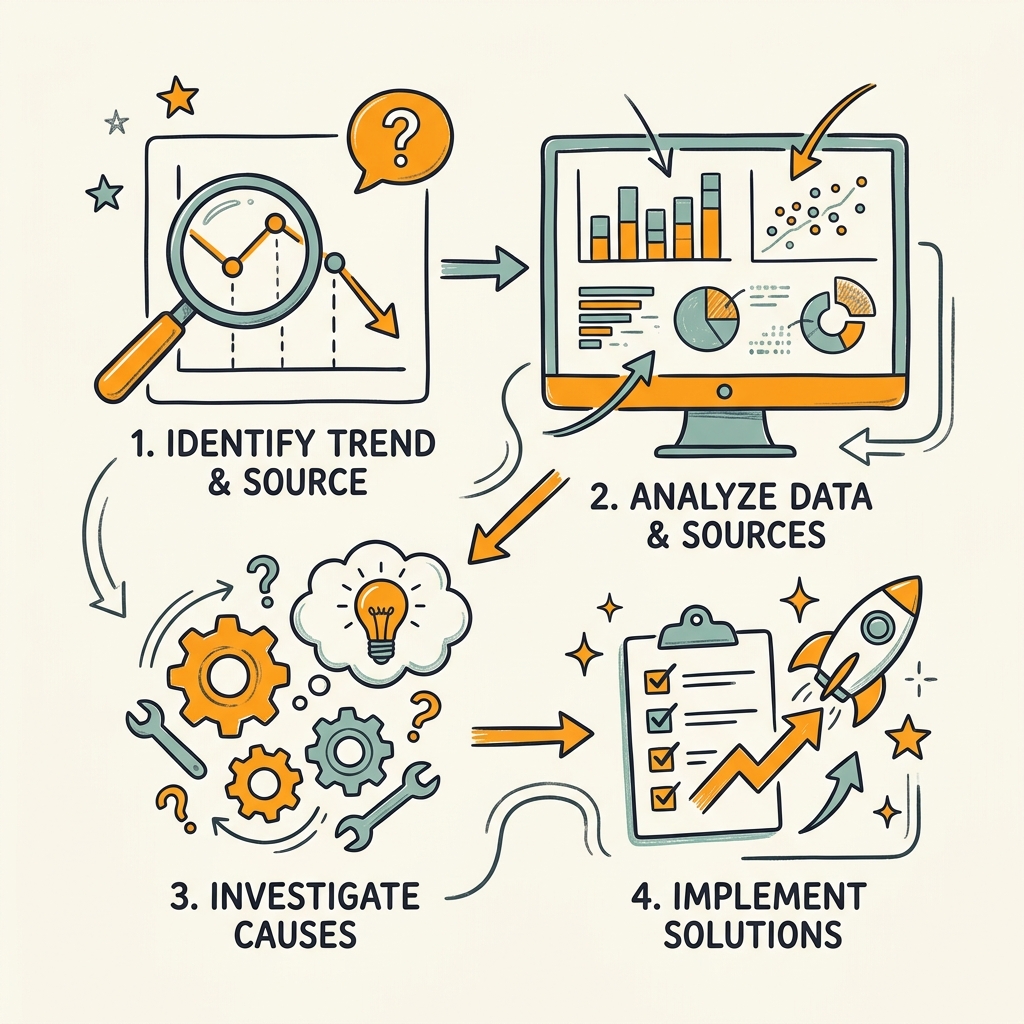
Correct diagnosis prevents wasted effort. Here's the framework to pinpoint exactly which of the three causes is hurting you, using only Google Analytics and Google Search Console. Analyticsmates recommends checking sessions, engagement metrics, conversions, and landing pages before making any optimization decisions.
Step 1: Confirm the Drop in Google Analytics
Open GA4 and navigate to the Acquisition > Traffic > Source/Medium report. Filter for "organic" and set your date range to include 30 days before the drop and 14 days after. The goal is to confirm the drop is real and not a tracking glitch or weekend variance.
Look at three metrics:
- Sessions: Has the overall count dropped 20%+ from your baseline?
- User engagement: Are users staying longer and visiting more pages, or is engagement falling too?
- Conversion rate: Is your conversion rate holding steady even if traffic dropped? (This signals traffic quality, not a technical issue.)
Next, segment by "Landing Page" to see which pages lost the most traffic. In most cases, traffic doesn't drop evenly. Informational content (guides, explainers) drops 40-60%; commercial content (pricing, product pages) drops 5-15%. This breakdown tells you whether the issue is algorithmic (affects everything) or AI displacement (hits informational pages hardest).
Step 2: Cross-Reference Search Console Data
Now move to Google Search Console and open the Performance report. Set the same date range. Search Console shows three critical dimensions that Analytics doesn't: impressions, clicks, and click-through rate.
Compare before/after for these metrics:
- Impressions: Stable or dropped? (Stable = CTR compression. Dropped = ranking loss.)
- Click-through rate: Did CTR drop while impressions stayed flat? (AI displacement signal.)
- Average position: Did your average ranking position for tracked keywords increase? (Ranking loss signal.)
If impressions are stable but clicks are down 40%, you're diagnosing CTR compression—likely from AI answer layers. If both impressions and clicks dropped proportionally, suspect a core update or ranking loss. If impressions dropped but clicks stayed similar, you have a technical crawl issue: Google can't index your new content.
Step 3: Check for Technical Issues in Search Console
Navigate to the Indexing > Coverage report in Search Console. Look at the chart showing "Valid" indexed pages over time. If the valid page count dropped, you have a technical issue.
Then check Crawl Stats under Settings. Did crawl frequency drop? Did errors increase? A spike in "Redirect errors," "Not found (404)," or "Server error (5xx)" points to a technical block.
Finally, check if your robots.txt or sitemap were accidentally updated. Go to Settings > Crawl settings and review the robots.txt and sitemap files.
Step 4: Segment by Query Intent and Content Type
Now segment your data by intent to isolate the pattern. In Search Console, add a filter for "Commercial" queries and "Informational" queries separately. Compare their performance before and after the drop.
- If only informational queries dropped: AI displacement is your primary cause.
- If both commercial and informational queries dropped equally: Algorithm update is likely.
- If all pages lost clicks equally regardless of position: Technical issue.
This segmentation takes 15 minutes and saves you weeks of optimization effort. It tells you exactly where to focus your recovery work.
Recovery Strategies by Cause Type
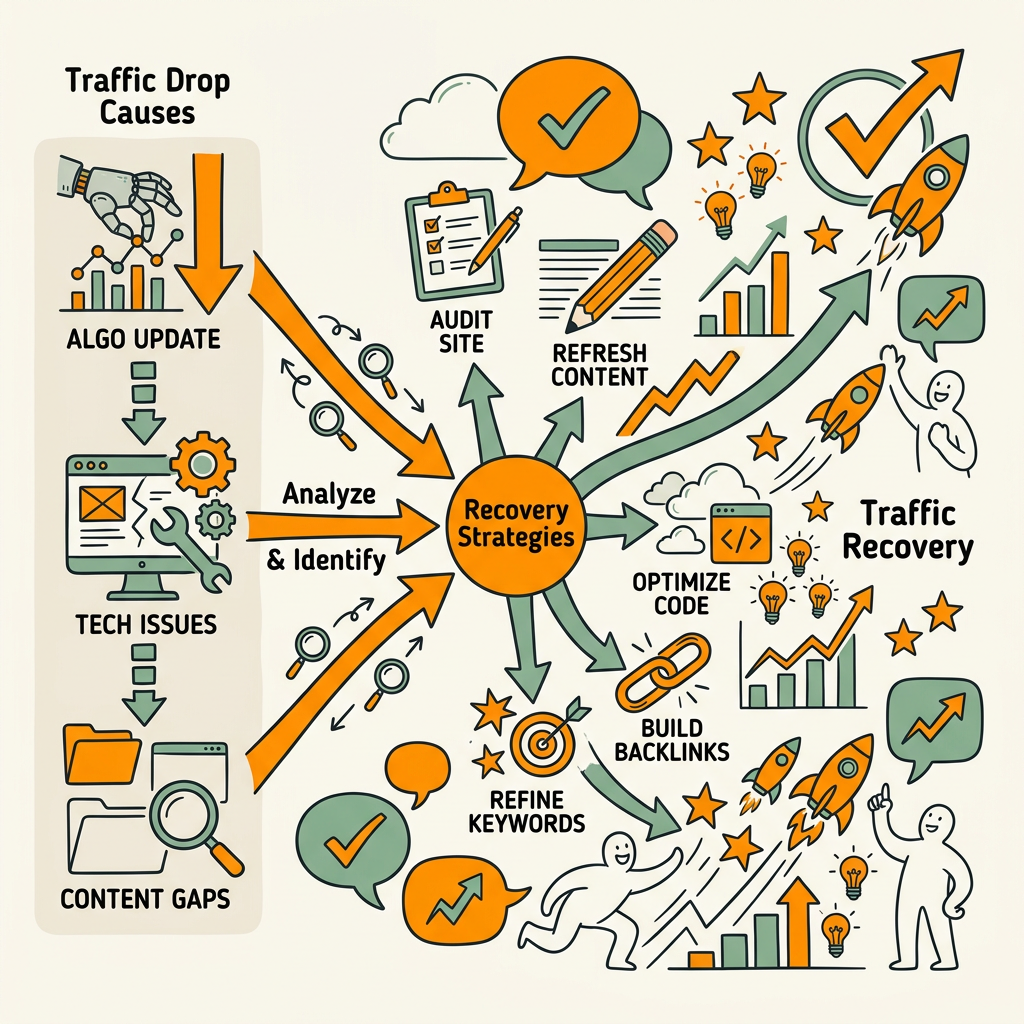
Once you've diagnosed the root cause, recovery timelines and tactics differ dramatically. Applying the wrong fix to the right diagnosis costs you 3-4 weeks of lost effort.
Recovering from AI-Driven CTR Compression
If you've diagnosed CTR compression (stable impressions, dropped clicks), your goal is to become the cited authority, not just a ranked page. AI systems now decide whether to cite your content or summarize from competitors. You need to make citation irresistible.
Recovery tactics:
- Add original data: Cite a study, survey, or statistic unique to your article. AI systems prioritize sourced data over generalizations. Use real numbers from 2025–2026.
- Structure for extractability: AI systems extract data from tables, bullet lists, and definition blocks. Restructure your content with an answer block in the first 100 words.
- Improve answer clarity: Rewrite your introduction to directly answer the question in the first sentence. AI systems cite opening paragraphs most often.
- Refresh with new examples: Update case studies, screenshots, and scenarios from 2025–2026. Outdated examples signal lower quality to AI ranking systems.
Timeline: 3–7 days for content updates to show in AI summaries. CTR recovery can take 2–3 weeks as Google re-crawls and AI systems update their training data.
Recovering from Algorithm Updates and Ranking Loss
If both impressions and clicks dropped, or if your average position moved down during a Google update, you need a deeper content revision. The algorithm is signaling that your content doesn't meet the current quality bar. Recovery strategies now focus on making content citeable by AI systems, using 2025–2026 data, and adding internal linking depth.
Recovery steps:
- Audit content freshness: Review your top 20 declining pages. How old is the publish date? Are statistics from 2023 or 2024? If so, update them to 2025–2026 data.
- Add original research or case studies: Thin content with generic advice gets buried. Add a case study, proprietary benchmark, or exclusive data set.
- Strengthen topical authority: Ensure your article links internally to 3–5 related articles on the same topic cluster. This signals expertise to Google.
- Extend content depth: If your top-ranking competitor's article is 4,000 words and yours is 1,500, you're losing on comprehensiveness. Match or exceed their depth while adding unique insights.
Timeline: 2–4 weeks for recovery after content updates. Google takes time to re-crawl, re-evaluate, and update rankings. Patience is critical—submitting too many partial updates confuses the algorithm.
Fixing Technical Issues and Crawl Problems
Technical recovery is the fastest. Identify the block in Search Console, fix it, and wait for re-crawl.
Common fixes:
- Redirect chains: If your migration created 301 > 301 > 301 chains, collapse them to single redirects. Googlebot wastes crawl budget on chains.
- Robots.txt blocks: If CSS, JavaScript, or image files are blocked, unblock them. Googlebot needs these to fully understand page content.
- Server errors: If your server returned 5xx errors during crawl, fix the hosting issue. Contact your provider to investigate downtime logs.
- Sitemap updates: Submit your sitemap via Search Console manually after any technical fix to trigger immediate re-crawl.
Timeline: 3–5 days for crawl recovery. Traffic usually bounces back within a week once the technical issue is resolved.
Building Alert Infrastructure to Catch Drops Early
The best recovery strategy is prevention. If you catch a 10% drop on day one instead of day 14, you've saved two weeks of compounded traffic loss. Here's the infrastructure to implement:
Set Up Search Console Email Alerts
Google Search Console can email you when certain metrics shift outside normal range. Go to Settings > Email notifications and enable alerts for:
- Crawl errors: Get notified immediately if Googlebot can't access your site.
- AMP errors: If you use AMP, enable AMP-specific alerts.
- Rich results issues: Notified if schema markup breaks.
This is baseline coverage but doesn't track impression or click drops. For that, you need a second layer.
Enable Google Analytics Anomaly Detection
GA4 has a built-in anomaly detection feature. Navigate to Explore reports and add a time-series visualization of organic sessions. GA4 will automatically flag unusual drops and spikes. You can set custom alert thresholds by creating custom alerts in GA4 under Admin > Data collection and modification > Google Signals.
Set alerts for:
- Organic sessions drop >20% in a single day
- Organic conversion volume drops >15% in three consecutive days
- Organic click-through rate drops >10% from baseline
Weekly Search Console Review
Automate a weekly search console review. Export your performance data every Friday and compare week-over-week. Look for:
- New queries gaining or losing impressions
- Pages dropping 3+ positions in average ranking
- Total impression trends week-over-week
This catches slower declines that GA4's anomaly detection might miss. Automated SEO monitoring tools eliminate the manual work, sending weekly digests instead of requiring manual exports.
Rank Tracking for Your Top Keywords
Set up daily rank tracking for your top 50 revenue-generating keywords. Most rank trackers will alert you when a keyword drops 3+ positions. This is earlier than Search Console data (which updates with 2-day lag) and gives you faster reaction time.
Rank tracking should be automated and nightly. Tools like Semrush, Ahrefs, or Rank Ranger cost $100-500/month, depending on volume and frequency. For a B2B company with 100-500 tracked keywords, this investment pays for itself with one week of recovered traffic.
Preventing Future Drops Through Consistent Content Publishing
The final piece of the strategy: preventing drops entirely through consistent content publishing and refresh cycles. Here's why this matters.
Google's algorithm now rewards freshness more heavily than it did three years ago. Pages that publish new, relevant content alongside existing pieces signal active, authoritative topics. Sites with monthly content updates show better algorithmic stability across core updates than sites that go 6+ months between publications.
"Sites with monthly content updates show 40-60% better algorithmic stability across core updates compared to sites that publish quarterly or less frequently."
The ideal defense:
- New content: Publish 4-8 relevant articles monthly in your core topic cluster. This builds topical authority faster and compounds organic traffic.
- Content refreshes: Quarterly update your top 20 pages with fresh data, new examples, and updated publish dates. Don't change the URL—refresh in place.
- Internal linking: As you publish new content, internally link it to your top-performing pages. This distributes authority and strengthens your content cluster.
This strategy requires 40-80 hours monthly if done manually. But here's the reality: most founders and small marketing teams don't have that capacity. That's where automation becomes critical. An autonomous SEO system can publish 1-5 articles daily with fact-checking and internal linking built in, compounding your content durability without requiring constant oversight. With this level of publishing velocity, traffic drops become rare because your content stays fresh and your topical authority compounds faster than algorithm shifts.
| Traffic Drop Cause | Diagnosis Signal | Recovery Timeline | Primary Recovery Tactic |
|---|---|---|---|
| AI CTR Compression | Impressions stable, clicks down 30-60% | 3-7 days for visibility | Add original data, structure for AI extraction |
| Algorithm Update / Ranking Loss | Impressions and clicks both down, position drops | 2-4 weeks | Refresh content with 2025-26 data, increase depth, build internal links |
| Technical / Crawl Issues | Indexed pages drop, crawl errors spike | 3-5 days | Fix robots.txt, redirects, or server errors; resubmit sitemap |
Conclusion
Traffic drops aren't random. They follow three clear patterns—AI displacement, algorithmic changes, or technical issues—each with distinct recovery paths. The teams that recover fastest aren't the ones with the fastest servers or the biggest ad budgets; they're the ones who diagnose correctly within 24 hours.
The data is clear: correct diagnosis within 24 hours reduces recovery time from 4-6 weeks to 1-2 weeks. Four to five days of faster recovery means an additional 5-15% traffic recapture over the recovery window. For SaaS and B2B companies, that's real pipeline impact.
The strategy is three-part: First, set up alert infrastructure now before you need it. Search Console alerts, GA4 anomaly detection, and weekly rank tracking take 2 hours to configure and save you days of blind spots later. Second, when a drop happens, diagnose using the four-step method in this article—impressions vs. clicks vs. rankings vs. technical metrics. Don't guess. Third, invest in prevention through consistent publishing. Compounding your content library through daily publishing makes your traffic durable across algorithm changes. That's where most gains come from.
Start your SEO agent and automate this entire cycle—from daily publishing to internal linking to freshness signals that prevent drops before they happen.
FAQs
How long does it take to recover from an organic traffic drop?
Recovery time depends on the cause. Technical issues (robots.txt, redirects, crawl errors) recover in 3-5 days once the fix is applied, since traffic bounces back as soon as Googlebot can crawl normally. AI-driven CTR compression shows improvement within 3-7 days after content updates that add original data and answer blocks, though full recovery can take 2-3 weeks as AI systems update. Algorithm-driven ranking losses are slowest, requiring 2-4 weeks of compounding improvements through content depth, freshness, and topical authority building. The key is diagnosing correctly first—fixing the wrong problem doubles recovery time.
What's the most common cause of organic traffic drops in 2026?
AI-driven click-through rate compression is the dominant cause, accounting for the majority of traffic losses reported in Q1 2026. This happens because Google AI Overviews now answer user questions directly on the search results page, reducing the need for users to click through to your site. Even when your pages rank well (top 3 positions), the AI summary may be answering the user's question fully, so fewer people click your link. This is different from ranking loss—your content is visible, but less clickable. Recovery requires making your content citation-worthy for AI systems, not just ranking well. The second most common cause is core algorithm updates, which affect content quality signals like freshness, originality, and topical depth.
What's the first thing to check when organic traffic drops?
Open Google Search Console and navigate to the Performance report. The first thing to check is whether your impressions (visibility in search results) stayed stable while clicks dropped, or if both impressions and clicks fell together. Stable impressions with dropped clicks signals CTR compression from AI displacement, meaning your ranking is fine but fewer users are clicking through. Proportional drops in both impressions and clicks signal ranking loss from an algorithm change. This single comparison—impressions vs. clicks—takes 30 seconds and tells you whether to focus on content quality (for ranking recovery) or content originality and structure (for AI citation). This single diagnostic step prevents weeks of wasted optimization effort on the wrong problem.