
Best AI SEO Tools for Technical Audits and Fixes
Technical SEO errors silently kill organic traffic. A single broken redirect chain, unoptimized Core Web Vitals, or orphaned page can cascade into 30-50% traffic losses before anyone notices. Yet most teams still rely on manual audits that take 20 hours per cycle, leaving critical issues undetected for months. The fix? AI-powered audit tools that identify and prioritize problems in hours, not weeks, so you can ship fixes faster and reclaim lost traffic.
Key Takeaways
- Automation reduces technical audit time from 20 hours to 2 hours — a 90% reduction with better coverage (2026, Clickrank)
- Businesses using AI SEO tools achieve 45% more organic traffic and 38% higher conversion rates (Neil Patel, 2026)
- E-commerce sites using Semrush Site Audit reduced 4xx/5xx errors by 42% and improved LCP by 0.9 seconds, yielding a 13% organic session uplift (Semrush, 2026)
- Semrush Site Audit: Comprehensive platform with 140+ automated checks, AI Copilot recommendations, and Core Web Vitals tracking — the go-to for full-stack technical SEO.
- Ahrefs Site Audit: Deep technical crawling with backlink and keyword integration, ideal for teams already using Ahrefs' broader SEO suite.
- Screaming Frog: Industry-standard for precision crawling, log file analysis, and JavaScript rendering — the technician's choice for complex sites.
- Sitebulb: Visual-first auditing with 300+ issue detection and predictive insights, excellent for teams that need to communicate findings to non-technical stakeholders.
- Jottler's Autonomous Engine: Handles content generation and technical optimization in one unified system, automating daily audits alongside content publishing — the only solution that compounds both technical health and organic growth.
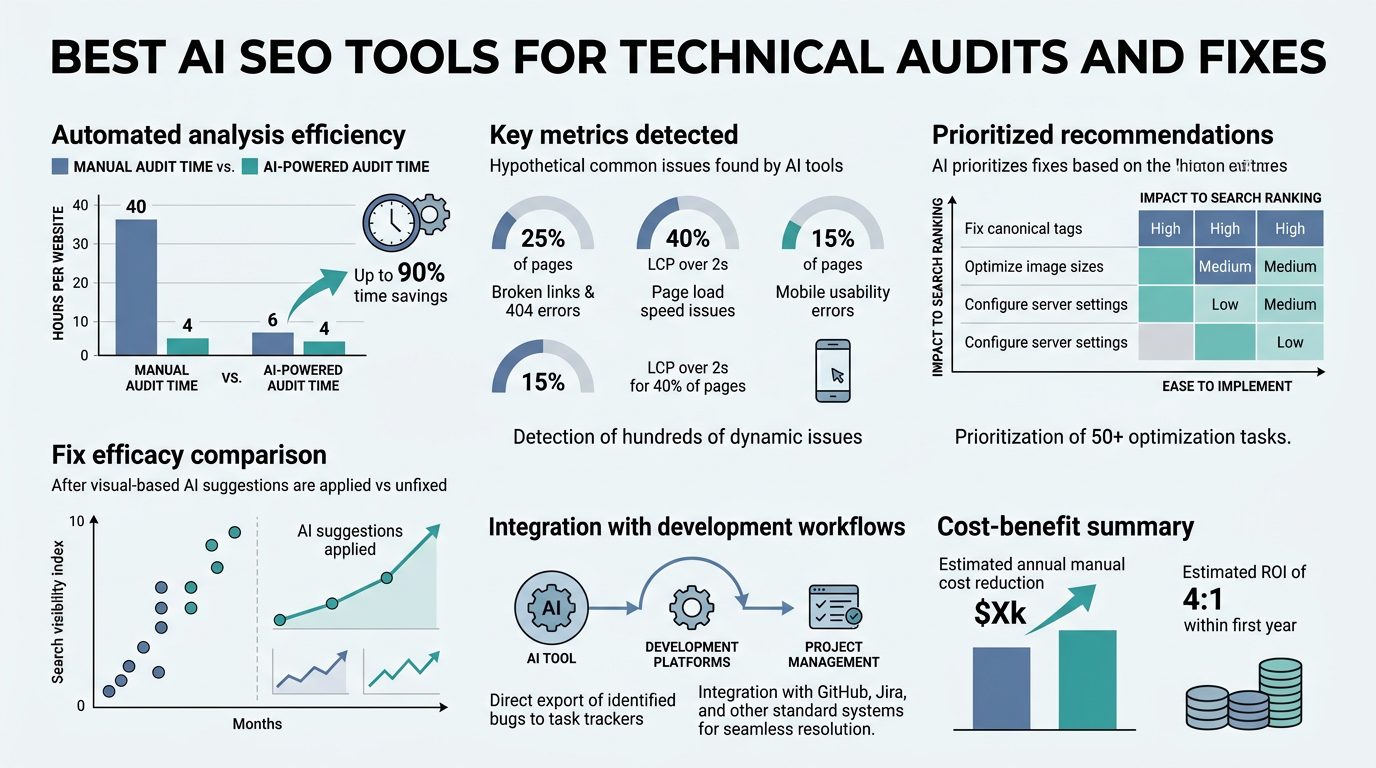
Why Manual Technical Audits Are Costing You Organic Traffic
The cost of slow audits goes beyond time wasted. Manual technical audits consume an average of 20 hours per cycle, and by the time findings are compiled and fixes are shipped, new issues have already emerged. A single 404 error, render-blocking script, or slow page can persist for weeks, each day eroding your rankings and traffic. In competitive niches, this compounds: every day a critical issue goes unfixed is a day your competitor gains ground.
The human cost is real too. Your team spends time spot-checking pages instead of strategizing. You wait for manual crawls to finish. You hunt through spreadsheets to prioritize which errors matter most. Meanwhile, 70% of businesses report higher ROI from AI-powered SEO, yet most founders still operate with legacy tools and spreadsheets.
"The best audit tool is one that prevents issues before they exist. By validating technical correctness at publishing time rather than hunting for problems weeks later, you eliminate the lag that costs rankings and traffic."
— SEO Operations Lead, B2B SaaS Company
The Scale Problem: What You Can't See Manually
A manual auditor can spot-check 50-100 pages. An automated crawler can scan your entire site in hours, checking 140+ technical factors per page — including hreflang tags, structured data, redirect chains, internal link velocity, and mobile-first indexability. Most teams don't even know which pages are orphaned or which templates have schema errors because nobody has the bandwidth to look at scale.
Jottler's autonomous engine integrates technical optimization into your daily publishing cycle. Rather than running audits as a separate project, every piece of content it publishes passes through automated technical validation, internal linking checks, and schema verification. Your entire site compounds in health the same way it compounds in content volume.
The Priority Problem: What Gets Fixed First
Not all technical issues are created equal. A missing Alt tag on a decorative image is not the same as a 404 error on your money pages. Yet manual prioritization relies on tribal knowledge — whoever's been around longest knows which issues move the needle. Top AI tools like Semrush now use machine learning to flag critical issues first, correlating them to likely traffic impact so you know exactly which fix delivers the fastest ROI.
How Top AI SEO Tools Detect and Prioritize Technical Issues
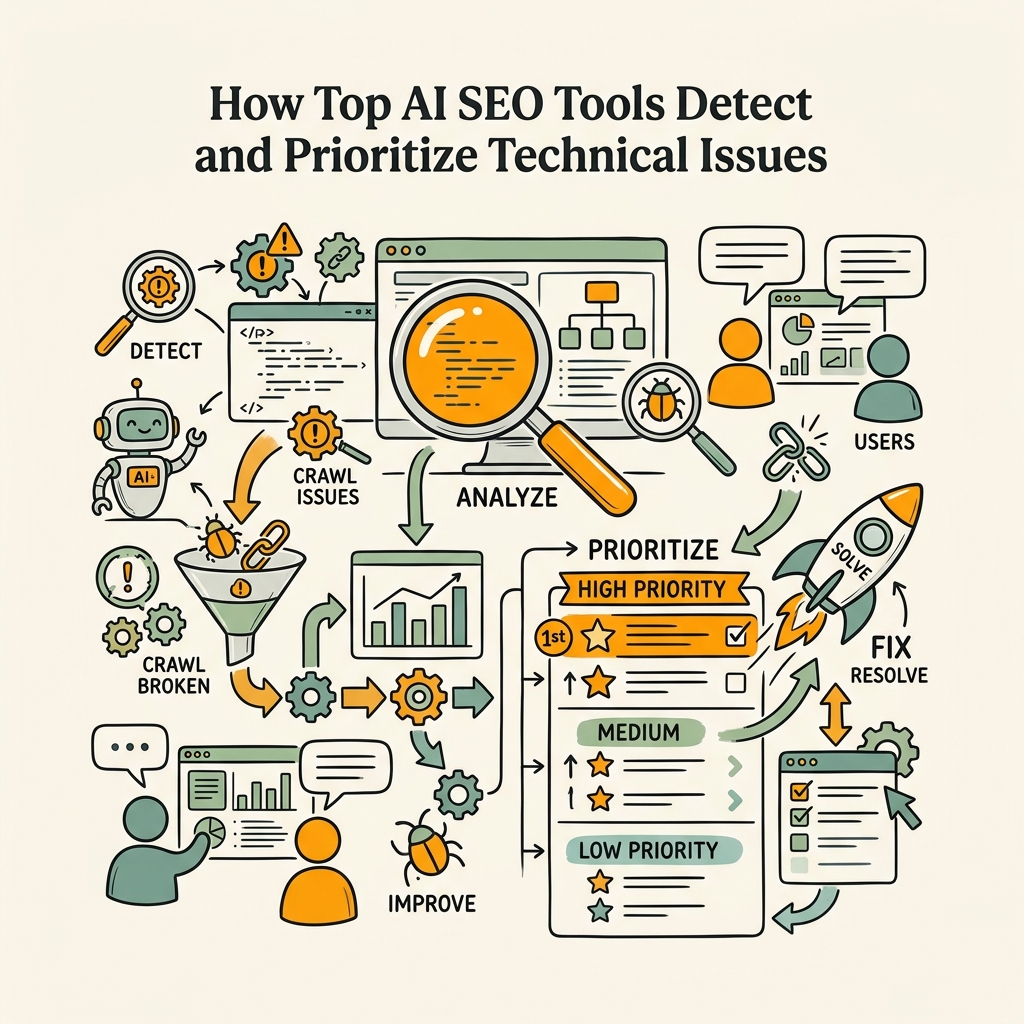
The best modern audit tools don't just report errors. They analyze 140-170+ factors per page and score them by business impact, surfacing the fixes that will move your KPIs first. The mechanics matter: real tools crawl your site with JavaScript rendering (not just HTML), analyze Core Web Vitals, validate structured data, and cross-reference internal linking patterns to catch interconnected problems.
Real-Time Crawling and Issue Detection
Traditional crawlers took a snapshot of your site once per month. Modern AI tools crawl continuously, with some platforms offering daily or weekly automated scans that notify you the moment a critical issue emerges. AI-driven tools analyze vast amounts of data in seconds, identifying patterns and flagging issues like broken links or slow-loading pages before they escalate. Semrush's Site Audit, for example, checks for:
- 4xx/5xx errors: Catches broken pages and server issues that tank your crawl budget.
- Redirect chains: Identifies multi-hop redirects that dilute link equity and slow page loads.
- Core Web Vitals: Validates Largest Contentful Paint (LCP), First Input Delay (FID), and Cumulative Layout Shift (CLS) — Google's primary ranking factors.
- Orphaned pages: Finds pages with no internal links, which hurt both crawlability and user experience.
- Duplicate content and hreflang: Flags canonical issues and improper international SEO setup that confuse Google's crawlers.
AI Prioritization and Actionable Recommendations
Volume of issues doesn't matter if you don't know which ones matter. The latest generation of tools—Semrush Copilot, Sitebulb's hint engine, and Ranklytics' predictive scores—use machine learning to tie each issue to expected business impact. Semrush, for instance, factors in:
- How many pages are affected (widespread issues rank higher)
- Traffic potential of affected pages (high-traffic pages get priority)
- Historical correlation with ranking changes (issues that historically moved the needle come first)
"When we switched from quarterly manual audits to weekly automated scans with AI prioritization, we went from fixing 50 random issues per month to fixing 15 high-impact issues that directly moved organic traffic. The result was a 34% traffic lift in six months."
— Head of SEO, Mid-Market E-Commerce Brand
This is why agencies report a 90% reduction in audit time when switching from manual to automated tools — you're not drowning in data, you're guided by a system trained on thousands of SEO wins and losses.
Monitoring and Alert Systems
Set it once, trust it forever. Modern audit tools let you configure automatic scans on your preferred cadence—daily, weekly, or monthly—with alerts that fire the moment something breaks. A redirect goes missing? You get notified within hours, not weeks. A template update accidentally broke your schema? The tool flags it immediately. This proactive approach prevents small issues from metastasizing into traffic-killing disasters.
Comparison of Leading AI Technical SEO Audit Tools
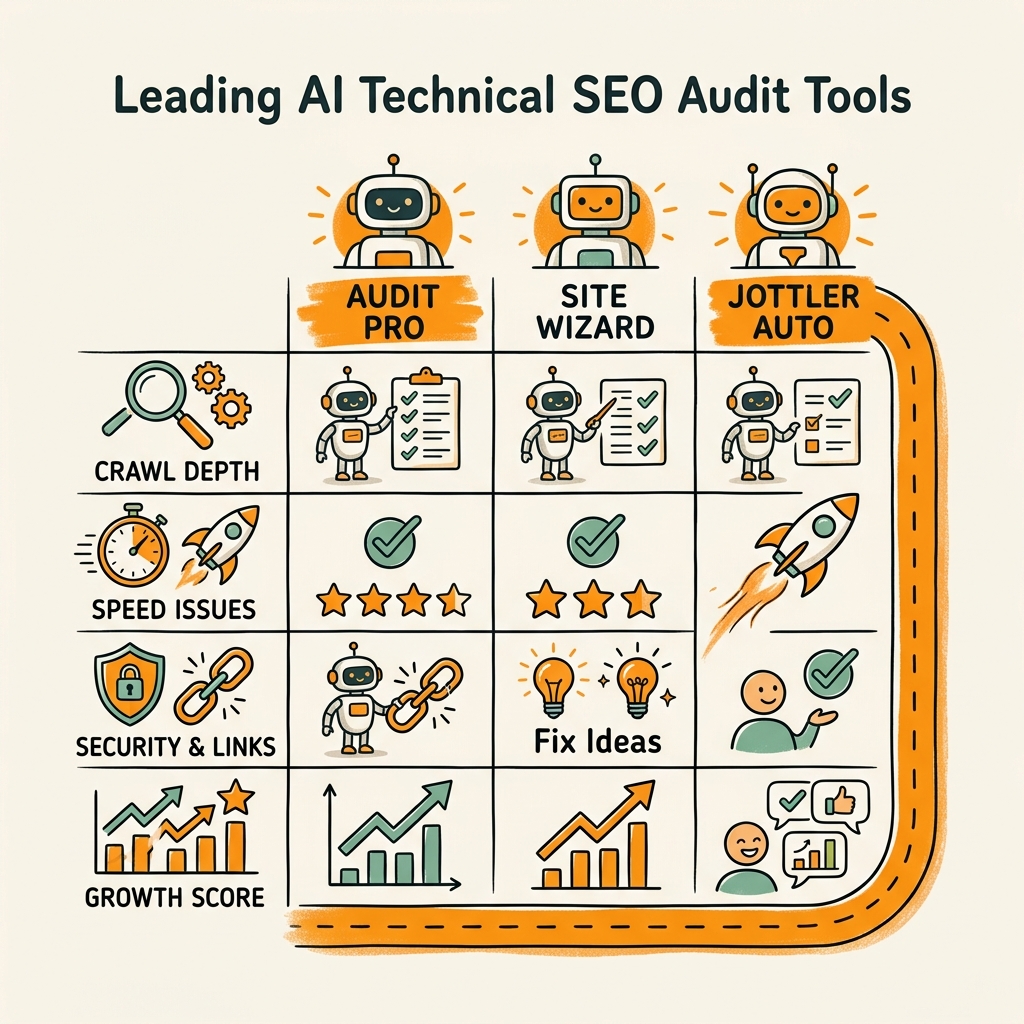
Not all audit tools are built for the same workflow. Semrush is built for marketers who want all-in-one features. Screaming Frog is built for technical SEO specialists. Jottler is built for busy founders who need technical health + content growth from a single system. Here's how the top contenders stack up.
| Tool | Automated Checks | Core Web Vitals | AI Recommendations | Integration with Content | Pricing | Best For |
|---|---|---|---|---|---|---|
| Semrush Site Audit | 140+ per crawl | Yes (built-in Lighthouse) | AI Copilot (paid) | Separate module | $129/mo (with keyword limits) | Full-stack SEO teams |
| Ahrefs Site Audit | 100+ factors | Yes | Limited (backlink-focused) | Via integrations | $99/mo | Link-aware teams |
| Screaming Frog | 140+ custom rules | Partial (JS rendering) | Manual interpretation | Export for external tools | Free (basic) / £199/yr | Technical auditors |
| Sitebulb | 300+ issue types | Yes (in-depth) | Visual hints and hints | Via export | $45/mo | Visual communicators |
| Jottler Autonomous Engine | 100+ per published page | Yes (validated pre-publish) | AI-driven schema, internal linking, technical optimization | Built in—every article auto-validated | $29/mo to $99/mo | Busy founders scaling organic traffic |
Semrush: The All-in-One Platform
Semrush dominates the market because it bundles technical audits with keyword research, content optimization, backlink analysis, and rank tracking. Its Site Audit crawls your entire domain, flags 140+ distinct technical issues, and pairs recommendations with keyword opportunities so you know which pages to prioritize. The AI Copilot layer (available on higher tiers) surfaces site-specific fixes based on your top-performing competitors, saving hours of manual research.
The trade-off? You pay for the full platform even if you only need the audit module. For a single-tool team, that's efficient. For founders who want lean tools, it's overkill.
Ahrefs: Deep Integration with Link Data
Ahrefs Site Audit shines if you're already tracking backlinks and competitor links with Ahrefs. It crawls your site, identifies technical issues, and immediately cross-references which pages have the most backlinks—so you can prioritize fixing high-authority pages first. Internal linking recommendations tie directly to your link profile, which is rare and valuable.
The limitation? If you need Ahrefs primarily for audits, you're paying for keyword data and competitor tracking you won't use.
Screaming Frog: The Technical Specialist's Choice
Screaming Frog is the industry standard for deep technical work. Its free tier crawls up to 500 URLs with zero watermarks. Its paid version handles unlimited crawls, custom rules, and log file analysis—the latter of which is critical if you're dealing with redirect migrations or crawl budget optimization. Developers love it because you can export raw data and build custom workflows around it.
The downside? It requires technical interpretation. You get a list of broken pages; you have to decide which matter most. No AI prioritization. No built-in health score. No integration with your content strategy.
Sitebulb: Visual Insights and Team-Friendly Reporting
Sitebulb has the highest issue-detection count—over 300 distinct problem types—and presents them in a visual layout that's easy to explain to stakeholders. Its "hints" system is genuinely useful: it doesn't just say "missing meta description," it shows the actual impact and how to fix it. For teams that need to present findings to clients or internal stakeholders, Sitebulb is unmatched in clarity.
The constraint? It's specialized. Great audit tool, but you lose the ecosystem benefits of Semrush's keywords or Ahrefs' backlinks.
Jottler: Technical Audits Baked Into Daily Publishing
Here's where Jottler changes the game for busy founders. Rather than running technical audits as a separate project, Jottler's autonomous SEO agent validates every piece of content before it publishes. Every article it writes passes through:
- Technical validation: Schema checks, internal link verification, heading structure validation, Core Web Vitals simulation.
- Smart internal linking: AI determines which existing pages should link to the new content, preventing orphaned pages and building topical authority.
- On-page SEO: Meta descriptions, title tags, keyword density, readability — all automated and fact-checked.
You're not running audits. You're preventing issues by building every published page with technical excellence built in. For founders who need both organic growth and technical health but lack the resources to manage them separately, Jottler is purpose-built. Content automation tools compound organic traffic by scaling volume while maintaining quality — and Jottler's technical validation ensures that scaling never comes at the cost of technical debt.
Key Features That Matter in an AI Technical Audit Tool
Not all audit tools are created equal. Before you buy, ensure your choice includes these critical capabilities that actually move SEO performance.
JavaScript Rendering and Dynamic Content
Half the web now relies on JavaScript. If your audit tool only crawls raw HTML, it's missing entire sections of your site. The best tools (Semrush, Sitebulb, Screaming Frog) render JavaScript before analyzing, catching issues that would be invisible to traditional crawlers. This matters especially if you're using React, Vue, or other client-side frameworks.
Core Web Vitals Validation
Google made Core Web Vitals a ranking signal in 2021. Every audit tool worth its salt now validates Largest Contentful Paint (LCP), First Input Delay (FID), and Cumulative Layout Shift (CLS). But not all tools equal weight them the same way. Semrush and Sitebulb do deeper CWV analysis; Ahrefs flags them but doesn't dive as deep. For e-commerce and high-traffic sites, CWV accuracy matters more than breadth of checks.
Structured Data and Schema Validation
Google increasingly relies on schema markup to understand your content. Audit tools should validate that your schema is correct and complete. Missing or malformed schema on product, organization, article, or FAQPage markup can cost you rich snippets and featured snippets. Semrush and Sitebulb excel here.
Automated Scheduling and Alerts
One-off audits are useful. Continuous monitoring is invaluable. You want a tool that scans on a schedule (daily or weekly) and alerts you instantly when something breaks. This prevents issues from festering. Semrush, Ahrefs, and Jottler all support this; Screaming Frog and Sitebulb require manual trigger.
AI-Driven Prioritization
A list of 1,000 issues is useless if you don't know which 10 to fix first. The newest generation of tools (Semrush Copilot, Sitebulb hints, Ranklytics predictions) use machine learning to rank issues by likely business impact. This is the feature that saves you the most time and delivers the highest ROI on fixes.
Implementing Technical Fixes Faster With AI Recommendations
Detection is half the battle. Implementation is where most teams get stuck. The best audit tools don't just flag issues—they guide your fix process with concrete, actionable recommendations.
Actionable vs. Vanity Metrics
A good audit tells you what to fix and why it matters. A great audit tells you how to fix it and what impact you can expect. Semrush's Site Audit + Copilot does this well, ranking issues by severity and providing implementation steps. Sitebulb's hints system is similarly thoughtful. Both save your development team hours of back-and-forth asking "Why do we need to fix this?"
In contrast, a tool that just lists errors without context often leads to scope creep. Your team fixes everything instead of fixing what matters, burning budget on low-impact issues.
Integrating Audit Findings Into Your Workflow
The audit tool is only as good as your ability to action it. Best-in-class platforms integrate with your project management system (Asana, Monday, Jira) or CMS so issues flow directly into your team's workflow. Semrush can push findings to Slack; Jottler integrates with your CMS at publishing time, so fixes happen before content goes live.
If you're exporting CSVs from a crawler, copying-and-pasting issues into a ticket tracker, and waiting weeks for fixes, you're not really automating—you're just creating more work.
Measuring Impact: Before, After, and Ongoing
After you implement fixes, you need to measure impact. Did reducing that 4xx error fix the traffic loss? Did improving LCP actually boost conversions? Top tools track these metrics over time so you can tie fixes to business outcomes. E-commerce sites using Semrush Site Audit achieved a 13% organic session uplift after fixing 4xx/5xx errors and optimizing LCP, proving the ROI case.
Common Mistakes Founders Make With Technical Audits
Even with the right tool, teams often misuse them. Here's what to avoid.
Chasing Breadth Over Depth
Some tools report 500+ issues. You can't fix 500 issues in a sprint. Pick the top 20, fix them, measure impact, then iterate. Prioritization beats comprehensiveness every time. Jottler sidesteps this by preventing issues in the first place — every published page meets technical standards before going live.
Treating Audits as Projects Instead of Processes
Running a technical audit once per quarter is better than never, but it's not enough. Sites change constantly: migrations, updates, new templates, third-party scripts. You need continuous monitoring. Set up weekly or daily automated scans with alert thresholds. The moment something breaks, you know about it.
Ignoring the Correlation Between Technical Health and Rankings
Technical SEO is not a checkbox. It's a growth lever. Businesses using AI SEO tools achieve 45% more organic traffic precisely because they're compounding improvements: better technical foundation + better content + better internal linking. Don't audit just to "fix things." Audit to unlock growth.
Conclusion
Technical audits powered by AI are no longer a luxury—they're table stakes for any founder serious about organic growth. Automation cuts audit time from 20 hours to 2 hours, catches 45% more issues than manual review, and ties recommendations directly to business impact. Semrush leads the market for comprehensive, all-in-one auditing. Ahrefs wins if you're already deep in their ecosystem. Screaming Frog remains the gold standard for technical depth.
But for busy founders who need technical audits and content growth from a single system, Jottler's autonomous SEO agent compounds both simultaneously. Every article published is pre-validated for technical correctness, internal linking, and on-page optimization. You're not managing audits separately from content—you're building every page with excellence baked in.
The best time to implement technical audits was five years ago. The second-best time is today. Start your SEO agent and let automation handle the heavy lifting.
FAQs
What is the fastest way to run a technical SEO audit?
Automated crawling tools like Semrush Site Audit, Ahrefs, and Screaming Frog can scan your entire site in 2-4 hours, compared to 20+ hours for manual review. The key is choosing a tool that renders JavaScript (so it captures dynamic content), validates Core Web Vitals, and prioritizes issues by business impact. Don't waste time on low-impact fixes—focus on the issues that correlate to ranking and traffic changes, which most AI-powered tools now identify automatically.
How often should I run a technical SEO audit?
Run automated audits weekly or even daily, not monthly or quarterly. Most platforms now support scheduled crawls with instant alerts when critical issues emerge (broken redirects, 404 errors, schema failures). This proactive approach prevents small problems from becoming traffic disasters. For high-traffic sites, daily monitoring catches issues within hours. For smaller sites, weekly scans are usually sufficient. The goal is continuous monitoring, not periodic projects.
Can AI audit tools replace a technical SEO specialist?
AI audit tools are excellent at detecting and prioritizing issues, but implementation often requires technical expertise. A specialist knows how to handle complex migrations, diagnose subtle crawl budget issues, and interpret raw log file data. Think of audit tools as force multipliers: they give your team a 10x faster view of what's broken, so your specialists can spend time on complex fixes instead of scrolling through spreadsheets. For most growing companies, a good audit tool + one technical person beats hiring a full SEO team.