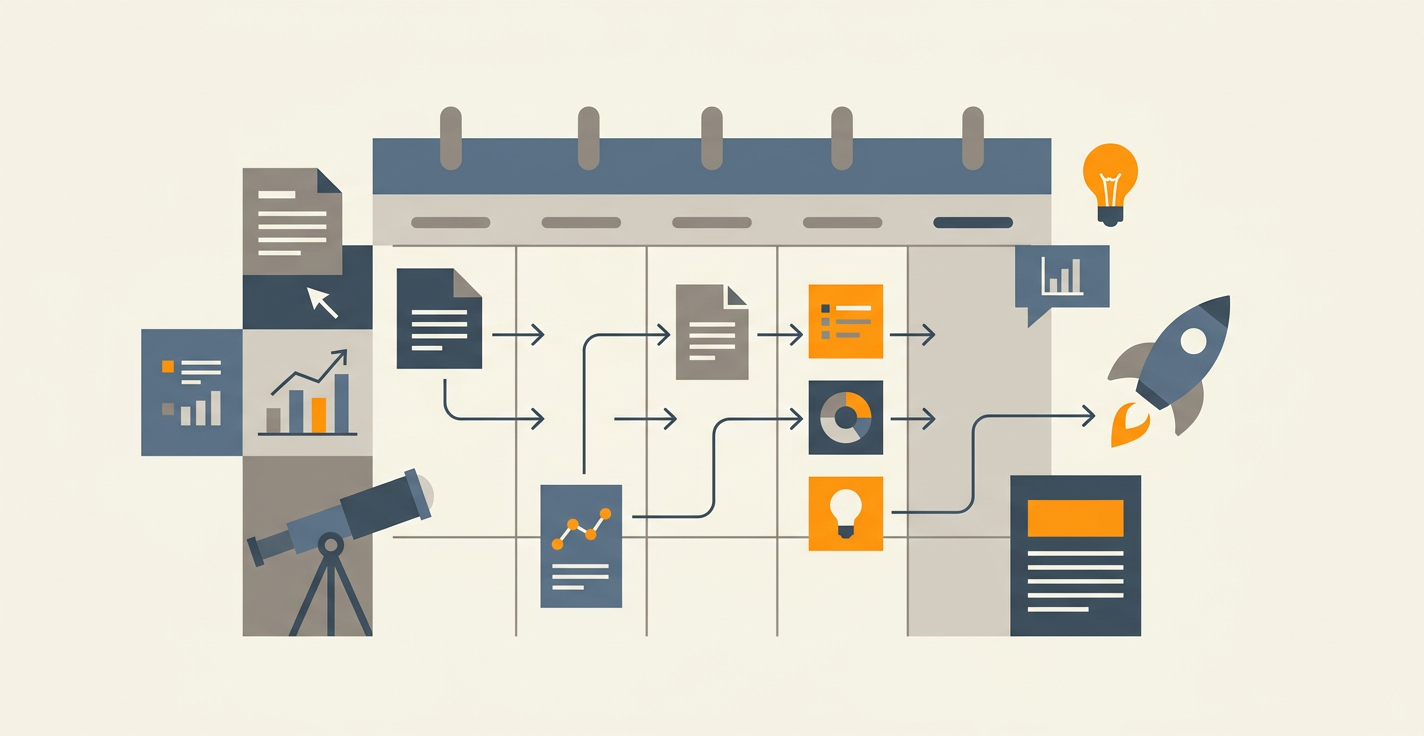
Blog Editorial Calendar: A Tactical Playbook for 2026
You set up a blog editorial calendar in January. By March, three posts have shipped, five are marked "in review," and nobody on the team agrees on what goes live next Tuesday. The calendar exists. The calendar is not working.
Key Takeaways
- A blog editorial calendar is a shared system that tracks topic, owner, stage, deadline, and publish date for every post, not a spreadsheet of future headlines
- The calendar works when it defines four roles (strategist, writer, editor, publisher), three review gates (brief, draft, pre-publish), and one source of truth your CMS reads from
- Teams with a documented content strategy outperform ad-hoc teams, but only 40% of B2B marketers actually have one, per CMI's 2026 benchmark
- Solo operators can replace the entire calendar with an autonomous agent; teams of 3+ run the calendar as a parallel workstream alongside automation
Most "editorial calendars" are graveyards for good ideas. Someone adds a row, someone else changes the date, and by week six nobody trusts it. This playbook fixes that. Below is the structure, the fields, the workflow, the tools, and the 6-month planning framework we see working in 2026.
What a Blog Editorial Calendar Actually Is
A blog editorial calendar is the operating system for your blog. It answers four questions for every post: what are we publishing, who owns each stage, when does it ship, and where does it go live. Everything else is decoration.
A content calendar and a blog editorial calendar are not the same. A content calendar covers every channel, social, email, video, webinars. A blog editorial calendar focuses specifically on long-form articles that live on your site and earn organic traffic. The workflows, review cycles, and output differ.
Confusing the two is why so many calendars fail. You try to run a TikTok schedule and a pillar-page roadmap from the same board, and neither runs well. Keep the blog calendar separate. Connect it to the content calendar at the planning layer, not the execution layer.
According to the Content Marketing Institute's 2026 B2B benchmark, only 40% of B2B marketers have a documented content marketing strategy. A further 45% lack a scalable content creation model. Your calendar is where that strategy becomes tangible work.
The 10 Fields Every Blog Editorial Calendar Needs
Strip your calendar to these fields. Add more only if you can name the decision each field unblocks. Unused columns become noise, and noise kills systems.
- Title (working). A headline you can change later, clear enough that nobody asks "what's this post about?"
- Primary keyword. One per post, with search volume and KD next to it, no exceptions.
- Topic cluster. Which pillar or category this post supports, for internal linking coherence.
- Owner. One person, never "the team," who is accountable for the post shipping.
- Writer. Who drafts it (can be the owner, often is not).
- Stage. Planned, Brief, Drafting, Review, Revision, Ready, Scheduled, Published.
- Due date. When the current stage must finish, not when the post publishes.
- Publish date. The calendar date this goes live on the blog, locked once scheduled.
- Target URL / slug. Reserved before drafting starts, so internal linking can plan backwards.
- Notes / brief link. One link to the source-of-truth brief, not five conflicting Google Docs.
Anything beyond these ten becomes optional. Word count, CTA, featured image status, internal link checklist, schema type, republish flag, these live in the brief or a subtasks tab, not the main calendar view. The calendar is for decisions. The brief is for craft.
For keyword data specifically, pipe it in from a real source. Jottler's keyword research tool attaches search volume and difficulty to every topic automatically, so nobody has to paste from SEMrush into a spreadsheet. That tiny bit of friction kills more calendars than any other single cause.
The 4 Roles That Make It Run
A blog editorial calendar without clear roles is a list. With clear roles, it becomes a production line. You need four functions, even if two people wear all four hats.
1. Strategist
The strategist owns the topic pipeline. They run keyword research, map posts to clusters, decide which pillar pages get refreshed, and set publishing cadence. In most teams this is the head of content or a senior content marketer.
Strategist deliverables: the 6-month topic roadmap, the monthly shortlist, and the keyword briefs attached to each calendar entry. Without this role, writers invent topics in the shower, and the blog turns into a random-access archive.
2. Writer
The writer takes the brief and produces the draft. They own outline, research, and prose. They do not own keyword selection, and they do not own internal linking strategy, though they implement both inside the draft.
One writer, one post, one deadline. When you assign two writers to the same piece, nothing ships. When you pull a writer off mid-draft to write something "more urgent," the original post dies in Google Docs.
3. Editor
The editor owns the first review gate. They check argument, structure, accuracy, brand voice, and the content brief's requirements. They do not rewrite; they return the post to the writer with specific changes.
A good editor reads a post twice. First read: does this make sense as a reader. Second read: did we hit the brief. If either answer is no, the post goes back. Most teams skip this and wonder why revisions take three cycles.
4. Publisher
The publisher owns the last 10%. Meta title, meta description, featured image, internal links, schema, final SEO QA, schedule in CMS. This is a real role, not an afterthought, and mistakes here cost the most because the audience sees them.
In small teams one person runs editor and publisher together. In larger teams they split, with the publisher often sitting closer to SEO or web ops than to content. Either works; both separated from writing works better than writer-publishes-own-work, which consistently misses meta fields.
For more on how these roles connect across the production line, see the full content ops workflow playbook.
The 3 Review Gates That Prevent 90% of Delays
Most blog editorial calendars slow down between stages, not during work. Writers wait for feedback. Editors wait for drafts. Publishers wait for approval. Gates with clear criteria fix this.
Gate 1: Brief Approval (before drafting)
Before a writer starts, the strategist and writer agree on the brief. Outline, primary keyword, word count, internal links, unique angle, target reader. If this gate takes 20 minutes, you save eight hours of rewrites.
The brief is not a wish list. It is a contract. If the draft matches the brief, the writer is done. If the editor wants changes outside the brief, those are next-version changes, not revision requests. This rule alone cuts revision cycles by half for most teams.
A strong SEO content brief includes the target keyword with volume, the intent classification, 5-7 competing URLs with structural notes, required H2s, internal link targets, and a 2-3 sentence unique angle.
Gate 2: Draft Review (after first draft)
The editor reviews the complete first draft against the brief. Feedback is specific, numbered, and falls into three buckets: must-fix, should-fix, nice-to-have. The writer addresses must-fix and should-fix; nice-to-have is optional.
Editors who send paragraph-length feedback with no priority create infinite loops. Editors who send numbered comments tied to brief requirements get clean second drafts. Train your editors on this one thing and you double your team's throughput.
Gate 3: Pre-Publish QA (before scheduling)
The publisher runs a final checklist: meta title under 60 characters, description 140-160, H1 matches title, at least 3 internal links, featured image, alt text, schema, no broken links, slug matches the target URL reserved on the calendar.
This takes 15 minutes. Skipping it takes 2 hours to fix post-publish, plus the rankings you lose while the errors sit live. Build the checklist into your CMS template, or run it from a document you copy into the calendar row.
Planning Framework: The 6-Month Horizon
Blog editorial calendars work best with a 6-month planning horizon, reviewed monthly, committed weekly. Anything longer is fiction. Anything shorter is reactive.
Months 1-2: Committed
These are locked. Topics are briefed, writers assigned, publish dates firm. You do not shuffle these without a real reason (a competitor launched the same post, a product change killed relevance, a news cycle opened a better window).
Months 3-4: Planned
Topics are chosen and prioritized. Keywords have data attached. Draft owners are named. Publish dates are tentative, adjustable within a two-week window.
Months 5-6: Tentative
These are candidate topics from your backlog, clustered by pillar. No owners assigned. No publish dates committed. You review this list every month and promote the strongest candidates into the Planned tier.
Monthly planning rhythm: on the first Monday of the month, the strategist reviews all three tiers. Finished Month 1 slides off. Month 2 becomes Committed. Months 3-6 shift up a tier each. The backlog replenishes Month 6. Takes 90 minutes if your backlog is healthy. Takes 4 hours if you're starting from scratch.
This framework maps cleanly onto topical authority strategy: clusters get planned at the pillar level, then broken into supporting posts that slot into the 6-month horizon in coherent groups, not one-off orphans.
Tools: What to Actually Use in 2026
Tool choice matters less than field discipline, but the wrong tool adds friction daily. Here is how the realistic options compare.
Notion or Airtable. Best all-purpose choice for most teams. Flexible fields, filterable views, database mentality. Airtable wins on automation and CMS integrations. Notion wins on collaborative drafting inside the tool itself. Both handle 10-100 posts per month cleanly.
Trello or Asana. Works if you already live there. Lower field density than a database tool, so you end up with compensating docs. Fine for teams of 3-5 that want visual boards over spreadsheets.
Monday or ClickUp. Heavy on features, steep learning curve. Pay for these if you're running content alongside product, design, and legal workflows in one shared tool. Overkill for content alone.
Google Sheets. Free, familiar, works for solo bloggers and two-person teams. Breaks down around 30 posts per month because filtering and status changes require manual work. The calendar becomes a part-time job.
Purpose-built content tools (CoSchedule, StoryChief, Contentful). Built for this. Integrate with WordPress, Webflow, HubSpot. Cost $99-400/mo. Worth it at 40+ posts per month, overbuilt below that.
A Notion board gets 4.9 stars from 93 reviewers on their template marketplace, one signal among many that the database-view pattern is what teams converge on. That pattern is what to copy, not the specific tool.
SEO Integration: The Calendar's Secret Weapon
Most blog editorial calendars treat SEO as something the writer handles. That is why most blogs rank for nothing. SEO belongs to the calendar itself, not the post.
Every calendar entry should show primary keyword, search volume, KD, intent (informational, commercial, transactional), and cluster assignment at the planning stage, not the drafting stage. If you can't fill those fields in, you shouldn't be briefing the post.
Internal linking is a calendar function too. When Post C ships in Month 3, you need Posts A and B to link to it. That means Posts A and B must have placeholder anchor text reserved for Post C's slug before Post C is drafted. This is what a proper internal linking strategy looks like at the operations level, not the SEO-tool level.
Publishing cadence matters too. Only 39% of content marketers publish blog posts at least weekly, per Orbit Media's 2025 benchmarks, and those who publish more frequently report stronger results. The calendar enforces cadence. Without one, publishing drifts into whenever-we-have-time, which is never.
CMS Handoff: Where Calendars Quietly Fail
The most reliable way to kill a blog editorial calendar is to disconnect it from the CMS. Writers finish, mark "ready," and then someone manually copies the post into WordPress or Webflow. That manual step is where posts sit for four days, where meta fields get forgotten, and where the calendar's publish date stops being the real publish date.
Fix this with a direct handoff pattern. Option one: writers draft inside the CMS from the start, with the calendar linking to the CMS post ID. Option two: an integration pushes final drafts from Notion or Airtable into the CMS automatically, with metadata attached. Option three: an AI agent handles the handoff, taking the brief and publishing the finished post directly into your CMS without manual copy-paste.
Whichever you pick, the calendar's Publish Date field must match what the CMS says. If they diverge, your calendar is broken even if it looks fine. Weekly audit: open the CMS, open the calendar, check every scheduled post. Mismatches get fixed that same day.
When to Replace the Calendar Entirely
If you're solo, the honest answer is that you probably don't need a traditional blog editorial calendar at all. The overhead of maintaining the calendar often exceeds the work of just writing the posts. For solo operators, a lightweight backlog plus an autonomous agent beats a formal calendar every time.
Jottler's autopilot mode handles the full calendar function for a single-person blog. You set publishing frequency (1-10 posts per day), connect your CMS, and the agent researches topics, writes 3,000-word articles, generates featured images, handles internal linking, and publishes on schedule. No brief templates, no review gates, no spreadsheet hygiene. The blog just runs.
For teams of 3 or more, the calendar is still the center of gravity for human-written content, but you can run an autonomous agent as a parallel workstream that handles long-tail and programmatic posts while your team focuses on flagship pieces. Some teams publish 40 AI-generated cluster posts per month while their writers ship 4 pillar pages, all from the same calendar.
This hybrid pattern, human writers on strategic posts plus an agent on scale posts, is replacing the pure-human calendar for most content teams we see in 2026. The calendar fields are the same. The work allocation is different.
Common Failure Modes
Knowing what kills calendars is half the battle. The patterns are predictable.
Too many fields. Teams add columns every time someone asks a question. Ten fields in Month 1 becomes 30 in Month 4. Nobody fills them in, so nobody trusts them. Audit fields quarterly; delete anything you haven't updated in 60 days.
No single owner per post. "The team" owns a post, which means nobody does. Every row needs one name. If that person leaves, you reassign in 48 hours.
Disconnected from keyword data. Posts get planned by opinion, not data. Three months later, half of them rank for nothing because the keywords had no volume or crushing competition.
No review gates. Drafts drift between Slack threads, Google Docs, and email. Editors don't know what's ready. Writers don't know what's next. Publishers get surprised.
Calendar and CMS drift apart. The calendar says Tuesday. The CMS says Thursday. Nobody notices until the marketing email that promotes the post goes out on the wrong day.
Fix the first three structurally. Fix the last two with weekly rituals, a 20-minute Monday sync reviewing the week's gates and a 15-minute Friday CMS audit.
Frequently Asked Questions
What is the difference between a blog editorial calendar and a content calendar?
A blog editorial calendar tracks only long-form blog posts, their owners, deadlines, and publish dates. A content calendar covers every channel (social, email, video, blog) at a higher level. The blog editorial calendar has deeper fields and fewer entries; the content calendar spans more channels with lighter per-item detail. Teams usually need both, kept separate but linked at the planning layer.
What fields should a blog editorial calendar include?
Ten fields cover most teams: working title, primary keyword with volume and KD, topic cluster, owner, writer, stage, due date, publish date, slug, and a link to the brief. Everything else belongs in the brief itself or a subtask view. More fields look thorough but create maintenance debt that kills the calendar within two quarters.
How far ahead should I plan a blog editorial calendar?
Six months is the practical horizon. Lock the first two months, plan months three and four with named owners and keyword data, and keep months five and six as a tentative backlog you promote from monthly. Planning further out is fiction; planning less than three months ahead forces constant reaction instead of strategy.
Who should own the blog editorial calendar?
One person, usually the head of content or a senior content marketer who holds the strategist role. They run the monthly planning review, own topic selection, and keep the calendar in sync with business priorities. Other roles (writer, editor, publisher) operate inside the calendar but do not own it. Shared ownership fails predictably; single ownership with clear contributor roles does not.
Can AI replace a blog editorial calendar?
For solo operators, yes, an autonomous content agent replaces most of the calendar's function. You set topics, frequency, and CMS, and the agent handles research, writing, images, and publishing. For teams of 3+, AI runs as a parallel workstream alongside the calendar, handling scale posts while humans ship flagship pieces. The calendar structure stays; the work allocation shifts. See how Jottler's autopilot compares to running a traditional calendar.
Ready to stop managing a spreadsheet and start shipping posts? Start a free trial of Jottler and watch the autopilot handle research, writing, and publishing while you focus on strategy. Or, if you want to keep the team workflow and add scale on top, see how the content engine works as a parallel workstream to your existing calendar.