Content Calendar Automation: Publish Smarter
Manual content calendars drain 8–12 hours per week per producer into coordination overhead—emails, approvals, status chasing, and update drift. 92% of marketers now use a content calendar, but without automation, scaling becomes impossible. The fix? Automated workflows that handle scheduling, publishing, and linking while you focus on strategy.
Key Takeaways
- Content calendar automation recovers 50–60% of coordination time within weeks (USTechAutomations, 2026)
- Teams using shared, automated calendars report 35% better collaboration and faster approval cycles
- Websites with consistent, planned publishing see 25% more organic traffic than those publishing sporadically
- Why Manual Calendars Break at Scale: Coordination overhead, update drift, and approval bottlenecks make manual systems unsustainable beyond 20–30 pieces per month.
- Automation Foundation: Centralized workflows, standardized fields, and trigger-based actions reclaim 6–9 hours per producer weekly.
- Publishing Intelligence: AI agents handle research, writing, fact-checking, and CMS publishing, compounding organic traffic growth automatically.
- Cross-Channel Consistency: Automated linking and distribution ensure every piece feeds your SEO strategy, not isolated channels.
- Performance Tracking: Real-time visibility into publishing cadence, engagement, and organic impact—no more status-chase meetings.
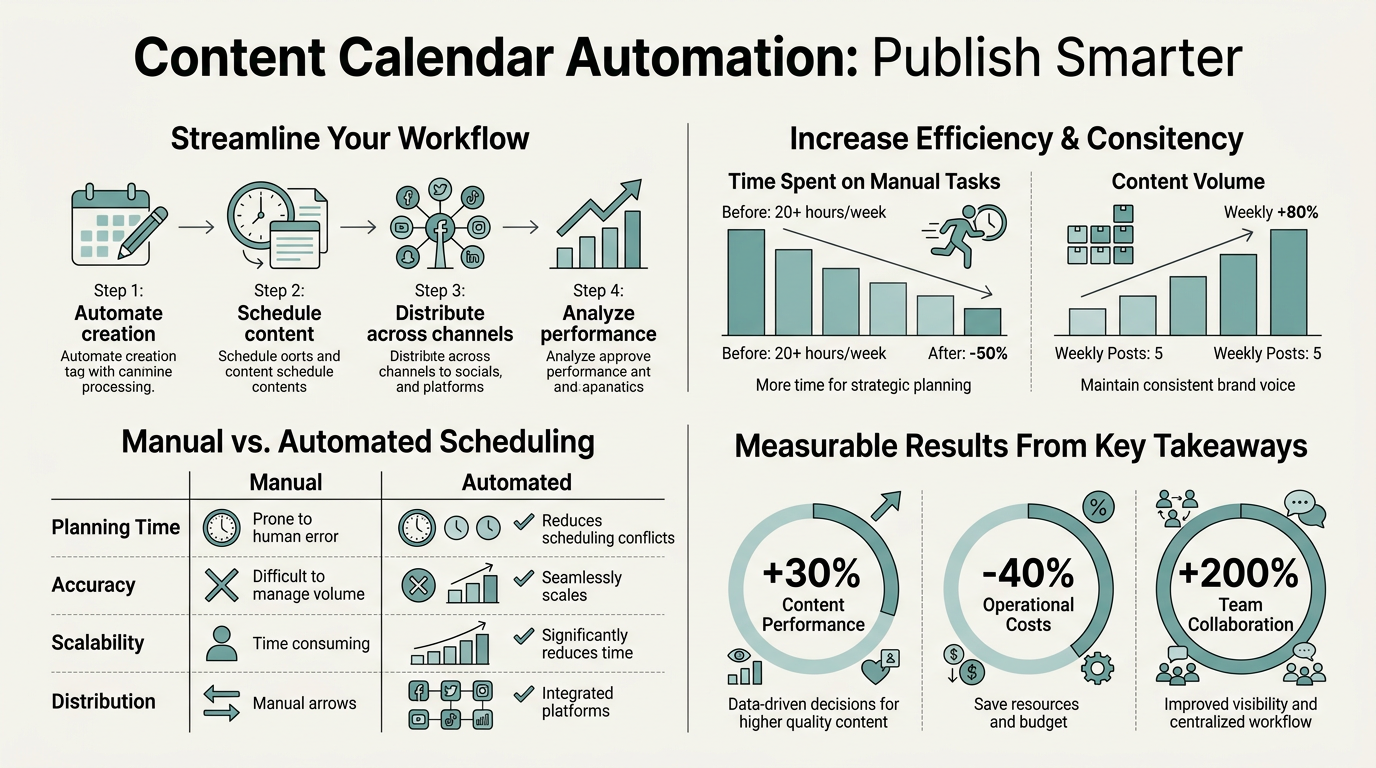
Why Manual Content Calendars Fail at Scale
Manual content calendars look fine when you're publishing 10 pieces per month. At 50–100 pieces across multiple teams or clients, they collapse under coordination overhead. Agencies managing multi-client workflows reportedly lose 15–25 hours per week to scheduling, approval, and status checks alone. The problem isn't the calendar—it's the friction built into every step.
Coordination Overhead Eats Your Budget
Every published piece requires handoffs. Someone writes. Someone reviews. Someone approves. Someone checks if assets are ready. Someone publishes. Someone records the link. Without automation, each handoff is a Slack message, an email, or a meeting. Mid-sized agencies reclaim 6–9 hours per producer per week when coordination moves from people to rules. That's not a productivity hack—that's reclaiming payroll you're already spending on non-billable overhead.
"Manual calendars require constant updates. A topic becomes outdated. A keyword shifts. A competitor publishes first. In a spreadsheet, someone has to remember to change it. In a spreadsheet shared across 4–6 people, nobody changes it."
Update Drift Kills Strategy
Manual calendars require constant updates. A topic becomes outdated. A keyword shifts. A competitor publishes first. In a spreadsheet, someone has to remember to change it. In a spreadsheet shared across 4–6 people, nobody changes it. Content ships based on assumptions made 3 weeks ago instead of live data. Automated calendars connected to your CMS and analytics tools stay current without manual re-entry.
Approval Bottlenecks Delay Publishing
One person on vacation shouldn't halt your publishing pipeline. Manual approval workflows create critical dependencies. The subject matter expert is in a meeting. The brand lead is in a review. The editor is swamped. Piece sits. Publish date slips. Organic opportunity lost. Automation enforces standardized workflows with clear ownership, parallel approvals, and fallback routes—approval happens or the system escalates.
How Content Calendar Automation Compounds Organic Growth
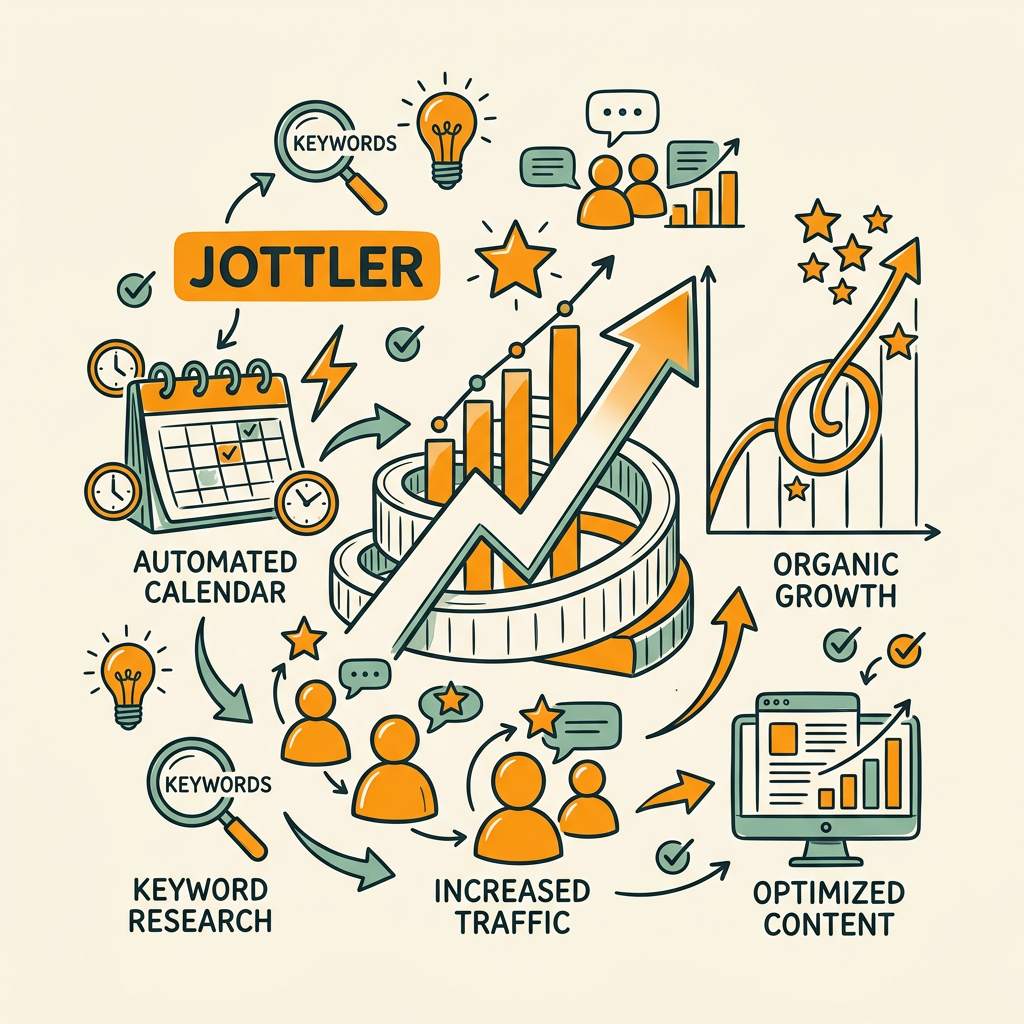
Consistent publishing is an SEO lever most teams ignore. Websites with documented content calendars see 40% higher social engagement and 25% more organic traffic than sporadic publishers. Automation ensures consistency isn't a hope—it's the default. When publishing happens on schedule, without manual delays, search engines reward you with better crawl frequency and ranking stability. Per BlogHunter's 2026 research, this effect compounds—consistent publishing is one of the highest-leverage SEO signals available to teams without massive ad budgets.
Autonomous Publishing Removes Friction
The most advanced automation goes beyond scheduling social posts. It handles research, drafting, fact-checking, and CMS publishing with minimal human touch. Instead of a content manager manually running keyword research, writing a brief, waiting for a writer, editing, fact-checking, and then publishing, autonomous agents compress that into hours. Jottler's autonomous SEO agent researches trending topics, writes 3,000+ word articles daily, fact-checks content against 14+ sources, and publishes directly to your CMS with built-in internal linking. You set publishing frequency; the agent handles the rest.
"Instead of a content manager manually running keyword research, writing a brief, waiting for a writer, editing, fact-checking, and then publishing, autonomous agents compress that entire workflow into hours without losing quality."
Real-Time Keyword Alignment
Manual calendars plan keywords weeks in advance. Markets move. Search intent shifts. New competitors emerge. Automation tools connected to live keyword data adapt in real time. Each piece is optimized for current opportunity, not a prediction made in last month's planning session. AI-driven keyword research identifies high-volume, low-competition angles automatically, feeding them into your publishing pipeline so you're never chasing yesterday's opportunities.
Internal Linking Built In
Organic traffic compounds when content is interconnected. Manual internal linking falls apart fast. A piece publishes. The team forgets to link related articles from the backlog. Months later, siloed content spreads authority thin instead of concentrating it. Automated systems build linking networks as content publishes—each new piece is automatically linked from relevant older articles and vice versa. Topical authority builds faster because linking isn't an afterthought.
Building an Automated Calendar Workflow
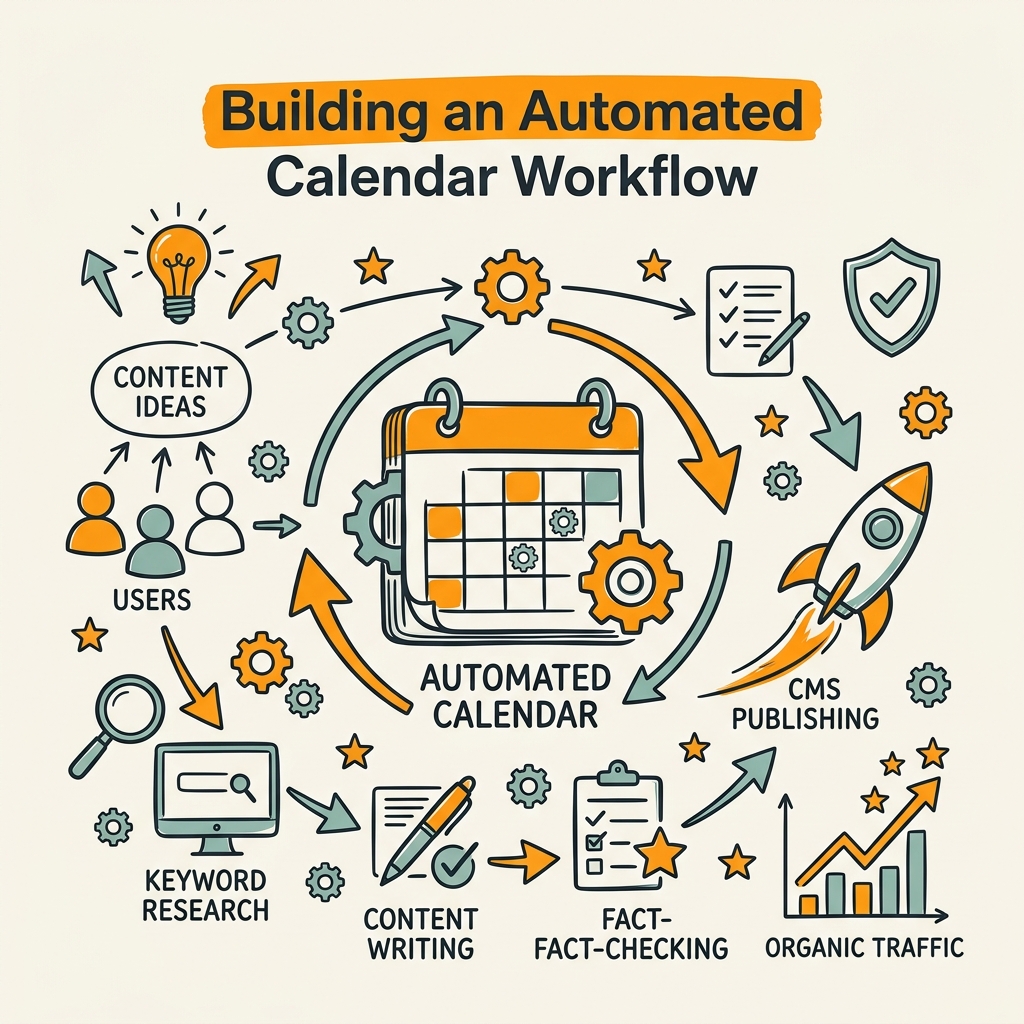
Automation starts with visibility, not software. You need to see where content lives, who owns each piece, what stage it's in, and when it publishes. Once that's transparent, you can standardize the workflow. Once the workflow is standard, you can automate it.
Centralize Your Content Source of Truth
Content scattered across Google Docs, Asana, Notion, and email kills automation. No system can automate across 5 tools. First step: pick one home for all content metadata—topic, status, owner, due date, publish date, target keywords, and publishing channels. Whether that's a dedicated content calendar tool or a well-structured spreadsheet, it has to be the single source of truth. Tools like Asana let teams give at-a-glance visibility across all pieces and create standardized workflows. Once you have one location, automation tools can read from it and write back to it.
Define Workflow Stages and Ownership
Before automating, clarify the pipeline. A standard SEO content flow looks like:
- Topic approved: Keywords identified, outline drafted, owner assigned
- Draft complete: First draft written and self-edited
- Fact-check: Stats verified, sources added, claims validated
- Final edit: Copy refined, SEO elements optimized, internal links added
- Scheduled: Piece queued for publication on defined date
- Published: Live on CMS with distribution begun
Each stage has a clear owner and a trigger for the next stage. Once this is defined, tools can automate transitions, send reminders, and escalate stalled pieces. Without stages, automation has nowhere to hook.
"A calendar disconnected from your CMS is just a schedule. A calendar wired to your CMS, analytics, and keyword tools becomes intelligence that automatically adjusts publishing strategy based on performance data."
Connect Your Calendar to CMS and Analytics
A calendar disconnected from your CMS is just a schedule. A calendar wired to your CMS, analytics, and keyword tools becomes intelligence. Tools like content automation platforms pull live keyword data, publish directly to your CMS, sync with Google Search Console, and adjust topics based on what's ranking and what's not. The calendar becomes a feedback loop: publish → measure → adjust. Automation without this feedback is just faster busywork.
Comparing Automation Approaches
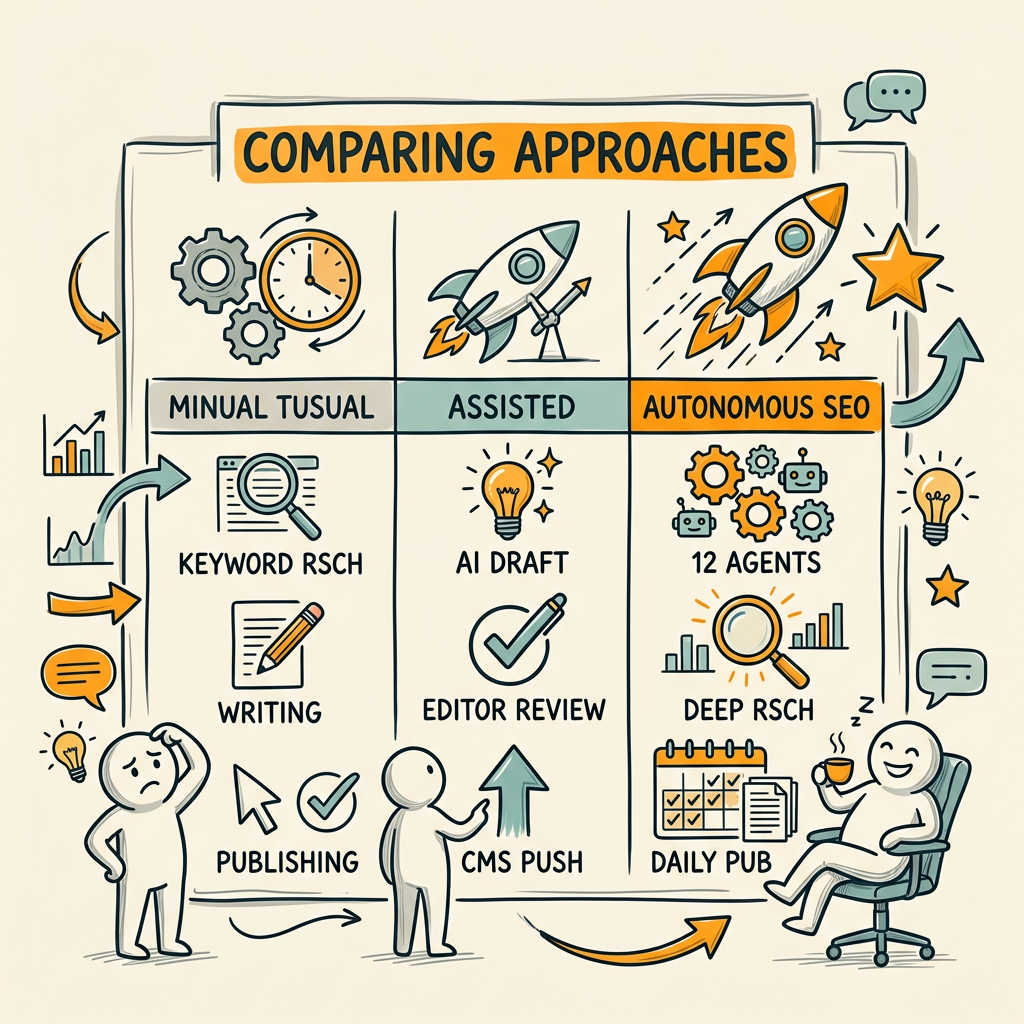
Not all automation is equal. Some tools handle scheduling only. Others manage the entire publishing pipeline, including writing and optimization. Understanding the spectrum helps you pick the right fit for your team's maturity and bandwidth.
| Solution Type | What It Does | Time Saved | Best For |
|---|---|---|---|
| Calendar + Scheduling (CoSchedule, Buffer) | Manages calendar, schedules posts, provides analytics on publish times | 3–5 hours/week | Teams with existing content who need better scheduling and distribution |
| Workflow Automation (Asana, Monday.com) | Centralizes content metadata, enforces approval workflows, sends reminders, triggers automations | 6–9 hours/week | Agencies and larger teams managing multiple content pieces across stakeholders |
| Autonomous AI (Jottler) | Researches topics, writes full articles, fact-checks, publishes to CMS, builds internal linking, compiles keyword research | 20–40 hours/week | Busy founders and scaling companies that need consistent SEO content without hiring writers |
Calendar-only tools handle the last mile—distribution. Workflow tools organize the middle—approvals. Autonomous platforms handle the first mile—research and creation. Most teams benefit from a hybrid: an autonomous platform generating content and Jottler research agents, plus a workflow tool managing team approvals and cross-channel publishing. Jottler connects directly to your CMS, eliminating manual publishing steps entirely. You set the publishing frequency; the system handles keyword research, writing, fact-checking, and publication.
Measuring the ROI of Content Calendar Automation
Automation's value shows in hours saved, not just output. A producer who saves 10 hours weekly can either reduce headcount or redirect effort toward strategy. Here's how to measure it.
Track Time Reclaimed
Audit your team's current week. Count hours spent on:
- Checking calendar status in meetings or async messages
- Chasing approvals or updates via email/Slack
- Republishing updates to your CMS and social channels manually
- Checking if assets are ready or linking is done
- Rescheduling due to delays or cancellations
This is your baseline. After automation, re-audit the same activities. Most teams report 50–60% reduction in these coordinating tasks within 60 days. Multiply hours saved by fully-loaded hourly cost. That's your ROI.
Monitor Publishing Velocity and Consistency
Count pieces published per month before and after. Many teams increase output by 25–40% simply because bottlenecks are removed—not because they're working harder, but because friction is gone. Consistent publishing also compounds SEO. Sites publishing consistently see 30% SEO performance improvement because search engines reward regular freshness signals.
Measure Organic Traffic Lift
Set a baseline for your organic traffic 60 days before automation. Track it for 90 days after. Consistent, optimized publishing should lift traffic 15–30%, with bigger gains if you're also running autonomous content generation alongside calendar improvements. This is the ultimate ROI—traffic that compounds month over month.
Conclusion
Content calendar automation is no longer a nice-to-have—it's the baseline for teams publishing more than 20 pieces monthly. Manual workflows drain 50–60% of coordination time into non-billable overhead. Automation reclaims that, ensures consistency, and compounds organic growth. The fastest path is pairing a centralized, automated workflow tool with an autonomous content platform that handles research, writing, and publishing without hand-holding. Websites with documented, automated publishing see 25% more organic traffic than those relying on sporadic, manual publishing. The difference between winners and everyone else isn't the calendar—it's whether the calendar is doing the work or you are.
Start with audit: map your current workflow and count the hours lost to coordination. Then pick a tool that fits your scale. Calendar-only if you're lean. Workflow automation if you're managing teams. Autonomous platforms if you need volume without hiring. Every month you delay is months of compounding organic growth you're leaving on the table. Start your SEO agent today and let your content calendar work for you instead of the other way around.
FAQs
What is content calendar automation?
Content calendar automation uses software and AI agents to replace manual coordination steps. Instead of humans scheduling posts, managing approvals, and publishing content, automated workflows handle these tasks based on defined rules and triggers. Advanced automation like Jottler goes further—AI agents research topics, write full articles, fact-check content against multiple sources, and publish directly to your CMS with internal linking already built in. The goal is consistency without constant oversight, freeing your team to focus on strategy instead of status checks.
How much time can automation save?
Time saved depends on your current workflow's friction level. Teams managing 50+ pieces per month across multiple stakeholders typically lose 15–25 hours weekly to coordination. Automation recovers 50–60% of that overhead, roughly 8–15 hours per week. For teams with smaller output, the savings are proportionally lower but still meaningful—3–5 hours weekly from workflow tools alone. Autonomous content platforms add another layer by eliminating research, writing, and publishing time, which can save 20–40 additional hours per week if you're currently hiring writers or doing it manually.
Can small teams benefit from content calendar automation?
Yes. Automation scales both directions. A solo founder publishing 5 pieces per month benefits from autonomous content generation that handles research and writing, eliminating weeks of manual effort. A two-person marketing team benefits from a workflow tool that enforces approval stages and reminds them of pending deadlines, preventing delays. Even founders working alone save time by automating repetitive steps like internal linking, CMS publishing, and cross-channel distribution. The payoff is highest for teams with inconsistent output or tight deadlines, where automation ensures nothing slips and every piece is properly optimized before publishing.