Free AI Writing Tools for Product Documentation
Product documentation is the backbone of user adoption. Yet 67% of technical teams still spend 15+ hours per week on manual documentation, leaving less time for strategy and innovation. The gap widens when documentation must ship fast, stay accurate, and adapt to user feedback—all without adding headcount. Free AI writing tools now bridge this gap by automating first drafts, consistency checks, and structural scaffolding, letting your team focus on technical depth rather than formatting drudgery.
Here's a quick summary of how to choose and deploy free AI writing tools effectively for product documentation:
Key Takeaways
- 90% of content teams plan to use AI for writing in 2025, with 71.7% already using it for outlining (Siege Media, 2025)—making AI-assisted documentation mainstream, not experimental.
- Free AI tools like ChatGPT and Rytr excel at scaffolding (outlines, ideation, drafting) but require human review for accuracy, terminology, and release-critical correctness.
- The best free-tier option for lightweight documentation is Rytr's 10,000 characters/month plan, while ChatGPT offers unlimited brainstorming for structure and consistency frameworks.
- ChatGPT + Rytr combination: Pair free ChatGPT for research and outlining with Rytr's free tier for rapid drafting of shorter sections or API docs.
- Grammarly for final polish: Use free grammar and style checks to ensure technical documentation meets clarity and readability standards before handoff to editors.
- Minimalist automation approach: Deploy AI writing tools as a time-compression layer, not a replacement—humans still own terminology, accuracy, and brand voice.
- Structured output prioritization: Choose tools that generate outlines and bullet-point scaffolds over prose-heavy generators, especially for API references and step-by-step guides.
- Free-tier limits as feature, not bug: Bounded free plans (like Rytr's character cap) actually help documentation teams pilot AI without scope creep or quality inconsistency.
Why Free AI Tools Matter for Product Documentation
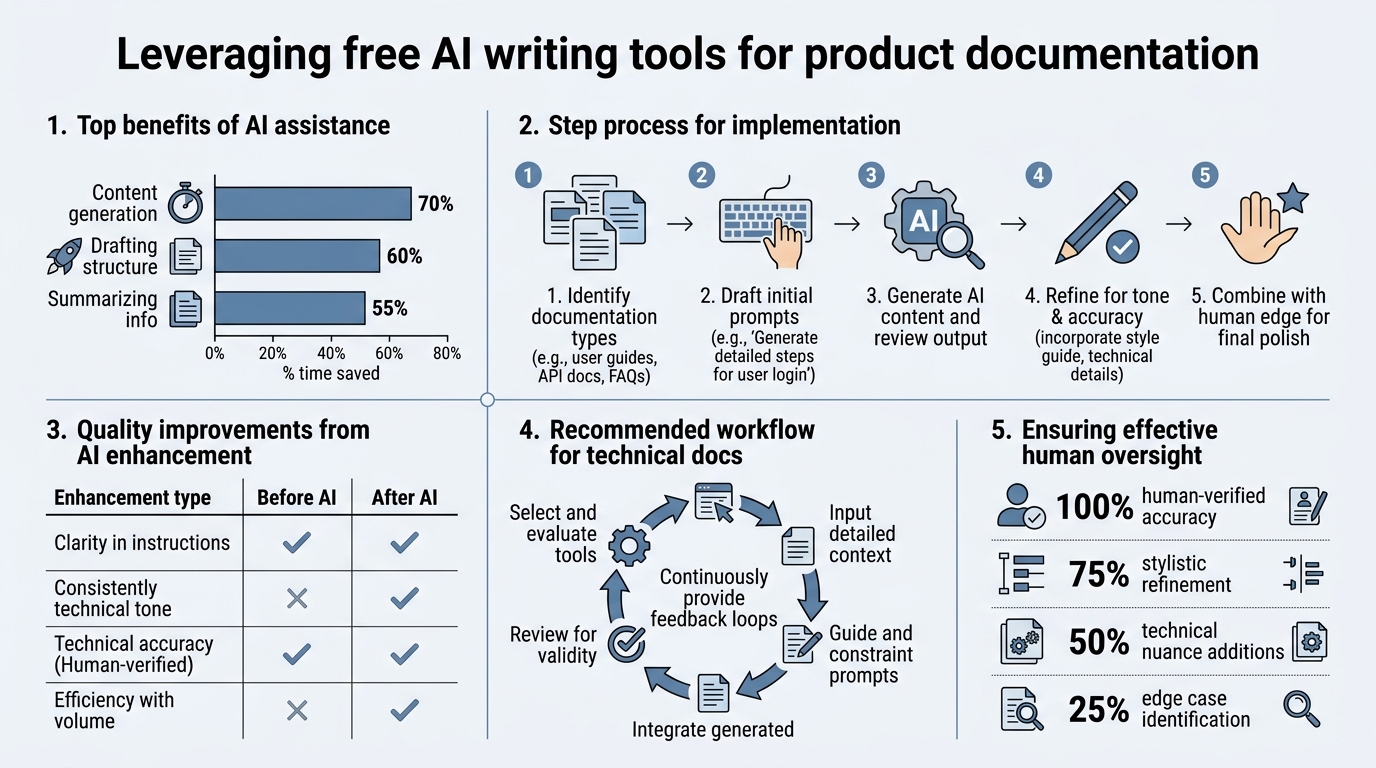
Product documentation teams face a unique pressure: move fast without sacrificing accuracy. 78% of organizations now use AI regularly (CleverType, 2026), yet most documentation still ships without AI support, creating a competitive drag. Free AI writing tools don't eliminate the need for human expertise—they eliminate busywork, letting technical writers spend time on the work that actually drives adoption: clarity, completeness, and user-focused structure. According to Siege Media's 2025 AI writing research, teams using AI for early-stage content work (brainstorming, outlining, research) report the highest satisfaction with output quality.
"Teams using AI for early-stage content work—brainstorming, outlining, research—report the highest satisfaction with output quality. The leverage multiplies when free tools are paired with structured review processes."
— Siege Media, 2025 AI Writing Research
The Documentation Productivity Gap
The math is brutal. A single product release typically requires 50-100 pages of supporting documentation: API references, setup guides, troubleshooting, release notes. If your team writes these manually, that's 2-3 weeks of labor per release cycle. Free AI tools compress that timeline. ChatGPT can scaffold an entire API reference in 30 minutes; Rytr can draft quick-start guides in bulk without touching your budget.
The hidden cost isn't just time—it's consistency. Without a system, different writers use different terminology, structures, and examples. Free AI tools, when prompted with a style guide, enforce consistency across a docs site. That's worth far more than speed savings alone.
Free vs. Paid: Why Free Is Enough for Many Teams
Expensive AI writing platforms like Jasper and Copy.ai promise "production-ready" output. They rarely deliver for documentation. Here's why: product documentation requires structural scaffolding and terminological control, not prose sophistication. ChatGPT and Rytr, though free, excel at exactly this—outlines, checklists, and formatted sections.
A free tier isn't a trial. It's a feature. Rytr's 10,000 characters/month free plan is enough to draft 5-10 short documentation pieces. ChatGPT's free tier is unlimited brainstorming. Grammarly's free grammar checks rival paid tools. Together, these beat any single premium platform for documentation-specific workflows.
ChatGPT: The Brainstorming and Outlining Powerhouse
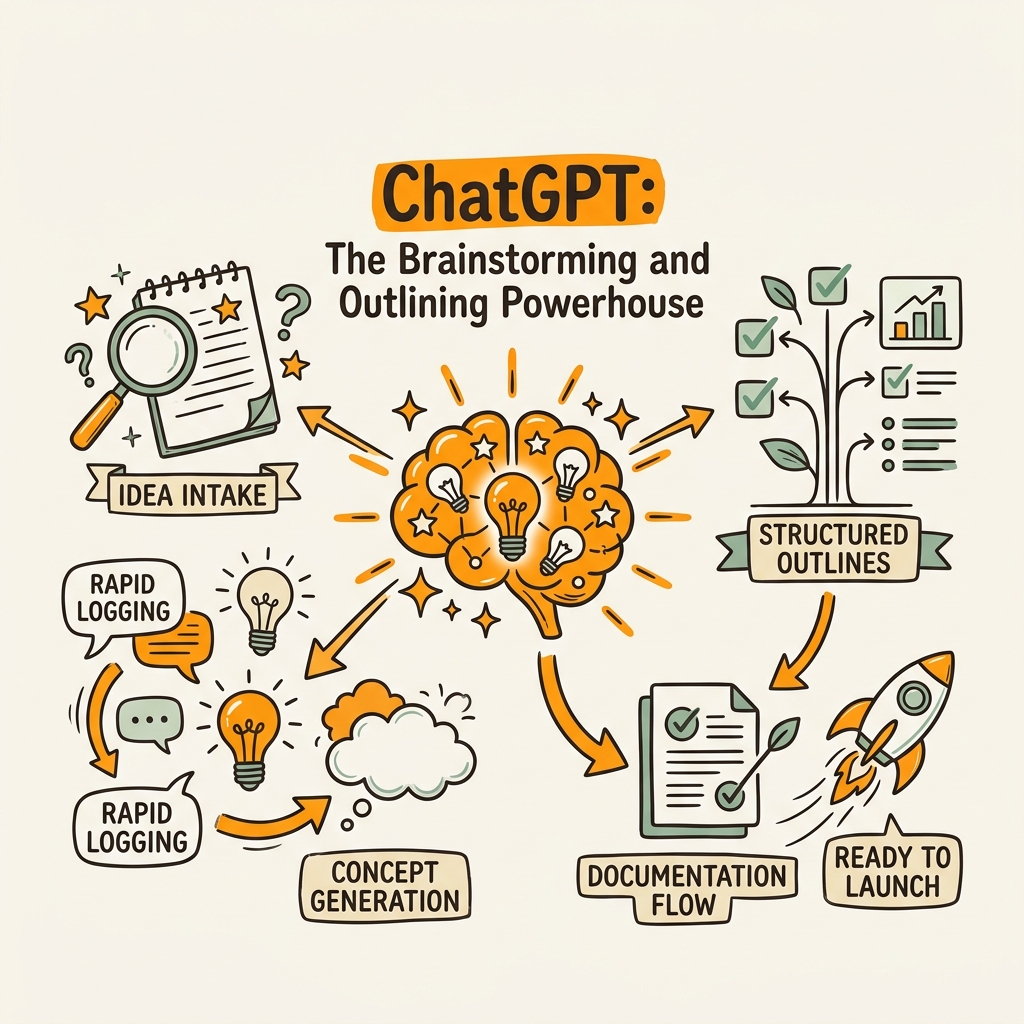
ChatGPT stands as the most trusted AI writing tool, with 77.9% selection rate among content professionals (Siege Media, 2025). For documentation, its strength isn't prose generation—it's scaffolding. Use it to build outlines, research context, and ideate examples, then hand off structured drafts to your team for human refinement. According to Nightwatch.io's 2026 analysis, ChatGPT ranks as the top tool for brainstorming and research-heavy writing tasks.
Best Use Cases for Documentation
ChatGPT excels at four documentation tasks where 71.7% of teams already use AI for outlining (Siege Media, 2025). First, API reference scaffolding: prompt it with your endpoint schema and it generates a complete outline of method descriptions, parameters, and examples—usually 80% correct, always structured right. Second, release note organization: dump feature changelogs into ChatGPT and let it categorize them into Breaking Changes, Deprecations, and New Features. Third, troubleshooting guides: feed it common customer support tickets and it extracts patterns into a FAQ or troubleshooting hierarchy. Fourth, consistency prompts: use ChatGPT to draft style-guide rules and apply them retroactively to existing docs.
"The key is treating ChatGPT as a first-draft engine, not a final-draft tool. Its outputs need human verification for accuracy, technical correctness, and brand voice. Pair every ChatGPT draft with a developer review checklist before it approaches publication."
The key is treating ChatGPT as a first-draft engine, not a final-draft tool. Its outputs need human verification for accuracy, technical correctness, and brand voice.
Limitations and How to Work Around Them
ChatGPT hallucinates. It will confidently invent API parameters that don't exist or describe features your product never built. In documentation, that's disqualifying. The fix: always pair ChatGPT prompts with a verification checklist. Ask ChatGPT to outline an API reference, then have a developer spot-check every parameter. Use it for inspiration, not authority. This adds a review layer but still saves 60-70% of draft time compared to manual writing.
Rytr: Capped Free Generation for Rapid Iteration
Rytr offers 10,000 characters/month free, one of the clearest free-tier boundaries among AI writing tools. That translates to roughly 5-10 short documentation sections per month—enough for a team to pilot AI-assisted drafting without budget commitment. Unlike ChatGPT's "use as much as you want" free tier, Rytr's boundary actually helps documentation teams avoid over-reliance on AI.
Rytr's Documentation-Friendly Features
Rytr has built-in templates for product descriptions, email sequences, and blog posts. While not documentation-specific, its structured output and tone control are useful for documentation teams. You can set the tone to "Technical," "Professional," or "Friendly," and Rytr generates accordingly. For quick-start guides and onboarding walkthroughs, this saves rework.
The 10,000-character limit forces discipline. Teams can't go overboard. They test Rytr on a few high-value docs, measure the time savings, and decide whether to upgrade or stick with free ChatGPT for unlimited brainstorming.
When to Graduate Beyond Rytr's Free Tier
If your team needs to generate more than 2-3 documentation pieces per month at scale, Rytr's free tier becomes a bottleneck. That's when you face a choice: pay Rytr to upgrade, or combine free ChatGPT (unlimited outlines) with a more automation-focused tool. Many documentation teams, particularly at scaling startups, find that content automation platforms built for scale are more cost-effective than tool proliferation.
Grammarly: The Finalization Layer Every Documentation Team Needs
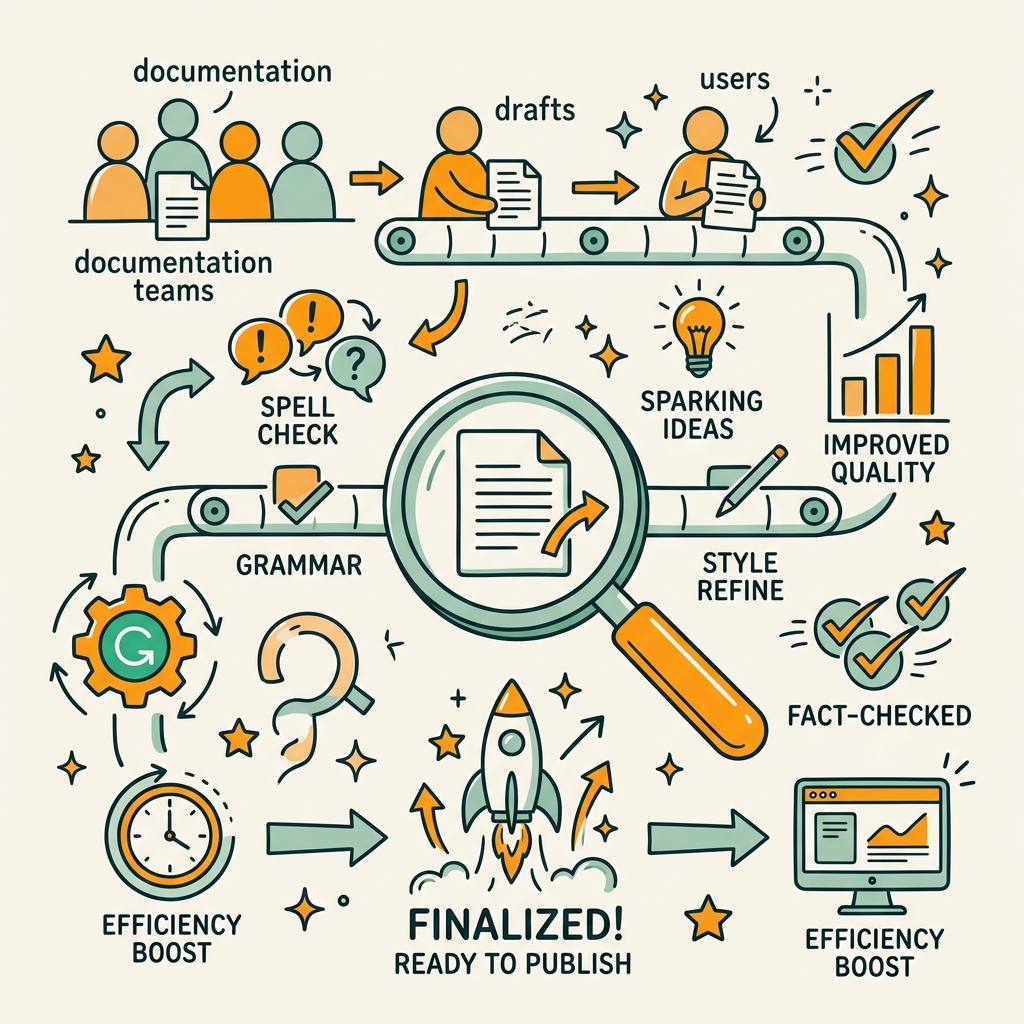
Grammarly's free tier is criminally underrated for documentation. Its grammar, tone, and clarity checks are no worse than paid competitors. For a documentation team, Grammarly free isn't a tool—it's a gate. Use it as the final layer before publishing: every doc passes through Grammarly to catch passive voice, unclear pronoun references, and unnecessarily complex sentences.
Free Grammarly for Technical Clarity
Technical writing has an enemy: passive voice and buried verbs. "The API can be called" should be "Call the API." Grammarly catches this. Its free tier offers grammar, spelling, and punctuation checks. For documentation, that's 80% of what you need. The paid tier adds tone detection and plagiarism checks, which matter less for internal technical docs.
"Set Grammarly to 'Formal' and 'Technical' mode, paste your draft, and let it flag clarity issues. You'll catch 90% of readability problems in 5 minutes instead of 30 minutes of manual review—transforming a tedious edit pass into a rapid quality gate."
Set Grammarly to "Formal" and "Technical" mode, paste your draft, and let it flag clarity issues. You'll catch 90% of readability problems in 5 minutes instead of 30 minutes of manual review.
Integration and Workflow Placement
Grammarly works directly in web browsers and most text editors. If you write in Notion, Google Docs, or a browser-based CMS, Grammarly runs in the background as you type. For documentation teams using Markdown or static site generators, copy and paste drafts into Grammarly's web editor before publishing. It's not friction-free, but it's fast friction.
Building a Free AI Documentation Workflow
The magic isn't in any single tool—it's in the pipeline. Here's how to orchestrate free tools for documentation that's fast, consistent, and accurate.
Step 1: Outline and Research (ChatGPT)
Start every documentation piece with a ChatGPT outline. Give it: (a) your product's core functionality or API shape, (b) the target audience (developers, product managers, end users), and (c) desired structure. ChatGPT generates a detailed outline in 60 seconds. This becomes your roadmap. Developers verify the technical completeness; marketers ensure the user journey makes sense.
Step 2: Draft in Batches (Rytr or ChatGPT)
Use Rytr for short-form sections (quick-starts, troubleshooting FAQs, release notes) where its character limit actually enforces conciseness. Use ChatGPT for longer exploratory sections where you need unlimited drafting. Both should operate from the outline above—they're filling in structure, not inventing it.
Step 3: Terminology and Accuracy Review (Human)
AI-generated drafts always need human review. A developer should verify technical accuracy; a product manager should verify feature claims. This isn't busywork—it's the highest-value step. Mark up the drafts, use track changes, and have AI-assisted writing become a collaboration tool.
Step 4: Polish and Publish (Grammarly + CMS)
Run the reviewed draft through Grammarly. Address clarity and tone issues. Paste into your CMS. If you're shipping lots of documentation, this final pass should take 5 minutes, not 30.
Comparison: Free AI Tools for Documentation
| Tool | Free Tier Limit | Best For Documentation | Accuracy / Hallucination Risk |
|---|---|---|---|
| ChatGPT | Unlimited (capped at usage) | Outlining, ideation, research scaffolding | High hallucination risk—verify all technical claims |
| Rytr | 10,000 characters/month | Quick-start guides, short-form sections, tone control | Moderate risk—good for non-critical sections |
| Grammarly | Grammar, spelling, punctuation checks (free) | Final polish and clarity review | No hallucination—purely structural/grammatical |
| Hix AI | Free tier with content generation | Paraphrasing, tone adjustment, style consistency | Moderate risk—useful for rewriting, not initial drafts |
Common Pitfalls When Using Free AI for Documentation
Free AI tools are powerful, but careless deployment destroys credibility. Here are the mistakes documentation teams make—and how to avoid them.
Publishing AI Drafts Without Review
The biggest mistake: treating ChatGPT output as final. It's not. AI generates plausible-sounding text, but documentation demands accuracy. A false API parameter, a mischaracterized feature, or an outdated warning damages user trust permanently. Always require human review before publishing. Assign a single technical owner per doc to sign off on accuracy.
Losing Brand Voice to AI Defaults
Every free AI tool generates in a corporate-neutral tone. If your documentation brand is conversational, sarcastic, or highly technical, AI drafts will feel wrong. Fix this upfront: feed each tool a style guide or example passages so it learns your voice. Or use AI for scaffolding only, and have humans write the prose.
Over-Relying on Free Tiers for Scale
If you're shipping 50+ documentation pages per month, free tools become bottlenecks. Rytr's character limit pinches fast. ChatGPT's free tier gets rate-limited. At that scale, you need either a paid tier or a different approach entirely. Many scaling teams find that SEO automation tools designed for scaling content are more cost-effective than juggling multiple free tools.
Inconsistent Terminology Across Docs
AI doesn't know your proprietary terminology. If your product calls it "Workspaces" but the AI calls it "Projects," docs confuse users. Build a terminology glossary and feed it to every AI prompt. Better yet: use your existing style guide. This transforms AI from a liability (inconsistent voice) into an asset (enforced consistency).
Advanced Strategies: Optimizing Free AI for Documentation Scale
Once you've mastered the basics, here's how to squeeze maximum value from free tools.
Prompt Templates and Reusable Workflows
Don't reinvent prompts. Build a library. Create a ChatGPT prompt for "API Reference Outline," another for "Release Notes," another for "Troubleshooting Guide." Save them in a shared doc or Notion workspace. Every time your team needs a new doc type, they use the template prompt, customize the parameters, and get a consistent structure in seconds. This amplifies the leverage of free tools—each prompt becomes a reusable process.
Batch Processing with Version Control
If you're generating multiple documentation pieces at once, batch them. Use ChatGPT to outline 10 guides in parallel. Use Rytr to draft short-form sections. Then feed all drafts through Grammarly at once. This batching approach compounds time savings and lets one editor review all pieces for consistency in a single pass.
Feeding Back Edited Drafts for Refinement
AI improves with feedback loops. After your team edits a ChatGPT draft, feed the edited version back to ChatGPT with a prompt like "Why did you phrase this section differently than the previous guide? Apply the same terminology." This teaches the AI your preferences without prompt engineering expertise.
When to Move Beyond Free Tools
Free AI writing tools are genuinely useful, but they have real limits. If your documentation needs exceed any of these, consider paid alternatives or automation platforms:
- Volume threshold: You're shipping 30+ documentation pieces per month and free tiers create bottlenecks.
- Accuracy criticality: Your docs control compliance, security, or financial workflows—hallucination risk is unacceptable.
- Consistency at scale: You need AI to enforce terminology and structure across 100+ existing docs, not just new ones.
- SEO integration: Your documentation needs to rank in Google, requiring keyword optimization and internal linking coordination that free tools don't handle.
- Multi-format publishing: You need one source of truth that auto-publishes to your website, developer portal, and knowledge base simultaneously.
At that scale, platforms like autonomous SEO agents that research, write, and publish documentation become cost-effective. They handle research depth, fact-checking, internal linking, and CMS integration—eliminating the manual orchestration required by free tools.
Conclusion
Free AI writing tools are now mature enough to accelerate documentation workflows for teams of any size. ChatGPT, Rytr, and Grammarly together handle outlining, drafting, and polishing—delivering 60-70% time savings versus manual writing. The critical move is treating these tools as scaffolding layers, not final-draft engines. Outline with ChatGPT, draft with Rytr, polish with Grammarly, and always verify for accuracy before publishing.
For teams shipping documentation at scale—more than 30 pages per month across multiple product areas—free tools become a bottleneck. That's when automated documentation platforms that research, write, fact-check, and publish continuously become strategic. The right choice depends on your volume, accuracy needs, and SEO priorities. Start with free. Graduate to automation when free hits its ceiling.
Ready to compound your documentation output without adding team overhead? Start your SEO agent and let AI handle the research, writing, and publishing—so your team focuses on what makes your product unique.
FAQs
What's the best free AI tool for writing product documentation?
ChatGPT is the best starting point for most documentation teams. Its free tier is unlimited, it excels at outlining and ideation, and 77.9% of content professionals trust it most (Siege Media, 2025). Use ChatGPT to scaffold your documentation structure—outline APIs, organize release notes, extract troubleshooting patterns. Follow up with Rytr (10,000 free characters/month) for rapid short-form drafting and Grammarly free for final clarity polish. This three-tool stack costs nothing and covers 90% of typical documentation workflows.
Can I publish AI-generated documentation directly without editing?
No. AI hallucinations are real and documentation-specific corrections are non-negotiable. AI will confidently describe API parameters that don't exist, features your product never shipped, or outdated workflows. Always require at least one human verification pass—ideally from a developer who understands the technical accuracy. This isn't optional; it's the difference between trusted documentation and eroded user confidence. The AI accelerates drafting; humans own publication quality.
How much time do free AI tools actually save on documentation?
Expect 60-70% time compression on first-draft creation. A typical API reference that takes 4-6 hours to write manually can be outlined and drafted in 90 minutes using ChatGPT and Rytr. Grammarly's final polish reduces editing time from 30 minutes to 5 minutes. The net: a documentation piece that took 5-7 hours of manual labor drops to 2-2.5 hours. For a team shipping 10 docs per month, that's 25-50 hours per month freed up for strategy, user research, and complex documentation problems that AI can't solve alone.