Internal Linking Strategy for Better Search Rankings
Most teams never optimize internal links—and it's costing them thousands of organic visits. Research shows that pages with 40–44 internal links generate 4× more traffic than poorly linked pages. Yet the average site leaves this lever completely untouched. Internal linking isn't glamorous like backlinks, but it's where you actually control the narrative. Every strategic internal link tells Google which pages matter most, distributes authority to your money pages, and keeps visitors engaged longer. Here's how to build an internal linking strategy that compounds your search visibility.
Key Takeaways
- Pages with 40–44 contextual internal links generate 4× more organic traffic than poorly linked sites (2024, Zyppy/Ahrefs).
- Topic clusters outperform isolated content by 30% in organic traffic, with rankings persisting 2.5× longer.
- Ensure every page reaches the homepage in 3 clicks; orphan pages kill visibility and crawl efficiency.
- Anchor Text Matters: Descriptive, keyword-rich anchor text drives 5× more traffic than generic phrases.
- Link Quantity: Optimal range is 8–15 contextual links per blog post, or 3–5 per 1,000 words.
- Topic Clusters: Organizing content into pillar–cluster models strengthens topical authority and boosts overall domain visibility.
- Crawl Depth: Improved internal architecture can increase Googlebot crawl coverage from 40% to 70%.
- Authority Distribution: High-authority pages passing 5–10 contextual links to target pages improve rankings by 15–20%.
Why Internal Linking is Your Biggest On-Page Leverage Point
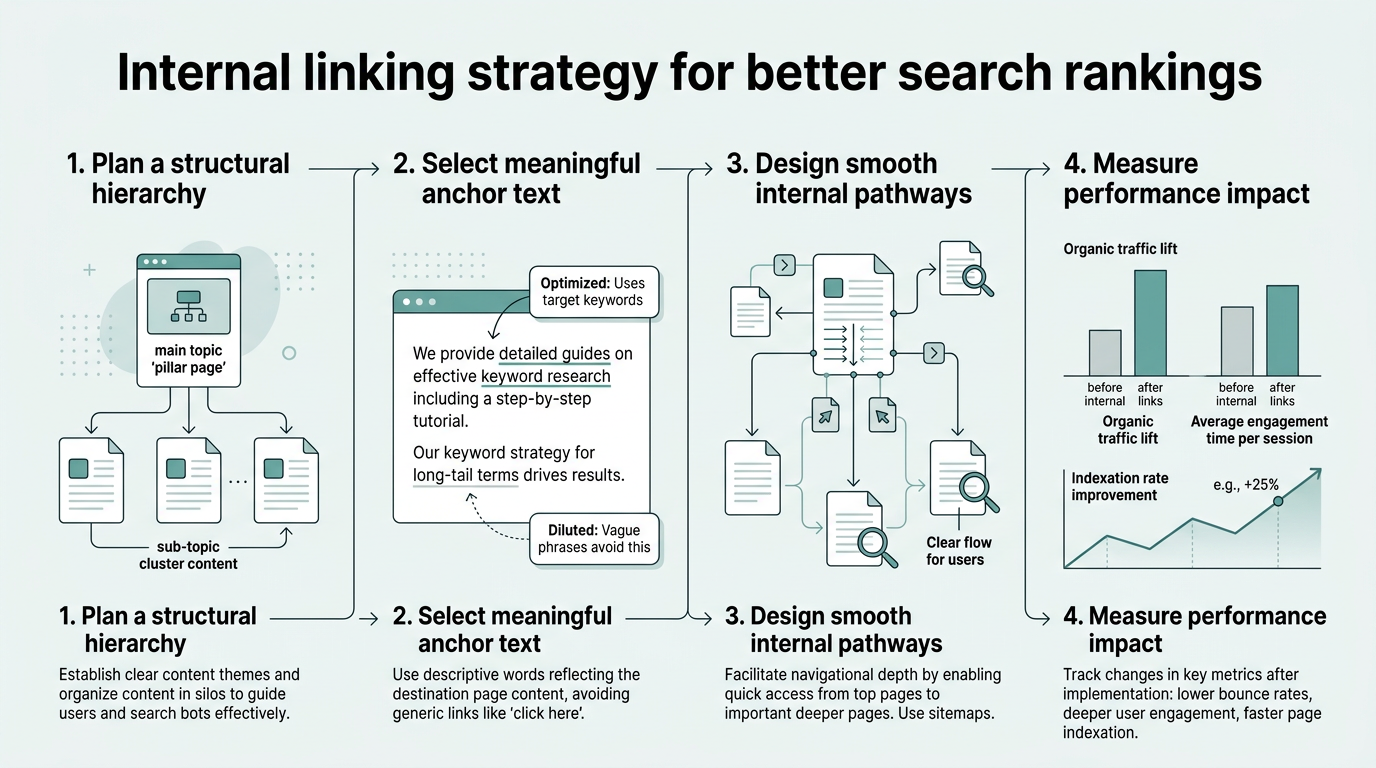
Internal linking is the single largest on-page lever most large sites underuse. Optimized internal structures can boost search rankings by 40% and improve organic traffic by 30%+, yet most teams treat it as an afterthought. The reason? It's invisible to visitors. Link juice doesn't show up in Google Analytics. But Google notices. Every internal link is a signal—one that compounds over time.
"Internal linking is not optional. It's the foundation of crawl efficiency and topical authority. Sites that systematically link their content outrank competitors by 4–5× within a year, and that gap only widens."
Think of your site structure as a hierarchy. Google crawls from your homepage downward, following links. Pages close to home get crawled more often. Pages buried deep get crawled rarely. Pages with no internal links? They might never get crawled at all. That's why site architecture matters more than most founders realize.
- Crawl Efficiency: Internal linking improvements can shift Googlebot crawl coverage from 40% to 70%—meaning more pages indexed, more ranking opportunities.
- Authority Concentration: Use internal links to funnel Page Rank toward your highest-value pages (service pages, cornerstone content, landing pages).
- Topical Authority: Linking related content together signals to Google that you're an authority on a topic, not just publishing random posts.
- User Engagement: Strategic internal links reduce bounce rates and increase pages per session, both ranking signals.
How Crawl Depth Impacts Your Overall Visibility
Google has a crawl budget. For small sites, it's unlimited. For enterprise sites, it's finite. If your site structure requires 20 clicks to reach a page from the homepage, Google might not reach it before exhausting its budget. The fix: ensure every page is reachable in 3 clicks or fewer. This simple constraint forces you to build a clean architecture.
Many sites have hundreds of "orphan pages"—pages with no internal links pointing to them. These pages rank nowhere because Google struggles to find them. A single contextual link from a relevant high-authority page can resurrect an orphan. That's not scaling; that's leaving money on the table.
Authority vs. Visibility: A Practical Framework
Not all pages should receive equal internal linking attention. Your service pages, pillar articles, and bottom-of-funnel content deserve more internal link juice. Your supporting blog posts? They serve to link upward. Create a hierarchy: tier-1 pages (home, core service pages) receive links from everywhere. Tier-2 pages (category pages, pillar posts) receive links from tier-3 pages below them. This flow of authority compounds your ability to rank for competitive keywords.
Building a Pillar-Cluster Architecture That Scales
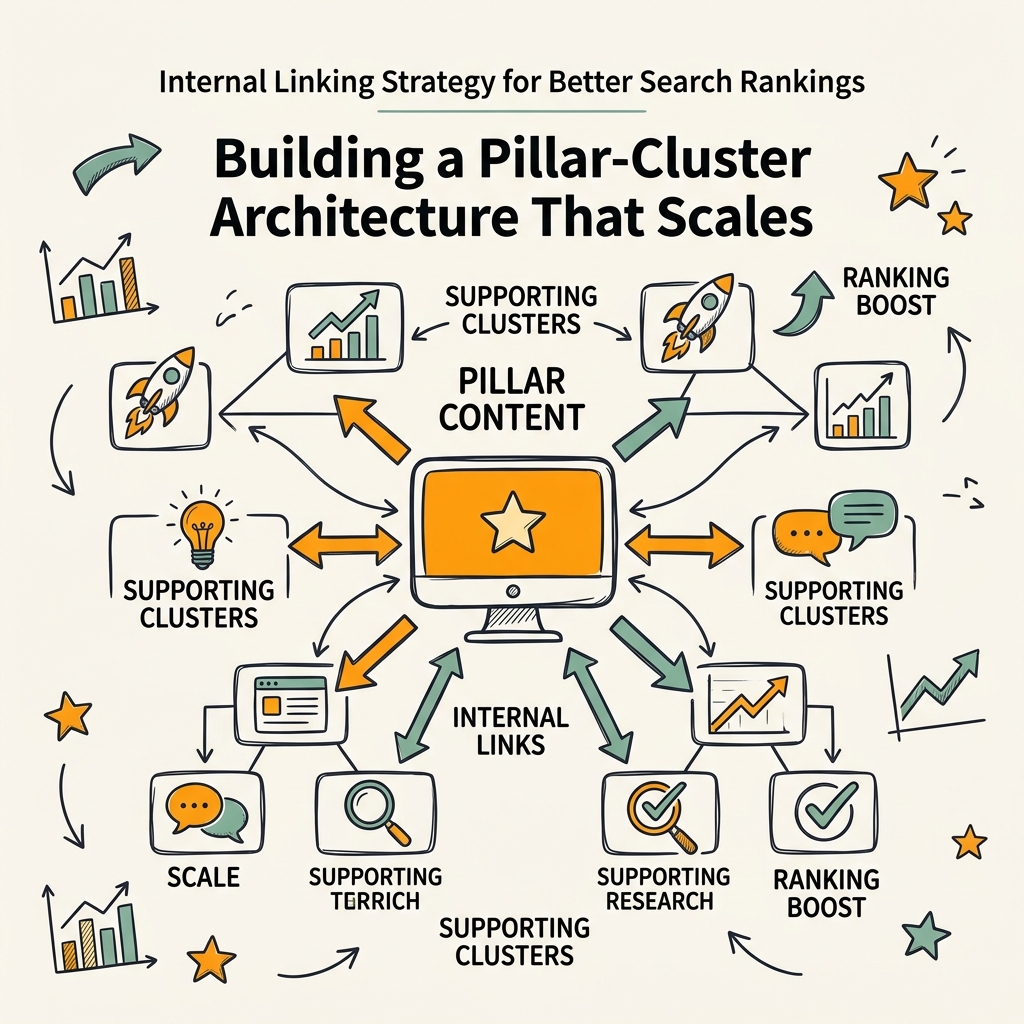
The pillar-cluster model is now the 2026 standard for large-site architecture. Instead of isolated blog posts, you organize content into thematic clusters around a central pillar page. The pillar is comprehensive, foundational, and ranks for your core keyword. Cluster posts dive into subtopics, link back to the pillar, and the pillar links to all of them. This bi-directional linking structure concentrates topical authority and signals to Google that you own the topic.
"Pillar-cluster architecture compounds. A single pillar page supporting 8–12 cluster posts creates a semantic web that Google values exponentially more than scattered content. Teams that implement this see 30–50% organic traffic lifts within 90 days."
- Pillar Page: A 3,000–5,000 word comprehensive guide on a broad topic (e.g., "Guide to Content Marketing").
- Cluster Posts: 1,500–2,500 word deep dives into subtopics (e.g., "Content Distribution Strategies," "Measuring Content ROI").
- Bi-directional Links: Each cluster post links back to the pillar; the pillar links to all cluster posts.
- Cross-Cluster Links: Related cluster posts link to each other, creating a web of semantic connections.
Step-by-Step: Creating Your Pillar
Start with your broadest keyword. If you're a SaaS founder, this might be "content marketing automation" or "SEO strategy." This becomes your pillar. Your pillar page should be comprehensive, well-researched, and long enough to cover all major subtopics at a high level. Link to every cluster post from within the pillar body, using descriptive anchor text. Place links early and throughout to boost crawlability and user engagement. This systematic approach ensures every subtopic page receives authority flow from the core asset.
Building Cluster Posts That Link Back Effectively
Each cluster post targets a long-tail keyword related to the pillar topic. The key: every cluster post must link back to the pillar. Use a natural context, not a forced sidebar widget. The link should appear early in the post—within the first 200 words—to maximize both user attention and link value flow. Then, link to 2–3 related cluster posts to strengthen the topical web. When you build topical authority through systematic internal linking, rankings compound exponentially.
How to Optimize Anchor Text and Link Placement
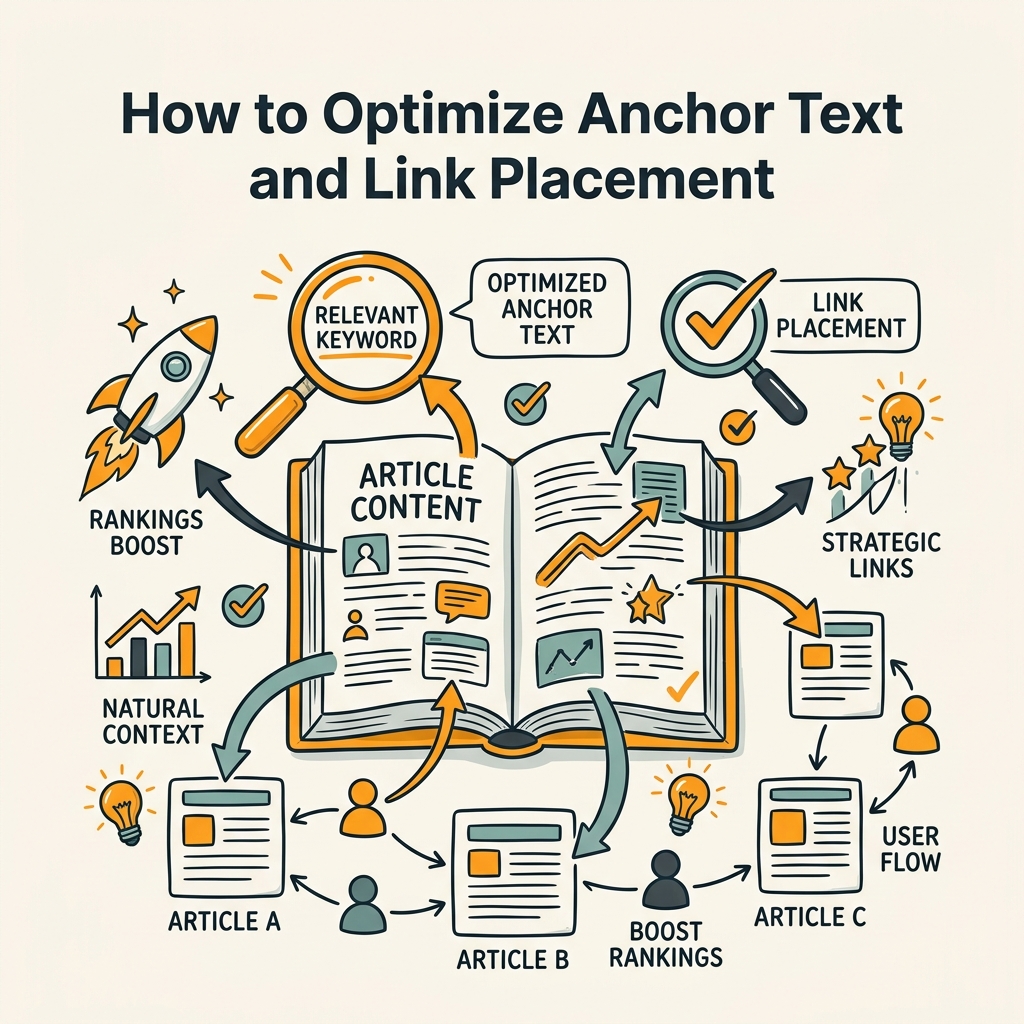
Anchor text is the clickable text of a link. "Click here" is weak. "Best content marketing strategies for SaaS teams" is strong. Pages with at least one exact-match anchor have roughly 5× more traffic than those without. But exact-match alone can flag overoptimization. The ideal mix: 60% descriptive anchors, 20% branded anchors, 20% exact-match or partial-match.
Placement matters as much as text. Links in the opening paragraph carry more weight than links buried in section 5. They're seen by more readers, crawled first, and signal immediately that the content is important. A link in your H2 section versus your footer? The H2 link wins every time.
The Data on Anchor Text Impact
Research from Exploding Topics shows that internal linking can improve a site's overall SEO performance by 5–10%, primarily by pushing authority to high-value pages through strategic anchor text. Descriptive anchors like "internal linking strategy for better search rankings" outperform generic ones like "read more" by a factor of 5. The takeaway: spend 30 seconds on anchor text. It compounds.
Contextual vs. Navigational vs. Footer Links
Contextual links (embedded in body text) carry the most weight because they're editorial decisions. You chose to link because the content adds value. Navigational links (main menu, breadcrumbs) are discovered by Google first but carry less authority—they're structural, not editorial. Footer links carry minimal weight; Google knows they're boilerplate. Use all three, but invest your anchor text optimization in contextual links.
"Contextual links from high-authority pages to target pages create ranking momentum. One well-placed link from a pillar page can push a cluster post up 3–5 positions within 60 days if the semantic connection is strong."
| Link Type | Authority Weight | Primary Purpose | Best Practice |
|---|---|---|---|
| Contextual (Body) | High | Editorial, semantic relevance | 3–5 per 1,500-word article; early placement; keyword-rich anchor |
| Navigational (Menu) | Medium | Site structure, hierarchy | Limit to 5–8 main menu items |
| Footer | Low | Broad distribution, compliance | Use for sitewide links (privacy, terms, blog archive) |
| Sidebar | Low–Medium | Category relevance, promotion | 2–3 related post links per page |
Identifying and Fixing Crawl Issues: Orphan Pages and Deep Links
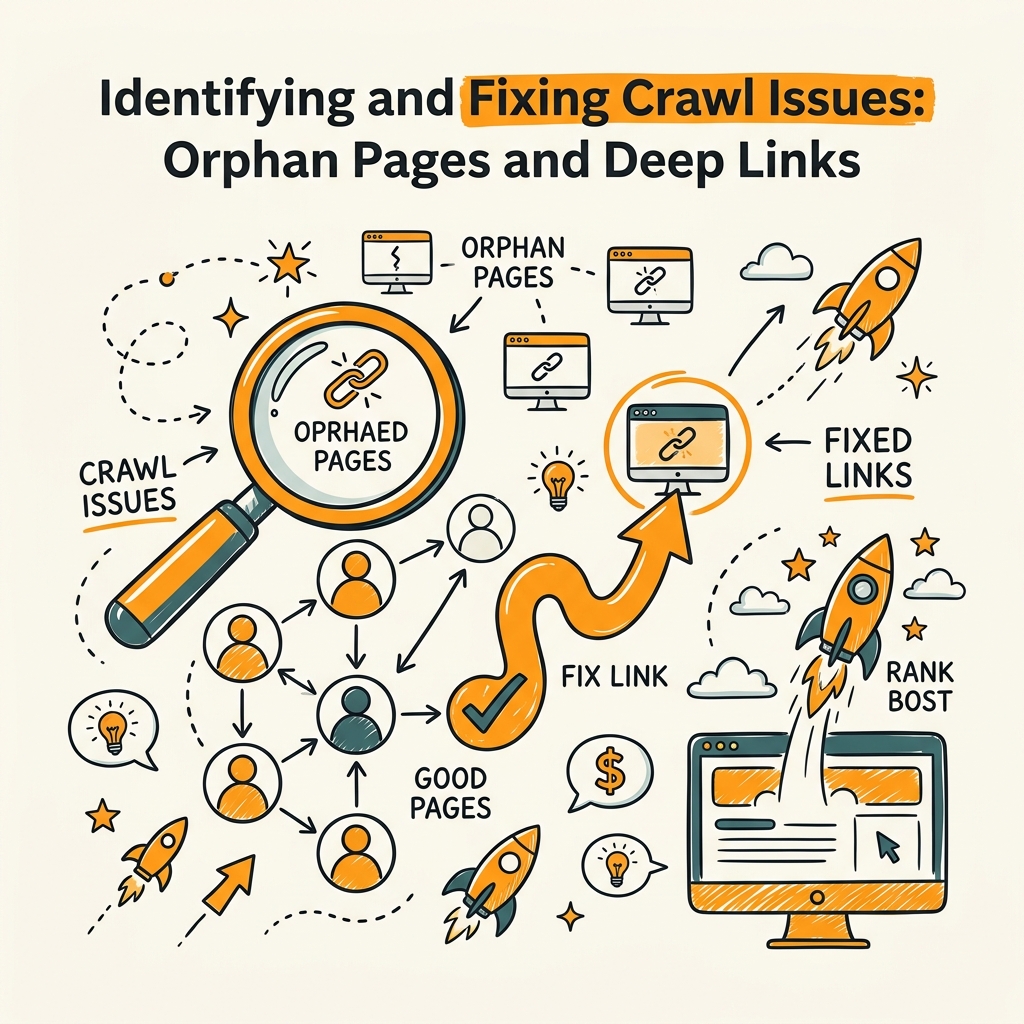
A crawl audit reveals the weak spots in your architecture. Many sites have dozens of orphan pages—pages with no internal links pointing to them. These pages are "invisible" to Google. Search Console often flags them. The fix is simple but requires discipline: audit your site, identify pages with zero internal inlinks, and strategically link to them from relevant high-authority pages.
- Orphan Pages: Pages with zero internal links. Rank nowhere. Fix by adding contextual links from pillar or cluster pages.
- Deep Pages: Pages requiring 4+ clicks from home. Crawl inefficiently. Reduce path length or add contextual links from higher-level pages.
- Link Equity Leaks: Pages linking to low-value external content without reciprocal internal links. Redirect juice back to your money pages.
A Practical Audit Framework
Start with a simple export: list all your URLs, count the internal inlinks per page, identify the average click path from home. Pages with zero inlinks? They're your first priority. Pages with 20+ inlinks? Audit whether those links are serving users or just cluttering the page. The goal isn't to maximize links; it's to maximize relevance and crawlability.
Most teams benefit from automating this. Tools that track internal linking changes let you know when new pages launch without proper linking, or when old pages become orphaned. Jottler automates this entire process—when you publish new content, the system automatically identifies 5–7 existing pages to link to, and updates older content to link back, maintaining your architecture without manual effort. For teams publishing daily, this automation is the difference between a growing internal link network and scattered links that don't compound.
The Nofollow Question: When to Use It (Rarely)
All your internal links should be dofollow. Nofollow tags tell Google not to follow or pass authority through a link. Why would you do that internally? You wouldn't. Reserve nofollow only for user-generated content (comments, forums) where you don't want to pass authority. Every internal link in your main navigation, blog posts, and structured content should flow authority. This is a common mistake: teams add nofollow to internal links "to prevent over-optimization." Stop. Use it externally only.
Measuring and Scaling Your Internal Linking Strategy
The best strategy is one you measure. Track two key metrics: pages reaching rankings in 90 days and average organic traffic per page. Baseline your site now. Then execute your internal linking strategy (pillar-cluster, orphan fixes, anchor optimization) and re-measure in 90 days. A properly executed internal linking audit should shift 30%+ of your pages from zero traffic to measurable traffic within a quarter.
- Crawl Coverage: Use Google Search Console to track pages crawled vs. pages on your site. A 20% increase in crawl rate within 90 days indicates your architecture is working.
- Indexation Rate: Monitor indexed pages in GSC. Orphan pages you fix should move from "Discovered, not indexed" to "Indexed" within 2–4 weeks.
- Ranking Growth: Track keywords ranking on pages that received new internal links. Expect 10–15% of those pages to move up 3–5 positions within 60–90 days.
Avoiding Dilution: Link Quantity vs. Link Quality
There's a tipping point. Pages with 40–50 internal links see massive traffic gains. Beyond 50? Authority per link diminishes. You're diluting your juice. The sweet spot for most blog posts is 8–15 contextual internal links total (including internal + navigation). For pillar pages, 20–30 is defensible. For homepage? Unlimited to your main categories (5–8). Respect the curve: more links help until they don't. Then they hurt.
Automation as a Compounding Strategy
Here's the leverage point: manual internal linking doesn't scale. If you publish 5 articles monthly, you can link them by hand. If you publish daily—or your team grows to 20+ content creators—manual linking breaks down. Pages go live without links. Old content isn't updated. Your architecture degrades. Content automation platforms handle internal linking as part of the publishing pipeline. New articles automatically link to 5–7 existing relevant pages. Older articles automatically update to link back to new content. Your internal link network compounds without daily decisions. For founders building organic traffic at scale, this is where compounding starts.
Conclusion
Internal linking is the engine of compound organic growth. Every strategic link tells Google which pages matter, distributes authority to your money pages, and keeps visitors exploring your content. Pages with 40–44 internal links generate 4× more traffic than poorly linked sites. Topic clusters outperform isolated content by 30%. The gap between a site with a clean pillar-cluster architecture and one with scattered links is 4–5× in organic traffic. That's not marginal. That's the difference between a founder with a traffic moat and a founder grinding for every visitor.
Start today: audit your site for orphan pages, build a pillar-cluster map around your core topics, and optimize anchor text on your next 10 articles. Then watch crawl coverage and indexation rise in Google Search Console. If you're publishing daily or scaling your content team, automate this. Start your SEO agent and let the system handle internal link architecture while you focus on strategy. Your organic traffic will thank you.
FAQs
How many internal links should I have per page?
The optimal range is 8–15 contextual internal links per blog post, or 3–5 per 1,000 words. Pages with 40–44 links generate 4× more traffic than poorly linked pages, but beyond 50 links, authority per link starts to dilute. Pillar pages can sustain 20–30 links. The goal is relevance, not volume—every link should serve a reader, not just pass authority.
What's the best anchor text for internal links?
Use descriptive, keyword-rich anchor text that clearly describes the destination page. Pages with at least one exact-match anchor have 5× more traffic than those with generic anchors like "click here." The ideal mix is 60% descriptive anchors, 20% branded, and 20% exact-match. Avoid over-optimization—vary your anchor text across links to the same page.
Do orphan pages hurt my SEO?
Yes. Orphan pages—with zero internal links—rarely rank because Google struggles to discover and crawl them. They waste potential. Fix by adding contextual links from relevant high-authority pages. A single strategic link can resurrect an orphan page. Run a site audit to identify pages with zero inlinks, then systematically link to them from pillar or cluster posts over the next 30 days.