Meta Description Best Practices for Rankings
Meta descriptions don't directly affect rankings, but they're far more valuable than most founders realize. Google explicitly stated that meta descriptions are not used in ranking algorithms, yet a well-written description can increase your click-through rate (CTR) by 30% or more on pages already positioned in the top 10. For busy marketing teams trying to compound organic traffic growth, this indirect leverage is massive: the same page, same ranking position, but more clicks. The fix? Stop writing generic descriptions and start treating them as micro-advertisements on the search results page.
Key Takeaways
- Meta descriptions don't influence rankings directly, but they can improve CTR which may signal relevance to Google over time (2025-2026 industry consensus)
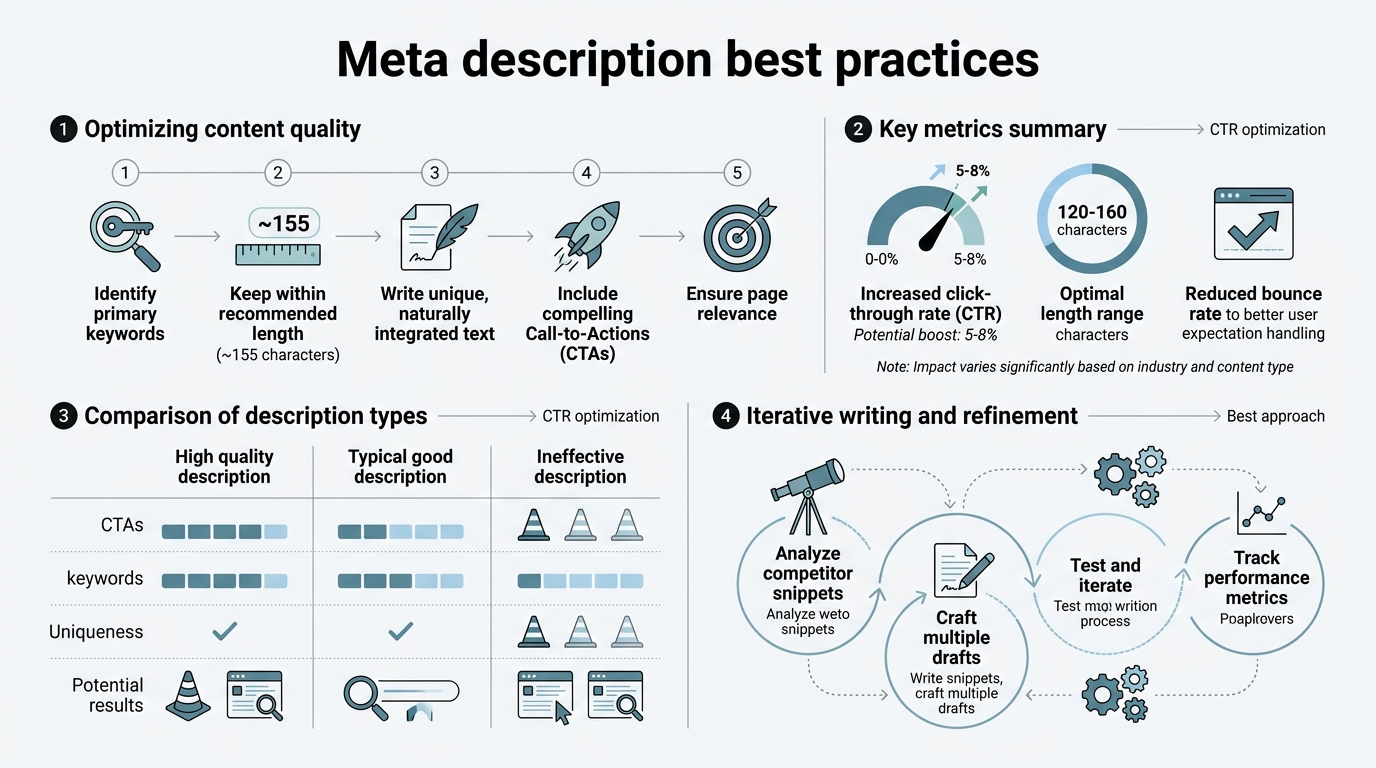
- 120–160 characters is the optimal range to avoid truncation and keep your entire message visible in search results
- Intent-matched, CTA-driven descriptions outperform keyword-stuffed ones because searchers are looking for a reason to click, not keyword density
- Why Meta Descriptions Matter (Even If They Don't Rank): They're the only sales pitch you get on the search results page—a 120–160 character window to convince someone your page has what they need.
- The 120–160 Character Rule: Stay within this range to ensure Google displays your full message without truncation across devices.
- Match Search Intent, Not Keywords: Write for what the searcher actually wants, not what you think the algorithm rewards.
- Include a Clear Value Proposition and CTA: Tell users what they'll get ("Learn the strategy," "See pricing," "Compare tools") and why it matters.
- Make Every Description Unique: Duplicate meta descriptions waste the opportunity to stand out on the SERP.
- Test and Monitor in Search Console: Low-CTR pages with high impressions are your priority—revise those descriptions first.
Why Meta Descriptions Influence Rankings Indirectly
Google's search advocate John Mueller confirmed that meta descriptions do not directly influence rankings. They're not fed into the ranking algorithm. However, this doesn't mean they're useless. The indirect mechanism works like this: a compelling description attracts more clicks from the search results → higher CTR signals to Google that your page is relevant and satisfying to searchers → over time, this behavioral signal may influence how Google positions your content in subsequent crawls and rankings.
"Your meta description is your only chance to convince a searcher to click before they see your content. It's not about the algorithm—it's about the human scanning ten blue links and deciding which one deserves a click."
The key distinction is this: rank position determines impressions (how many times your page appears in results), but your meta description determines clicks. Research on CTR by ranking position shows that position 1 captures roughly 27% of all clicks, while position 2 drops to 16% and position 5 falls to 7%. This means if you're ranked #8 for a valuable keyword but your description is generic, you're bleeding clicks to better-written competitors above you.
For founders and marketing teams running lean, this is where meta descriptions create real leverage. You don't need to rerank your page; you need to recapture the clicks you're already earning from your current ranking position. When you combine better descriptions with a consistent organic traffic strategy, the compound effect accelerates growth without requiring constant manual optimization.
The Anatomy of a High-Converting Meta Description
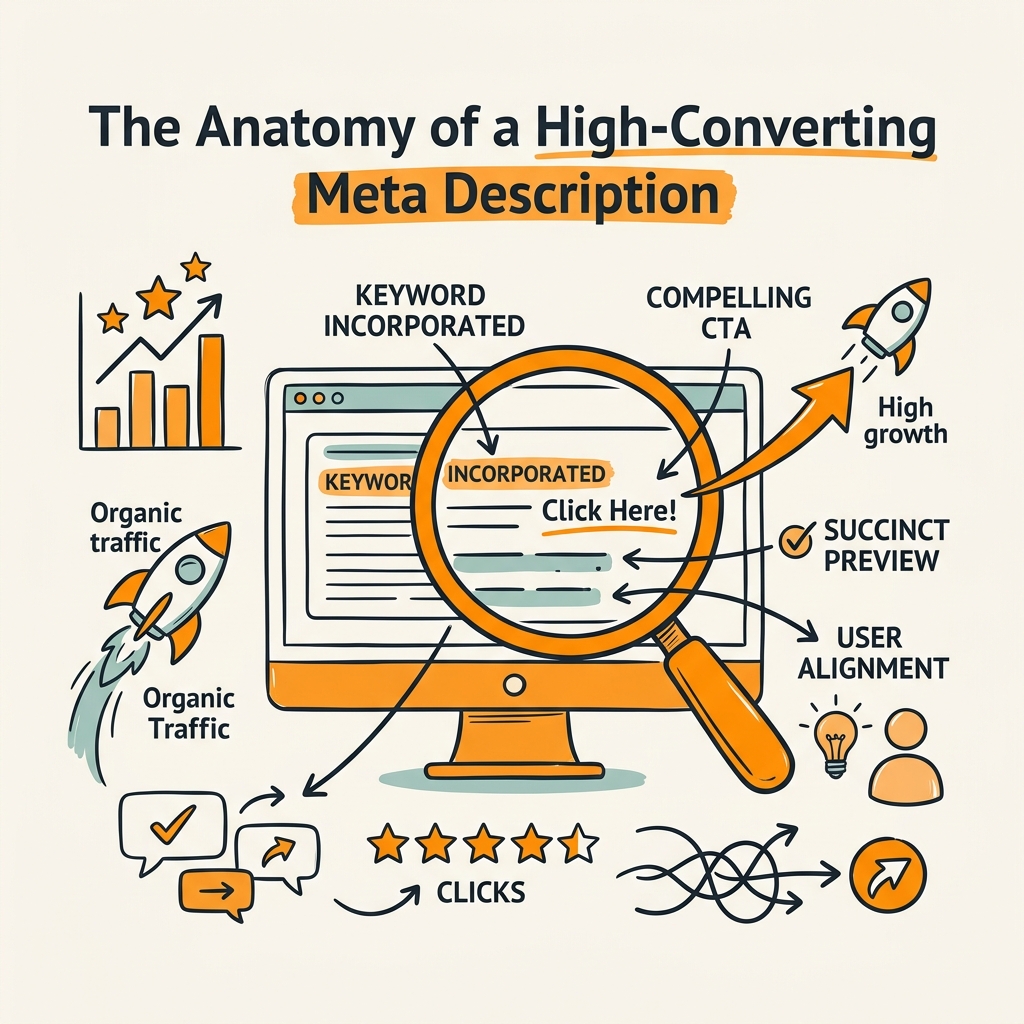
A meta description that drives clicks has five non-negotiable components. Each one serves a specific purpose in the searcher's decision tree.
Length and Character Optimization
Aim for 120–160 characters to maximize visibility without truncation. Google can display longer snippets in some cases (especially for question-based queries), but the 120–160 range is the safest bet across mobile, tablet, and desktop. Anything shorter leaves space on the SERP; anything longer gets cut off. The sweet spot is around 155 characters, which is long enough to convey a complete thought but short enough to fit in most browsers without ellipsis.
Why does this matter? Truncation kills conversion. If Google cuts off your description mid-sentence ("Learn the 7 secrets to growing your SaaS company without burning..."), the reader loses the value proposition. Test your descriptions with Google's SERP preview tools to see exactly how they'll appear across devices.
Front-Load Your Value Proposition
The first 40 characters are your highest-leverage real estate. Put the benefit or the answer to the searcher's implied question upfront. Instead of "This article covers meta descriptions," write "Boost CTR with meta descriptions that match search intent."
"The first two words of your meta description are scanned by 98% of searchers. Everything after that depends on whether you've already earned their attention. Lead with benefit, not with filler."
Searchers scan SERPs in milliseconds. They're not reading descriptions word-by-word; they're scanning for whether your page answers their question faster or better than the other nine results. Front-loading the value wins that scan test. If your most compelling claim is buried in the second sentence, it won't be seen until after the searcher has already decided to click or skip.
Include Your Primary Keyword Naturally
Include your target keyword or a close semantic variant in the description, but only if it reads naturally. Don't stuff keywords. Google may bold the keyword when it matches the search query, which draws the eye and signals relevance. However, natural language beats keyword density every time. A description that reads like it was written for humans (not a search algorithm) will earn more clicks because it actually answers the question the searcher typed.
Example: If your target is "SaaS marketing automation," don't write "SaaS marketing automation tools for SaaS marketing automation." Write "Automate your SaaS campaigns in minutes. Compare the top tools and choose the right fit for your growth stage."
Add a Clear Call-to-Action
The CTA tells the reader what they'll do when they click. Examples include:
- Informational queries: "Learn how," "Discover," "See the framework," "Read the guide"
- Transactional queries: "Compare plans," "Get started," "View pricing," "Start free trial"
- Commercial intent: "See examples," "Watch the demo," "Explore features," "Get the checklist"
- Navigation/local: "Book now," "Open hours," "Reserve a table," "Call today"
A CTA removes ambiguity. It tells the searcher exactly what action they can take on your page. Pages with explicit CTAs consistently outperform vague descriptions because they reduce friction in the decision-making process. This is especially true for teams automating content production at scale, where consistency in CTA language helps build brand recognition across your entire content footprint.
Match the Searcher's Intent Exactly
This is the master rule. Your description must answer the implicit question behind the search query. If someone searches "how to write meta descriptions," they want instructions, not a philosophical debate on whether meta descriptions matter. If they search "best meta description tools," they want a comparison, not a definition.
Search Engine Land's 2025 analysis emphasizes that intent alignment is the strongest signal of whether a description will drive clicks. When your page and its description match the intent, Google may even reward you by displaying a longer snippet, which gives you more space to convince the searcher.
Common Meta Description Mistakes That Kill CTR
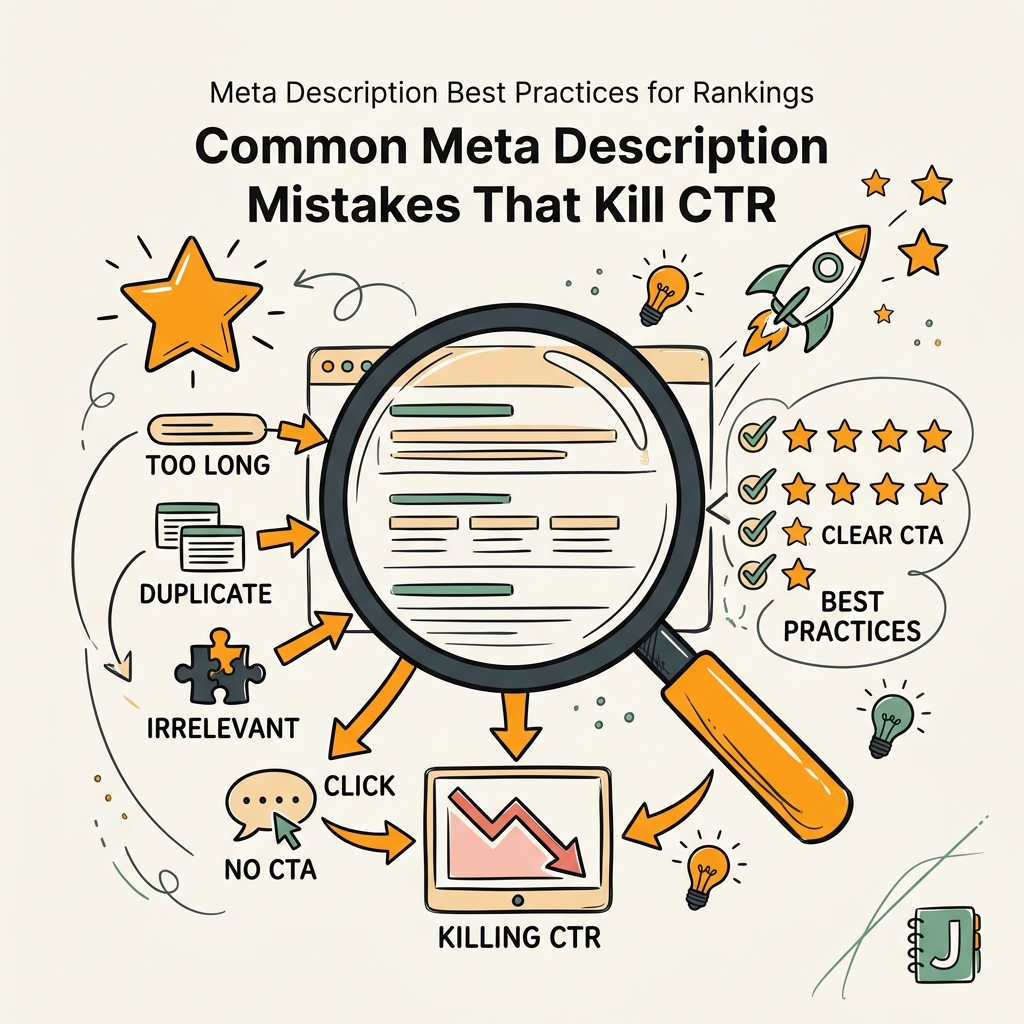
Most founders and marketing teams make the same critical errors. Fixing them is fast and compounds traffic over time.
Duplicating Descriptions Across Multiple Pages
Duplicate descriptions waste the opportunity to stand out. If you have ten blog posts about "SaaS marketing," each with the description "Learn SaaS marketing strategies," you're giving Google (and searchers) no reason to prefer one result over another. Every page on your site deserves a unique description that accurately reflects its specific content and value.
This challenge multiplies when you're publishing at scale. Tools like SEO automation solutions can help maintain consistency and uniqueness simultaneously. Jottler, for example, generates a unique, intent-matched meta description for every article it publishes, ensuring that even when you're shipping 3,000+ words daily, each page has its own optimized snippet with no duplicates. Manual spreadsheet-based approaches fall apart at scale because consistency becomes impossible.
Writing Descriptions for the Algorithm Instead of the Searcher
Keyword stuffing in meta descriptions doesn't work. Search engines penalize over-optimization and searchers ignore it. A description loaded with keywords looks spammy and doesn't communicate value. Write for humans first. If your description doesn't convince a human to click, no algorithm tweak will save it.
Ignoring Mobile Display Constraints
Mobile SERPs truncate descriptions even more aggressively than desktop. A description that fits perfectly on desktop might lose its CTA on mobile. Preview your descriptions in both Google's mobile and desktop simulators to ensure key information isn't cut off.
Setting and Forgetting
Many teams write meta descriptions once and never revisit them. But CTR and search volume change over time. A description that worked for a page with 50 monthly impressions may underperform when that page climbs to 2,000 impressions. Use Google Search Console to identify high-impression, low-CTR pages and rewrite their descriptions. This is your highest-ROI optimization task.
How to Audit and Optimize Your Existing Descriptions
If you have an existing website, your meta descriptions are probably a mix of good, mediocre, and terrible. The fastest way to improve CTR is to audit and fix your top priorities.
Pull Your Data from Google Search Console
Export your Performance report filtered by "Impressions" in descending order. Focus on pages with 50+ impressions and a CTR below your industry average (roughly 2–5% depending on position and category). These pages represent untapped opportunity: they're visible in search results but underperforming in clicks.
Create a spreadsheet with columns for: URL, Keyword, Impressions, CTR, Current Description, and Revised Description. Prioritize pages with the highest impressions first because fixing those will have the biggest traffic impact. Many teams combine this approach with AI-powered SEO optimization tools to speed up the revision process and ensure all descriptions are being tested consistently.
Rewrite the Worst Performers First
Start with your bottom-quartile CTR pages. These usually fall into one of two categories: descriptions that are too generic ("Read our article about X") or descriptions that don't match the query the page ranks for. Rewrite them using the five-part framework outlined above: value proposition + keyword + intent match + unique angle + CTA.
Test your revisions in production for 2–4 weeks before assessing impact. CTR can fluctuate week-to-week, so give the algorithm time to display your new description consistently before drawing conclusions.
Maintain Consistency Across Your CMS
If you're publishing content regularly, assign someone (or automate with a tool) to write descriptions at publish time, not months later. Teams that batch-optimize later often forget to check off the task. Jottler embeds meta description generation directly into its publishing pipeline, so every article ships with a unique, optimized description already in the CMS—no separate workflow, no forgotten descriptions.
Comparison: Manual vs. Automated Meta Description Optimization
| Dimension | Manual Approach | Automated Approach (Jottler) |
|---|---|---|
| Time per article | 5–10 minutes per description | 0 minutes—generated at publish |
| Consistency | Highly variable; depends on writer | Consistent framework applied to every page |
| Scaling | Impossible past 5–10 articles per week | Handles 3,000+ words daily automatically |
| Optimization updates | Manual A/B testing; slow iteration | Continuous updates based on SERP data |
| Intent matching | Depends on writer expertise | Analyzes top-ranking pages and query intent |
| Unique descriptions per page | Often repurposed or generic | Unique per page by default |
The table above illustrates the fundamental trade-off: manual meta description writing doesn't scale, and team-driven content production eventually outpaces your ability to hand-optimize every snippet. Teams publishing more than 10 articles per week face a choice: either let descriptions become generic, or automate.
Jottler's approach solves this by treating meta description optimization as part of the publishing pipeline. When your AI SEO agent writes an article, it simultaneously researches top-ranking competitors, analyzes search intent, and generates an optimized description that's already baked into the CMS. No separate tool. No forgotten task. Just descriptions that work.
Testing and Measuring Meta Description Impact
Not all descriptions will perform equally, and the only way to know what works is to test and measure. Here's a framework for continuous improvement.
Set a Baseline CTR for Your Industry and Position
CTR varies dramatically by ranking position, industry, and query type. A position-5 page for a competitive query might have a 3% baseline CTR, while a position-2 featured-snippet page might have 15%. Don't compare your CTR across different positions; instead, compare your pages against others ranking in the same position for similar queries. This gives you a realistic benchmark.
A/B Test Description Changes in Search Console
Google Search Console doesn't have built-in A/B testing, but you can manually track changes. Update a description, note the date, and monitor CTR for that specific URL over the next 3–4 weeks. If CTR improves 20% or more, the new description is working. If there's no change, iterate again. Document what worked so you can apply the winning patterns to similar pages.
Track Long-Term Ranking Signals
While meta descriptions don't directly affect rankings, improved CTR might indirectly signal relevance to Google. Track pages where you've optimized descriptions and monitor whether their rankings improve over the next 60–90 days. You won't see overnight ranking gains, but you may see gradual improvements as behavioral signals accumulate.
Conclusion
Meta descriptions are not a ranking factor, but they're a critical lever for extracting more traffic from your existing rankings. Teams that optimize descriptions typically see CTR improvements of 20–40% on targeted pages, which translates to real revenue without requiring additional ranking gains or content investment.
The competitive advantage goes to teams that treat meta descriptions as strategic assets, not boilerplate text. That means writing unique, intent-matched descriptions for every page, auditing low-CTR pages in Search Console, and testing continuously. For founders and marketing teams running lean, this is leverage: the same rank position, but more clicks, more qualified traffic, and ultimately more pipeline.
If you're publishing content regularly and struggling to keep descriptions consistent and optimized across your site, start your SEO agent with Jottler. The platform handles research, writing, and publishing with optimized meta descriptions baked in—so you can compound organic growth without the manual overhead.
FAQs
Do meta descriptions affect Google rankings directly?
No, meta descriptions are not a direct ranking factor. Google's algorithm does not use meta descriptions to determine whether to rank a page higher or lower. However, they can indirectly influence rankings through click-through rate. When a well-written description attracts more clicks, Google interprets that as a signal of relevance and may gradually reward the page over time. The meta description's primary purpose is to increase CTR on the search results page, not to influence the ranking algorithm itself.
How long should a meta description be?
The recommended length is 120–160 characters to avoid truncation across devices. Google displays roughly 155–160 characters on desktop and 120–130 on mobile before cutting off the text with an ellipsis. Staying within this range ensures your full message—especially your value proposition and CTA—is visible to searchers. You can write longer if the message demands it, but expect truncation and adjust your writing accordingly so the most important information comes first.
What's the best way to improve my current meta descriptions at scale?
Audit your lowest-performing pages in Google Search Console first. Filter for high impressions and low CTR, then rewrite those descriptions using intent-matched value propositions and clear CTAs. For scaling across a large site or high publication frequency, automation tools are essential. Teams publishing more than a few articles per week typically can't maintain consistent, unique descriptions manually. Tools like Jottler automate the entire workflow by generating optimized descriptions at publish time, so you can ship content at scale without sacrificing snippet quality.