On-Page SEO Checklist for Maximum Rankings
Ranking on Google's first page isn't accidental. The top three organic results capture 75% of all search clicks, and the difference between position one and position five equals a 4x traffic advantage. Yet most teams skip the fundamentals that signal relevance to search engines. This checklist covers the critical on-page factors that move your content from buried to ranked—whether you're optimizing individual pages or auditing your entire site.
Key Takeaways
- The top 3 organic results capture 75% of clicks; position #1 alone gets 34% (2026, Incremys)
- Moving from position 2 to position 1 generates 74.5% more clicks, making on-page optimization a high-ROI investment
- Rich results (snippets, structured data) achieve 58% CTR vs 41% for non-rich results, signaling the value of proper markup
- Target Keyword Optimization: Keyword placement in title, H1, and opening paragraph tells Google what your page is about and improves relevance scoring.
- Title Tag and Meta Description Strategy: Compelling titles and descriptions increase CTR; moving from position 5 to position 2 requires both ranking signals and click appeal.
- Heading Hierarchy and Content Structure: Clear H2 and H3 tags make content scannable for users and easier for AI systems to extract and cite.
- Internal Linking Architecture: Strategic internal links distribute authority, establish topical clusters, and guide users toward conversion pages.
- Page Experience Signals: Core Web Vitals—LCP under 2.5s, INP under 200ms, CLS below 0.1—are ranking factors that Google measures directly.
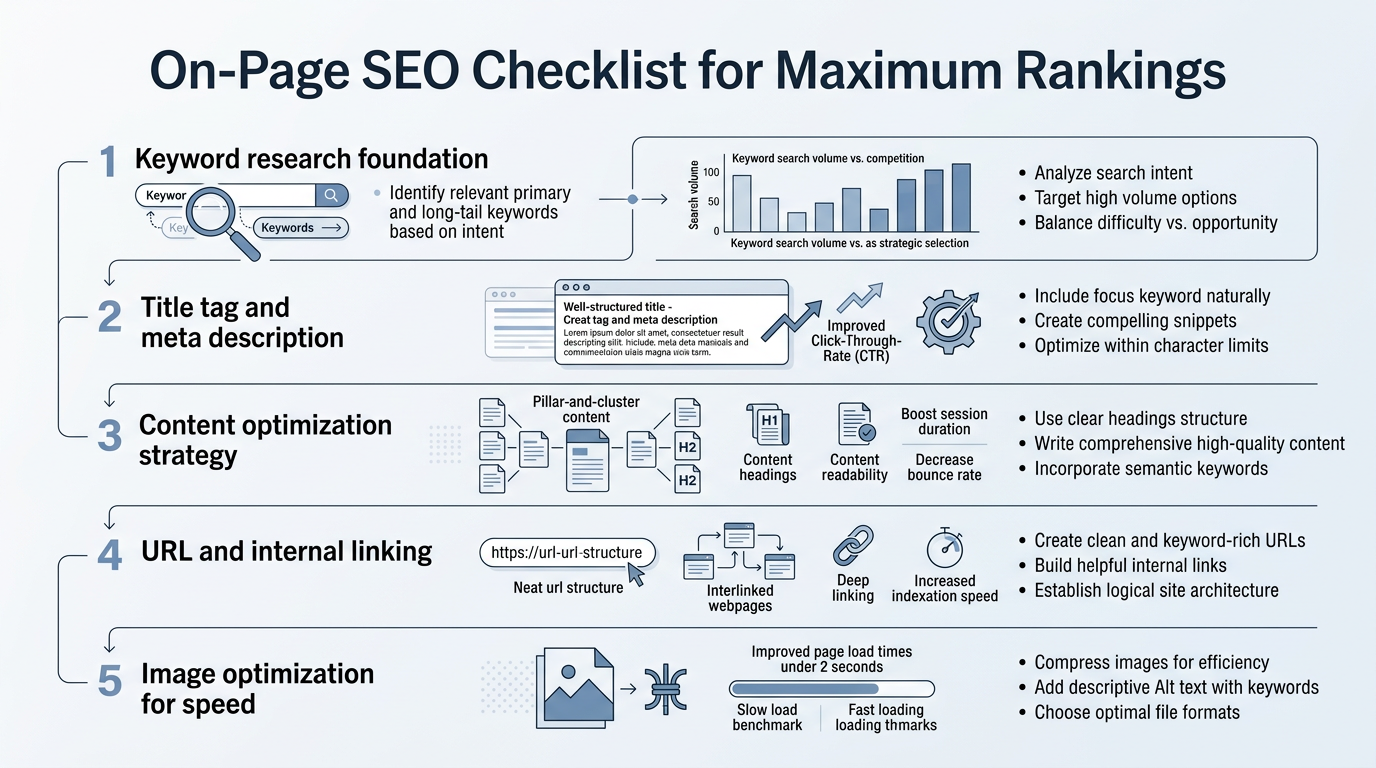
Why On-Page SEO Remains the Foundation in 2026
On-page SEO signals are more important now than ever. AI Overviews have reduced organic CTR by 61% in queries where they appear, meaning your page needs to rank higher AND win snippet visibility to maintain traffic. At the same time, organic results still capture 86% of search clicks versus 14% for paid ads—making the organic channel the highest-ROI marketing investment for most scaling companies. The work you do on-page directly feeds both traditional rankings and AI systems that reference sources in their answers.
"On-page SEO is the foundation because it's the one area of ranking you completely control. Your backlinks depend on external promotion, but your title tag, heading structure, and internal linking are entirely your responsibility. Perfect them first, and everything else compounds faster."
According to 2026 SEO statistics from Incremys, the traffic difference between ranking positions has never been sharper. Tools like SEO automation platforms have made it possible to apply these principles at scale. But before you automate, you need to understand which elements matter most and how to structure them correctly.
How Does Target Keyword Research Feed On-Page Optimization?
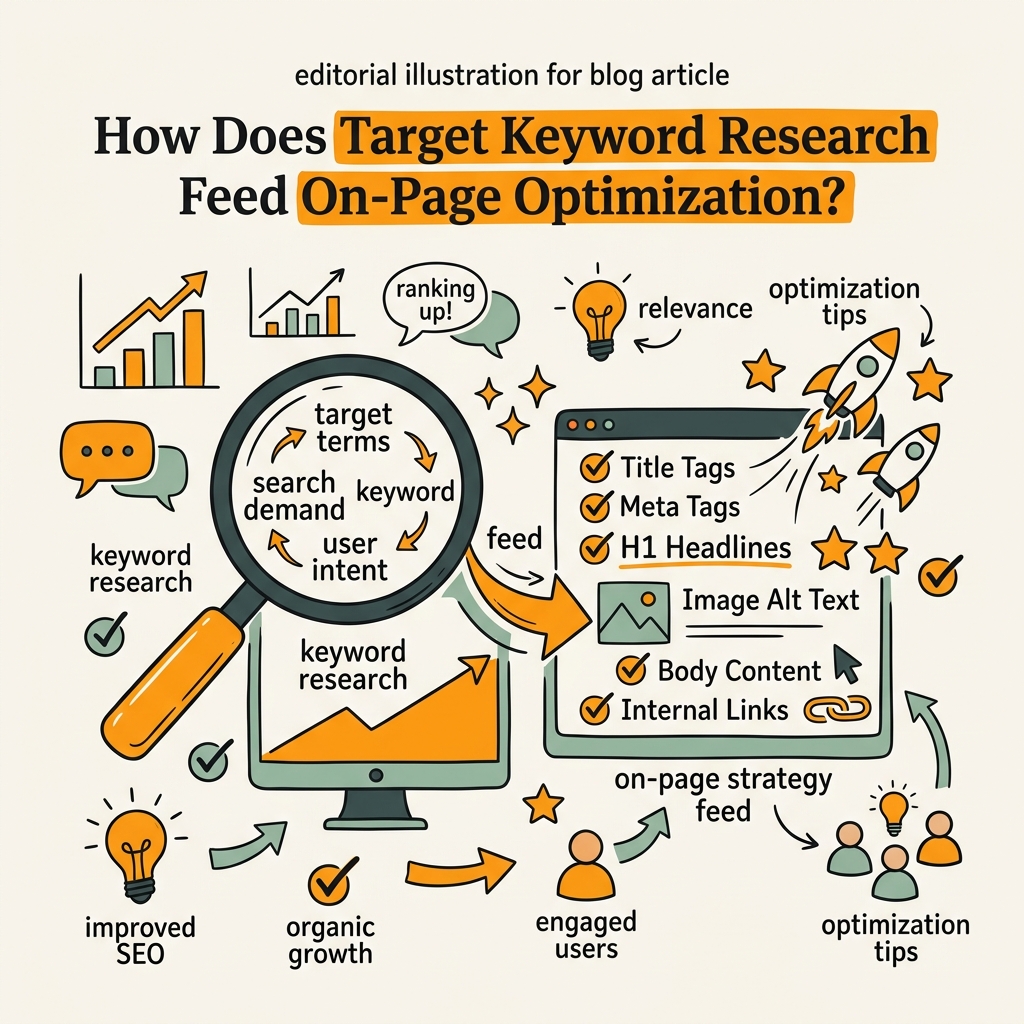
Keyword research is the first checkpoint in on-page SEO. You can't optimize a page without knowing which search terms you're targeting—and matching your content to actual user intent is one of the strongest on-page ranking signals. The goal is finding terms your audience searches for, that align with your content's purpose, and that your site can realistically rank for.
Identifying Your Primary Keyword
Your primary keyword is the one main term your page targets. It appears in your title tag, H1, the first paragraph, and naturally throughout the content. Pick a keyword with search volume (at least 200+ monthly searches) but realistic difficulty for your domain authority. A blog post targeting a 1000-volume keyword is a better bet than chasing a 100k-volume term with competitors already entrenched.
Choosing Secondary and Long-Tail Modifiers
Secondary keywords are related terms that support your primary keyword. If your primary is "on-page SEO," secondaries might include "on-page SEO checklist," "meta descriptions," or "heading tags." Including these variations naturally in your content helps Google understand topical depth without diluting focus. Avoid keyword stuffing—each keyword should feel conversational and genuinely useful to the reader.
Matching Intent: Informational, Commercial, or Transactional
Search intent is critical. An informational query ("how does on-page SEO work?") requires a guide or explainer. A commercial query ("best on-page SEO tools") expects a comparison or roundup. Transactional queries ("buy on-page SEO software") expect product pages. If your content intent mismatches the searcher's intent, you'll rank poorly no matter how well-written your page is. Use AI content strategy frameworks to align your brief with what searchers actually want to find.
What Title Tag and Meta Description Elements Drive Clicks?
Your title tag and meta description are the only real estate you own in the SERP. They're the first things users see—and they dramatically affect whether someone clicks your link or scrolls past. A well-optimized title can increase CTR by 32% per position gain alone, meaning a move from position 5 to position 3 could mean 64% more traffic from the same ranking position improvement.
Writing Titles That Rank and Convert
Your title tag should be 50–60 characters, include your primary keyword near the front, and clearly communicate the page's value. Use power words ("Best," "Complete," "Ultimate," "Proven") when accurate, but never oversell. A title like "On-Page SEO Checklist: 20 Essential Elements for 2026 Rankings" is better than "On-Page SEO" or "SEO Stuff You Need to Know." Google weights keywords near the start of the title more heavily, and users scan for them first. The title should answer the user's implicit question in 10 words or fewer.
Meta Descriptions: Your SERP Advertisement
Meta descriptions don't directly rank pages, but they drive clicks. Google often rewrites meta descriptions in the SERP, especially on mobile, so treat yours as a backup. Keep it 150–160 characters, include your primary keyword if natural, and lead with the most compelling benefit. Example: "Master on-page SEO with this step-by-step checklist. Optimize titles, headings, internal links, and schema to rank higher in 2026."
"A meta description is your elevator pitch to the searcher. In 155 characters, you need to answer: 'Why should I click this link instead of the nine others on the page?' If your description doesn't spark curiosity or promise specific value, you'll lose 30-50% of potential clicks even if you rank in position 2."
Testing and Refining for CTR
Track your CTR in Google Search Console. If a high-ranking page has poor CTR, your title or description may be the bottleneck. A/B test different title angles on similar-ranking pages and measure the impact. Sometimes a smaller ranking drop paired with a 20% CTR improvement nets more traffic than staying in position 3 with weak click appeal.
How Should You Structure Headings and Content Hierarchy?
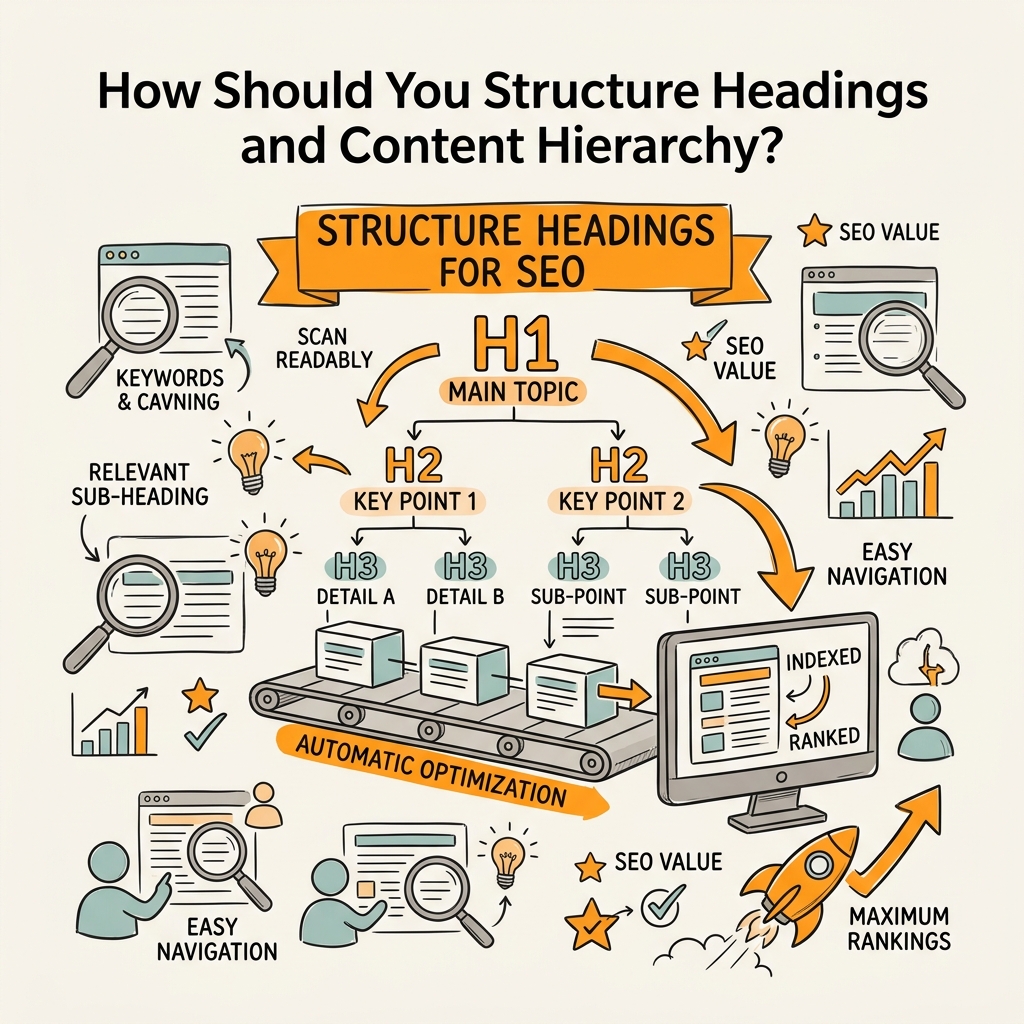
Heading hierarchy—your H1, H2, and H3 tags—signals content structure to Google and AI systems. A clear hierarchy makes it easier for search engines to understand which topics are main ideas and which are supporting points. It also makes your content more scannable for users, which improves engagement metrics that Google measures. Content with clear heading structure ranks higher because search engines can more confidently categorize what your page is about.
The Golden Rule: One H1 Per Page
Your H1 should match (or closely parallel) your title tag and should appear once. It's the page headline, not a keyword placeholder. Use it to introduce your main topic, and let supporting H2s dive into subtopics. Avoid using multiple H1s on one page—it confuses Google about your page's primary focus. Your H1 is a promise; the rest of the content delivers on it.
H2 Tags: Breaking Content Into Logical Sections
H2 tags are your section headers. Each H2 should introduce a distinct subtopic that supports your H1. For a "checklist" article, H2s might be "Title Tags," "Meta Descriptions," "Heading Structure," "Internal Linking," etc. Use 4–8 H2s depending on content depth. Each should include or imply your primary keyword or a strong semantic variant. Avoid redundant H2 titles—if two H2s sound the same, merge them.
H3 Tags: Diving Deeper Into Each Section
H3 tags break down H2 sections further. Under "Title Tags" you might have H3s like "Writing Titles That Rank," "Keyword Placement," and "Character Limits." This three-level structure helps Google parse your content and gives AI systems clear signposts to cite specific sections. Every H3 should be unique—never repeat the same H3 name across multiple H2s.
What Internal Linking Strategy Maximizes Authority and User Flow?
Internal links are the highways of your site. They distribute authority from high-traffic pages to priority pages, establish topical clusters, and guide visitors toward conversion points. Strong internal linking can improve rankings of linked pages by signaling their importance to Google. A page with no internal links is essentially invisible; a page with 5–10 strategic internal links from relevant pages gets a measurable authority boost.
Building Topical Clusters Around Pillar Pages
A topical cluster is a group of related pages that all link to a central "pillar" page. For example, if your pillar is "On-Page SEO," cluster pages might cover "Title Tag Optimization," "Meta Description Best Practices," "Heading Structure," etc. Each cluster page links back to the pillar with anchor text that reinforces the pillar's topic. This structure tells Google your site has deep topical authority, which improves rankings for the entire cluster. Use topical authority frameworks to map clusters before you start writing.
Using Descriptive Anchor Text
Anchor text—the linked words—tells Google what the linked page is about. "Click here" is wasted anchor text. "Learn more about on-page SEO checklist strategies" is descriptive and keyword-rich. Use anchor text that would make sense if someone read only the anchor and the target page's H1. Avoid over-optimization; 2–3% of your total words should be anchor text. Vary your anchor between exact keyword, partial match, and brand/topical descriptors.
Linking to Conversion Pages From Informational Content
Internal linking also guides user journeys. If your on-page SEO guide page is informational, link to your tool comparison or product pages from natural moments in the text. Place these conversion-focused links mid-content, not just at the bottom. Example: "To apply these on-page principles at scale, many growing teams use SEO automation tools, which can handle title optimization, meta descriptions, and internal linking across hundreds of pages." This feels natural and guides readers toward your solution without disrupting content flow.
Which On-Page Elements Support Page Experience and Technical Health?
Page experience has been a core ranking factor since 2021, and it's still weighted heavily in 2026. This includes Core Web Vitals—measurable performance metrics—plus mobile-friendliness, HTTPS security, and ad safety. Pages that load fast and don't have intrusive ads rank higher than slow, cluttered alternatives. A page can have perfect content but fail in rankings due to poor experience signals.
Core Web Vitals: Largest Contentful Paint (LCP)
LCP measures how long it takes for the main content to load on screen. Google's target is under 2.5 seconds. If your page has a large image, video, or text block, optimize its load time. Compress images, use lazy loading for below-the-fold elements, and minimize render-blocking JavaScript. Test your LCP in Google PageSpeed Insights and aim to stay in the green zone. A fast LCP also improves user experience directly—visitors don't bounce from slow pages as often.
Interaction to Next Paint (INP) and Layout Shift (CLS)
INP should be under 200 milliseconds, and CLS should stay below 0.1. INP measures responsiveness—how quickly the page reacts to user clicks and interactions. CLS measures visual stability; high CLS happens when elements shift after the page loads (bad for user experience). Minimize both by reducing JavaScript execution time, deferring non-critical code, and reserving space for dynamic elements before they load.
Mobile Optimization and Core Accessibility
Over 60% of searches happen on mobile. Your page must be mobile-friendly: text readable without zooming, buttons spaced for touch, and layout responsive. Use Google's Mobile-Friendly Test to check. Also ensure basic accessibility: use semantic HTML, include alt text on images, maintain sufficient color contrast, and ensure keyboard navigation works. Accessible pages rank higher and serve a broader audience.
How Do You Create Content That Satisfies Search Intent and AI Extraction?
Great on-page SEO isn't just about tags and links—it's about writing content that answers the question the searcher asked, in the order they want answers. According to Search Engine Land, AI systems now scan SERPs and pull answers directly from source content. If your answer is buried in paragraph five, Google will either miss it or rank your page lower because the AI-focused SERP features will cite a competitor instead.
Front-Loading Answers in Your Opening Paragraph
Start your main content with a direct answer to the page's primary question. Example: if your H1 is "On-Page SEO Checklist for Maximum Rankings," your first paragraph should answer, "What elements do I need to optimize on my page?" in 1–2 sentences. Then expand with context and proof. This "answer first" structure is cited more often by AI systems and improves user satisfaction—readers know immediately whether they're on the right page.
Using Structured Data and Schema Markup
Pages using rich schema markup (structured data) achieve 58% CTR versus 41% for non-rich results. Schema tells Google what type of content you have—article, guide, how-to, product review, etc. Use JSON-LD schema in your page head. For a checklist article, use the Article schema. For FAQs, use FAQPage schema. This markup lets Google create rich snippets in search results, which improves visibility and CTR.
Matching Content Length to Query Depth
Long-form content (2000+ words) typically ranks higher for competitive keywords because it signals topical authority. But don't inflate word count. A 1500-word article that completely answers a query ranks higher than a 3000-word article that's half filler. Use content frameworks to plan structure before you write, ensuring every section earns its place.
What On-Page Optimization Tools Automate This Work at Scale?
Applying a comprehensive on-page SEO checklist to one page is manageable. Applying it to 100 pages, consistently, is overwhelming without automation. Modern on-page tools handle title optimization, meta description suggestions, internal linking recommendations, and schema deployment at scale. For busy founders and marketing teams, these tools compound your content work by turning manual checklists into repeatable systems.
| Tool | Best For | Automation Strength | Pricing |
|---|---|---|---|
| Jottler | Daily autonomous content production + on-page optimization | Automates research, writing, fact-checking, and publishing with intelligent internal linking and title optimization daily | Starting at $29/mo |
| Surfer SEO | Content optimization guidance | Real-time content scoring against SERP leaders; suggests headings, keywords, and entities | $99/mo annual |
| Alli AI | Site-wide on-page automation | Automated meta tags, schema, headers, and internal links pushed directly to CMS across pages | $249/mo annual |
| Semrush On-Page SEO Checker | Competitive on-page audits | Benchmarks your page against top-ranking competitors; suggests optimization priorities | $165.17/mo annual |
| Screaming Frog | Technical audit support | Scheduled crawls and automated detection of missing titles, duplicate descriptions, orphan pages | $279/year |
Jottler stands out for founders because it doesn't just score pages—it produces fully optimized content automatically. While tools like Surfer give suggestions you still have to implement manually, Jottler writes the content, optimizes titles and descriptions, places internal links intelligently, and publishes it directly to your CMS. For a team of two or three, publishing 3–5 optimized articles per week manually would take 40+ hours. Jottler does it in hours, meaning you can scale your content operation without scaling headcount.
What Common On-Page SEO Mistakes Tank Your Rankings?
Even with a checklist, teams fall into predictable traps. Missing any of these can cost you ranking positions and traffic.
- Keyword cannibalization: Two pages on your site targeting the same keyword. Google doesn't know which to rank, so both stay buried. Solution: assign one primary keyword per page; use secondaries and long-tails to differentiate.
- Thin or fluff content: Pages that don't add real value. If your page doesn't answer the user's question better than competitors, you won't rank. Aim for depth: original research, real examples, step-by-step instructions.
- Ignoring mobile experience: Designing for desktop first. Over 60% of searches are mobile; if your page is unreadable on phone, you'll lose rankings and traffic. Test mobile-first always.
- Neglecting internal linking: Pages with zero internal links get no authority transfer. Every important page should have at least 3–5 internal links from relevant pages.
- Static titles and descriptions: Using the same template for every page. Your title should be specific to the page's unique topic, not a generic placeholder.
- Skipping schema markup: Missing rich snippets means lower CTR. If your content is eligible for Article schema, FAQ schema, or Review schema, implement it.
Conclusion
On-page SEO is not a one-time task—it's an ongoing system. The pages that rank highest in 2026 do more than hit a checklist; they deliberately optimize every element for both search engines and human readers. The top result gets 34% of clicks, and a move from position 5 to position 2 delivers 4x more traffic. This is where the ROI lives: in incremental ranking improvements that compound. Start with this checklist on your highest-priority pages, then systemize the work across your entire site. For teams publishing consistently, automation tools turn manual optimization into a scalable engine. Every day your content sits unoptimized is traffic left on the table.
Ready to apply on-page SEO at scale? Start your SEO agent and automate content production with built-in on-page optimization, intelligent internal linking, and daily publishing to your CMS.
FAQs
What are the most important on-page SEO elements?
The core on-page elements that move rankings are: target keyword in your title, H1, and opening paragraph; meta description that drives clicks; clear heading hierarchy (H1, H2, H3); internal linking from authority pages; page speed (LCP under 2.5s); mobile optimization; schema markup for rich snippets; and content that directly answers search intent. Start with keyword alignment and heading structure, then layer in performance optimization and internal linking. These five elements alone will improve most pages significantly.
How often should you update on-page SEO elements on existing pages?
Review on-page elements quarterly. If a page drops in rankings despite good backlinks, it may need a title refresh, meta description improvement, or internal link boost. Watch your Google Search Console for CTR trends—if a high-ranking page has low CTR, your title or description may be the fix. Content can become stale too: if your "best tools in 2026" page still lists 2024 pricing or dead links, update it. Automation platforms can refresh internal links across your site daily, catching orphans and ensuring consistency without manual audits.
Do I need to hire an SEO expert to implement an on-page SEO checklist?
No. This checklist is designed for founders and marketers to implement themselves. Start with your 10 highest-priority pages and work through each item: optimize the title, write a compelling meta description, check your heading structure, add internal links, and verify Core Web Vitals. If you're publishing 5+ pages per week, automation saves time. Tools that handle optimization automatically as part of the publishing pipeline free you to focus on strategy instead of execution. Most teams see results within 4–6 weeks of consistent on-page optimization.