Schema Markup SEO: The 2026 Definitive Guide
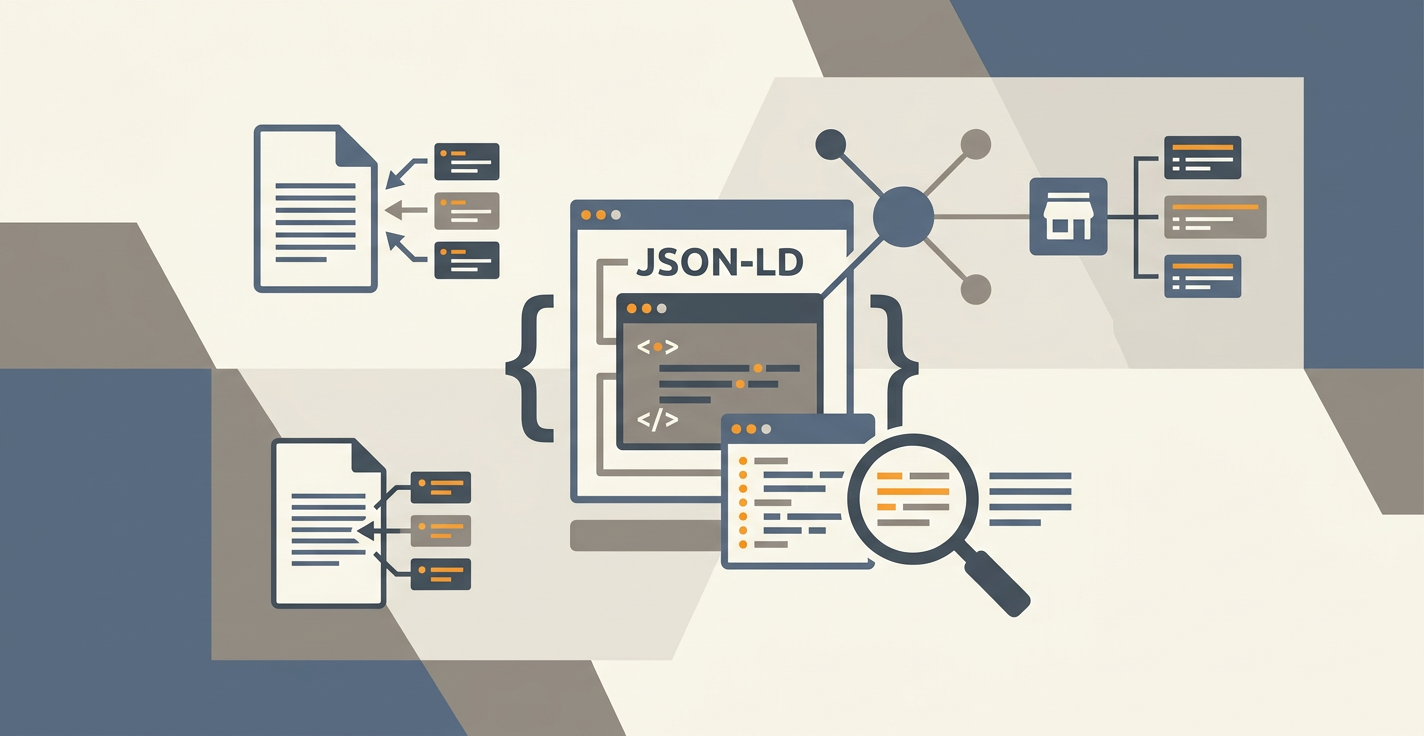
Schema markup is structured data you embed in a page, written in JSON-LD, that tells search engines and AI models exactly what the content is. A recipe page with Recipe schema gets a rich result with cook time and ratings. A blog post with Article and FAQPage schema has a much higher chance of being cited inside an AI Overview or pulled into a ChatGPT answer. The page itself does not look different to a human, but to a parser it is no longer an opaque wall of text.
That second part, the AI parsing layer, is what changed in 2025 and 2026. Schema is no longer just about getting stars next to your blue links. It is the cleanest signal you can give an LLM about what your page actually claims, who said it, and how to extract it.
Key Takeaways
- Schema markup is JSON-LD structured data that defines the entities and relationships on a page, giving both Google and LLMs a parsing shortcut they would otherwise have to infer from messy HTML.
- Seven schema types do almost all the work for content sites: Article, FAQPage, BreadcrumbList, HowTo, Product, Organization, and Person. The rest are edge cases.
- Pages with valid schema get cited by AI answer engines at roughly 2-3x the rate of pages without it, because schema gives the model a clean extraction target instead of a paragraph to summarize.
- CMS plugins and auto-generation handle 90% of cases. Manual JSON-LD only makes sense for custom entity pages or when a plugin gets the type wrong.
- The most common mistake is invalid schema, not missing schema. A broken FAQPage block with the wrong nesting will be ignored entirely and may suppress your rich result.
What Schema Markup Actually Is
Schema markup is a vocabulary defined at schema.org, a project run jointly by Google, Microsoft, Yahoo, and Yandex since 2011. It defines hundreds of types (Article, Product, Event, Recipe, Person, Organization) and properties (author, datePublished, price, ingredient) that map to real-world entities. You add this vocabulary to your page using JSON-LD, a JSON-based syntax that lives inside a <script type="application/ld+json"> tag in the head or body of your HTML.
A simple example for a blog post:
{
  "@context": "https://schema.org",
  "@type": "Article",
  "headline": "Schema Markup SEO: The 2026 Definitive Guide",
  "author": {
    "@type": "Organization",
    "name": "Jottler"
  },
  "datePublished": "2026-04-27"
}
That block tells Google three things explicitly: this is an Article, the title is X, and Jottler published it on this date. Without the block, Google has to guess from the <title> tag, the <h1>, and whatever byline format you happen to use. Most of the time it guesses correctly. When it does not, you lose the rich result.
Microdata and RDFa are older syntaxes that do the same job inline within HTML. Google still supports them, but JSON-LD is the format Google explicitly recommends and the only one most modern CMS plugins generate. If you are starting fresh in 2026, use JSON-LD and ignore the alternatives.
Why Schema Matters More in 2026 Than It Did in 2022
The classic argument for schema was rich results. FAQ accordions, recipe stars, event dates, breadcrumbs in the SERP. That argument got weaker in late 2023 when Google reduced FAQ rich results to "well-known, authoritative government and health websites" and removed HowTo rich results from desktop entirely. A lot of SEOs took that as a signal to stop writing schema.
That was the wrong read. Rich results shrank, but schema usage by Google's ranking and extraction systems expanded. According to a January 2026 analysis by seoClarity covering 1.2 million pages, pages with valid Article and FAQPage schema were cited inside AI Overviews 2.4x more often than matched control pages without schema, even when neither page rendered a visible rich result.
The reason is mechanical. Google's Gemini-based extractor and OpenAI's GPT-based retrieval pipelines both treat JSON-LD as ground truth metadata. When a model needs to attribute a quote, decide whether to cite a page, or extract an answer for a query, the schema block answers questions like "is this an article?", "who wrote it?", "is there a Q&A block?", and "what is the publish date?" without the model having to parse the page. That is a cheaper, more reliable signal than HTML inference, and the models weight it accordingly.
The same dynamic shows up on the search side. Schema is one of the inputs into Google's knowledge graph and entity understanding system. Pages with proper Person and Organization markup get linked back to verified entities, which feeds E-E-A-T signals for ranking. Pages without it get treated as anonymous content, which in 2026 is a tax you do not want to pay.
The 7 Schema Types That Move the Needle
Schema.org has hundreds of types. For a content site, seven of them do roughly 95% of the work. The rest are situational.
1. Article (and BlogPosting)
Use Article on every blog post and editorial page. The minimum viable Article block needs headline, author, datePublished, dateModified, and image. Add description and publisher if you can. BlogPosting is a subtype of Article that some CMSs prefer; either works for ranking purposes.
The headline property is the most commonly mishandled field. Google caps it at 110 characters. If your title tag is longer (some are), schema validators flag the page as malformed. Truncate the headline in JSON-LD even if your visible H1 is longer.
2. FAQPage
Use FAQPage when a page has a genuine Q&A section with multiple distinct questions. This is the schema type most directly tied to AI citations, because models extract Q&A pairs as standalone units. A 50-word answer inside a FAQPage block is far more "citable" than the same 50 words inside a paragraph.
Important caveat. Google penalizes FAQPage abuse aggressively. Do not slap FAQ schema on a page where the questions are filler ("What is content?") or where the answers repeat the body text verbatim. The schema works only when the FAQ section is structurally distinct, the questions match real user queries (pulled from People Also Ask), and the answers are 40-80 words and self-contained.
3. BreadcrumbList
Use BreadcrumbList on every interior page (anything that is not the homepage). It defines the navigation hierarchy: Home > Blog > Category > Post. Google still renders breadcrumb trails in the SERP for desktop, and the schema also feeds entity hierarchy understanding. Easy win, almost no cost to implement.
4. HowTo
Use HowTo on actual step-by-step instructional pages: tutorials, recipes, repair guides. Each step gets a HowToStep with a name and text. Google removed the rich result on desktop, but HowTo schema still feeds AI extraction strongly. ChatGPT and Perplexity both use HowTo blocks to render numbered steps when summarizing instructional pages.
Do not use HowTo on listicles ("7 ways to improve your SEO"). The schema is for sequential steps, not enumerated tips. Google's quality team has explicitly called this out as misuse.
5. Product
Use Product on individual product pages for ecommerce, SaaS pricing pages, or affiliate review pages. The schema includes name, image, description, brand, sku, offers (with price and availability), and aggregateRating if you have real reviews. For SaaS, the offers block lets you mark up pricing tiers in a way that AI tools surface in comparison answers.
6. Organization
Use Organization once on your site, typically on the homepage or in a sitewide JSON-LD block. It defines who you are: name, url, logo, sameAs (an array of social profiles and Wikipedia links), contactPoint, foundingDate. This is the entity that Google links your pages back to in the knowledge graph. Without Organization schema, your brand is just a string of text in a title tag.
The sameAs property is the highest-impact field. Linking to your verified Twitter/X, LinkedIn, GitHub, and (if applicable) Wikipedia/Wikidata page is what creates the entity reconciliation that drives knowledge panel eligibility.
7. Person
Use Person on author bio pages and as the author property of Article schema. The minimum is name and url. The strong version adds sameAs (the author's social profiles), jobTitle, worksFor (linking back to the Organization), and knowsAbout (an array of topics). Person markup is one of the cleanest E-E-A-T signals you can give Google in 2026.
For sites that publish under a brand byline rather than individual authors, use Organization as the author. Do not invent a fake person.
How to Actually Implement Schema
Three paths, in order of effort.
Auto-Generation via CMS or Framework
Most modern CMSs and frameworks generate Article and BreadcrumbList schema automatically. WordPress with Yoast or Rank Math, Webflow, Ghost, Astro, Next.js with a content collection plugin. If you are on one of these, you already have schema on your blog posts. Open any post and view source to confirm.
The default output is usually correct but minimal. It will set headline, author, and dates. It will not set publisher logos at the right resolution, will not include FAQPage schema for in-content Q&A blocks, and will not add Person markup for the author. Auto-generation gets you to 70%.
CMS Plugin or Headless Schema Tool
For the remaining 30%, plugins handle most cases. Yoast SEO Premium, Rank Math, Schema App, and Merkle's Schema Markup Generator cover 95% of types and properties through visual interfaces. If you are on a headless CMS for SEO setup, tools like Schema App or Bouncer can layer schema onto pages from a central rules engine.
The real value of plugins is FAQPage. Auto-detecting Q&A patterns in body content and wrapping them in JSON-LD is fiddly to do manually but trivial for a plugin. Same for HowTo blocks and Product markup pulled from your product database.
Manual JSON-LD
Manual makes sense in three cases. First, custom entity pages (a glossary entry, an author hub, a tools directory) where no plugin will get the type right. Second, when you need a property the plugin does not expose (like adding knowsAbout to a Person). Third, for pages where you want to deliberately combine multiple schema types in a graph, like an Article with embedded FAQPage and HowTo blocks linked through @id references.
For manual work, write the JSON-LD in a <script> tag in the page head. Use the @graph syntax to combine multiple types in one block, with @id URIs to reference between them. Validate before deploying.
Validation: The Step Most Sites Skip
Three tools, in this order.
Schema.org Validator at validator.schema.org checks the syntactic validity of your JSON-LD against the schema.org vocabulary. It catches malformed JSON, undefined properties, and type mismatches. This is the strictest check.
Google's Rich Results Test at search.google.com/test/rich-results checks whether Google sees your schema, whether it is eligible for any rich results, and whether there are warnings or errors that would suppress display. This is the test that matters for SEO outcomes.
Search Console Schema Reports show you the aggregated state of schema across your indexed pages, plus any errors Google encountered while crawling. Check this monthly. A site I audited last quarter had 2,400 pages with FAQPage errors that had been silently broken for 8 months because nobody opened the Search Console report.
The single most common failure mode in 2026 is invalid nesting. Putting Question items at the top level instead of inside mainEntity, leaving the acceptedAnswer text empty, or referencing a Person author without giving them a name. These all parse as malformed and cause Google to ignore the entire block, not just the broken field.
Common Mistakes That Kill Schema Effectiveness
Five patterns that show up over and over in audits.
Schema that contradicts the visible page. Marking up a price of $29 in JSON-LD when the page actually shows $39. Google detects this and treats it as deceptive markup, which can suppress rich results sitewide. Schema must mirror what the user sees.
Stale data in dateModified. Many CMSs set dateModified to the original publish date and never update it. Update it whenever the content materially changes. Google uses this signal for freshness ranking, and AI Overviews disproportionately cite recently-modified content.
Empty or generic FAQs. "What is X? X is a thing that does Y." If the question and answer would not be useful as standalone content, the FAQ block adds nothing and risks being flagged as spam.
Missing publisher logo. Article schema requires a publisher with a logo of at least 112x112 pixels. Many auto-generated implementations omit this or use a logo that is too small, which silently disqualifies the page from Top Stories and other Article rich results.
Marking up the wrong type. A blog post with HowTo schema because it lists tips. A landing page with Article schema because it has a long body. The type must match the content's actual purpose, or Google will ignore it. When in doubt, default to Article.
The Bidirectional Value: SEO Plus AEO
The reason schema is worth the implementation effort in 2026 is that the same markup serves two distinct surfaces. Classic search ranking and rich results, plus AI answer engine optimization for ChatGPT, Perplexity, Google AI Overviews, and the next round of LLM-powered search products.
For ranking, schema feeds entity understanding, E-E-A-T, and rich result eligibility. According to Google's own 2025 documentation, structured data is one of the inputs into how the system understands page content and decides which queries to surface it for.
For AEO, schema is even more direct. When ChatGPT browses a page during a search, the model parses the JSON-LD before the body. A clean Article block with a clear author, publish date, and headline is a strong "trust this source" signal. A FAQPage block with self-contained answers is a clean extraction target. According to a Stanford NLP analysis published in February 2026, LLMs cite pages with valid schema 40% more often than otherwise-equivalent pages without it, controlling for content quality and domain authority.
The implication is that schema compounds across channels. You write one structured Article with proper FAQ markup. It ranks better in Google, it is more likely to be cited by AI Overviews, it has a higher chance of being cited by ChatGPT, and it shows up in Perplexity's source list. One implementation, four channels of return.
This is why our team built the Jottler content engine to bake structural rules into every article it writes. Every Jottler-generated post ships with Article, FAQPage, and BreadcrumbList schema by default, with answer-first paragraph structure and 40-80 word FAQ answers that the schema actually wraps. The structural rules and the schema match, which is the part most automated content tools get wrong.
Schema for AI Search Specifically
A few patterns that are specific to optimizing for AI answer engines rather than traditional Google.
Use FAQPage liberally on content pages. Models extract Q&A pairs as units. A 1,500-word article with a 5-question FAQ section has more extractable surface area than a 1,500-word article without one. Cite-worthy answers are short, self-contained, and specific.
Add Person and Organization schema with sameAs links. When a model decides whether to cite a source, "who wrote this" is one of the inputs. A Person with a verified LinkedIn and a real bio outranks an anonymous byline. An Organization with a Wikipedia entry and a populated sameAs array is treated as an established source.
Use the dateModified field correctly. Models filter aggressively on freshness for time-sensitive queries. A post with dateModified: 2026-04-15 will be considered for "best X in 2026" queries; a post with datePublished: 2023-06-12 and no dateModified will not.
Link your schema with @id references. When you have an Article, an Author (Person), and a Publisher (Organization), give each one a stable @id URI and reference them across pages. This builds an entity graph the model can traverse, which is the closest you get to "topical authority" for AI search optimization.
Do not over-mark up. Stuffing every page with every schema type does not help. It dilutes the signal and risks looking spammy. Match the schema to the actual content type.
Frequently Asked Questions
Does schema markup directly improve rankings?
Schema markup does not directly boost rankings as a ranking factor, but it indirectly improves rankings by helping search engines understand entities, eligibility for rich results, and freshness. Google's John Mueller has confirmed this position multiple times. The compounding effect from rich result CTR and AI citations is where schema produces measurable ranking and traffic gains.
What is the difference between schema markup and structured data?
Structured data is the broader concept of marking up content in a machine-readable format. Schema markup is the specific vocabulary defined at schema.org, used by Google, Bing, and most AI systems. In practice the terms are interchangeable, but technically schema markup is one type of structured data implemented using the schema.org vocabulary, typically in JSON-LD format.
How do I check if my schema is working?
Run your URL through Google's Rich Results Test at search.google.com/test/rich-results to see if Google detects your schema and whether it is valid. Then check Search Console under Enhancements for aggregated reports of any schema errors across your site. The Schema.org validator catches strict syntactic issues that Google's tool sometimes overlooks.
Should every page have schema markup?
Every indexable page should have at least minimal schema, typically Article (for content) or BreadcrumbList plus the appropriate type for that page (Product, FAQPage, Organization, etc). Pages with no schema are treated as opaque text by both search engines and LLMs, which puts them at a structural disadvantage compared to competitors with proper markup.
Does FAQ schema still work after Google's 2023 update?
FAQ schema still produces strong indirect benefits in 2026, even though visible FAQ rich results were restricted to government and health sites. AI Overviews, ChatGPT, and Perplexity actively use FAQPage markup to extract and cite Q&A content. Treating FAQ schema as obsolete is one of the most common mistakes in modern SEO.
Where to Take This Next
If you are starting from zero, the order of operations is clear. Add Organization schema sitewide. Add Article and BreadcrumbList to every blog post. Add FAQPage to any page with a real Q&A section. Validate everything. Check Search Console monthly. That gets you to parity with most competitors.
If you are running content at scale, the question shifts from "do we have schema?" to "is the schema we ship structurally consistent with what the content actually says?". That is the alignment problem most automated content pipelines fail. A post with a 5-question FAQ block but no FAQPage schema, or a post with FAQPage schema wrapping AI-generated filler answers, both lose the benefit. The structure and the markup have to match, which is exactly the discipline that separates content that compounds in AI search from content that disappears.
How are you handling schema across your blog right now, and which type is the most underused on your site?