Trigger-Based Email Workflows That Convert
Most teams send email blasts to their entire list and hope something sticks. The result? 2–3% open rates and barely-measurable conversions. But the data tells a different story for teams using behavioral triggers. Triggered emails deliver 16x more revenue per send than broadcast campaigns, yet represent just 2% of total email volume. A single abandoned-cart email sent within the first hour recovers more revenue than a week of generic promotions. This isn't complexity—it's precision. Here's how to build trigger-based workflows that actually drive conversions.
Key Takeaways
- Triggered emails generate 16x more revenue per send than batch campaigns and drive 37–41% of total email revenue despite representing only 2% of email volume (2026, Omnisend).
- Behavior-based campaigns achieve 71% higher click-through rates and 5.9% conversion rates compared to 1.4% for standard broadcasts.
- The three highest-impact triggers—cart abandonment, welcome series, and re-engagement—account for 87–88% of all orders from automated sends.
- Define Your Core Triggers: Focus on three high-impact behaviors (cart abandonment, signup, inactivity) before expanding to complex sequences.
- Build Timing Into Your Strategy: Send cart recovery emails within the first hour; use behavior-based timing for re-engagement flows.
- Segment and Personalize: Use dynamic content and behavioral data, not demographics, to increase relevance and revenue per email.
- Set Frequency Caps: Limit automated emails to 2–3 per contact per week to prevent fatigue and maintain deliverability.
- Measure the Right Metrics: Track conversion rate and click-through rate, not open rate, to accurately assess performance.
Why Trigger-Based Workflows Outperform Broadcast Email
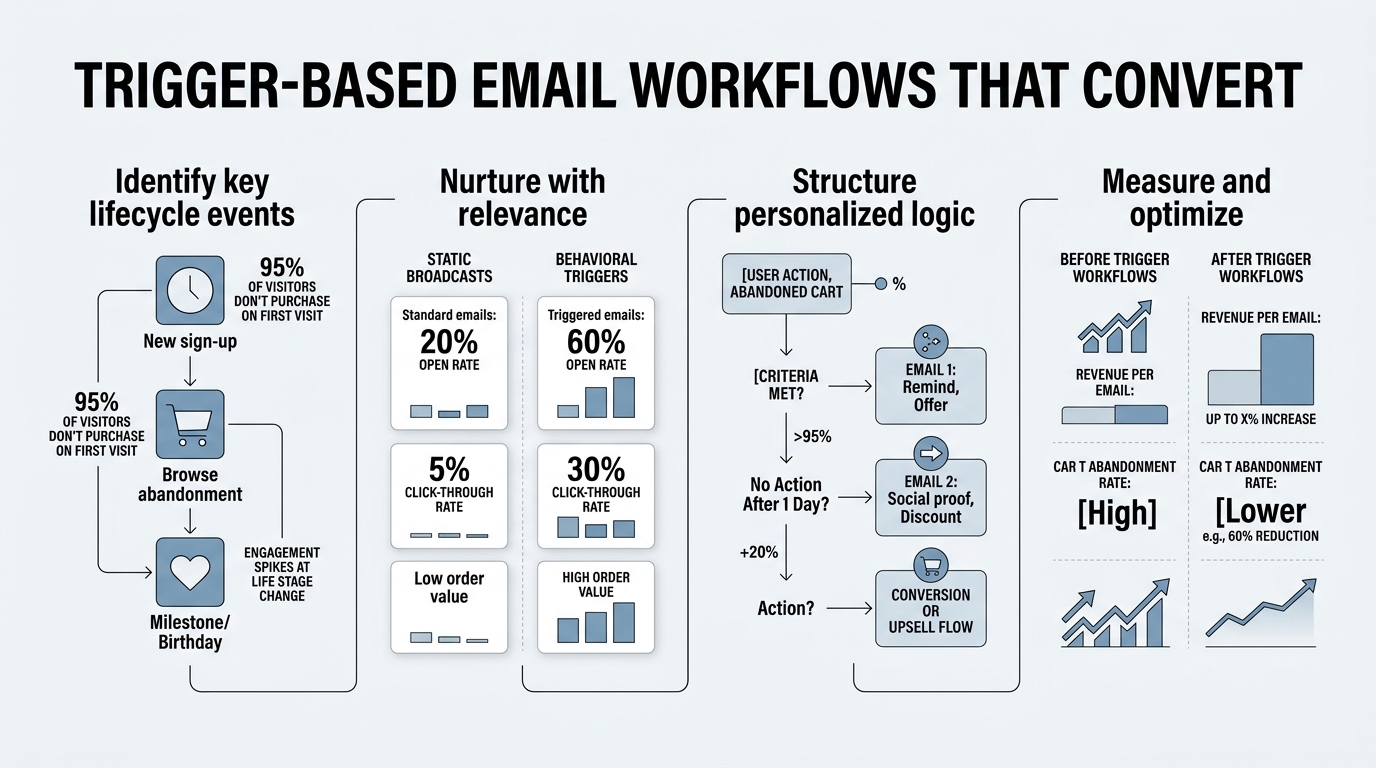
Broadcast emails are inefficient. They're scheduled for times that suit your calendar, not the recipient. They go to your entire list regardless of intent or stage. They ignore what the customer just did. Trigger-based workflows reverse this entirely. They're fired by a customer action—visiting a page, abandoning a cart, or staying dormant for 60 days—and respond with the exact message that moment demands.
The data is stark: triggered emails achieve 4.24% conversion rates versus 0.59% for social ads, and generate 152% higher click-through rates than non-triggered sends. In 2026, automated emails represent just 5% of email volume but generate 41% of all email revenue, yielding an efficiency ratio nearly 18 times higher than batch campaigns. Why? Because triggers align the message with intent. A cart abandonment email sent when the cart is still fresh hits differently than a generic "we miss you" blast two weeks later.
"Sending the right message when the recipient is most likely to act generates 70.5% higher open rates and 320% more revenue per email. Abandoned-cart emails work because the friction—shipping cost, secondary questions, decision fatigue—happened seconds ago."
The Behavior-Conversion Multiplier
The core advantage of triggers is timing married to relevance. 70.5% higher open rates and 320% more revenue per email emerge from one principle: sending the right message when the recipient is most likely to act. Abandoned-cart emails work because the friction—shipping cost, secondary questions, decision fatigue—happened seconds ago. A welcome series works because curiosity is highest on day one. Re-engagement campaigns work because you're contacting contacts who haven't engaged in months with a specific offer designed to rekindle interest, not a generic promotion.
Compare this to broadcast email. You send to 100,000 people, 3,000 open it, 40 click, 1 buys. Now trigger a cart-recovery email to 500 people who literally abandoned items. 250 open, 70 click, 12 buy. Same effort, 12x the return on the triggered flow. That's behavior-based conversion multiplying baseline performance across three vectors: open rate, click rate, and purchase likelihood.
Why Broadcast Campaigns Leave Money on the Table
Broadcast emails suffer from timing mismatch and context loss. You send Tuesday at 10 a.m. because that's when your analytics show average opens peak. But your audience spans time zones, work schedules, and engagement patterns. Someone in Seattle opens at 9 p.m. after work. Someone in New York checks email at 6 a.m. The fixed time suits the median, not the individual. Triggers bypass this entirely—they fire when the behavior happens, not on a calendar date.
Second, broadcast messages are generic by necessity. A discount code sent to your entire list has to work for first-time buyers, repeat customers, and lapsed users. A trigger-based offer, by contrast, is contextual. A first-time customer gets a welcome incentive. A repeat buyer gets a loyalty thank you. A lapsed contact gets a specific re-engagement offer. Behavior-based email triggers generate 10x greater revenue than standard marketing emails precisely because they speak to the moment, not to the list.
How to Design Your Core Trigger Workflows
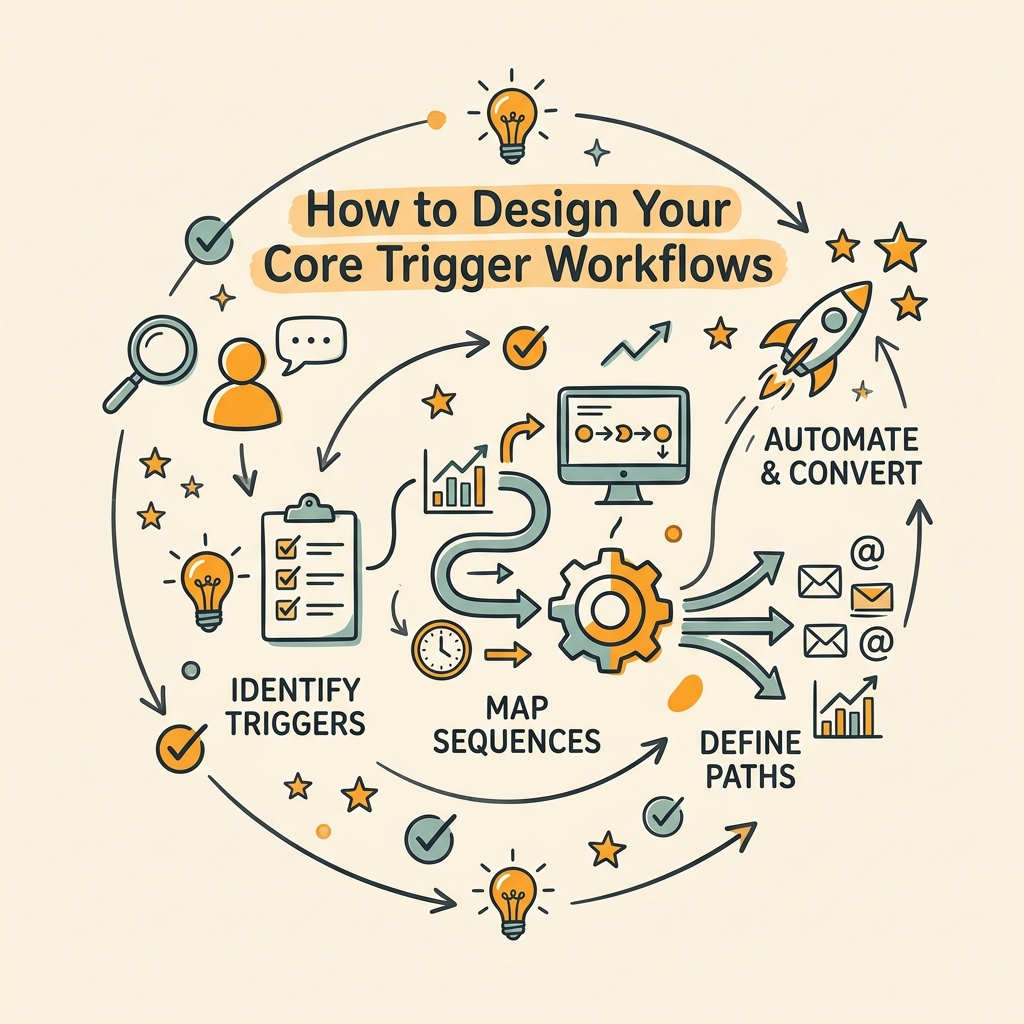
Start small. Industry experts recommend deploying exactly three core workflows before adding complexity: cart abandonment, welcome series, and re-engagement. These three account for 87–88% of all orders from automated sends. Master each, measure results, then expand. This phased approach prevents overwhelm, keeps quality high, and compounds revenue quickly.
Cart Abandonment: The Speed Play
Cart abandonment emails are your highest-ROI workflow. A customer puts items in the cart—a decisive action. They don't check out. The friction is fresh: shipping surprise, coupon code forgotten, comparison shopping elsewhere. Speed wins here. Send within the first hour. A customer who leaves a cart at 2 p.m. is far more likely to convert if they see "Your items are waiting" at 2:15 p.m. than at 8 a.m. the next morning.
The structure is simple but effective:
- First Email (Sent at 1 hour): One clear subject line ("Did you forget something?" or "Your cart is waiting"), the exact items left behind (with images), and a single CTA: "Complete your purchase."
- Second Email (Sent at 24 hours): A slight angle shift. Maybe add a time-limited offer ("Complete your order today for 10% off") or a social proof element ("Only 2 left in stock"). Different CTA language to test urgency vs. incentive.
- Optional Third Email (Sent at 72 hours): A final push with a stronger offer or different creative, but only if segmentation shows the contact has opened the first two emails.
Dynamic product blocks are critical here. Show the exact product, color, and size the customer abandoned. Generic "shop our store" CTAs convert at 2–3%. Dynamic cart recovery converts at 5–6%. The specificity matters.
"A customer abandons their cart at 2 p.m., and you respond at 2:15 p.m. with the exact items they dropped. This precision timing and dynamic content is what separates trigger-based workflows from broadcast email."
Welcome Series: Building Trust on Day One
Your welcome sequence fires when someone subscribes. This is a high-intent moment. They volunteered to hear from you. Use this capital wisely. A 3–5 email welcome series over 1–2 weeks is standard. Each email should serve a purpose and match the emotional tone: excitement and curiosity on day one, value demonstration on day three, and a specific soft conversion ask (product recommendation, free trial, lead magnet) by day five.
- Email 1 (Immediate, within 1 hour): Welcome. Thank them. Set expectations ("Expect value, not spam"). Offer an incentive if needed (10% discount, early access, free resource).
- Email 2 (Day 1–2): Share the problem your product solves. Tell a customer story. Build credibility.
- Email 3 (Day 3–4): Demonstrate core value. Show a feature, result, or use case. Keep it conversational.
- Email 4 (Day 5–7): Soft CTA. Ask them to take a small next step: sign up for a demo, download a guide, try the product free.
Welcome sequences achieve some of the highest open rates (60–80%) and click rates in your workflow suite. Treat them as relationship builders, not hard-sell pitches. The conversion matters less than tone and relevance here; you're earning permission for all future emails.
Re-Engagement: Reviving Dormant Contacts
Contacts inactive for 60+ days drain deliverability. Email providers monitor inactivity rates and penalize senders who mail to unengaged lists. Your re-engagement workflow rescues contacts before they hurt your sender reputation. It's a direct, honest play: "We miss you. Here's what's new. Would you like to stay in touch?"
- Trigger: No email open or click in the past 60 days.
- Email 1: Honest subject line ("We miss you") with specific value: new features, case studies, or a unique offer limited to re-engagement (e.g., "Return for 20% off").
- Email 2 (7–10 days later): A final call. Tone shifts from friendly to direct: "If you'd like to unsubscribe, click here. Otherwise, we'll stay in touch with great content."
- After Email 2: If no engagement, move contacts to a suppressed list or much-lower frequency segment. Don't keep mailing unengaged contacts.
Re-engagement workflows reduce list decay by 15–20% and improve overall sender reputation because you're actively managing engagement quality, not just volume.
Segmentation and Behavioral Triggers That Drive Revenue
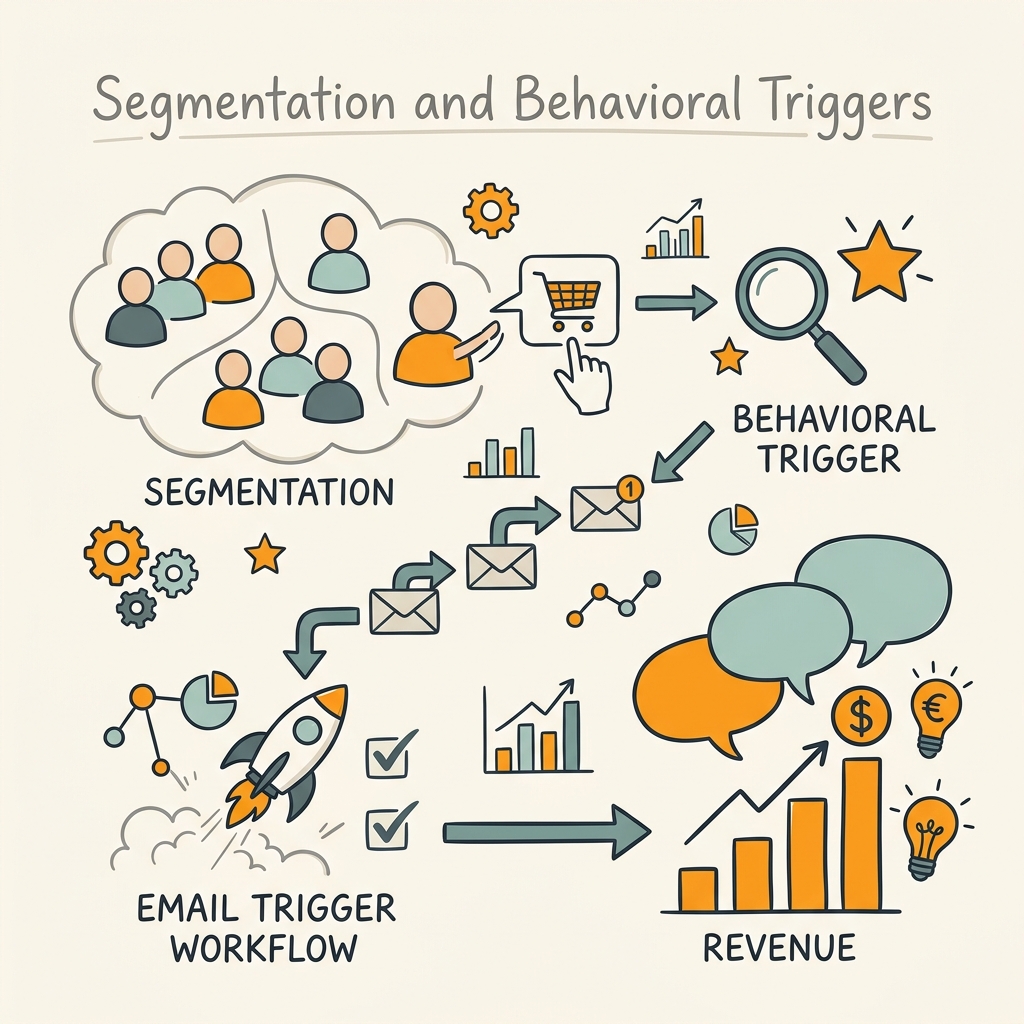
Segmentation multiplies trigger effectiveness. A generic cart abandonment email works fine. A cart abandonment email segmented by product category or price point works better. One segmented by purchase history—first-time buyer vs. repeat customer—works best. The principle is behavioral data over demographic guessing. When you're building a content marketing strategy, the same principle applies: segment by behavior, not assumption.
Event-Based Triggers vs. Demographic Guessing
Demographic segmentation—age, location, company size—is static and outdated the moment you send. Event-based triggers are dynamic and always current. A customer who clicked your pricing page last Tuesday is in a different moment than one who hasn't opened an email in a month. A contact who browsed your enterprise plan is qualitatively different from one browsing the starter tier, even if both have the same title or company size.
Build triggers around actual behaviors:
- Viewed but Didn't Buy: Trigger an email when someone views a product page but doesn't add to cart within 24 hours. Offer a sample, case study, or discount.
- Browse Abandonment: When someone visits a specific product page (e.g., enterprise software features) but doesn't visit the pricing page, send a walkthrough email highlighting ROI or free trial access.
- Engagement Drop: When email opens decline month-over-month, trigger a reactivation sequence before the contact goes dormant.
- Purchase Milestone: When someone makes their first purchase, trigger a post-purchase onboarding series (especially important for SaaS and digital products) with setup tips, feature walkthroughs, and upsell opportunities at day 7 and day 30.
These behaviors reflect intent far better than a contact's job title or zip code. A SaaS company selling to different personas (founder vs. operations manager) can trigger different content based on which pages they viewed—not based on how they filled out a form three months ago.
Frequency Capping: The Silent Killer of ROI
Too many triggered emails kill engagement. Without a frequency cap, a customer might receive three separate triggers in one day (cart abandonment, browse abandonment, reactivation offer). The list quickly tunes out. Global email fatigue is real. A contact receiving 5+ marketing emails per week from your company will unsubscribe, mark you as spam, or simply never open anything.
Set a global frequency cap: 2–3 automated emails per contact per week. This allows room for your cart abandonment flow, welcome series, and one reactivation email without overwhelming anyone. If a contact is triggered for three separate reasons on the same day, run them through a priority logic:
- Cart abandonment (highest intent, highest ROI).
- Browse abandonment (shows intent, secondary priority).
- Re-engagement (critical but lower urgency).
Send the top-priority email. Suppress the others until tomorrow or later in the week. This keeps quality high and respect the inbox; your conversion rate actually improves because you're being selective about what you send.
Technical Setup and Metrics That Matter
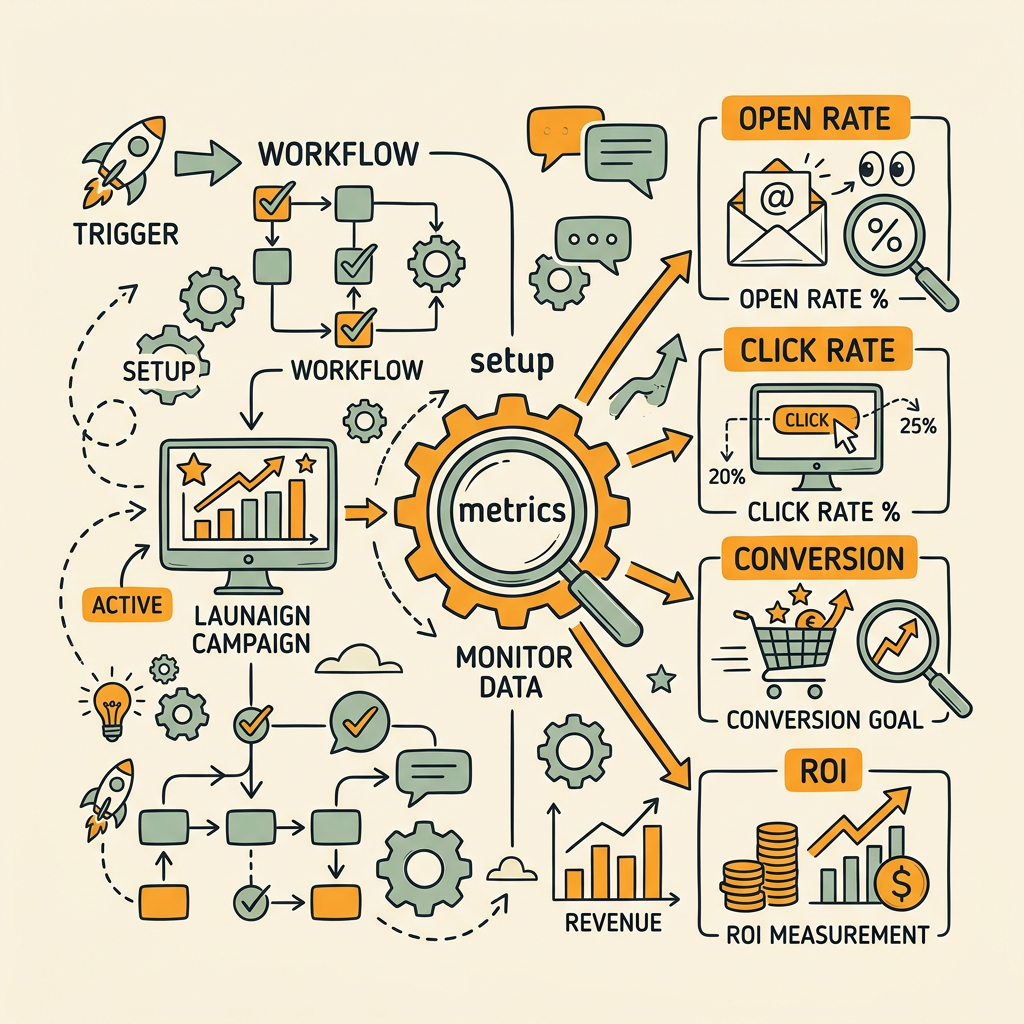
Workflow design is half the battle. The other half is execution—proper authentication, testing, and measurement. Many teams build great trigger logic but fail in deployment or measure the wrong metrics and miss actual performance signals.
Authentication and Deliverability Foundations
Before launching any workflow, authenticate your sending domain with SPF, DKIM, and DMARC. These aren't optional. Email providers use them to verify you are who you claim to be. If authentication is missing, your emails land in spam regardless of quality. Verify your email list before loading it. Remove hard bounces and verified invalid addresses. A clean list is the difference between 98% inbox placement and 65%.
Test all workflows on actual devices before launching. Open emails on iPhone, Android, Gmail, Outlook, Apple Mail. Button colors, image loading, and text sizing look different everywhere. A "Buy Now" button that's unclickable on mobile will wreck conversion. Test actual clicks, not just screenshots, and test from your subscriber base if possible—email clients can behave differently for your audience.
Measure Conversion and Click-Through Rate, Not Opens
Open rates are broken in 2026. Apple Mail Privacy Protection automatically loads images on all received emails, inflating open metrics for users of Apple Mail. This means open rate data is "directionally useful at best." Don't make decisions based primarily on opens.
Instead, track these metrics religiously:
- Click-Through Rate (CTR): Percentage of emails opened that led to a click. Tells you if your message resonated.
- Conversion Rate: Percentage of emails sent that led to the desired outcome (purchase, signup, demo booking). This is the real signal.
- Revenue per Email (RPE): Total revenue attributed to the workflow divided by emails sent. Your true ROI metric.
- Unsubscribe Rate: If it's above 0.2%, your frequency or relevance is off.
- Spam Complaint Rate: Should be under 0.1%. If higher, your segmentation or content is irrelevant to the audience.
A/B test subject lines rigorously. "Your cart is waiting" vs. "Did you forget something?" can shift click rates by 10–15%. Test one variable at a time: subject line, CTA button text, or send time. Measure for at least 500–1,000 sends per variant to get statistical significance. Many teams test too small and conclude the wrong winner.
How to Implement Triggers at Scale Without Burnout
Building and maintaining trigger workflows manually is unsustainable. You need to connect your email platform to your CMS or customer data store so triggers fire automatically, not from a checklist. Most modern email platforms (Klaviyo, Drip, Mailchimp, HubSpot) offer native integration with ecommerce platforms and CRM systems. Set up the integration once, and workflows fire automatically whenever a behavior is detected. The same principle applies when you're implementing content marketing automation—once the framework is in place, optimization compounds without manual overhead.
However, keeping workflows optimized requires constant attention. Old triggers accumulate, metrics drift, and new behaviors emerge. This is where most teams struggle: they build the initial three workflows and then lack resources to test, iterate, and expand. An autonomous approach to workflow operations means automating the optimization itself, not just the sends. Machines can monitor performance, flag underperformers, and recommend tests faster than humans can. If you're a founder or small team, this is where you get leverage: once the structure is in place, it improves itself.
Common Pitfalls and How to Avoid Them
Trigger workflows fail when teams make predictable mistakes. Here's how to avoid them.
Over-Complexity Too Fast
Teams often try to build eight triggers simultaneously: cart abandonment, browse abandonment, price-check trigger, feature-view trigger, competitor-mention trigger, time-of-day trigger, customer-lifetime-value trigger, and seasonal trigger. The result is confusion, conflicts, and poor implementation. Start with three. Master them. Ship strong results. Then add trigger four. This method actually ships better workflows faster because you can test, measure, and iterate without chaos.
Ignoring the Unsubscribe Signal
A rising unsubscribe rate is your system telling you something is wrong. You're either mailing too frequently, sending irrelevant content, or segmentation is breaking. Don't ignore it. Flag any workflow with an unsubscribe rate above 0.2% and audit immediately. It's often a frequency problem—the workflow is firing too often for that segment—or a segmentation problem where the wrong people are getting the trigger.
Using Stock Templates Instead of Brand Voice
Generic email templates underperform. A welcome sequence that reads like a template is forgettable. Write copy that sounds like your brand. If you're a B2B SaaS founder, write like one. If you're a DTC fashion brand, write like one. The best-converting emails feel like they came from a person, not a mailbox. Spend time on the copy. A 10% improvement in copy quality beats a 2% open rate boost from segmentation alone.
| Trigger Type | Typical ROI | Send Timing | Revenue Impact |
|---|---|---|---|
| Cart Abandonment | 5–6% conversion | Within 1 hour | Highest per email |
| Welcome Series | 60–80% open rate | Immediate + days 1–7 | High over lifetime |
| Re-Engagement | 15–20% recovery rate | At 60+ days dormant | Preserves list quality |
| Browse Abandonment | 3–4% conversion | Within 24 hours | Moderate but scalable |
| Post-Purchase Onboarding | 8–12% upsell rate | Days 1, 7, 30 post-purchase | Increases customer lifetime value |
Conclusion
Trigger-based email workflows convert because they align message with intent. A customer abandons their cart at 2 p.m., and you respond at 2:15 p.m. with the exact items they dropped. Another customer subscribes, and you welcome them with genuine value, not a hard sell. A third hasn't engaged in months, and you reach out with honesty and an offer designed to rekindle the relationship.
The data is unambiguous: triggered emails deliver 16x more revenue per send than broadcasts and account for 37–41% of all email revenue despite representing only 2% of volume. Cart abandonment, welcome series, and re-engagement workflows alone capture 87–88% of all orders from automation.
The path forward is clear. Start with cart abandonment, master your welcome sequence, and deploy re-engagement. Segment by behavior, not demographics. Cap frequency at 2–3 emails per week per contact. Measure conversion rate and click-through rate, not opens. Implement proper authentication, test on real devices, and iterate based on data.
Your competitors are still sending batch broadcasts to their entire list at 10 a.m. on Tuesday. You'll be responding to customer behavior in real time, with precision, with relevance. Begin at https://jottler.co/auth/signup.
FAQs
What is the best trigger email to start with?
Cart abandonment is the highest-ROI trigger to deploy first. A customer abandoning their cart is showing explicit intent—they've already decided to consider your product and taken action. Sending a simple reminder within the first hour with the abandoned items and a single CTA recovers 5–6% conversion rates versus 0.6–1.4% for standard broadcasts. Implement this workflow first, measure results for two weeks, then expand to welcome sequences and re-engagement. This phased approach builds confidence and delivers fast wins without overwhelming your operations team.
How often should I send automated emails before I risk annoying subscribers?
Set a global frequency cap of 2–3 automated emails per contact per week. Exceeding this threshold triggers unsubscribes, spam complaints, and sender reputation damage. Many teams think more email equals more revenue; the opposite is true. A contact receiving four triggered emails in one day will tune you out. If multiple triggers fire simultaneously (cart abandonment and browse abandonment on the same day), prioritize by revenue impact: cart abandonment first, then browse abandonment, then re-engagement. Space other triggers throughout the week. Quality over volume always wins.
Should I focus on open rate or conversion rate for trigger emails?
Focus entirely on conversion rate and click-through rate. Open rates are unreliable in 2026 because Apple Mail Privacy Protection automatically loads images in all emails, artificially inflating the metric. Conversion rate—the percentage of emails sent that led to a purchase, signup, or desired action—is your true north. Click-through rate shows if your message resonated enough to engage the recipient. These two metrics tell you if your trigger workflow is actually working. Test subject lines and creative based on CTR and conversion data, not opens, and you'll build workflows that genuinely drive revenue.