Using Free AI Tools for SEO Keyword Research
Keyword research used to consume weeks of manual work—scrolling through spreadsheets, cross-referencing search volumes, guessing at intent. Today, 78.6% of enterprise SEO teams rely on AI-powered keyword research as their primary discovery method, a jump from just 49% in 2024. Yet most marketers still believe they need expensive premium tools to compete. The truth is more nuanced: the right combination of free AI tools and free data sources can deliver insights that rival paid platforms—if you know how to layer them strategically.
Key Takeaways
- 78.6% of enterprise SEO teams now use AI-powered keyword research as their primary method, with teams seeing 54.2% faster time-to-insight compared to manual workflows (2026, Industry Report)
- Free AI tools work best in a hybrid stack: Google Search Console + Google Keyword Planner for validation, ChatGPT/Claude for semantic clustering, and specialized tools like AnswerThePublic for question discovery
- AI-driven teams achieve 33.7% higher content ranking success than manual teams, proving the methodology matters more than the price tag
- Google Search Console + Keyword Planner Stack: Real performance data from your site combined with Google's official search demand forecasting eliminates guesswork and saves hours on validation.
- AI Ideation Layer (ChatGPT, Claude, Gemini): Conversational AI expands keyword clusters and generates topic frameworks in minutes, replacing weeks of manual brainstorming.
- Intent & Question Discovery: Tools like AnswerThePublic reveal the exact phrasing people use to search, critical for AI Overviews and featured snippet optimization in 2026.
- Automation via Keyword Research Agents: Purpose-built AI agents handle the entire workflow—from discovery through competitive gap analysis—without manual tool-switching.
What Is AI Keyword Research and Why It Matters Now
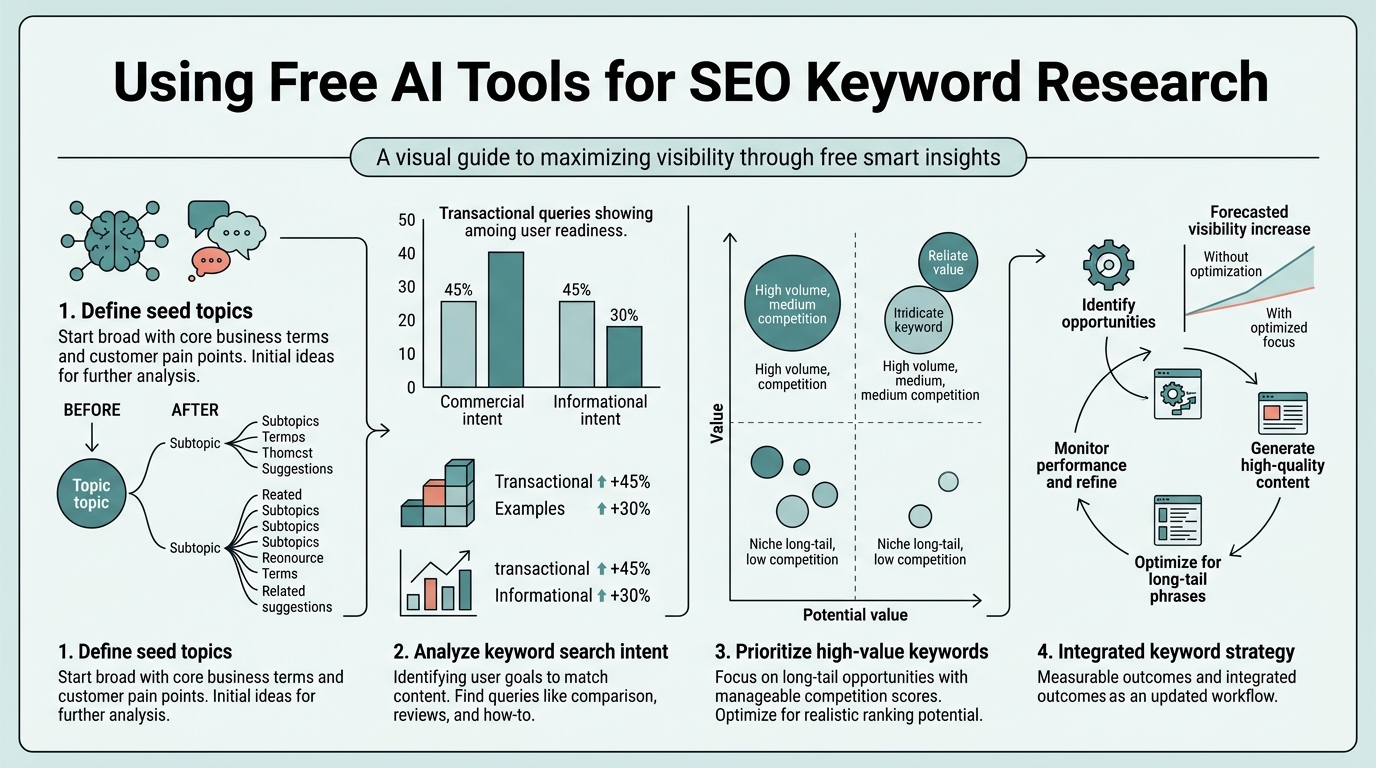
AI keyword research goes beyond surface-level volume and difficulty scores. Modern AI systems analyze search intent, semantic relationships, and ranking patterns across millions of SERPs in real time—a capability humans cannot replicate at scale. The difference is critical: traditional tools show you what keywords exist; AI tools show you which ones your audience actually needs answered and how to win them.
"The constraint is no longer access to data—it's knowing how to orchestrate the free tools into a coherent workflow that scales with your publishing cadence."
Free AI tools don't replace paid enterprise platforms, but they solve a specific problem that busy founders and marketing teams face: lack of time and capital. According to Amra & Elma's keyword research statistics, 83% of solo marketers now use AI-powered keyword tools, up from 34% in 2023. For small teams, the barrier to entry has collapsed. The constraint is no longer access to data—it's knowing how to orchestrate the free tools into a coherent workflow.
The keyword research tools market grew 29.4% from 2024 to reach $3.87 billion in annual revenue in 2026, with AI adoption driving the expansion. This growth reflects not just feature parity, but a fundamental shift: AI is now table stakes for teams serious about organic growth. Tools powered by conversational AI, semantic clustering, and predictive ranking models are no longer premium differentiators—they're baseline expectations.
Building Your Free AI Keyword Research Stack: The Hybrid Approach
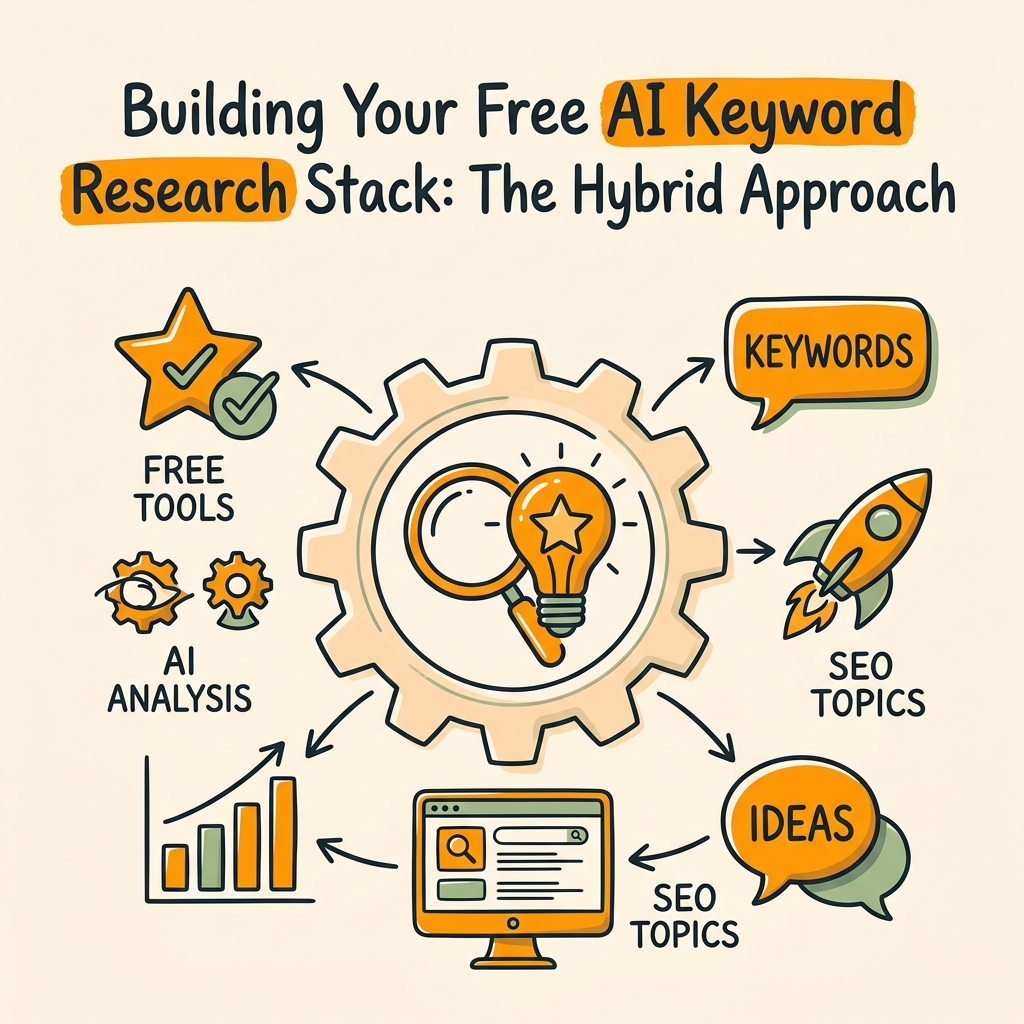
The most defensible free keyword research workflow combines data source validation with AI-powered ideation. Rather than relying on any single tool, smart teams layer free resources to cover four distinct needs: discovering what your site already ranks for, validating market demand, expanding semantic clusters, and uncovering question-based intent. This hybrid model is how strategic keyword researchers approach free tools—combining one official data source, one AI thinking tool, and one discovery layer.
Start with Google Search Console for Real Performance Data
Google Search Console is the foundation every free keyword research stack must build on. It shows which keywords your site already ranks for, your current CTR, and which pages are declining—information no other free tool can provide because it's your actual performance data. Most teams skip this step and jump straight to ideation, leaving easy wins on the table.
"Keywords you rank for in positions 11–20 are free points—low effort to push into top 10 with minimal optimization. Competing for brand-new keywords costs far more effort in today's market."
In Search Console, navigate to the Performance report and filter for low-hanging fruit: keywords you rank for positions 11–20 (easy to push into top 10 with minimal optimization) and pages with high impressions but low CTR (signals intent exists, but your title or meta description isn't compelling). These opportunities are free points. Competing for brand-new keywords costs far more effort. Start here, optimize ruthlessly, then expand into white space.
Validate Demand with Google Keyword Planner
Google Keyword Planner is the single most reliable free source for search volume data because it's official Google forecasting. It's built for Google Ads, not SEO, so the interface feels clunky—but the underlying data is the source of truth. Search experts describe it as the "leader" for free keyword research precisely because no other free tool has direct access to actual search volume from Google's infrastructure.
Use Keyword Planner to validate volume on keywords you've identified elsewhere. It won't give you keyword difficulty scores (that's where paid tools and AI estimation come in), but it will confirm whether search demand actually exists. Filter by location and language, check seasonal trends, and note the "competition" metric (low, medium, high)—a rough proxy for paid difficulty that sometimes correlates with organic difficulty.
Use Google Trends for Seasonality and Momentum
Google Trends shows search interest over time, revealing seasonal patterns, emerging topics, and declining interest. It's invaluable for timing content launches and avoiding seasonal dead zones. For example, "tax preparation" spikes December through April; launching content in August wastes resources. Trends also surfaces breakout keywords—terms with sudden interest spikes that represent untapped opportunities before competition rises.
The limitation: Trends doesn't show absolute volume, only relative interest. But paired with Keyword Planner, it gives you both direction (is this topic growing or shrinking?) and magnitude (what's the baseline volume?).
How to Use Conversational AI for Semantic Expansion and Clustering
This is where free AI tools transform your workflow from manual researcher to strategic architect. ChatGPT, Claude, Gemini, and Perplexity are powerful for brainstorming, intent clustering, and topic expansion—the creative work that requires semantic understanding, not just data lookup.
ChatGPT and Claude for Keyword Clustering and Topic Outlines
Prompt ChatGPT with a seed keyword and ask it to generate semantic clusters: "Generate 15 long-tail keyword variations of '[seed keyword]' grouped by search intent (informational, transactional, navigational). Format as a table with columns for keyword, estimated intent, and content angle." Claude often produces more structured, actionable output than ChatGPT for this task. Gemini (Google's model) is faster and cheaper (free tier exists).
The AI won't give you search volumes—you'll validate those in Keyword Planner—but it will expose semantic relationships and phrasings you might miss manually. It also generates natural language variations and question formats, critical for optimizing title tags, meta descriptions, and FAQ sections.
Then ask the model to generate a content outline for your target keyword: "Write a detailed outline for an article targeting '[keyword]' covering these angles: [intent clusters from the table above]. Include H1, H2 (as questions where possible), and key takeaways." This step replaces hours of competitive research and brainstorming with structured frameworks in minutes.
Use Structured Prompts for Exportable Research
Free AI models excel when you ask for structured output. Instead of "give me keywords," request: "Generate a CSV of 30 keyword variations for [topic], with columns: keyword, search intent (informational/transactional/navigational), estimated relevance (high/medium/low), and one-sentence content angle. Use pipe delimiters so I can paste directly into a spreadsheet."
Structured prompts force the AI to be specific and make the output portable. You can then paste the CSV into a spreadsheet, add your Keyword Planner volume data, and score opportunities systematically. This hybrid approach—AI for ideation, official tools for validation—is significantly more efficient than treating either tool as a standalone solution.
Discovering Question-Based Keywords for AI Overviews and Featured Snippets
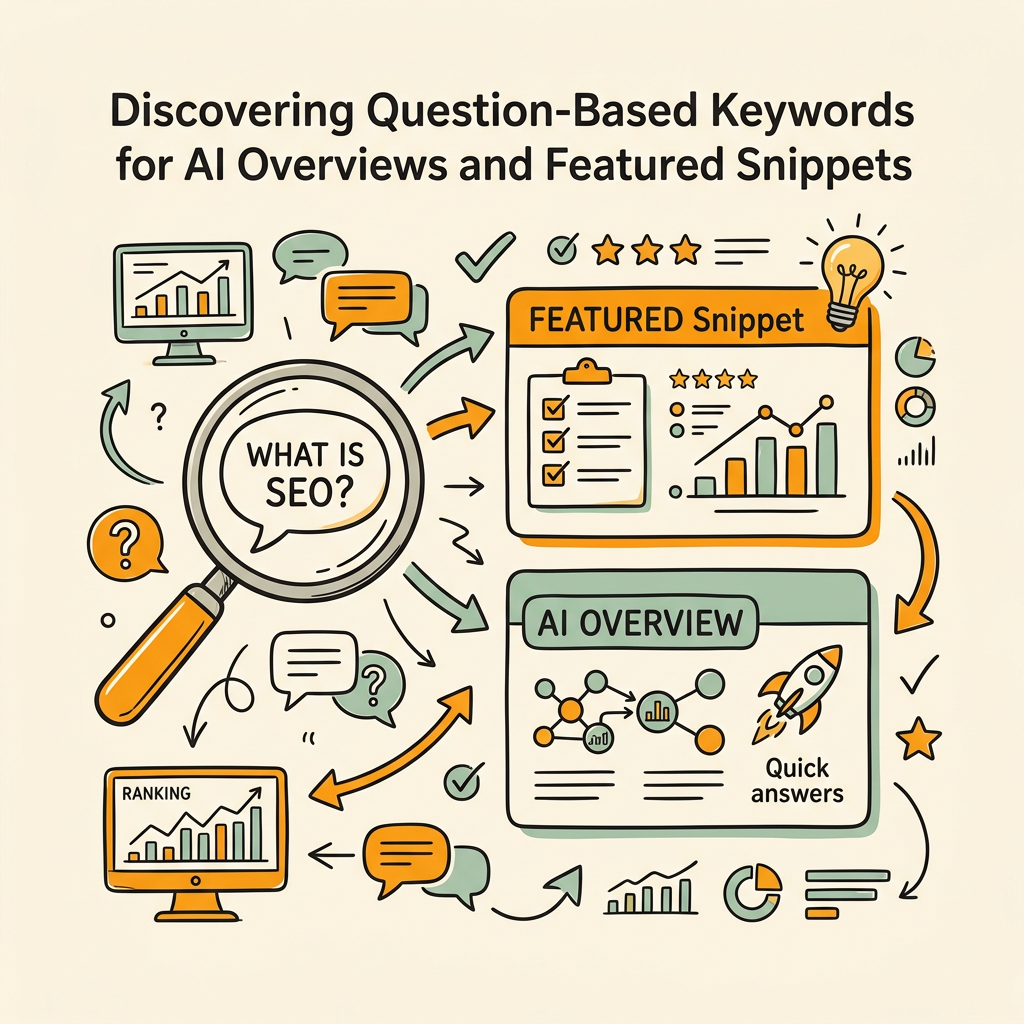
In 2026, question-based intent is critical. Google's AI Overviews (formerly SGE) and featured snippets reward content that directly answers specific questions. According to Neo360's AI SEO trends analysis, free tools like AnswerThePublic and AlsoAsked expose the exact phrasing real people use when searching your topic.
AnswerThePublic: Free Question Discovery at Scale
AnswerThePublic shows questions people ask in Google related to your keyword, visualized as a "map" with the seed keyword at the center and related questions radiating outward. The free tier shows a limited number of results but enough to identify patterns. Questions cluster by topic (Who, What, Where, When, Why, How), helping you structure FAQs and content clusters around actual user needs.
Use these questions as H3 subheadings or FAQ section topics. If people are asking "How do I [X]?" in search, that's a demand signal worth building content around. This is how you move from keyword-centric thinking to intent-centric content strategy.
AlsoAsked.com for Related Questions
AlsoAsked scrapes Google's "People Also Ask" section and organizes questions hierarchically. Some versions are free (with limitations), others require payment. Free tier restrictions are loose enough for small-scale research. Like AnswerThePublic, it surfaces exact user language, helping you optimize for conversational search and answer engine optimization (AEO).
Building an Automated Keyword Research Workflow with AI Agents
Manual tool-switching is necessary for small research projects, but once you're publishing regularly (3+ articles per week), the friction becomes a bottleneck. This is where purpose-built AI keyword research agents enter the picture. Unlike generic conversational AI, these agents are trained to move through the entire discovery workflow—from SERP analysis through competitive gap mapping—without human redirection.
How Keyword Research Agents Work Differently
AI agents trained specifically for SEO handle research sequentially and autonomously. A keyword research agent receives a topic or seed keyword, then: (1) checks your existing content against the keyword (via your sitemap or URL list), (2) runs competitive SERP analysis to see who ranks and how they're positioned, (3) extracts question-based intent from the top 10 results, (4) generates semantic expansions and content angles, and (5) scores opportunities by difficulty vs. relevance—all without asking you for intermediate approval.
The output is a prioritized keyword list with content angles, competitive gaps, and recommended article structures. What takes a manual researcher 4–6 hours happens in under 15 minutes. Autonomous SEO agents like Jottler integrate keyword research into a broader content workflow, where research feeds directly into writing, fact-checking, and publishing without handoffs.
Why Agents Matter for Growing Teams
For busy founders and marketing teams, the real constraint isn't tool access—it's attention. Manual keyword research requires you to remember which free tool does what, click between platforms, export and merge spreadsheets, and make judgment calls about relevance and difficulty. Agents eliminate this friction by treating keyword research as an automated input to your content pipeline.
"Teams using AI agents for research report 12.5 hours saved per week on keyword research and data analysis, equivalent to about 25 working days per year. That time compounds into measurable business outcomes."
Teams using AI agents for research report 12.5 hours saved per week on keyword research and data analysis, equivalent to about 25 working days per year. That time compounds: fewer weeks spent on research means more weeks spent on strategy, writing better content, or building backlinks—the activities that directly drive revenue.
Comparing Free, Freemium, and Autonomous Solutions
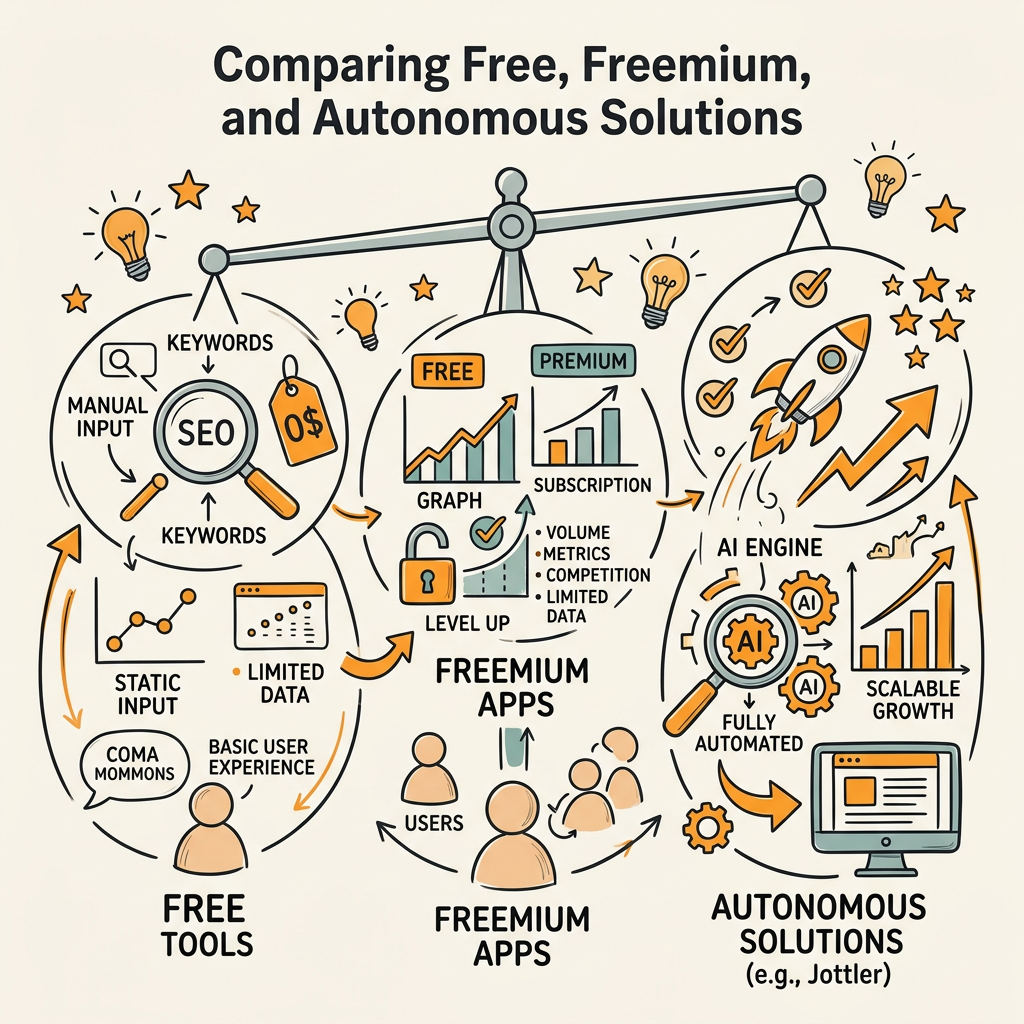
| Solution | Cost | Best For | Limitations | Time per Keyword Report |
|---|---|---|---|---|
| Google Stack (Console + Planner + Trends) | Free | Validation and on-site opportunity discovery | Manual clustering; no difficulty scores; no competitive analysis | 30–45 minutes per topic |
| ChatGPT / Claude Free | Free | Semantic expansion and brainstorming | No search volume data; requires validation in Keyword Planner | 10–15 minutes per cluster |
| AnswerThePublic Free Tier | Free (limited) | Question discovery and FAQ planning | Limited results; requires multiple searches to be exhaustive | 5 minutes per keyword |
| Ubersuggest / Moz Lite | Free tier / $99–199/mo | Quick keyword difficulty estimates; traffic data | Limited daily queries; less accurate than paid versions | 5 minutes per keyword |
| Jottler Keyword Research Agent | $29/mo starter | Autonomous keyword research + content strategy; scaling to 3–5 articles daily | Lowest cost for autonomous workflow; best for growing teams | 2–3 minutes per topic (automated, zero manual steps) |
The free stack is sufficient for one-off research or small-scale content efforts (1–2 articles per month). The friction increases linearly as publishing frequency grows. For teams publishing more than once a week consistently, the time invested in tool-switching and manual merging often exceeds the cost of a tool that automates the workflow end-to-end.
Jottler's approach differs fundamentally: instead of a standalone keyword tool, the keyword research is embedded in an autonomous content pipeline where research, writing, fact-checking, and publishing happen in sequence without human coordination. This is why teams using SEO automation platforms report scaling from 1–2 articles per week to 3–5 articles daily—the bottleneck isn't the keyword research itself, it's the manual orchestration between tools. Tools like best-in-class AI SEO tools handle the integration seamlessly, reducing context-switching overhead to nearly zero.
Practical Workflow: A Real Example
Here's how to execute the free AI hybrid workflow in practice, from seed keyword to prioritized list:
- Start in Google Search Console: Export your top 100 keywords by impressions. Note any in positions 11–20 (optimization targets) and any with high impressions but <5% CTR (title/meta issues). Save this as your "quick wins" list.
- Brainstorm expansions in ChatGPT: Take 5 of your top keywords and prompt: "Generate 25 long-tail variations grouped by search intent." Copy-paste the output into a spreadsheet.
- Validate volume in Google Keyword Planner: Take your 25 expansions and look up each in Keyword Planner. Record the monthly search volume. Discard anything under 50/month (unless it's a brand-new vertical).
- Question discovery in AnswerThePublic: Pick your 5 highest-volume keywords. Run each through AnswerThePublic. Extract 3–5 unique questions per keyword. Add these as potential FAQ topics or H3 subheadings in your outline.
- Generate content outlines: For your top 3 keywords, ask Claude: "Write detailed outlines for articles targeting each of these keywords: [list]. Each outline should include H1, 5–7 H2 sections (as questions), and recommended angle for each section." Save these outlines—they feed directly into your writing process.
- Score and prioritize: In your spreadsheet, rank keywords by volume × relevance (is this about your business?) ÷ implied difficulty (estimated from competitor SERP positions). Publish in that order.
This entire workflow, start to finish, takes 2–3 hours for 30 keywords. That's roughly 4–5 minutes per keyword, including validation. A solo researcher with limited budget can complete this weekly, feeding a sustainable content calendar. For scaling operations, programmatic SEO approaches built on automated research can expand this to dozens of topics daily.
Conclusion
Free AI tools have made professional-grade keyword research accessible to any team with a few hours per week. The competitive advantage no longer comes from access to data—Google freely publishes what you need. It comes from orchestrating that data strategically and publishing faster than competitors.
The hybrid approach works: Google Search Console + Keyword Planner for validation, conversational AI for ideation, specialized tools for intent discovery. For teams publishing 1–2 articles per month, this workflow is sufficient and genuinely free. For teams publishing daily, the manual coordination overhead outweighs the tool costs, and autonomous agents become the pragmatic choice.
Whether you're operating on a bootstrap budget or scaling a content operation, the right stack depends on your publishing frequency and team size. Start free, measure the hours spent on keyword research weekly, and upgrade only when your time cost exceeds the tool's monthly fee. Start your SEO agent when you're ready to automate the entire workflow—research through publishing—and reclaim the hours keyword research consumes.
FAQs
Can I really do keyword research for free with AI tools?
Yes, entirely. The free stack of Google Search Console, Google Keyword Planner, Google Trends, and conversational AI (ChatGPT, Claude, Gemini) covers all four critical keyword research functions: discovering what you already rank for, validating search demand, expanding semantic clusters, and identifying question-based intent. The main limitation is time, not capability. Free tools require you to manually move between platforms and merge results, whereas paid or autonomous tools consolidate this into a single interface. For teams publishing 1–2 articles per month, free is perfectly sufficient. For publishing 5+ articles weekly, manual tool-switching becomes a bottleneck worth replacing.
What's the difference between using ChatGPT and a dedicated keyword research tool?
ChatGPT excels at semantic understanding, brainstorming, and generating structured frameworks—things that require context and creativity. Dedicated keyword research tools excel at scale: scanning millions of SERPs, tracking ranking volatility, and surfacing data patterns humans can't process manually. The most effective workflow uses both. ChatGPT generates keyword clusters and content angles in minutes; Keyword Planner validates demand; specialized tools estimate difficulty. A dedicated keyword research agent combines all three functions autonomously, eliminating the manual handoffs between tools. For solo or small teams, ChatGPT plus free tools is enough. For growing teams, automation is worth the investment.
How do I know if my keyword research is good enough to rank?
Your keyword research is solid when it identifies three things: (1) measurable search demand (validated in Google Keyword Planner or your own Search Console data), (2) a clear content angle that addresses user intent differently than current top 10 results, and (3) at least one semantic or question-based variant not fully covered in existing content. Use this checklist for every keyword you target: Does this keyword have 50+ monthly search volume in your market? Are the top 3 results feature-length articles (not news or PDFs) similar to your planned content? Can you find a unique angle (a step missing from all current top results, or a FAQ question none of them answer directly)? If yes to all three, you have a strong target. Better to validate with paid tools or an AI agent than to waste weeks on low-opportunity keywords.