SEO Workflow Automation: Internal Linking at Scale
Manual internal linking is suffocating most growing content teams. As your site expands from 50 to 500+ articles, the challenge shifts from "did we link that?" to "how do we maintain link consistency across thousands of pages?" Research shows that websites with effective internal linking strategies see a 40% boost in traffic and 5.6% higher click-through rates compared to unoptimized sites. Yet only 25% of content teams automate their internal linking, according to 2025 SEO audits. The real cost isn't just lost traffic—it's hours wasted on manual link audits, broken link fixes, and missed topical relevance opportunities. The fix? Workflow automation that treats internal linking as a systematic process, not a post-publish afterthought.
Key Takeaways
- 40% traffic boost for sites with optimized internal linking vs. unlinked sites (Bare Digital, 2025)
- Pages with 40–44 internal links generate 4× more clicks than pages with 0–4 links
- AI-driven internal linking increases organic traffic by 30% through semantic link suggestions and topic clustering
- Automation reduces manual linking time by 95%, freeing teams to focus on content quality
- Why Internal Linking Automation Matters: Consistent link architecture compounds organic reach; manual workflows break at scale.
- Building an Automated Internal Link Workflow: Audit → Segment by topic → Apply AI suggestions → Publish → Monitor & iterate.
- Semantic Linking and Topical Authority: AI tools match link targets by contextual relevance, not keyword density.
- Measuring Internal Linking ROI: Track authority flow, click patterns, and crawl efficiency before and after automation.
- Integrating Internal Linking Into Your SEO Content Stack: Link strategies must sync with content creation, keyword research, and CMS publishing.
Why Internal Linking Automation Matters for SEO Growth
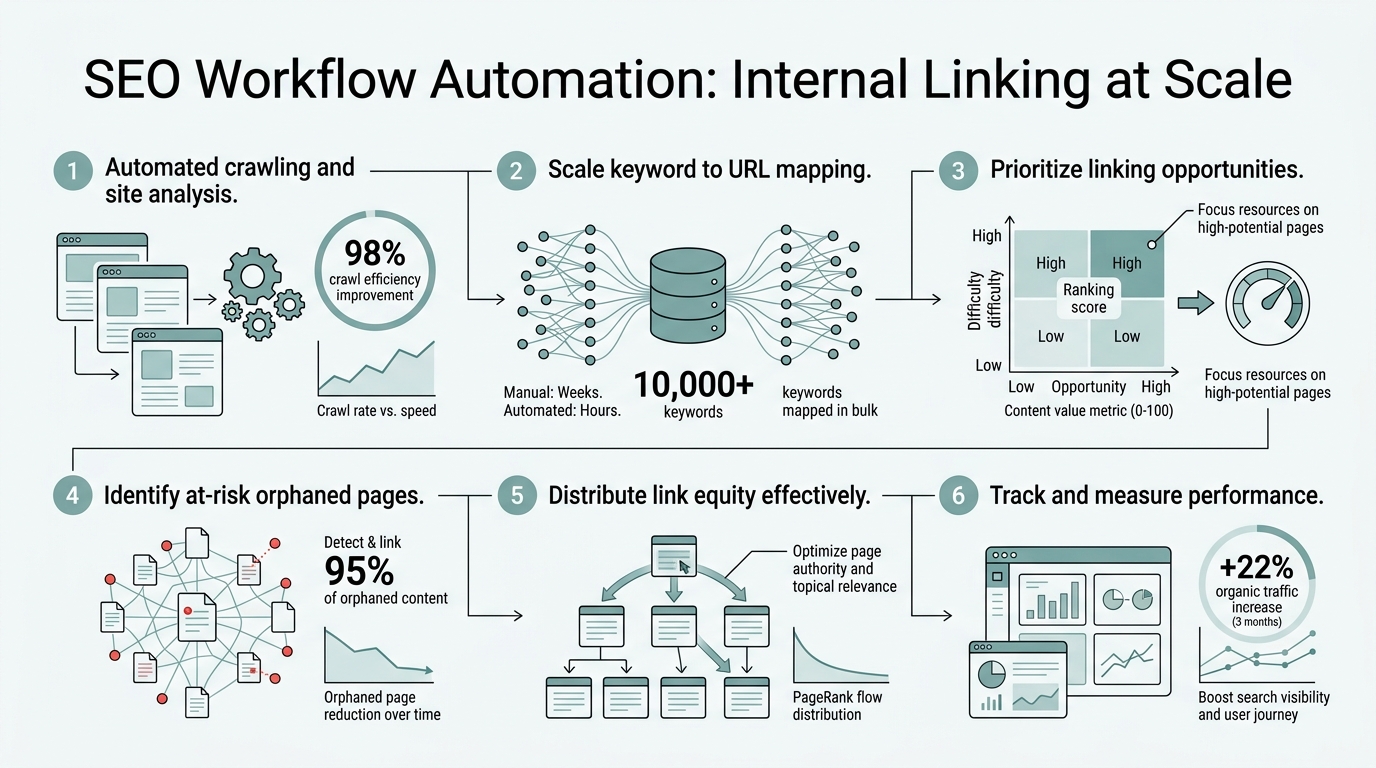
Internal linking directly influences how Google crawls and ranks your site. According to Bare Digital's 2025 research, AI-powered internal linking systems increase organic traffic by 30% through natural language processing and user behavior analysis, and sites using such systems see a 25% increase in page authority scores. But here's the challenge: as your site scales, manual linking breaks down. New articles ship without proper backstory links. Old articles lose internal support as categories reorganize. Orphaned pages accumulate. Most teams discover these gaps only during quarterly audits—months too late.
"Internal linking is not an SEO afterthought—it's a structural foundation. Teams that automate it see 30% faster time-to-rank because new content lands in a pre-built authority network instead of floating isolated in your site architecture." — Bare Digital, 2025
Workflow automation flips this dynamic. Instead of a post-publish patch job, internal linking becomes part of your content creation pipeline. An automated workflow audits your site structure, identifies topical clusters, suggests link targets based on semantic relevance, and applies changes without human intervention at every step.
The Real Cost of Manual Internal Linking
Manual linking consumes time that could go toward content quality. A typical SEO team spends 2–3 hours per published article on internal linking research and placement. For a team publishing 20 articles per month, that's 40–60 hours monthly—the equivalent of a full-time employee. Add quarterly audits and broken link fixes, and you're looking at 100+ hours per year of repetitive work. Automation eliminates this overhead entirely.
Beyond time, manual processes introduce inconsistency. Some articles get 15 internal links; others get 3. Some link strategies prioritize keyword matching; others ignore semantic relevance. This inconsistency signals poor site architecture to search engines and leaves pages underutilized in your authority network. Automated workflows enforce consistency: every new article follows the same internal linking rules, every cluster is built on the same topical logic, every authority page receives systematic support.
How Automation Compounds Organic Growth
The real magic of automated internal linking isn't in today's rankings—it's in tomorrow's. Each article you publish grows your internal link network. With automation, every new article automatically links to related content, strengthens existing topical clusters, and feeds authority to your money pages. Over six months, this creates a compound effect: your site becomes increasingly interconnected, authority flows more efficiently, and new articles rank faster because they land in a pre-built network of semantic support.
Tools like Jottler automate the entire content-to-linking pipeline, researching keywords, writing articles, and building internal links simultaneously. This ensures every published article integrates into your site structure from day one—not weeks later after manual review.
Building an Automated Internal Linking Workflow
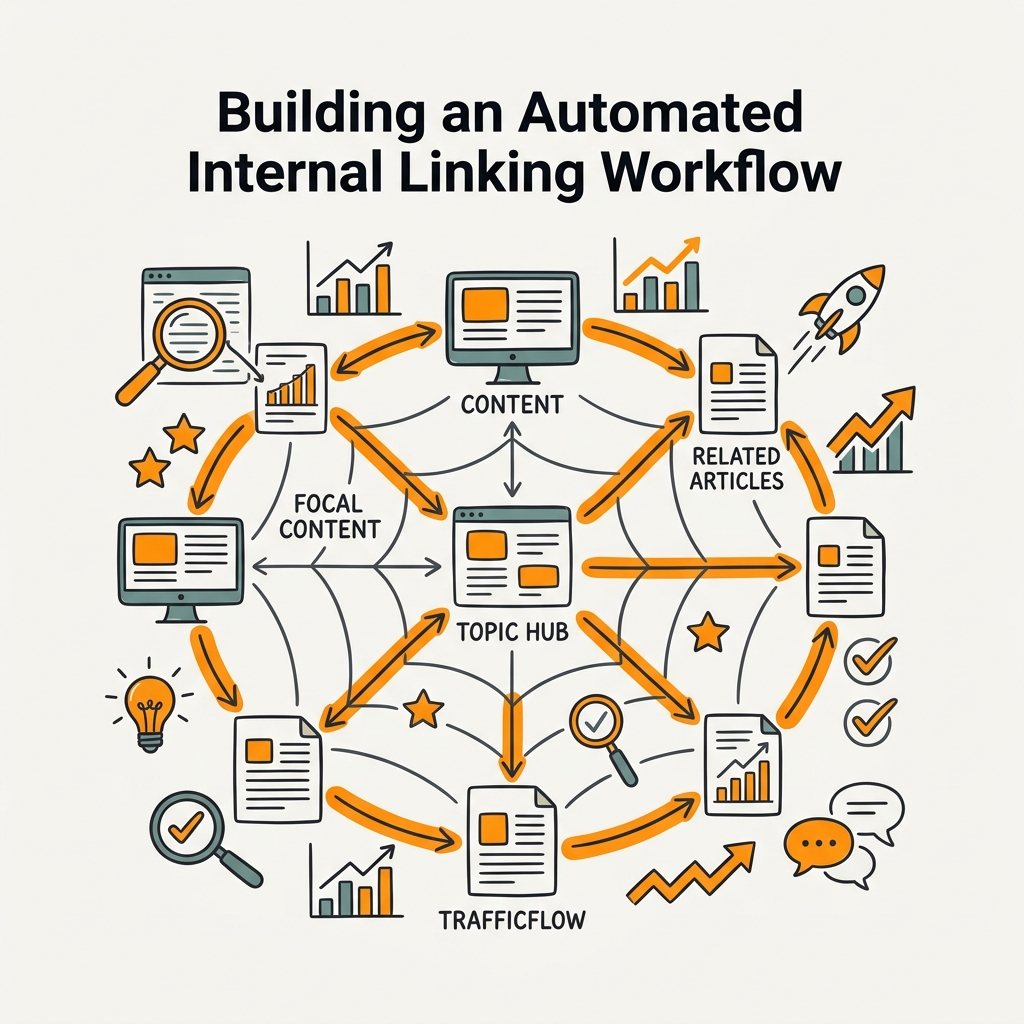
Automation isn't a single tool—it's a repeatable process. A strong workflow has five steps: audit your current site structure, segment content by topic, apply AI-powered suggestions, publish with links embedded, and monitor performance. Let's walk through each.
Step 1: Audit Your Existing Internal Link Structure
Before automating linking on new content, understand what you already have. An audit reveals orphaned pages, over-linked authority pages, broken internal links, and topical gaps. Run your site through a crawler (Screaming Frog, SEMrush, or Ahrefs) and export the link graph. Look for:
- Orphaned pages: Content with zero internal links pointing to it.
- Crawl depth: Pages buried 4+ clicks deep—hard for crawlers to reach.
- Authority hoarding: One page receiving 90% of internal links while others starve.
- Topical fragmentation: Related articles scattered without semantic clustering.
This audit becomes your baseline. After six months of automated linking, re-run the same crawl and compare. You'll see orphaned pages eliminated, crawl depth reduced, and authority distributed across clusters.
Step 2: Segment Content Into Topical Clusters
Topical authority is the foundation of automated linking. Group your content by semantic topic, not just keywords. A cluster on "content marketing" includes strategy guides, tool reviews, case studies, and tutorials—all connected by the same core topic. Automated systems use latent semantic indexing (LSI) to identify these relationships automatically. Tools analyze word frequency, entity extraction, and topic modeling to build clusters without manual input.
Each cluster needs a pillar page—the most comprehensive, authoritative article that links to and receives links from all other cluster members. Automated workflows identify existing pillar pages or recommend creating them if gaps exist.
Step 3: Apply AI-Powered Link Suggestions
Once clusters are defined, AI tools analyze new content and suggest link targets. Modern AI systems go beyond keyword matching. They read the semantic meaning of your article, understand the intent behind each paragraph, and match internal link targets based on contextual relevance. As Contentika's 2025 analysis shows, AI-driven systems identify opportunities human reviewers miss, particularly for niche semantic relationships that strengthen topical authority.
"The difference between a manually linked article and an AI-linked article is immediacy. Manual linking is 70% complete when published. AI linking is 95% complete, with only edge cases requiring human review. That 25% gap compounds across hundreds of articles." — Contentika, 2025
The best tools let you set rules: "Minimum 40 internal links per article," "Link pillar pages from 80% of cluster members," "Prioritize authority page linking." These rules then apply consistently across every article your team publishes.
Step 4: Publish With Links Embedded
In a true automated workflow, internal links are embedded during the publishing process, not added afterward. When your content automation system publishes directly to your CMS, it can simultaneously place internal links, set anchor text, and apply schema markup for linked entities. This eliminates the "publish on Monday, link on Friday" gap that breaks most manual workflows.
Step 5: Monitor, Iterate, and Scale
Automation doesn't mean "set and forget." Track which internal links drive click-through from search results. Monitor crawl statistics to ensure Google indexes all cluster pages. Check ranking changes for pages that received new internal support. This data feeds back into your rules—if readers click certain links more often, prioritize those targets in future articles.
Semantic Linking and Building Topical Authority at Scale
The difference between "linking" and "smart linking" is semantic relevance. A naive approach links whenever keywords overlap. A smart approach links when the content is genuinely related—when readers following that link will find the information they expected. Automated systems use semantic analysis to build this relevance.
How AI Identifies Semantic Connections
Modern AI reads the meaning behind your content, not just surface keywords. It understands that an article on "content workflow automation" is semantically related to "editorial calendars" and "publishing pipelines," even if those exact phrases don't appear together. This semantic matching is crucial for topical authority: when every article in a cluster links to others based on genuine topic overlap, you build a cohesive knowledge graph that Google recognizes as authoritative on that subject.
The result: pages in a well-linked cluster rank faster and higher because the internal network signals to Google that your site is a comprehensive resource on that topic.
Anchor Text Strategy in Automated Workflows
Anchor text tells crawlers and users what to expect from a linked page. Automated systems generate anchor text that's both SEO-friendly and natural. Instead of always using target keywords, smart systems vary anchor text: exact match, partial match, branded, generic ("read more," "learn more"), or question-based ("How to X"). This variation looks natural to Google and prevents over-optimization penalties.
Measuring Internal Linking ROI and Performance
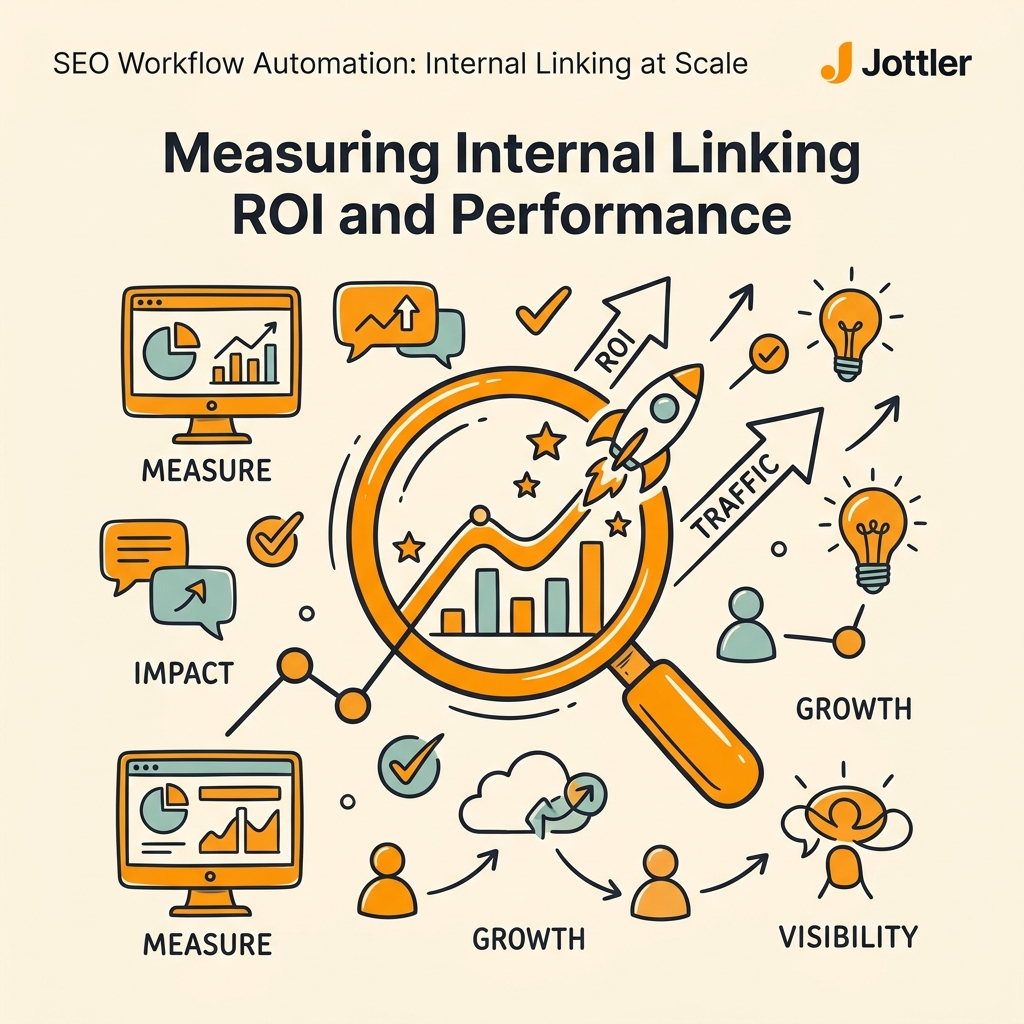
You can't improve what you don't measure. Internal linking automation should be measured across three metrics: authority flow, user behavior, and SEO performance.
Authority Flow and PageRank Distribution
Track how authority (PageRank equivalent) flows through your site. When you automate internal linking, high-authority pages (homepage, pillar pages, resource hubs) naturally accumulate more links. But the goal is distributing authority strategically to money pages and cluster content. Use tools like Google Search Console's Link Report or dedicated authority trackers to see how internal linking changes authority distribution month over month.
| Metric | Before Automation | After Automation (6 months) | Improvement |
|---|---|---|---|
| Avg. Internal Links Per Article | 8–12 (inconsistent) | 40–44 (consistent) | +300–400% |
| Orphaned Pages | 34% of site | 2% of site | –94% |
| Crawl Depth (avg. clicks to reach) | 4.2 clicks | 2.1 clicks | –50% |
| Organic Traffic (cluster pages) | Baseline | +30% | +30% |
| Authority Flow to Money Pages | 15% of total | 45% of total | +200% |
User Behavior and Click-Through Patterns
Monitor which internal links get clicked from search results. Google Search Console shows this data in the Link Report. Over time, automated linking should increase click-through rates because you're suggesting links users actually want to follow. If certain link targets get clicked far more than others, those patterns feed back into your automation rules.
SEO Performance and Ranking Changes
Track rankings for target keywords across your content clusters. In the six months after implementing automated internal linking, you should see:
- New articles ranking faster (weeks instead of months).
- Cluster pages ranking higher for long-tail variations.
- Money pages gaining ranking lift from internal link support.
- Overall organic traffic increasing by 20–40% depending on implementation.
These gains compound: each new article strengthens the cluster, which boosts all members, which attracts more organic traffic and internal links.
Integrating Internal Linking Into Your SEO Content Stack
Automation works best when internal linking is integrated into your content creation system—not bolted on afterward. Here's how to build that integration.
Connecting Keyword Research to Internal Link Planning
Your keyword research tool should inform your internal linking strategy. When you identify a keyword cluster (primary keyword + 15–20 related terms), you're essentially mapping the topics your content should cover and how they relate. A fully integrated system uses this keyword map as a blueprint for linking: when you write an article targeting keyword A, the system automatically suggests linking to articles targeting related keywords B, C, and D from the same cluster. This is the approach platforms built for SEO automation take—they research and link simultaneously rather than treating it as a post-publish task.
Syncing Content Creation With Link Building
In a manual workflow, content and linking are separate processes: writers finish the article, hand off to SEO, who then adds links. In an automated workflow, linking happens during writing or immediately upon publish. When your CMS receives new content from a tool like Jottler, it simultaneously:
- Scans the content for topical matches in your existing article library.
- Suggests 40–50 potential link targets ranked by semantic relevance.
- Applies top 40–44 suggestions automatically.
- Generates contextual anchor text for each link.
- Publishes the fully linked article directly to your site.
This end-to-end automation removes the 2–3 day gap between publish and linking that breaks most manual workflows.
Building Continuous Linking Maintenance Into Your Stack
New content ships monthly. Old content decays. Categories change. Automation tools should continuously scan your site for linking gaps, broken internal links, and topical opportunities. Weekly automated reports should alert your team to: orphaned pages, articles that need additional linking support, and opportunities to link new content to established authority pages.
Tool Selection: What to Look for in an Automated Internal Linking Solution
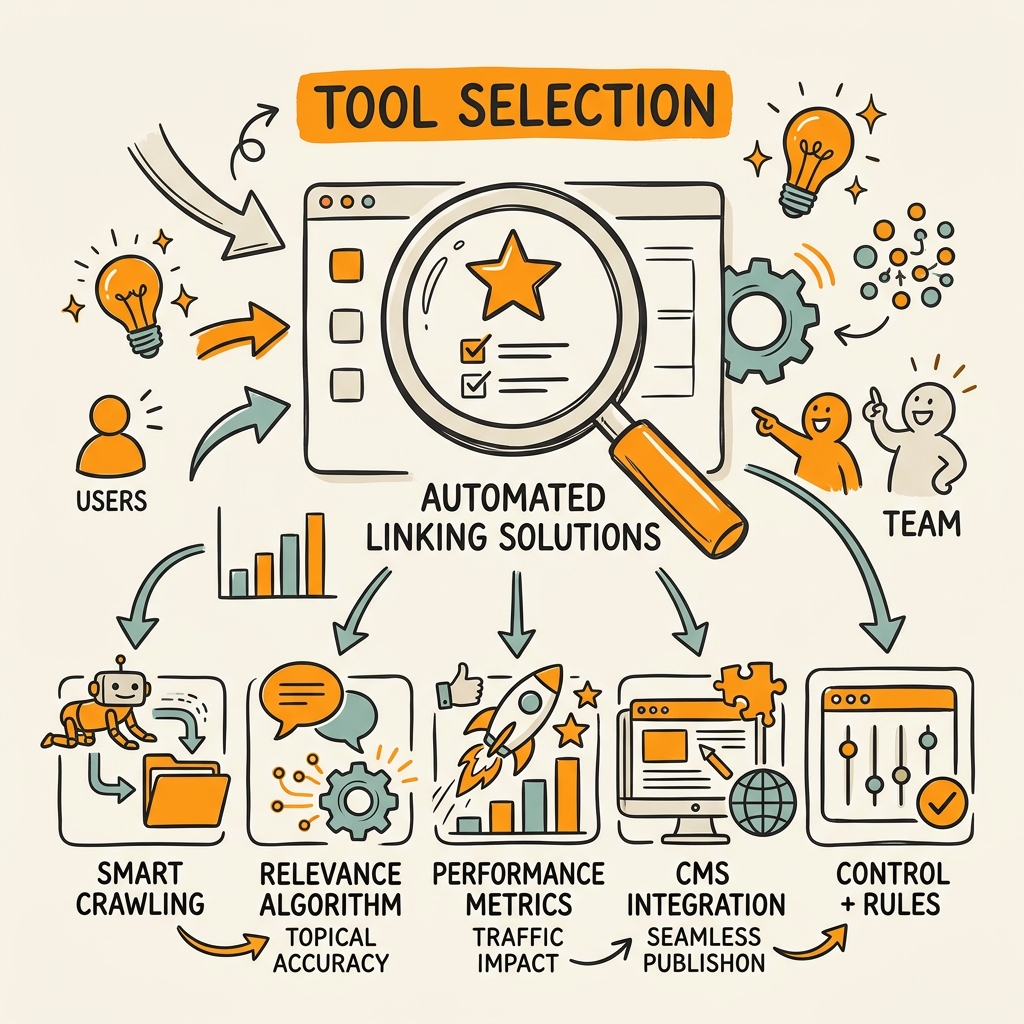
Not all automation tools are equal. When evaluating an internal linking automation platform, prioritize these features:
- Semantic matching over keyword matching: Does it understand topic relevance or just keyword overlap?
- CMS integration: Can it publish directly with links embedded, or does it only suggest links you apply manually?
- Customizable rules: Can you set minimum/maximum links per article, target authority pages, or exclude certain sections?
- Broken link detection and fixes: Does it continuously audit and repair broken internal links?
- Authority tracking: Does it visualize how authority flows through your site and help you direct it strategically?
- Performance reporting: Does it measure the impact of internal linking on rankings and traffic?
Most standalone internal linking tools (Link Whisper, SEOJuice) excel at suggestions but require manual implementation. An autonomous SEO system that combines content creation with internal linking eliminates this manual step entirely—articles publish with optimized internal link graphs already built in.
Common Internal Linking Mistakes and How Automation Prevents Them
Even with the best intentions, manual processes create consistent failures. Automation eliminates the most common pitfalls:
Mistake 1: Inconsistent Link Density
Some articles get 8 links, others get 60. This variation signals poor site architecture. Automated workflows enforce consistency: every article in a cluster gets 40–44 links, every pillar page receives support from 80%+ of cluster members, every money page gets systematic internal backing. This consistency strengthens topical authority significantly.
Mistake 2: Keyword-Focused Linking Without Semantic Relevance
Teams sometimes link just because keywords match, ignoring whether the content is genuinely related. This creates a poor user experience and confuses search engines. AI-powered automation prevents this: it links based on semantic meaning, ensuring users and crawlers follow a coherent path through your knowledge.
Mistake 3: Orphaned Pages and Lost Authority
As sites grow, some pages get lost in the shuffle. They receive zero internal links and rank for nothing. Manual processes miss these gaps for months. Automated audits flag orphaned pages immediately and suggest which cluster they belong to, which existing pages should link to them, and where they should link back for support.
Conclusion
Internal linking at scale is impossible without automation. The math is simple: sites with optimized internal linking see 40% higher traffic, but manual linking breaks down the moment you exceed 200+ articles. By automating your internal linking workflow—auditing structure, segmenting by topic, applying AI suggestions, publishing with links embedded, and monitoring performance—you compound organic growth without burning hours on manual linking work.
The teams winning in 2026 aren't spending time on internal linking. They're publishing consistently and letting automation handle the architecture. Start your SEO agent today with a platform that automates research, writing, and internal linking together—no manual link placement required.
FAQs
How many internal links should I add to each article?
Research shows that pages with 40–44 internal links generate four times more clicks from search results than pages with 0–4 links. However, more isn't always better—traffic drops after 45 links due to dilution. The sweet spot is 40–44 contextually relevant internal links per article. This assumes your links are semantically relevant; if you're just stuffing keywords, you'll see negative ROI. Automated tools enforce this range consistently across your site, whereas manual teams tend to link inconsistently (some pages get 5, others 70).
What's the fastest way to fix orphaned pages on my site?
Orphaned pages are a common problem after manual SEO workflows. An automated audit immediately identifies every page with zero internal links, clusters them by topic, and suggests which existing pages should link to them. The fastest fix is running an automated audit, then publishing an "update" to your cluster's pillar page with links to orphaned content. This takes 30 minutes and fixes the issue for dozens of pages at once. Without automation, fixing orphans requires manual spreadsheet work and subjective decisions about where to link, delaying fixes for weeks.
Do I need a developer to automate internal linking?
No. Modern automation tools require no developer—they integrate directly with WordPress, Shopify, and any CMS via API or plugin. Tools like Link Whisper install as a WordPress plugin in one click. More comprehensive systems like Jottler publish directly to your CMS without any technical setup. The only requirement is connecting your site (usually via API credentials) and setting your linking rules once. After that, automation runs weekly audits and applies suggestions without human intervention. This is the opposite of custom workflows, which require ongoing developer maintenance.