Setting Up Lead Scoring in Automation Tools
Sales teams drown in unqualified leads. 61% of B2B teams now use AI for lead scoring, yet many still waste hours manually qualifying prospects that will never convert. The cost? Missed revenue opportunities and burned-out reps. The solution is straightforward: set up automated lead scoring to identify and prioritize the leads most likely to buy before they hit your sales pipeline.
Key Takeaways
- Companies using automated lead scoring see 38% higher lead-to-opportunity conversion rates and 28% shorter sales cycles (Forrester, 2025)
- Properly scored leads convert at 40% versus 11% for unqualified prospects, proving the ROI of setup (Landbase, 2026)
- Lead scoring automation takes hours to set up but compounds efficiency across sales, marketing, and revenue teams
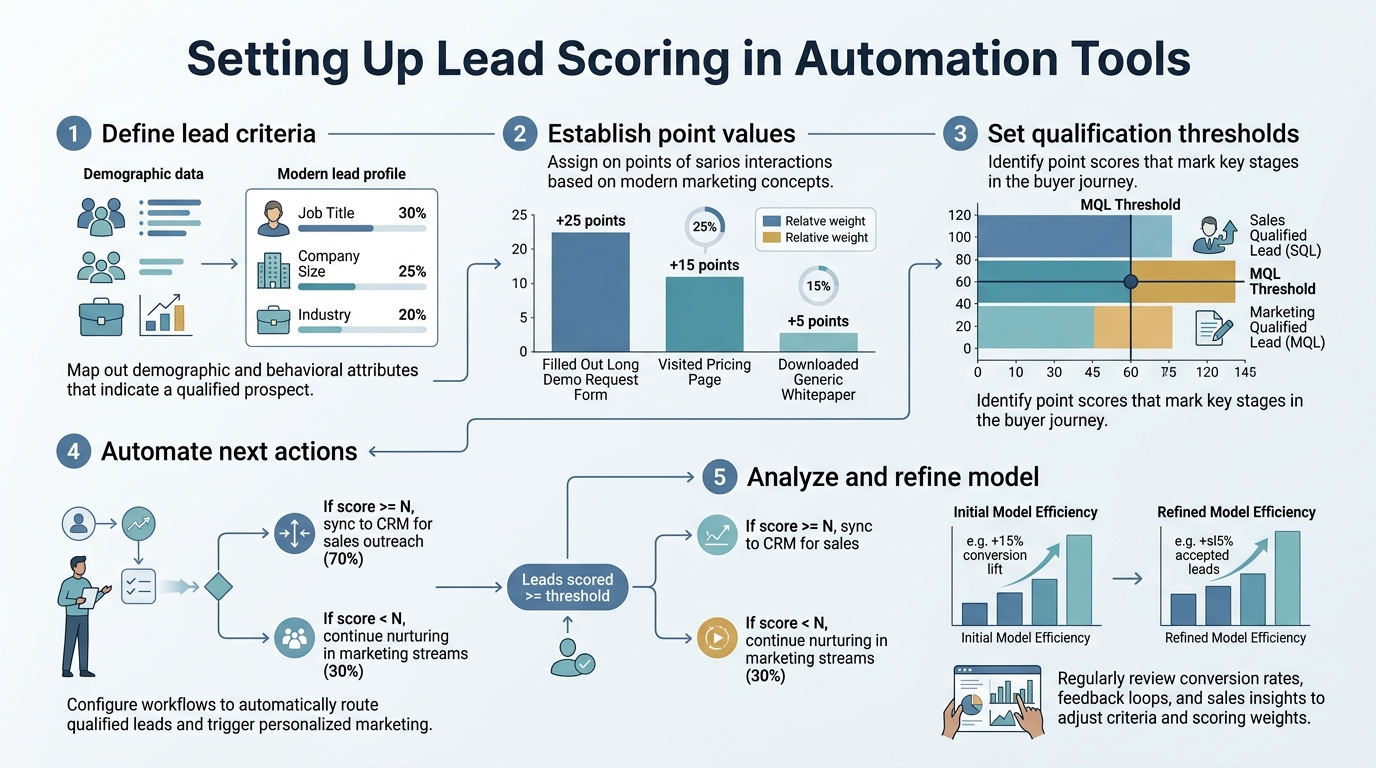
- Define Your Scoring Criteria: Establish demographic, behavioral, and firmographic attributes that separate viable prospects from tire-kickers.
- Choose Your Scoring Model: Select between rule-based, AI-driven, or hybrid models depending on your data maturity and automation platform capabilities.
- Build and Test Your Rules: Layer explicit scoring (form fills, page views) with implicit signals (company size, industry) to surface high-intent leads early.
- Integrate with Your CRM and Automation Tool: Connect your scoring engine to your marketing automation and CRM so leads are routed and prioritized automatically.
- Monitor, Refine, and Iterate: Review scoring accuracy quarterly, adjust weights based on win/loss data, and align sales and marketing on what constitutes a qualified lead.
Why Lead Scoring Matters in Automation Tools
Lead scoring is the foundation of modern sales efficiency. Organizations with formal lead scoring generate 50% more sales-ready leads at 33% lower cost than those without it. When integrated into automation tools, lead scoring removes guesswork from qualification, reduces manual triage work, and ensures your sales team focuses energy on prospects with genuine buying intent. According to predictive lead scoring research, AI-powered approaches accelerate this ROI by identifying patterns humans miss.
"Lead scoring removes guesswork from qualification. Without automation, scoring is a static checklist. With it, leads are continuously evaluated, routed, and nurtured based on real-time behavior and fit."
The real leverage comes from automation. Without it, scoring is a static checklist. With it, leads are continuously evaluated, routed, and nurtured based on real-time behavior and fit.
The Cost of Manual Lead Qualification
Manual qualification wastes resources. Sales reps spend time on low-intent prospects while high-intent leads slip through cracks. Marketing sends contacts into the pipeline without validation, creating friction with sales. The result is wasted cycles, longer sales processes, and revenue leakage. MQL-to-SQL conversion sits at a median of 13%, but jumps to 28% at top-performing companies because they automate qualification. Automation eliminates delays, standardizes criteria, and ensures no lead falls through the cracks.
How Automation Tools Amplify Lead Scoring
Automation platforms like HubSpot, Marketo, and specialized tools make lead scoring scalable. They ingest data from your website, email, forms, and CRM; apply scoring rules continuously; and feed results back into workflows. A prospect downloads a whitepaper (10 points), visits pricing twice (15 points), and matches your ICP by company size (20 points)—the system calculates instantly and notifies sales before the lead cools. That speed and consistency is impossible to replicate manually. Teams using content automation tools alongside lead scoring see faster progression through the pipeline because inbound traffic is pre-qualified before it hits sales workflows.
How to Design Your Lead Scoring Model
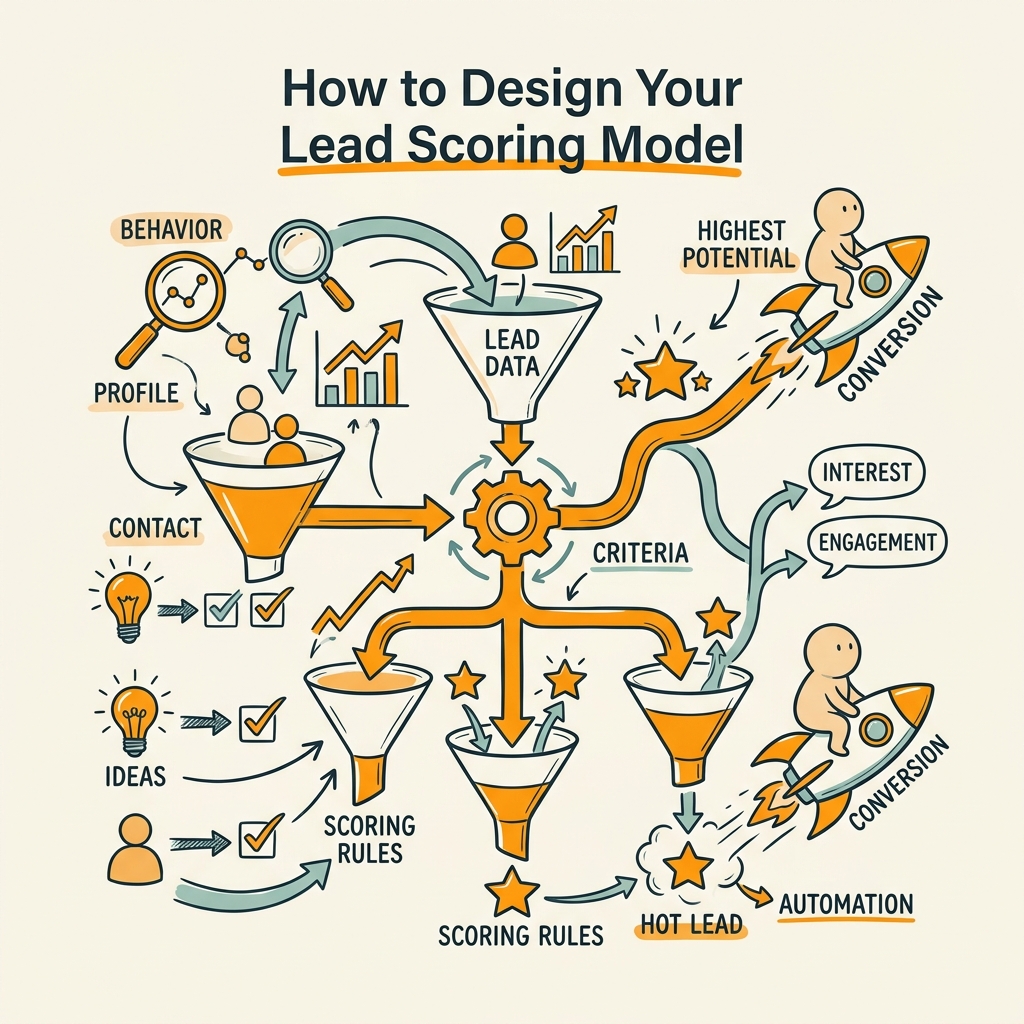
The foundation of effective lead scoring is a model that accurately reflects your actual buyer. Your model should combine demographic fit (ICP match), behavioral signals (engagement intensity), and intent indicators (content consumption, company research). The model answers a single question: "If this lead looks and acts like our best customers, will they likely buy?" Your answer determines your scoring logic.
Define Explicit Scoring Attributes
Explicit scoring captures deliberate actions: form submissions, demo requests, email opens, content downloads, and website visits. These are high-signal events that indicate active interest. For example:
- Form fill (gated content): +15 points
- Demo request: +50 points
- Pricing page visit: +20 points
- Email open (3+ times): +10 points
- Whitepaper download: +25 points
The point values reflect velocity and intent. Demo requests score higher than form fills because they indicate serious buying consideration. Explicit scoring works best when tied to the behavior that precedes a sale in your historical data. If 70% of customers visited your pricing page before converting, that action deserves meaningful weight.
"Explicit scoring works best when tied to the behavior that precedes a sale in your historical data. If 70% of customers visited your pricing page before converting, that action deserves meaningful weight."
Layer Implicit Scoring Signals
Implicit scoring measures fit without requiring lead action. It captures firmographic data and account intelligence: company size, industry, revenue, technology stack, and growth signals. These attributes tell you whether a prospect matches your ICP, regardless of their behavior on your site. For example:
- Company size (50-500 employees): +30 points
- SaaS industry: +20 points
- Revenue $5M–$50M: +25 points
- Uses competitor tools: +15 points
- Recent funding or hiring surge: +20 points
Implicit scoring runs continuously. Your automation tool enriches incoming leads with firmographic data (via APIs from ZoomInfo, Apollo, or Clearbit), then applies these weights automatically. This means even a lead who hasn't opened an email yet could score 80+ points if they land in a high-fit segment.
Add Negative Scoring and Decay
Lead scores should go down as well as up. If a prospect unsubscribes from email, they lose 15 points. If they haven't engaged in 60 days, subtract 5 points monthly. This prevents stale leads from clogging your sales pipeline. Negative scoring reflects the reality that buying intent fades and contexts change. A prospect who was active six months ago but has gone silent probably isn't a priority. Your automation tool should apply decay rules automatically so your sales team always focuses on current, hot leads.
Choosing the Right Scoring Model for Your Stack
Three models dominate automation lead scoring: rule-based, predictive AI, and hybrid. The right choice depends on your data maturity, team resources, and platform capabilities. Rule-based models work well for early-stage companies with clear, known buyer attributes. AI models excel when you have historical conversion data to train on. Most mature teams use hybrid approaches—explicit rules for obvious signals, AI for nuanced patterns.
Rule-Based Scoring: Control and Transparency
Rule-based scoring uses explicit if-then logic. If company size is 100-500 employees AND industry is SaaS AND they visited pricing, then score 75+. This model is transparent, easy to audit, and quick to set up. Your marketing and sales teams understand exactly why a lead scored high. The downside: you must manually define every rule, and you'll miss patterns your team didn't anticipate. Rule-based scoring works best when your ICP is simple, your buyer journey is linear, and your team has strong conviction about what signals matter most. Automation tools like HubSpot and Ontraport excel at rule-based scoring with visual workflow builders.
AI-Powered Predictive Scoring
AI-driven lead scoring is adopted by 61% of B2B teams in 2026, up from 23% in 2024, because it uncovers patterns humans miss. The system learns from your historical wins and losses, then weights factors dynamically. A company using Salesforce Einstein or HubSpot's AI can discover that "website sessions from accounts in the Fintech sector who attended a webinar" correlates with 65% conversion—a pattern buried in data that a rule builder would never surface. AI scoring also adapts. As your buyer behavior changes, the model recalibrates automatically. The trade-off: you need 6–12 months of conversion data to train a quality model, and the logic is a "black box" that's harder to debug when scores feel wrong.
"AI-driven lead scoring discovers that nuanced combinations like 'Fintech prospects who attended a webinar' correlate with 65% conversion—patterns buried in data that manual rule builders would never surface."
Hybrid Models: The Pragmatic Approach
Most successful teams blend explicit rules with AI. They use rules for obvious signals (demo request = sales-ready) and AI for nuance (predict which of your 500 website visitors are most likely to convert). This approach ships fast, gives sales transparency, and still captures the pattern-recognition power of machine learning. Tools like Marketo, Jottler, and Pipedrive support hybrid scoring natively, letting you start with rules and layer AI as your data matures. According to 2026 marketing automation data, hybrid approaches consistently outperform single-model strategies in production environments.
Building and Testing Your Scoring System
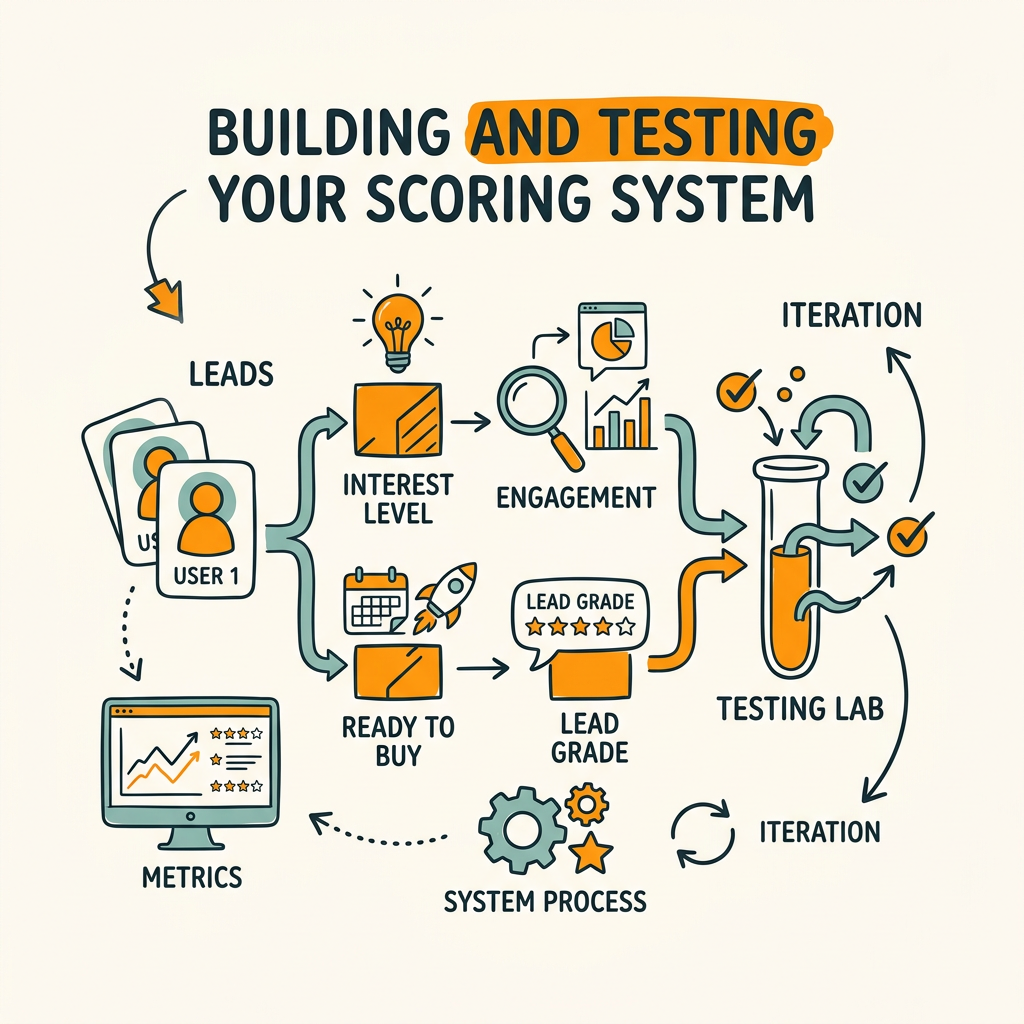
Implementation is where most teams stumble. You can design a perfect scoring model, but if it's not connected to your CRM and integrated into workflows, it's inert. The process involves data mapping, rule building, testing, and sales alignment.
Map Your Data and Define Thresholds
Before you write a single scoring rule, map your data sources. Where does firmographic data come from? Is it pulled via API or uploaded manually? Which form fields are mandatory for scoring? What CRM fields house engagement data? Once data sources are locked, define your sales-ready threshold. Most teams set this at 70–80 points, but yours might be 50 or 100 depending on your sales capacity and win rates. The threshold is a choice, not a law—it should reflect the lead volume your sales team can handle and the quality they require to close deals profitably.
Build Rules in Your Automation Platform
Most modern automation tools have no-code lead scoring builders. In HubSpot, you use the Lead Scoring tab in Settings. In Marketo, you use the Lead Scoring module. In Make (formerly Integromat), you build workflows that calculate scores using custom logic. The interface varies, but the process is identical: define criteria, assign points, and save. Start simple—5 to 10 rules—then iterate. Too many rules make maintenance hell and confuse sales. A focused set of high-impact rules is cleaner and easier to debug.
Test Against Historical Data
Before turning on your scoring, backtest it against your last 100 closed deals and 100 lost deals. If your scoring model would have given high scores to deals you won and low scores to deals you lost, you're on track. If it gives high scores to a deal you lost, your weights are off. This step catches errors before sales team frustration sets in. Teams doing AI content strategy at scale benefit from testing because they're publishing more content and attracting more leads—the volume makes statistical validation faster and clearer.
Launch with Sales Alignment and Training
The biggest failure mode: marketing launches scoring, sales ignores it because they don't understand it or trust it. Prevent this by aligning on definition and training reps before go-live. Answer these questions together:
- What does a 70-point lead mean? Is it sales-ready, or does it need nurture?
- How should reps use the score? Should they call every 80+ lead within 4 hours?
- What if a rep disagrees with a score? Create a feedback loop so adjustments are data-driven, not reactive.
This alignment is non-negotiable. Without it, you'll be explaining scoring failures to your VP of Sales in three weeks.
Integrating Lead Scoring with Your Automation Workflows
Scoring is only useful if it triggers action. A prospect scores 85 points—then what? In a well-designed automation system, scoring feeds into workflows that nurture, route, and prioritize leads automatically. This is where the real ROI lives.
Set Up Automated Lead Routing and Notification
When a lead crosses your sales-ready threshold, they should hit your sales team's inbox immediately. Automation tools allow you to route leads by score, territory, product, or account. If a prospect scores 75+, they're assigned to your closest available Account Executive. If they score 40–74, they enter a nurture workflow. Below 40, they stay in a broad nurture and re-enter the pipeline when they engage again. Speed is critical: 30% to 50% higher MQL-to-SQL conversion is achieved by teams using nurture workflows with lead scoring and behavioral triggers. The faster your sales team calls, the higher your conversion.
Layer Nurture Workflows Based on Score and Behavior
Not every lead is ready to talk to sales. Nurture workflows keep prospects warm while their score climbs. In HubSpot, you might create a workflow that says: "If lead score is 30–60, send educational email sequence every 5 days until score reaches 70 or lead disengages." Behavioral triggers add nuance. If a prospect attended a webinar, skip the introductory email and jump to the advanced content. If they went quiet, re-engage with a different angle. These workflows run 24/7 without a human touching them. Automation platforms like Marketo and Infusionsoft can run thousands of these workflows in parallel, qualifying leads while your team sleeps.
Connect Scoring to Content and Account-Based Marketing
If you're publishing high-volume content for organic growth (as many teams using content automation tools do), lead scoring determines which content to serve. A prospect who downloaded an advanced eBook and scored 65 gets routed toward case studies and ROI content. A new visitor who came from organic search gets educational content first. Automation tools can personalize content based on score, creating a seamless path from anonymous visitor to qualified lead. Content marketing frameworks that scale rely on this feedback loop: more content drives more leads, scoring qualifies them, and conversion data feeds back into content planning.
Monitoring and Continuously Improving Your Scoring
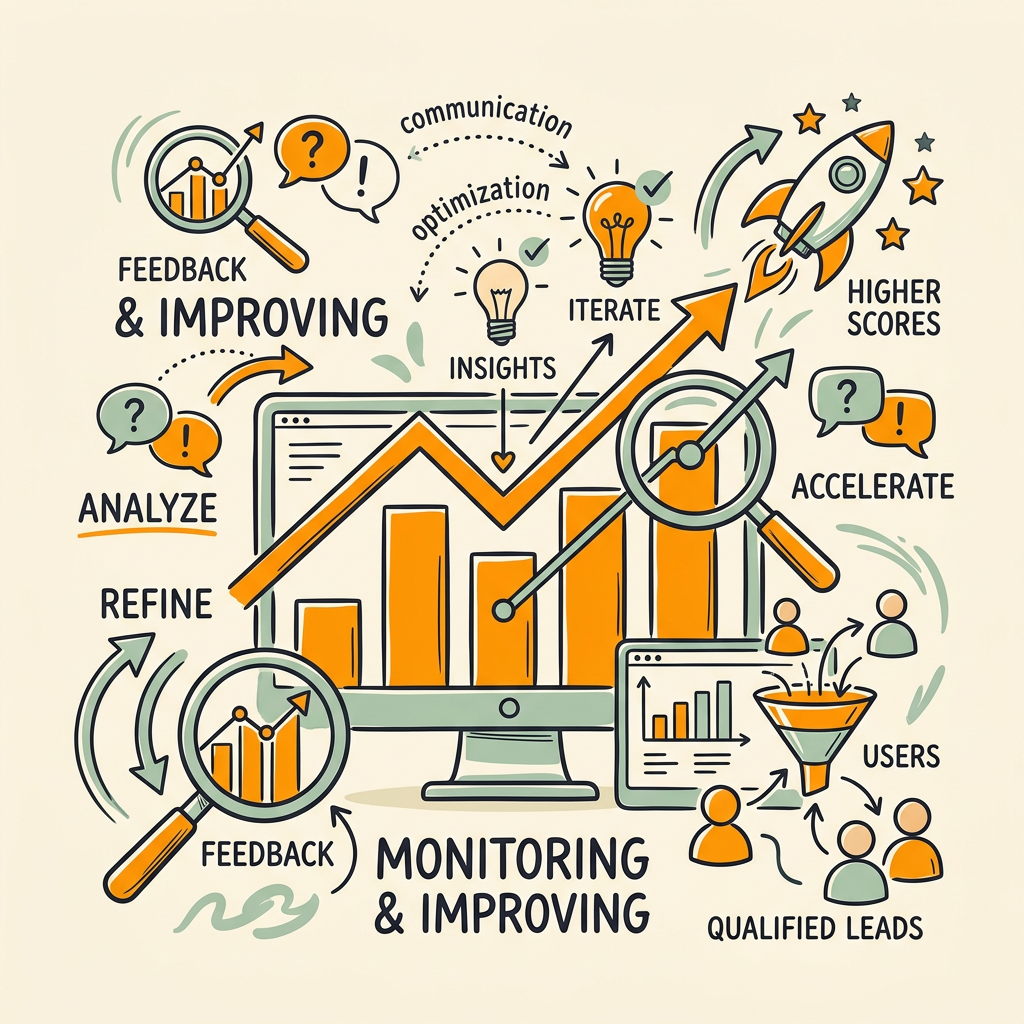
Lead scoring isn't a set-it-and-forget-it system. Markets shift, buyer behavior changes, and your product evolves. You must review and refine your scoring quarterly to stay accurate.
Track Scoring Accuracy and Win/Loss Metrics
Measure two metrics: scoring lift (do high-scoring leads convert more?) and coverage (what % of your pipeline has a score?). For every cohort of leads scored 70+, track their conversion rate. If it's 40%, your scoring is strong. If it's 15%, something is broken. Also compare: what % of your closed deals had scores 60+ when they were first created? If 80% of wins came from high-scoring leads, your model is predictive. If leads you lost had high scores too, your model isn't differentiating well.
- Lead-to-opportunity conversion: What % of scored leads become SQLs (sales-qualified leads)?
- Sales cycle length: Are high-scoring leads closing faster?
- Deal size: Do high-scoring leads turn into larger deals?
- Churn: Do high-scoring customers stick around longer?
Tools like HubSpot and Salesforce have built-in lead score reporting. If yours doesn't, build a simple spreadsheet that pulls lead score at creation, outcome (closed-won, closed-lost, or nurturing), and days-to-close. This data tells you whether your scoring is working.
Audit and Adjust Scoring Rules Quarterly
Every quarter, review your top 20 closed deals and top 20 lost deals. What scores did they have at various pipeline stages? If top deals consistently scored 80+ by week 1, lower your threshold to surface those earlier. If you're losing deals that had high scores, interview your sales team: maybe something changed in the market, or maybe your model doesn't account for a new competitive signal. Adjust weights based on this intelligence, then test your new rules against recent data before pushing live.
Build Feedback Loops Between Sales and Marketing
Sales reps see the leads daily and know which ones convert. Create a monthly sync where sales shares feedback: "These 10 leads scored high but weren't qualified." Marketing and sales together investigate: is the scoring wrong, or is the sales team's definition of qualified off? This conversation surfaces and corrects blind spots. Many teams use a simple Slack workflow where reps mark a lead as "great fit" or "bad fit," and that data gets logged back into the CRM for scoring validation.
Comparison: Lead Scoring Approaches and Tools
The lead scoring landscape includes niche tools, broad marketing automation platforms, and AI-focused specialists. Here's how they compare:
| Tool/Approach | Setup Time | Ease of Use | AI Capability | Automation Integration | Best For |
|---|---|---|---|---|---|
| HubSpot Lead Scoring | 2–4 hours | Visual builder, no code | Predictive (proprietary AI) | Native to HubSpot platform | Mid-market companies using HubSpot as central hub |
| Marketo Lead Scoring | 4–8 hours | Moderate, requires training | Predictive available | Native, integrates with Salesforce | Enterprise teams with complex buyer journeys |
| Rule-Based (Make, Zapier) | 1–2 hours | Flexible, custom workflows | None (rules only) | Via API and webhooks to any CRM | Teams wanting full control and custom logic |
| AI-Specialized (Predictive Sales) | 2 weeks (setup + training) | High, trains on your data | Predictive AI only | Integrates via API | Large datasets, mature sales orgs |
| Jottler + Custom Scoring | 1–2 hours | No-code setup with AI recommendations | AI-powered content drives high-intent leads | Native CRM and automation integrations | Founders and teams scaling organic content and lead volume |
For founders and growing teams, the sweet spot is HubSpot's lead scoring or Jottler if you're focused on organic growth and content-driven lead gen. HubSpot's strength is native integration—everything lives in one platform. Jottler's strength is that it automates the content that attracts leads in the first place. Rather than manually creating content that needs scoring, Jottler produces 3,000+ word SEO articles daily, driving more high-intent traffic. When combined with lead scoring, you're feeding a pipeline with qualified prospects from day one. Rule-based approaches in Make or Zapier work well for custom needs, but they require more engineering time. AI-specialized tools like Salesforce Einstein excel at scale but cost more and need mature data.
Common Lead Scoring Mistakes and How to Avoid Them
Even with the best setup, teams derail their scoring in predictable ways. Knowing these pitfalls saves weeks of frustration.
Over-Complicating Your Model
The most common mistake is building a scoring model with 50+ rules. Each rule adds complexity, makes debugging harder, and increases the chance of unintended side effects. A prospect might score high for one rule but not actually be qualified. Keep your model lean. Start with 5 core rules that are tied to your highest-conviction buyer signals. Layer complexity only as you have data to justify it. Simple, accurate models outperform complex, confusing ones every time.
Ignoring Negative Scoring and Decay
Leads go cold. If you don't penalize stale engagement, your pipeline fills with dead leads and sales wastes time. Always include negative scoring: unsubscribe (−20 points), no engagement in 60 days (−5 points per month), job change away from target company (−25 points). Decay prevents score inflation and keeps your pipeline fresh.
Forgetting to Validate with Sales
Marketing builds scoring in a vacuum, sales ignores it because they don't trust it, and the whole system fails. Avoid this by involving sales in design and testing. Ask them: "What does a 75-point lead look like?" If sales can't articulate it, your scoring isn't clear enough. Validation early saves rework later.
Not Integrating Scoring into Workflows
Scoring without action is useless. A lead hits 75 points—if nothing happens, it's just a metric. Make sure your automation tool routes the lead, notifies sales, and adjusts nurture. The workflow is the engine that turns scoring into revenue.
Conclusion
Lead scoring in automation tools is foundational to scaling sales efficiency. When done right, it drives 38% higher lead-to-opportunity conversion and 28% shorter sales cycles. The setup—defining criteria, choosing a model, building rules, integrating workflows—takes a weekend to a few days, but the payoff compounds for years.
The most successful teams combine three elements: clear scoring rules tied to actual buyer behavior, automation that triggers immediate action, and quarterly refinement based on win/loss data. If you're struggling to scale leads faster than sales can handle, or if your sales team is chasing unqualified prospects, lead scoring is the leverage you need.
Start with explicit scoring (form fills, product engagement) and implicit scoring (company fit). Test your model. Align your team on what the score means. Then let automation do the work. Start your SEO agent to multiply your lead volume—then apply scoring to qualify at scale.
FAQs
What is a good lead score threshold for sales handoff?
Most companies set their sales-ready threshold between 70 and 80 points, but the right number depends on your sales team's capacity and win rates. Test by scoring your last 100 closed deals and measuring what score they had when first created. If your closed deals averaged a score of 72 when they entered the pipeline, set your threshold at 70—this ensures you're handing off leads with historically high conversion probability. You may start conservative (80 points) and lower your threshold as you validate your scoring accuracy. The goal isn't hitting a magic number; it's ensuring every lead you hand to sales is worth their time.
How often should I review and update my lead scoring model?
Review your scoring model every quarter. Pull your closed deals from the last three months and check: what score did winners have when they first entered the pipeline? What score did losers have? If winners consistently scored higher, your model is working. If not, something's broken and needs adjustment. Also review based on external changes: new product launches, market shifts, or competitor moves might change what makes a qualified lead. Quarterly cadence is frequent enough to catch problems early but infrequent enough that you're working with statistically significant data.
Can I use lead scoring without marketing automation software?
Yes, but it's painful. You can build custom scoring logic in Zapier, Make, or Google Sheets, calculate scores manually, and route leads based on spreadsheets. However, you lose the speed and consistency that automation provides—a lead scores high, but your sales team doesn't get notified for two days. The operational friction defeats the purpose. For teams without a marketing automation platform, it's usually worth investing in one (HubSpot's free tier or Pipedrive) specifically to unlock automation. The ROI of automated lead routing and nurture quickly pays for the software cost through faster sales cycles and higher conversion.