The Content Flywheel: Compounding Traffic Through Strategic Linking
Most marketing teams publish content in isolation. One blog post today, another next week, rarely connected to anything else. The result? Each piece starts from zero momentum and fights for attention independently. But what if every article you published automatically boosted the visibility of related content? What if adding just 3–5 contextual internal links to a target page could drive 5–25% organic traffic lifts while simultaneously increasing AI search visibility by 100–150%? That's not guesswork. That's the content flywheel in action — a system where every new piece of content compounds the authority and discoverability of your entire site.
Key Takeaways
- Strategic internal linking delivers 5–25% organic traffic lifts in A/B testing, with gains visible in 4–10 weeks (2026 Research Report)
- A SaaS case study added 517 contextual links across existing content and achieved 33% YoY organic session growth with zero new backlinks
- Pages within 2–3 clicks of the homepage receive better crawl priority; high-priority pages should have 8–15 internal links minimum
Quick-Scan Essentials
- Pillar-and-Cluster Architecture: Organize content into topic clusters with a central pillar page linking to supporting articles, compounding topical authority and rankings.
- Contextual Link Placement: Add relevant internal links within article body where natural, not just in navigation or sidebars, for maximum crawl value and user engagement.
- Authority Flow from High-Value Pages: Route internal links from your highest-authority pages (homepage, well-ranking articles) to underperforming priority pages to accelerate visibility.
- Shallow Click Depth: Keep important pages 2–3 clicks from the homepage; deep-buried content gets less crawl attention and slower indexing.
- Smart Linking for Automation: Tools that intelligently manage internal linking across hundreds of articles eliminate manual bottlenecks and unlock compounding growth at scale.
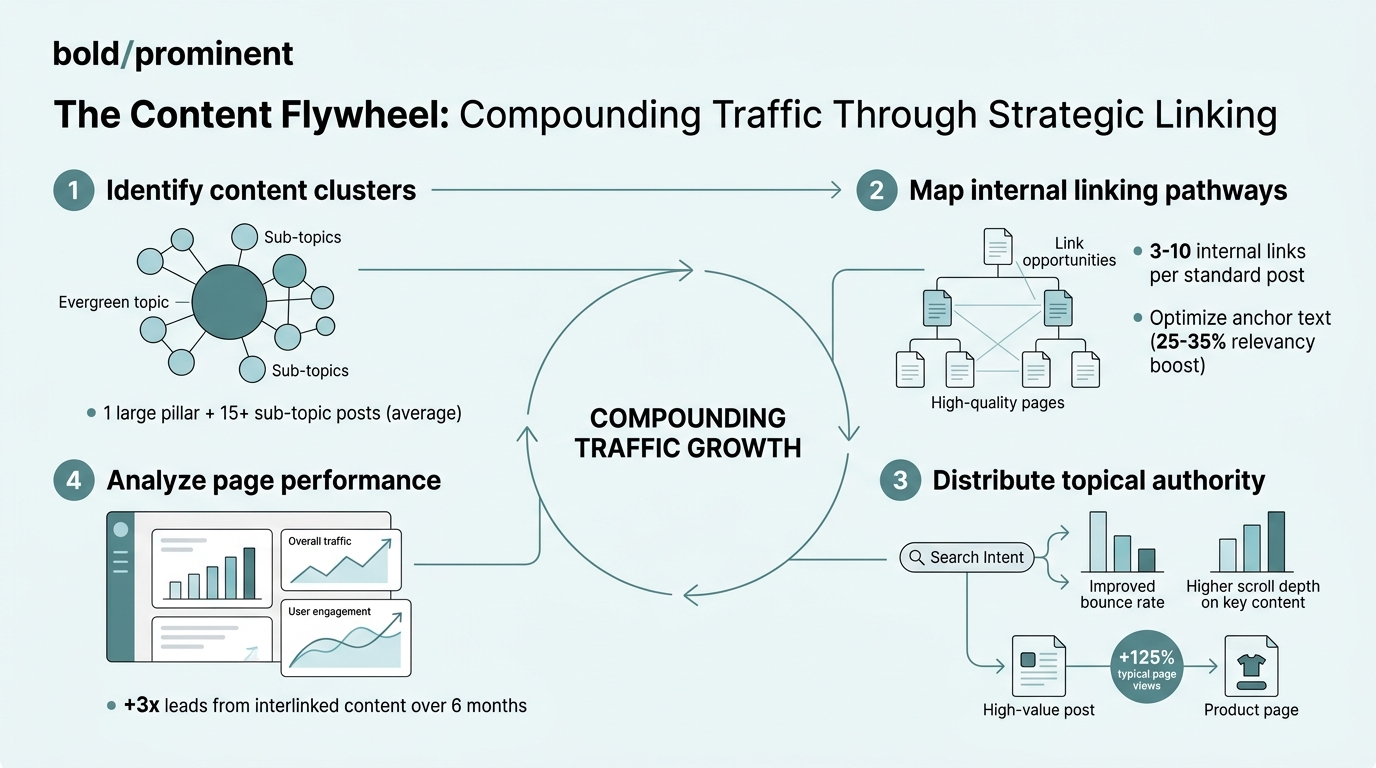
How Internal Linking Creates a Compounding Growth Machine
The content flywheel works because internal linking is the connecting tissue. It transforms a scattered archive of blog posts into an integrated knowledge engine where each new piece of content strengthens existing pages and enables Google to crawl, index, and understand your site's topical depth. According to a 2026 internal-linking research report, contextual internal linking alone delivers 5–25% organic traffic lifts, independent of any new backlinks. The flywheel compounds because every new article is an opportunity to link back to related existing content, funneling readers and crawl authority to your highest-priority pages.
"Strategic internal linking transforms a scattered archive of blog posts into an integrated knowledge engine where each new piece of content strengthens existing pages and enables Google to understand your site's topical depth." — 2026 Internal Linking Research Report
Why Quantity Alone Fails (and Context Wins)
The temptation is simple: add more links, get more traffic. In practice, diminishing returns set in fast. One case study found that pages with 10 internal links had 30% more organic traffic than pages with 5 links, but pages with 15 links showed no additional gain. In fact, engagement metrics (time on page, bounce rate) were optimal at 10 links and degraded at 15. The lesson is brutal: relevance and placement matter far more than bulk. A single contextual link buried naturally in the first 200 words of an article passes more value than five generic footer links.
The most effective internal linking strategies follow these principles:
- Place links within the first 200–300 words of an article where they serve immediate reader needs
- Use descriptive anchor text that signals the destination page's topic to both users and search engines
- Limit contextual links to 8–15 per page to maintain relevance and avoid dilution
- Link each target page once per article using varied anchor text across different pieces
- Avoid generic footer or sidebar links; they pass minimal authority and reduce user engagement
The Timeline: When Do You See Results?
Patience is required. A 2026 research report confirmed that internal linking effects typically appear in 4–10 weeks. One documented case study showed a 90-day project delivering position improvements from 18.7 to 9.3 (nearly a 50% jump), a 61% organic session increase, and 73% better crawl efficiency. Founders expecting overnight wins get discouraged and abandon the approach. The flywheel only works if you commit to sustained, strategic linking across your existing content library.
Building Your Pillar-and-Cluster Structure
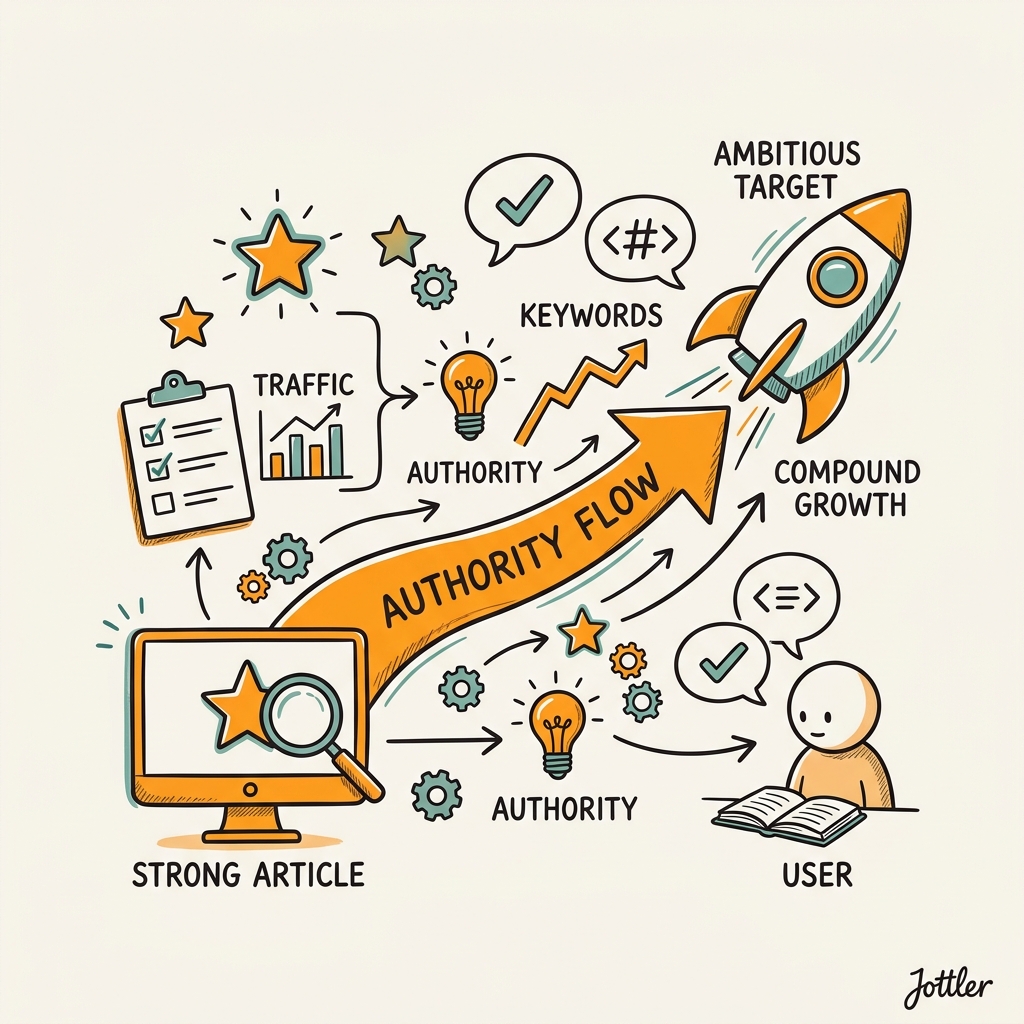
The architecture you choose determines whether your content acts as isolated islands or a connected continent. Pillar-and-cluster architecture is the proven structure: one pillar page covers a broad topic, and satellite cluster pages handle specific subtopics, all interlinked strategically. This topology signals to Google that your site has deep expertise in a topic, and it guides readers through a natural journey from general interest to specific solutions. SEO content strategy guides for 2026 consistently emphasize this cluster model as the foundation for compounding organic visibility.
"Pillar-and-cluster architecture signals deep expertise in a topic to Google while guiding readers through a natural journey from general interest to specific solutions." — SEO Strategy 2026
The Pillar Page: Your Topical Anchor
A pillar page is your site's hub for a major topic. It's broader and shorter than deep-dive articles — think 3,000–5,000 words, not 10,000+. Its job is to define the topic, link to supporting articles, and establish context. Every cluster page links back to the pillar, reinforcing its authority. The pillar page should have 8–15 strategic internal links pointing to cluster articles, all using descriptive anchor text that signals each article's subtopic. Place these links naturally in the body where they add value to readers, not in a footer "related articles" module.
Cluster Pages: Deep Dives That Feed the Flywheel
Cluster articles are 5,000–8,000 words of specialized content answering specific subtopic questions. Each cluster page links back to the pillar once (early in the article) and to 2–3 related cluster articles where relevant. The magic is in cross-linking: when you publish a new cluster article about "internal linking for e-commerce," it links to existing clusters on "site architecture," "crawl efficiency," and "topical authority." That new link creates an immediate path for Google to discover those related pages and signals their continued relevance.
Creating the Feedback Loop
The flywheel activates when you commit to interlinking. Every new cluster article you publish is an opportunity to add links to older clusters, refreshing their crawl paths and distributing authority from new content (which gets initial crawl energy from the homepage) down to mature content that ranks but hasn't gotten link love in months. This is why automation of internal linking matters: manual interlinking becomes unsustainable at scale, and tools that identify linking opportunities and implement them systematically unlock the flywheel's full potential.
Strategic Authority Flow: Linking From Strength to Ambition
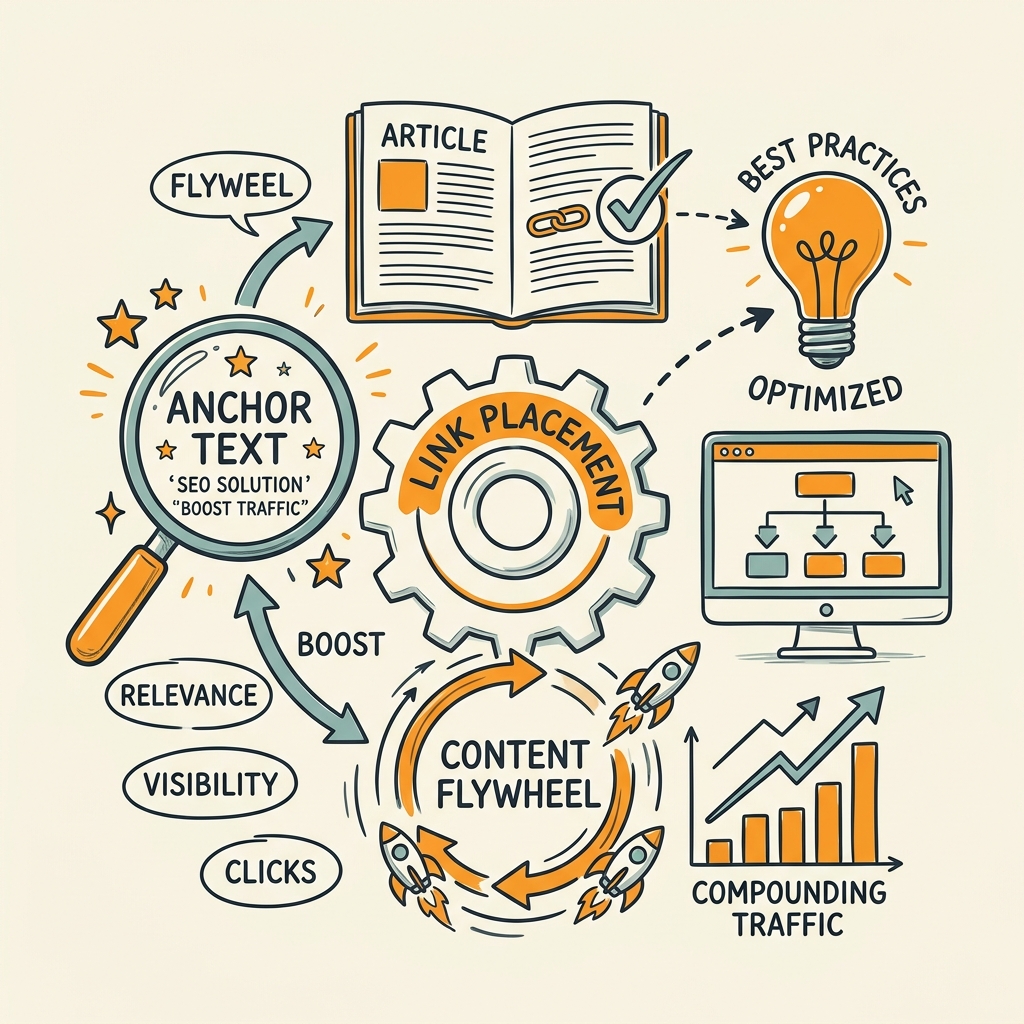
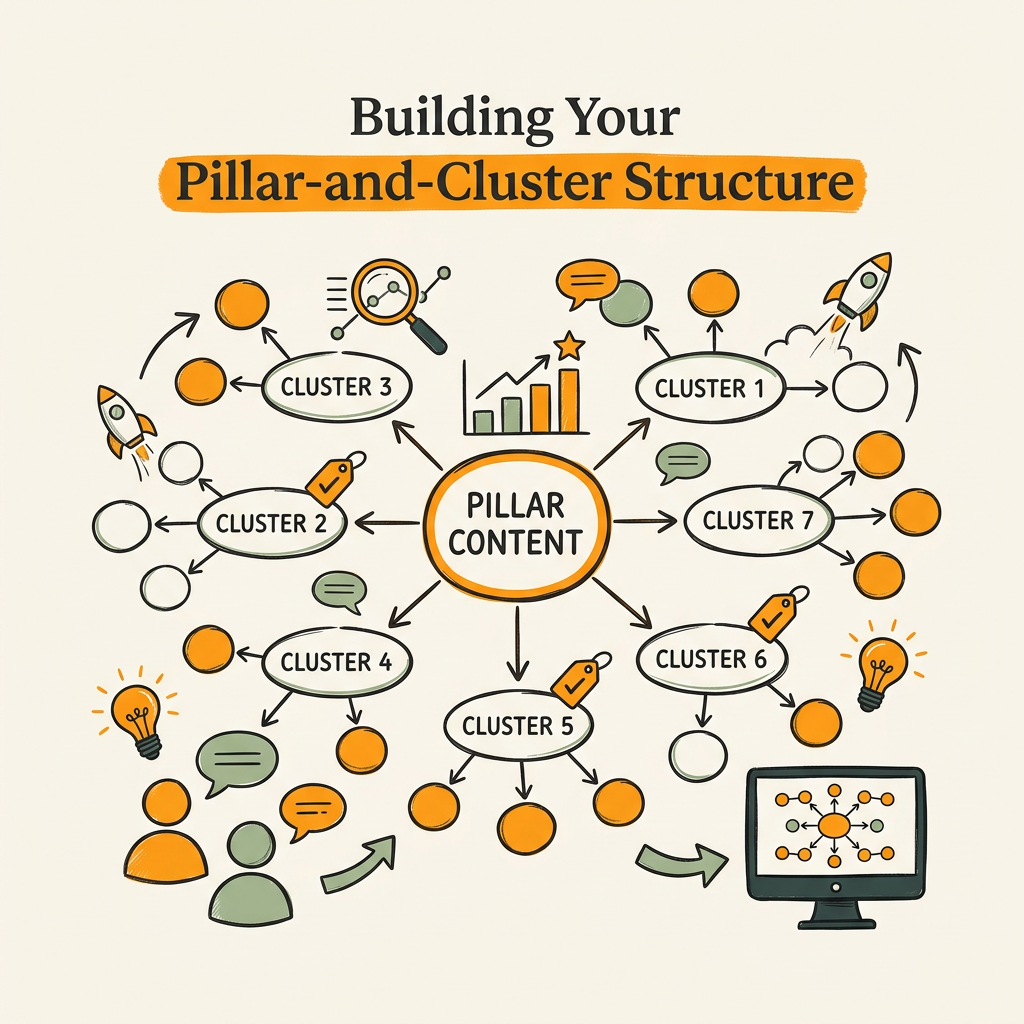
Not all internal links have equal weight. Google treats links from high-authority pages (your homepage, major pillar pages with backlinks) as more valuable than links from obscure internal pages. Strategic authority flow means deliberately routing internal links from your strongest pages to your highest-priority target pages. A SaaS case study added 517 strategic internal links and saw 33% YoY organic session growth — not by linking randomly, but by routing links from authority pages to revenue-critical pages and underperforming keywords with ranking potential.
Identifying High-Authority Internal Pages
Use Google Search Console or SEO tools to identify pages with the most backlinks or referring domains. These are your internal authorities. Likely candidates: your homepage, major product pages, high-authority pillar pages, or established blog posts with significant backlink profiles. These pages are the distribution hubs in your flywheel. They're also the best sources for new internal links you add during content updates and refreshes.
High-authority pages typically share these characteristics:
- Pages with the most referring domains and backlinks from external sources
- Your homepage and primary product/service pages
- Established pillar pages that have ranked for 6+ months
- Blog posts with significant organic traffic and high average position
- Pages frequently linked to from your navigation and footer
Targeting Underperforming Pages for Authority Injection
Next, identify pages stuck in positions 11–20 in Google Search Console. These are high-potential targets. They rank, but they're on the wrong side of the visibility cliff. A modest authority boost from 2–3 internal links from high-authority pages often nudges them into top-10 positions. Similarly, identify pages with few internal links (orphaned pages). These are traffic dead zones. Adding just 3–5 strategic internal links to them can unlock 20–40% traffic lifts once Google re-crawls and reindexes.
The Velocity of Link Distribution
Timing matters. When you publish a new article linked from the homepage, that page gets crawled within hours. If that new article links to 5 related older pages, those pages get re-crawled faster and their updated content is indexed sooner. This is why publishing frequency affects the flywheel. High-frequency publishers (3–5 articles per week) maintain constant crawl velocity across their site, while once-a-month publishers see long gaps in crawl cycles. This is also why autonomous content systems that publish daily compound faster than manual teams publishing weekly or monthly.
Optimizing Link Placement and Anchor Text
Where you place a link and what text you use matters more than most teams realize. A link in paragraph one of a 5,000-word article passes more value than the same link buried in paragraph 40. Anchor text that says "Click here" or "Read more" tells Google nothing about the destination page's topic. Descriptive anchor text like "pillar-and-cluster SEO architecture" or "internal linking strategy for SaaS" gives Google and users instant context. Research from Siege Media's traffic guide emphasizes that optimized anchor text and strategic link placement are primary levers for increasing both rankings and user engagement.
Early Placement in Article Flow
Insert primary internal links within the first 200–300 words of an article, where they serve the reader's immediate journey. If an article introduces a concept that the reader needs to understand fully, link to a related article that explains it. This isn't just SEO optimization; it's user experience. Early links have higher click-through rates and get crawled immediately. Links buried deep in the article are less effective for both users and search engines.
Contextual Anchors: The Clear Signal
Use descriptive, keyword-rich anchor text that matches the destination page's topic. Instead of "This article," write "Strategic internal linking for B2B SaaS." Instead of "Learn more," write "How to build a pillar-and-cluster content structure." This text becomes a relevance signal that helps both Google and readers. One bonus: descriptive anchors increase click-through rates. Users trust links when they can see exactly where they're going.
Effective anchor text follows these guidelines:
- Include 2–4 relevant keywords when possible without forcing awkward phrasing
- Match anchor text to the destination page's main heading or primary topic
- Vary anchor text across different articles when linking to the same page
- Avoid generic phrases like "click here," "read more," or "this article"
- Keep anchor text under 8 words for clarity and crawl efficiency
Avoiding Link Inflation and Unnatural Patterns
There's a ceiling. Pages should have between 8–15 contextual internal links. More than that dilutes value and often signals unnatural linking patterns to Google. Similarly, avoid linking the same anchor text multiple times to the same page within a single article — it reads as artificial. Link each target page once per article, using varied anchor text when you reference the same topic across multiple articles.
Measuring Your Flywheel's Momentum
You can't optimize what you don't measure. The flywheel generates compounding returns, but only if you track the right metrics and commit to iterative improvement. The best teams measure internal linking's impact not just on rankings, but on crawl efficiency, indexation, and ultimately on business outcomes like revenue pages and conversions.
Key Metrics to Track
Start with organic sessions by landing page in Google Analytics. Compare traffic to pillar pages and cluster pages before and after implementing strategic internal linking. Next, track average position in Google Search Console. A 90-day internal linking project should move your target pages 5–10 positions higher. Monitor crawl stats in Search Console to confirm Google is re-crawling your pages after each content update and link addition.
For conversion-focused teams, track sessions to revenue pages by source. If internal linking drives readers from blog content to pricing or demo pages, that's the business impact you care about. Use content marketing ROI frameworks to build funnels that show how blog readers navigate to conversion pages. That path data reveals whether your flywheel is actually moving readers through your site or just bouncing them between isolated blog posts.
Essential metrics to monitor include:
- Organic sessions by landing page: Track month-over-month growth on pillar and cluster pages
- Average position in Search Console: Target 5–10 position improvements over 90 days
- Crawl frequency: Monitor how often Google crawls pages after each linking update
- Pages indexed: Confirm new internal links accelerate indexation of related pages
- Revenue page sessions from organic search: Measure whether internal linking drives business outcomes
- Click-through rate by landing page: Identify pages with high impressions but low CTR needing better internal linking
The 90-Day Audit Cycle
Every 90 days, audit your site's internal linking. Identify new orphaned pages and add links. Update old cluster pages to point to new clusters published in the last quarter. Check Search Console for pages with high impressions but low click-through rates — these need better internal linking to relevant deeper content. The teams seeing consistent 20–50% quarterly organic growth apply this cycle religiously. Those treating internal linking as a one-time fix see gains plateau after three months.
Scaling the Flywheel: Where Automation Becomes Non-Negotiable
Manual internal linking is fine for 20–30 articles. Beyond that, it becomes a bottleneck. Founder teams with 100+ articles struggle to remember which existing pieces exist and which ones relate to new content. They miss linking opportunities, and the flywheel loses momentum. This is where intelligent content automation changes the game. Tools that manage internal linking at scale eliminate the manual work and ensure every published article is integrated into your topical network automatically.
Why Manual Linking Breaks Down at Scale
Consider a team publishing 5 articles per week (260 per year). Each new article should link to 4–6 existing related pieces. That's 1,040–1,560 internal links to identify and implement per year. Manually researching which old articles relate to new content, writing descriptive anchor text, and adding links in the right places is weeks of work per quarter. Most teams don't have that capacity, so they skip it or do it haphazardly. The flywheel stalls.
Intelligent Linking Systems: Automating the Flywheel
Advanced content systems identify linking opportunities automatically. When you publish a new article on "content repurposing," the system recognizes that it's semantically related to older articles on "content clusters," "topic authority," and "evergreen content," and it suggests specific internal links with pre-written anchor text. The system also flags existing pages that should receive links from new content and can even batch-update them. This isn't just efficiency — it's the only way to maintain a healthy flywheel while publishing at the velocity modern SEO demands.
| Approach | Linking Coverage | Time Investment | Flywheel Momentum |
|---|---|---|---|
| Manual Linking — Editor researches and adds links to each article | 50–70% of opportunities identified | 4–6 hours per week per publisher | Moderate, decays over time |
| Checklist-Based Linking — Team links to the same 5–10 pillar pages on repeat | 30–50% of opportunities identified | 2–3 hours per week per publisher | Weak, lacks topical depth |
| Jottler Automated Linking — AI identifies semantic relationships and suggests contextual links with anchor text | 85–95% of opportunities identified | 30 minutes per week for review/approval | Strong, compounds consistently |
Putting It All Together: A Weekly Flywheel Ritual
If you're publishing 2–3 articles per week, set aside 90 minutes every Friday for linking maintenance. Spend 30 minutes reviewing the internal linking suggestions from your automation system (or manually identifying links if you're not using one). Spend 30 minutes updating 2–3 older articles to link to recent content. Spend 30 minutes refreshing your pillar pages to include links to new clusters published in the last month. That's the rhythm that keeps the flywheel spinning. Skip it, and compounding stalls.
Your weekly linking ritual should include:
- Review AI-generated linking suggestions or manually identify semantic relationships (30 minutes)
- Write descriptive anchor text for each suggested link (15 minutes)
- Update 2–3 older cluster pages to include links to recently published content (30 minutes)
- Refresh pillar pages with links to new clusters from the last month (15 minutes)
- Approve and publish all internal link additions (5 minutes)
Conclusion
The content flywheel isn't a new concept, but it remains wildly underutilized. Most teams publish more content hoping volume solves their traffic problem. The teams winning organic market share treat each new article as an opportunity to strengthen their existing asset base. They route internal links strategically, maintain pillar-and-cluster architectures, and measure progress quarterly. The compounding returns are measurable: 33% YoY organic growth from a SaaS team, 61% session increases in 90 days, 100–150% AI search visibility lifts from intentional linking. The hard part isn't understanding the strategy. It's executing it consistently across hundreds of articles without letting manual work slow you down. Start with a 90-day audit, implement systematic linking, and measure the results. The flywheel works. You just have to feed it.
FAQs
How many internal links should each page have?
8–15 contextual internal links is the sweet spot for most pages. One case study found that pages with 10 internal links had about 30% more organic traffic than pages with 5, but pages with 15 showed no additional gain and actually had higher bounce rates. The quality and relevance of links matter far more than raw quantity. Focus on placing 3–5 links in the body of the article where they're contextually relevant, and add 2–3 more to related cluster pages. Avoid generic footer or sidebar links; they dilute value.
When will I see traffic gains from internal linking?
Internal linking effects typically appear in 4–10 weeks, according to 2026 research. A documented 90-day case study showed average position improvements from 18.7 to 9.3, plus a 61% increase in organic sessions. The timeline depends on your site's crawl frequency and how aggressively Google re-indexes your pages after each update. High-authority sites with daily crawl frequency see results faster. Lower-authority sites may take 8–10 weeks. The key is consistency — if you update internal links once and stop, gains plateau. Continuous linking maintenance drives continuous growth.
Can internal linking alone grow organic traffic without backlinks?
Yes. A SaaS case study achieved 33% YoY organic session growth from internal linking with zero new backlinks. Another team saw a 23% traffic increase using only internal link improvements. This works because internal linking improves crawl efficiency, accelerates indexation, and distributes authority from your strongest pages to priority pages. However, backlinks still matter for competitive keywords. Internal linking is a flywheel accelerator that works independently, but it compounds far more powerfully when combined with a backlink strategy.